Workona Import
 holmes5554k downloads
Import Workona resources through generated JSON file.
- Overview
- Scorecard
- Updates12
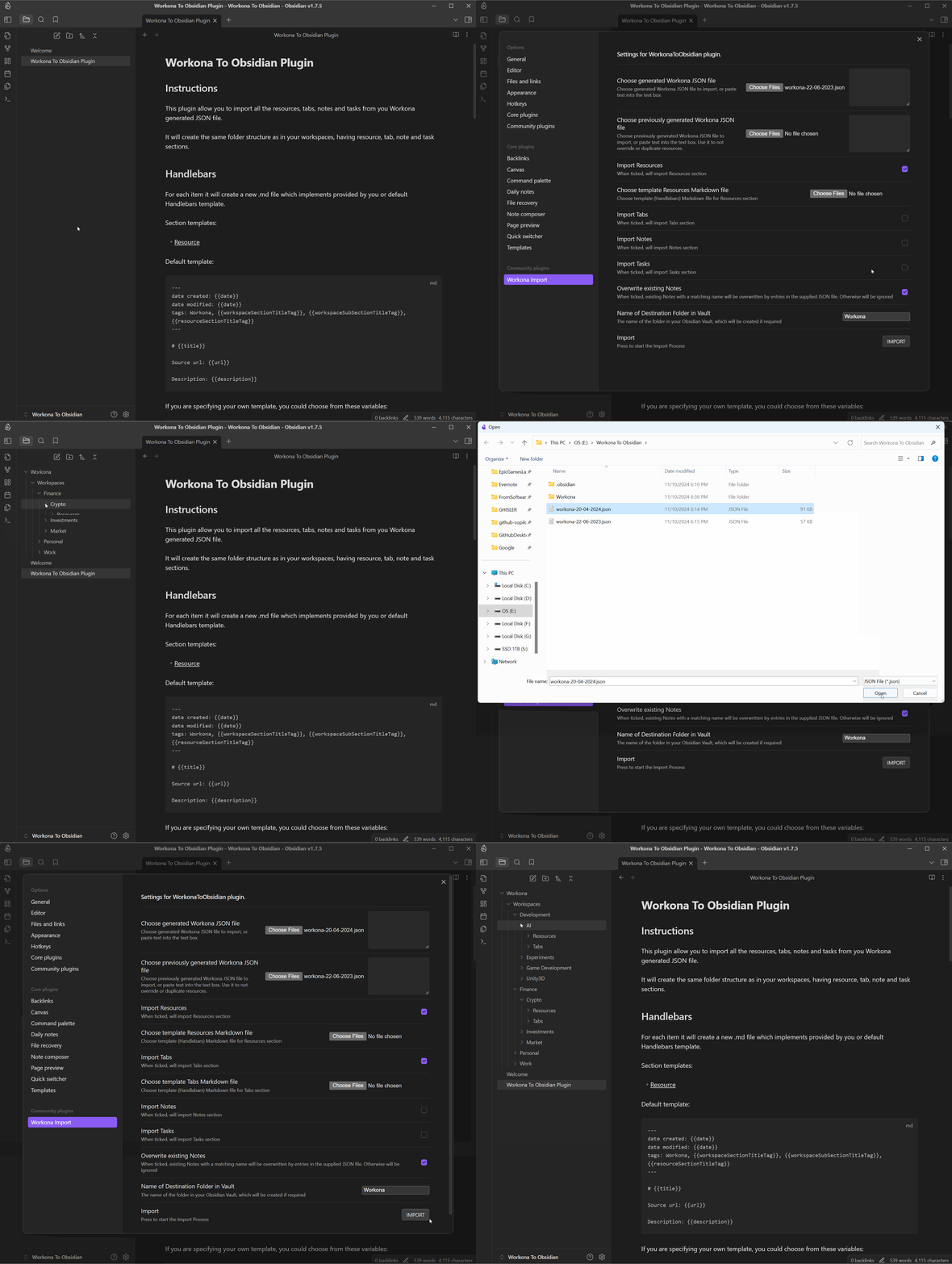
This plugin allow you to import all the resources, tabs, notes and tasks from you Workona generated JSON file. It will create the same folder structure as in your workspaces, having resource, tab, note and task sections.
Handlebars
For each item it will create a new .md file which implements provided by you or default Handlebars template.
Section templates:
Resource
Default template:
---
date created: {{date}}
date modified: {{date}}
tags: Workona, {{workspaceSectionTitleTag}}, {{workspaceSubSectionTitleTag}}, {{resourceSectionTitleTag}}
---

# {{title}}

Source url: {{url}}

Description: {{description}}
If you are specifying your own template, you could choose from these variables:
[title, date, workspaceSectionTitleTag, workspaceSubSectionTitleTag, resourceSectionTitleTag, url, description]
Tab
Default template:
---
date created: {{date}}
date modified: {{date}}
tags: Workona, {{workspaceSectionTitleTag}}, {{workspaceSubSectionTitleTag}}
---

# {{title}}

Source url: {{url}}
If you are specifying your own template, you could choose from these variables:
[title, date, workspaceSectionTitleTag, workspaceSubSectionTitleTag, url]
Note
Default template:
---
date created: {{date}}
date modified: {{date}}
tags: Workona, {{workspaceSectionTitleTag}}, {{workspaceSubSectionTitleTag}}, {{noteSectionTitleTag}}
---

# {{title}}

{{description}}

---
Attachments:
{{#each attachments}}
- [{{title}}]({{url}})

{{/each}}
If you are specifying your own template, you could choose from these variables:
[title, date, workspaceSectionTitleTag, workspaceSubSectionTitleTag, noteSectionTitleTag, description, attachments]
Note: attachments is an array of objects with title and url components
Task
Default template:
---
date created: {{date}}
date modified: {{date}}
tags: Workona, {{workspaceSectionTitleTag}}, {{workspaceSubSectionTitleTag}}, {{taskSectionTitleTag}}
---

# {{title}}

{{description}}

---
Attachments:
{{#each attachments}}
- [{{title}}]({{url}})

{{/each}}
If you are specifying your own template, you could choose from these variables:
[title, date, workspaceSectionTitleTag, workspaceSubSectionTitleTag, taskSectionTitleTag, description, attachments]
Note: attachments is an array of objects with title and url components
How to use
- Install it through community plugins
- Go to Workona to generate JSON file with all your data
- In Workona To Obsidian plugin's settings choose JSON file or copy/paste the file data into the text area
- You could choose template .md file, which should be a Handlebars template file.
- Choose if you want to override old files with the same name
- Specify the root folder for imported files
- Run the import
- You are breathtaking!
Changelog
[0.1.0] - Initial release.
[0.1.3] - Added ability to use custom template .md file for importing with your formatting.
[0.1.4] - Format default template, to make proper tags. Replace "|" in the file name.
[0.2.0] - Added ability to compare Workona JSON files and export only new resources, that way you could update Obsidian without duplicates.
[0.2.1] - Updated name to "Workona Import" due to Obsidian developer policies issue.
[0.2.2] - Prettify code with linter.
[0.3.0] - Added ability to import Tabs. Refactored folder structure. Now resources are under Resources folder, tabs - under Tabs.
[0.3.1] - Added ability to import Notes under Notes folder.
[0.3.2] - Added ability to import Tasks under Tasks folder.
[0.3.3] - Fixed empty files field.
Note
Workona To Obsidian plugin is still evolving as I'm doing it on my free time for my use.
If you want to support me: ko-fi or directly to PayPal
Feel free to open an issue or contribute.
https://github.com/Holmes555/workona-to-obsidian