Search...Search plugins and themes...
⌘K
Sign in
  • Get started
  • Download
  • Pricing
  • Enterprise
  • Account
  • Obsidian
  • Overview
  • Sync
  • Publish
  • Canvas
  • Mobile
  • Web Clipper
  • CLI
  • Learn
  • Help
  • Developers
  • Changelog
  • About
  • Roadmap
  • Blog
  • Resources
  • System status
  • License overview
  • Terms of service
  • Privacy policy
  • Security
  • Community
  • Plugins
  • Join the community
  • Discord
  • Forum / 中文论坛
  • Merch store
  • Brand guidelines
Follow us
DiscordTwitterBlueskyThreadsMastodonYouTubeGitHub
© 2026 Obsidian

RSS Dashboard

amatya-adityaamatya-aditya97k downloads

A dashboard for organizing and consuming RSS feeds, YouTube channels, and podcasts with smart tagging, media playback, and seamless content flow.

Add to Obsidian
  • Overview
  • Scorecard
  • Updates32
RSS Dashboard Logo

RSS Dashboard

Only the feeds you need. Stream the world's knowledge into your vault: RSS, podcasts, YouTube, and more, all in one dashboard.

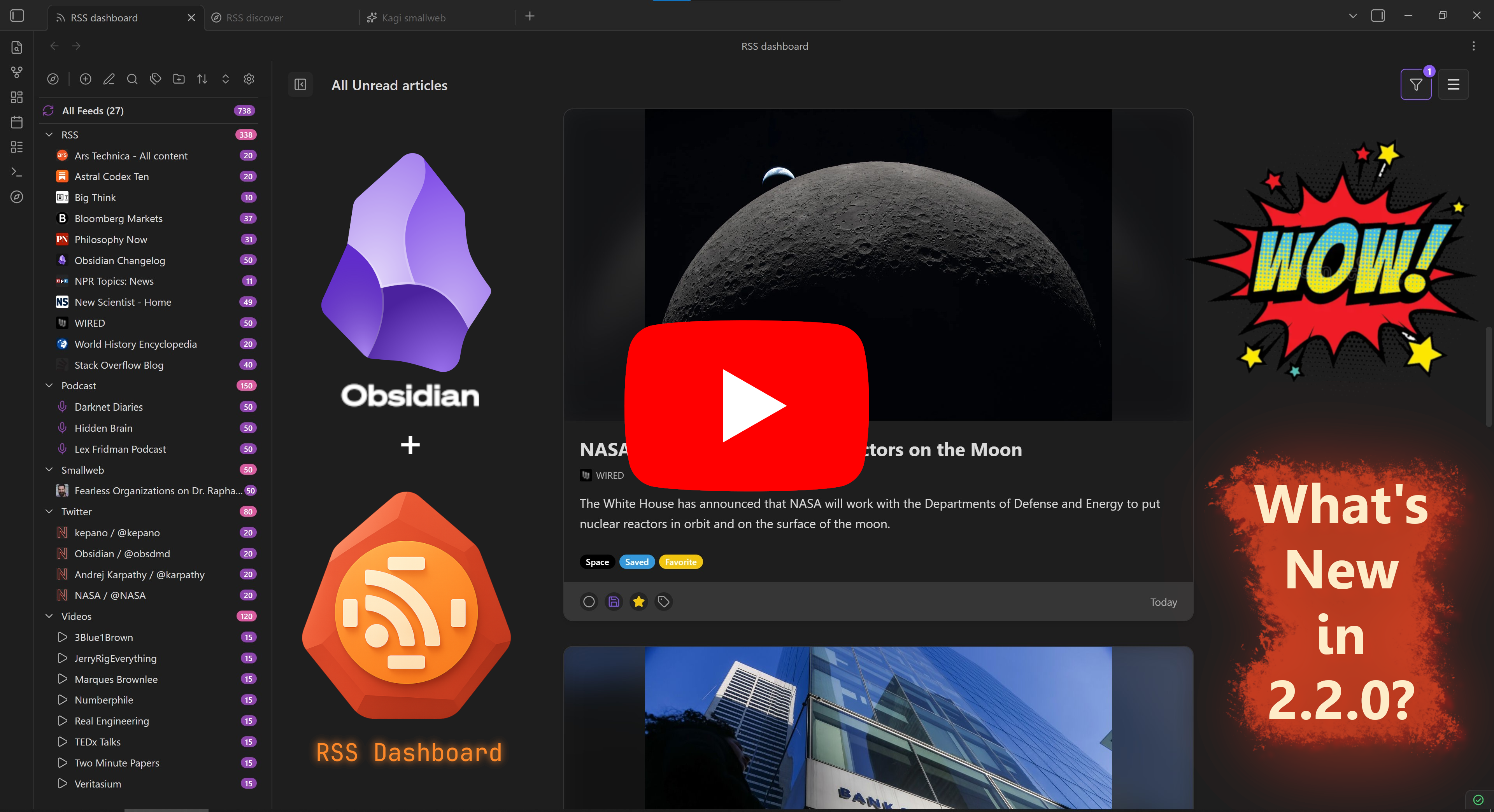
Version 2.2.0 Showcase Video

Table of Contents

  • About
  • Community
  • Features
  • Screenshots
  • Roadmap
  • Installation
  • Getting Started
  • Development
  • Troubleshooting
  • YouTube Embeds and Terms
  • Support the Development
  • Other Plugins by Me
  • License

About

RSS Dashboard is a free, open source community plugin for Obsidian that makes it easy to manage your RSS feeds, YouTube subscriptions, podcasts, and Twitter/X feeds in one place.

  • Data is stored locally.
  • Content can be saved directly to your vault.
  • No ads, no tracking, no paywalls.

Community

Want to help shape the next release? Join the Discord server: https://discord.gg/9bu7V9BBbs

Community highlights:

  • Build the manually curated Discover page with one-click subscriptions grouped by category.
  • Discuss ideas, questions, and best practices in real time.
  • Share sneak peeks of upcoming features and gather early feedback.

Features

Feed and Media Support

Feature Description
Multi-Format RSS Support Support for RSS, Atom, XML and JSON feeds with automatic feed discovery and parsing
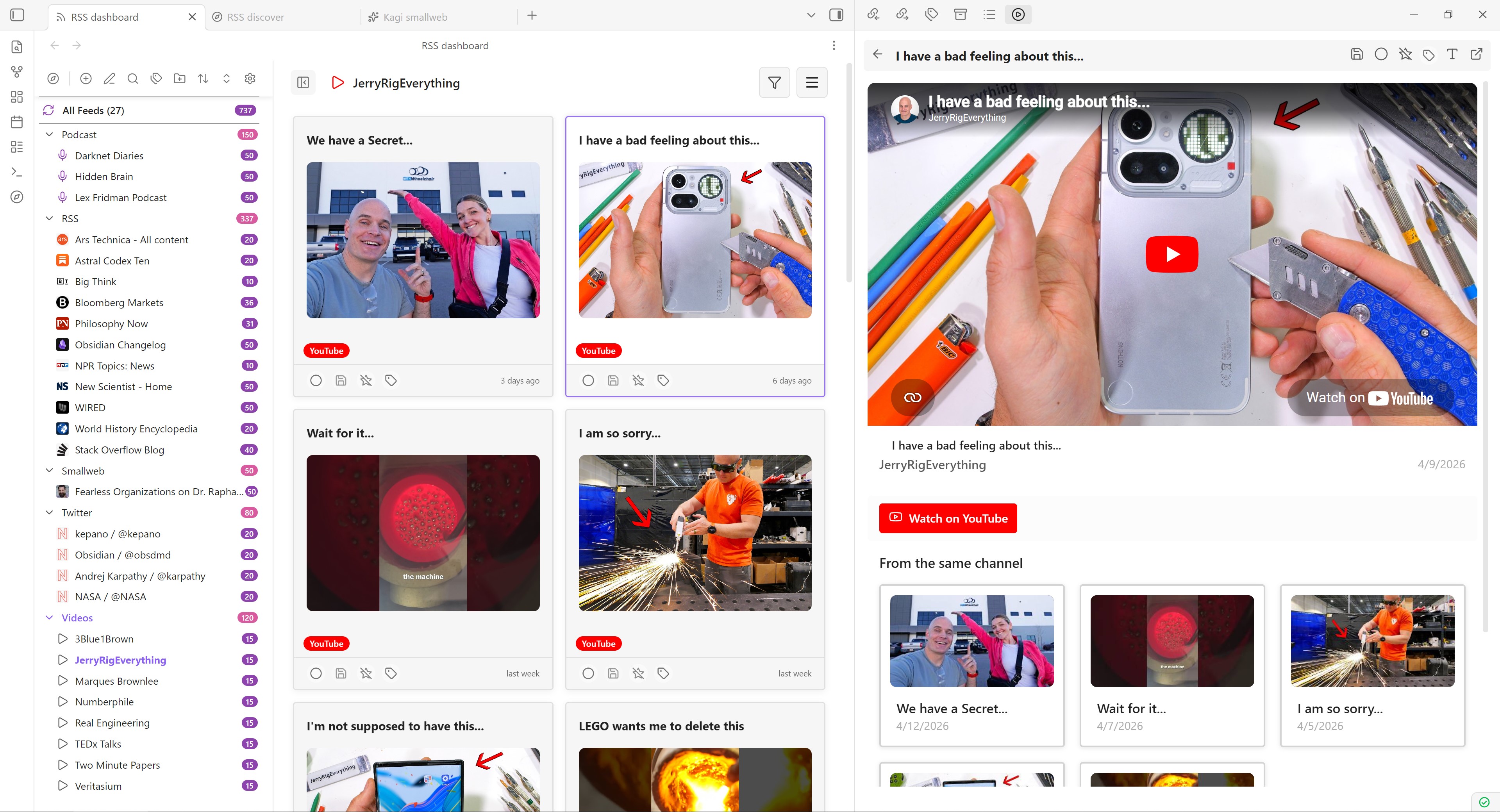
YouTube Integration Convert YouTube channels to RSS feeds with embedded video playback
Podcast Support Full podcast feed support with an integrated podcast player
Twitter/X Support Convert Twitter/X profile URLs to chronological Nitter RSS feeds automatically
Media Detection Automatic detection of video and podcast content

Reading and Saving

Feature Description
Article Reader View Built-in reader with full article content fetching and Markdown conversion
Article Saving Save articles as Markdown files with customizable templates and frontmatter
Custom Templates Customize saved article output with variable substitution
Pagination Paginated article lists with configurable page sizes
Android/Apple Support Responsive support for cross-platform mobile devices

Organization and Workflow

Feature Description
Folder Organization Organize feeds into folders and subfolders with hierarchical structure
Tag Management Add custom tags to feeds and articles for better organization
Article Filtering Filter articles by read status, age, starred, saved, and more
Article Sorting Sort articles by newest, oldest, and group by feed, date, or folder
Auto-Refresh Automatic feed refresh with configurable intervals
OPML Import/Export Import and export feed subscriptions in OPML format

Discovery

Feature Description
Discover Page Curated collection of RSS feeds organized by categories
Kagi Smallweb Browse and subscribe to a curated stream of smaller independent blogs and websites

Screenshots

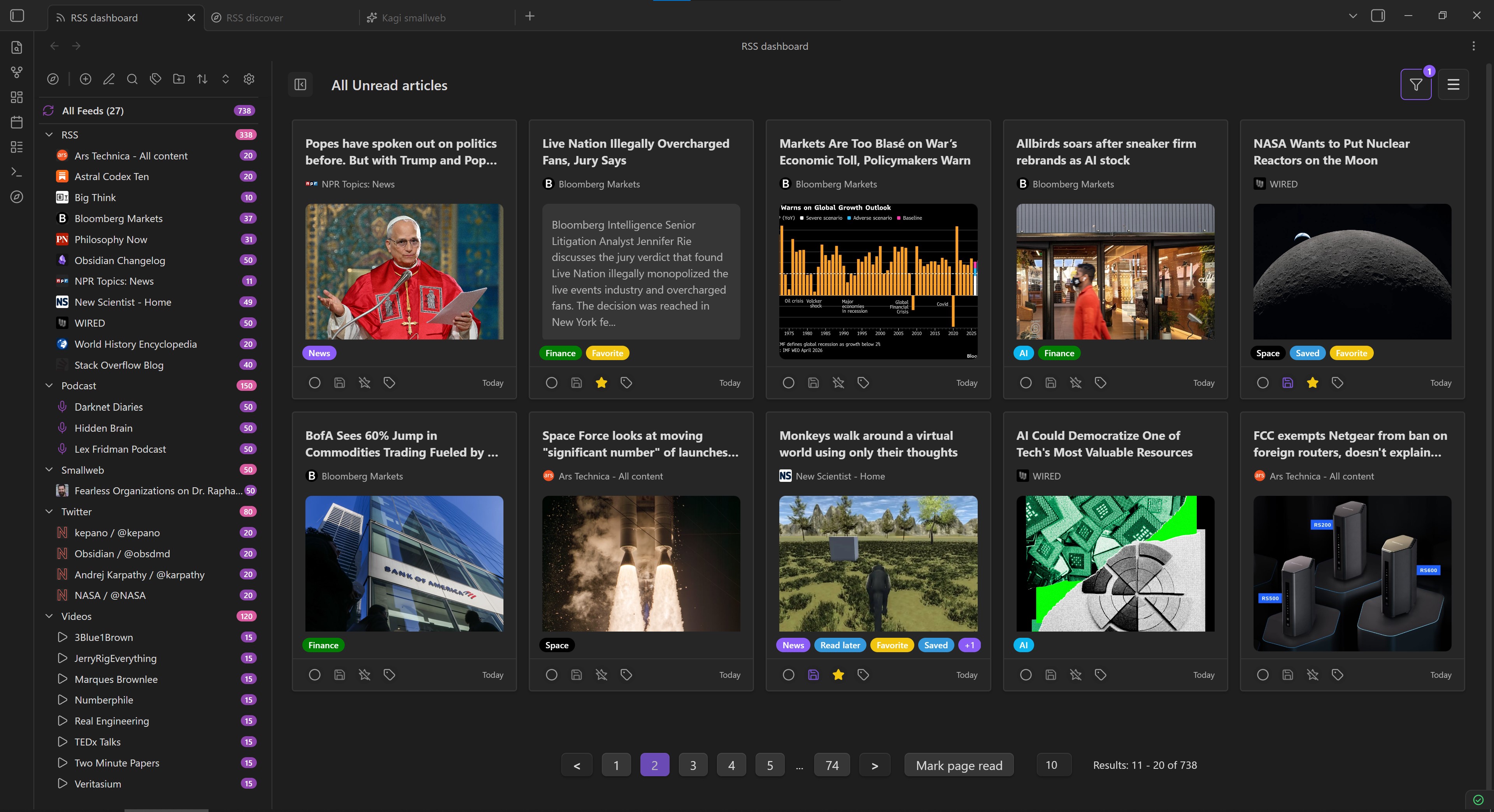
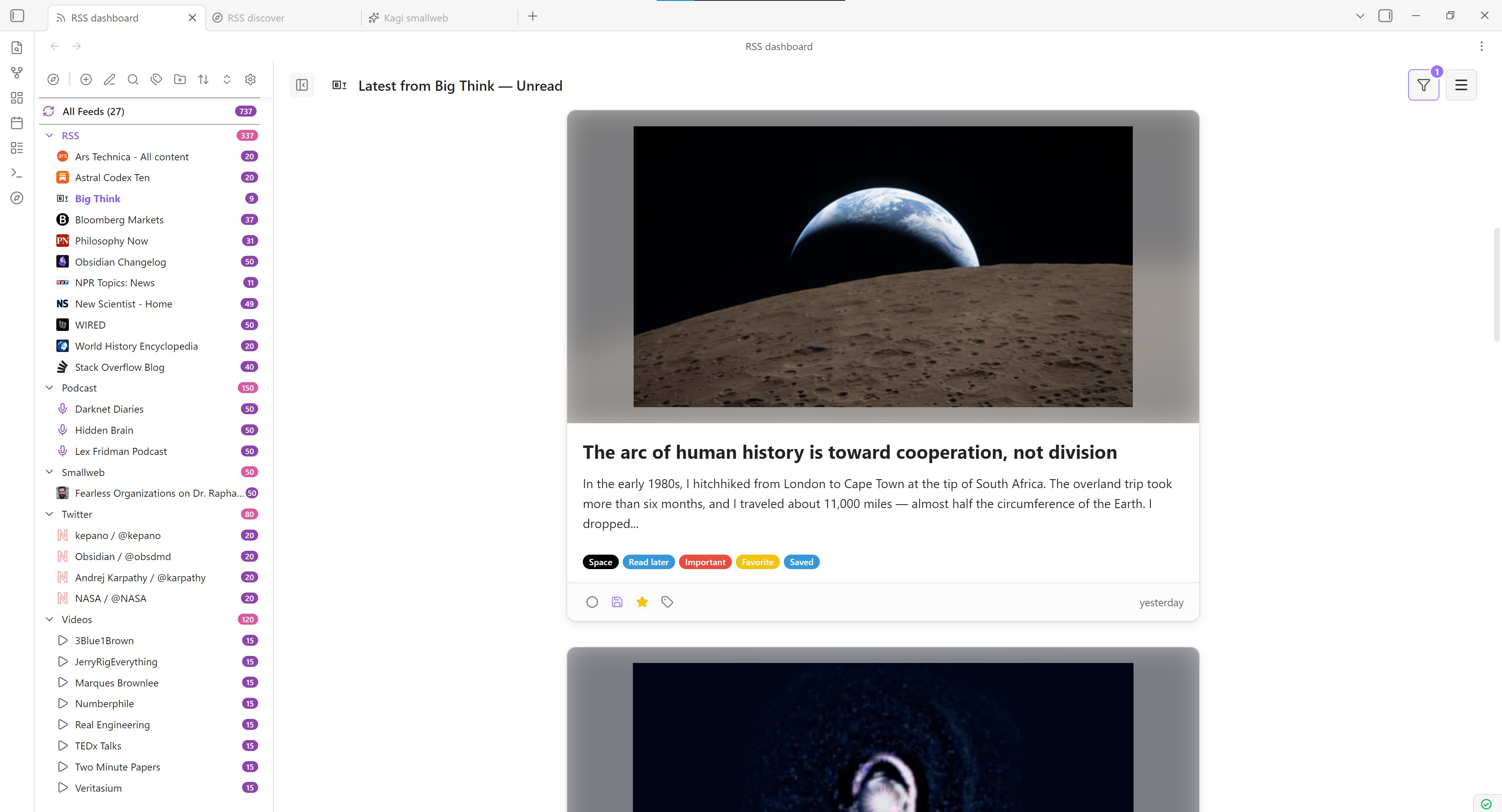
RSS Dashboard main dashboard view

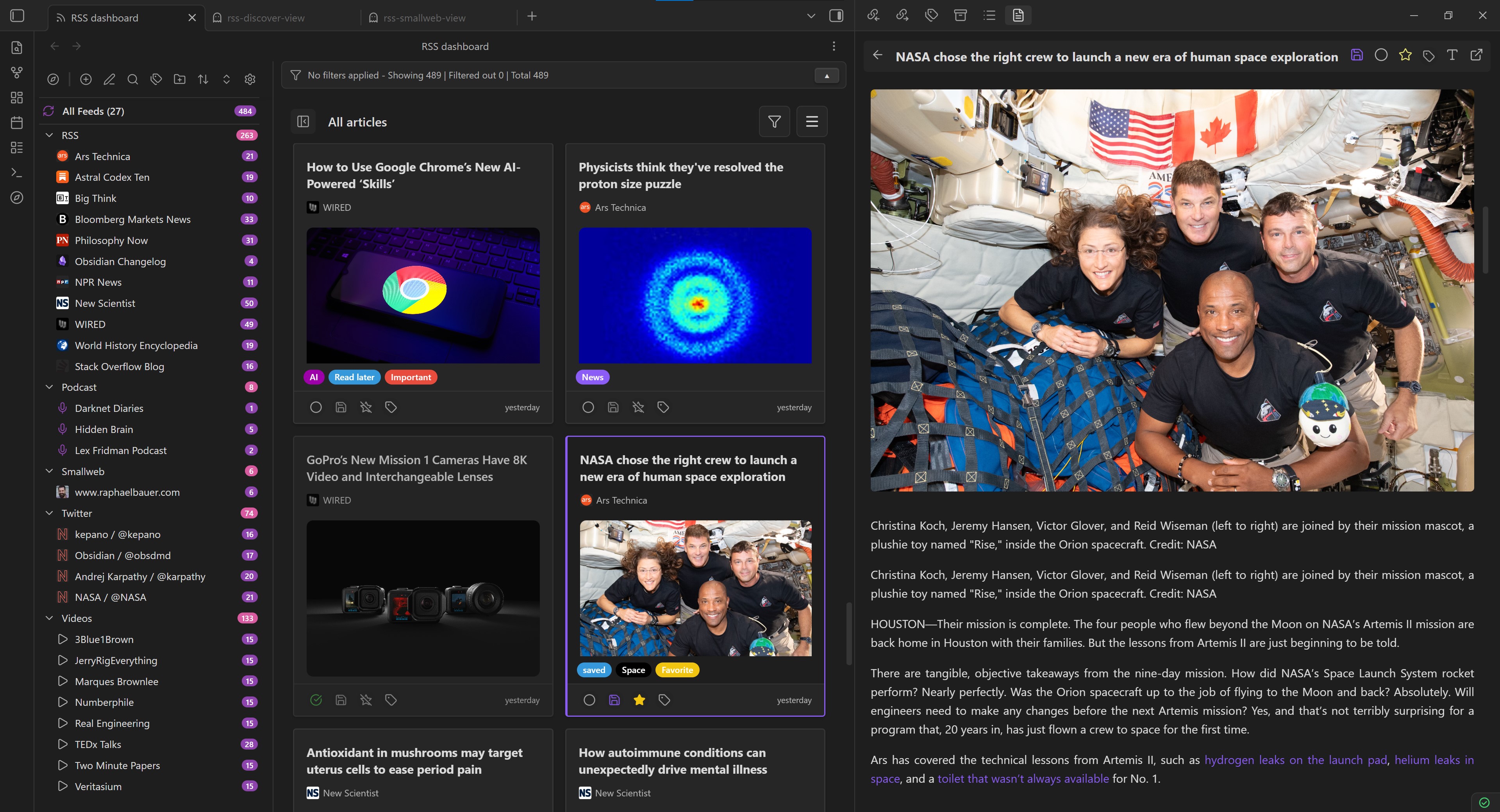
Article reader view

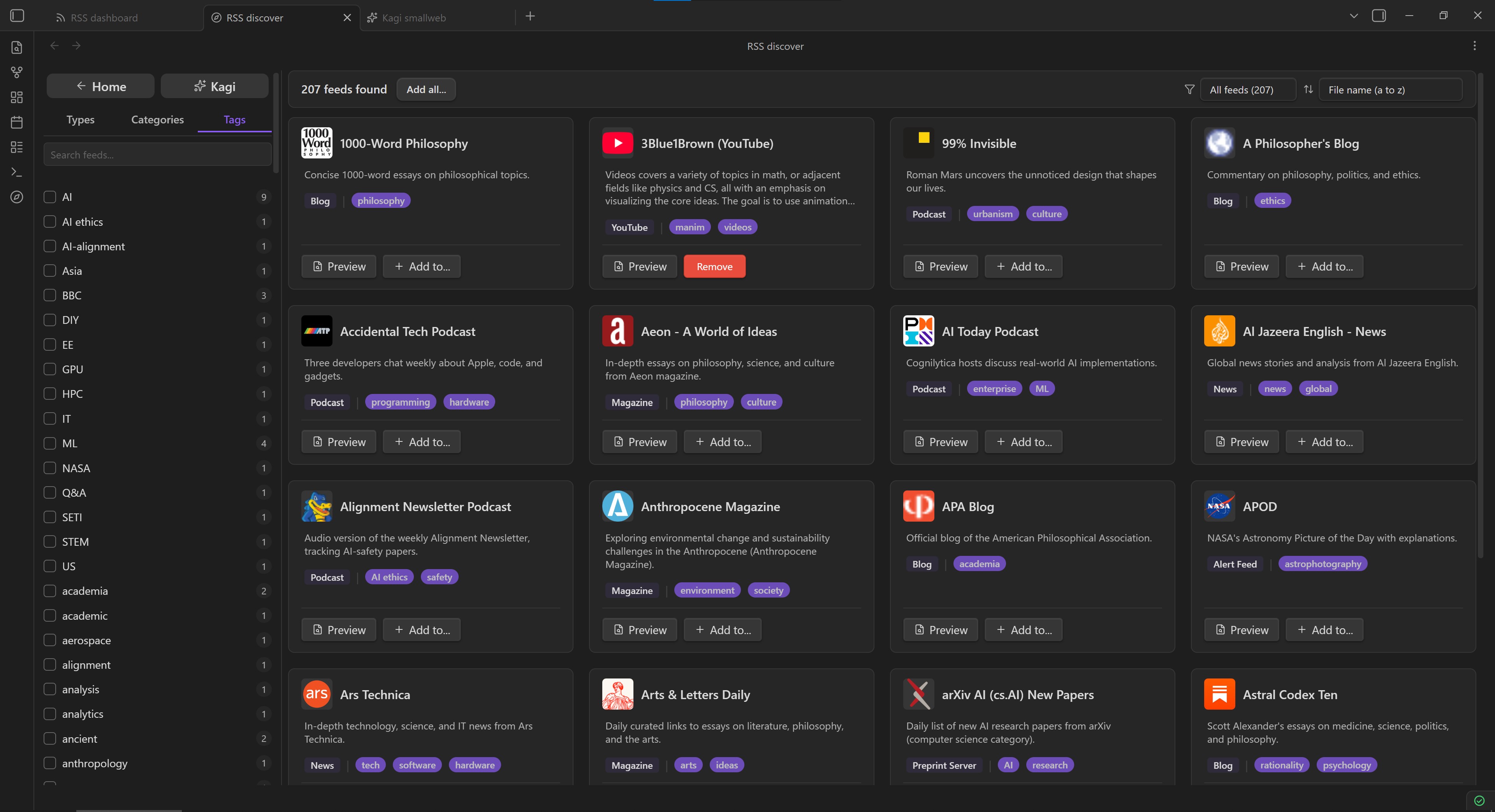
RSS Dashboard Discover page

RSS Dashboard feed view in light mode

YouTube integration in light mode

Video Showcase

What's New in 2.2.0?

Roadmap

Looking for upcoming features? The old README planned-features list now lives in docs/plans/public-roadmap.md, along with links to other public-facing plans that have not been implemented yet.

Installation

Community Plugins Directory

  1. Open Settings in Obsidian.
  2. Go to Community plugins and disable Restricted mode if it is enabled.
  3. Click Browse.
  4. Search for RSS Dashboard.
  5. Click Install, then Enable.

Installing Through BRAT

  1. Install BRAT from Obsidian's Community Plugins browser.
  2. Copy the repository URL: https://github.com/amatya-aditya/obsidian-rss-dashboard
  3. Open the command palette and run BRAT: Add a beta plugin for testing.
  4. Paste the repository URL into the modal and select the latest version.
  5. Click Add Plugin and wait for BRAT to finish.
  6. Open Settings > Community plugins.
  7. Refresh the plugin list if needed.
  8. Find RSS Dashboard and enable it.

Manual Installation

  1. Download the latest release files (manifest.json, styles.css, main.js) from the Releases page.
  2. Create a folder named rss-dashboard in your vault's .obsidian/plugins directory.
  3. Copy the downloaded files into that folder.
  4. Enable the plugin in Settings > Community plugins. You may need to restart Obsidian before it appears.

Getting Started

Adding Your First Feed

  1. Open the RSS Dashboard view using the ribbon icon or the command palette.
  2. Click the + button in the sidebar to add a new feed.
  3. Enter a feed URL or website URL. The plugin will try to auto-discover the feed for you.
  4. Choose a folder to organize the feed.
  5. Click Add Feed to subscribe.

Using the Discover Page

  1. Open the RSS Discover view using the Discover icon or the command palette.
  2. Browse curated feeds organized by category.
  3. Use the Kagi Smallweb button at the top of the Discover sidebar to open a curated collection of smaller independent blogs and websites.
  4. Use filters or search to find content you want to follow.
  5. Click Add Feed on any feed card to subscribe instantly.

Reading Articles

  1. Click any article in the dashboard to open it in the reader view.
  2. Use the built-in reader for a cleaner reading experience.
  3. Save articles as Markdown files for long-term storage in your vault.
  4. Use the video player for YouTube content or the audio player for podcasts.
  5. YouTube embeds use Privacy Enhanced Mode through youtube-nocookie.com, and each video includes a visible Watch on YouTube link.

Organizing Your Feeds

  1. Create folders and subfolders to organize your subscriptions.
  2. Drag and drop feeds and folders to reorder them and build the structure you want more directly.
  3. Add tags to categorize your content.
  4. Use the filtering and sorting options to find specific articles quickly.
  5. Export your feed list as OPML for backup or migration.

Development

Local Setup

This repo targets Node 22 for local development and CI. Both .nvmrc and .node-version are pinned to 22.

If you use nvm, run:

nvm use
npm ci

Local Development

Use the development build while making changes locally:

nvm use
npm ci
npm run dev

Local CI-Equivalent Commands

Run the same install and unit test flow used in GitHub Actions:

nvm use
npm ci
npm run test:unit -- --coverage

Production Build

To mirror the release workflow build step locally:

nvm use
npm ci
npm run build

Troubleshooting

Common Issues

Feed not loading

  • Check that the feed URL is correct.
  • Try refreshing the feed manually.
  • Some feeds require authentication.

YouTube feeds not working

  • Make sure you are using a valid YouTube channel, user, or playlist URL.
  • Try using the channel ID instead of a custom URL.
  • Some channels have disabled RSS feeds.
  • YouTube feed retrieval is currently limited, and only about 15 YouTube feeds can usually be fetched at a time.
  • Embedded playback uses youtube-nocookie.com with a strict referrer policy to satisfy current YouTube embed requirements.

Podcast audio not playing

  • Check that the audio URL is accessible.
  • Some podcasts require authentication.
  • Try opening the audio URL in a browser.

Getting Help

If you run into an issue or have a suggestion:

  • Create an issue on GitHub
  • Join the Discord community
  • Check existing issues for known fixes and workarounds

YouTube Embeds and Terms

RSS Dashboard resolves YouTube feed items to a canonical videoId, renders the embedded player through Privacy Enhanced Mode (https://www.youtube-nocookie.com/embed/...), and provides a standard Watch on YouTube link that opens the original video in your browser or native YouTube app.

The plugin does not add YouTube download features, background audio-only playback, or ad-blocking behavior around the embedded player.

YouTube embeds and API usage are subject to:

  • YouTube API Services Terms of Service
  • YouTube Terms of Service

Support the Development

If you find this plugin useful, consider supporting its long-term development:

  • Buy me a coffee: https://www.buymeacoffee.com/amatya_aditya
  • Ko-fi: https://ko-fi.com/Y8Y41FV4WI

Other Plugins by Me

  1. Media Slider
  2. Zen Space

License

This project is licensed under the MIT License. See LICENSE for details.

45%
HealthExcellent
ReviewRisks
About
Stream RSS, Atom, JSON feeds, podcasts and YouTube into an in-vault dashboard. Discover curated sources, read full articles with a built-in reader and markdown conversion, save as templated markdown, and organize with folders, tags, filters, OPML support, and auto-refresh.
ResearchFilesImport
Details
Current version
2.2.0
Last updated
3 days ago
Created
Last year
Updates
32 releases
Downloads
97k
Compatible with
Obsidian 1.1.0+
License
MIT
Report bugRequest featureReport plugin
Sponsor
Buy Me a Coffee
Author
amatya-adityaamatya-aditya
github.com/amatya-aditya
GitHubamatya-aditya
  1. Community
  2. Plugins
  3. Research
  4. RSS Dashboard

Related plugins

Zotero Integration

Insert and import citations, bibliographies, notes, and PDF annotations from Zotero.

ZotLit

Integrate with Zotero, create literature notes, and insert citations from a Zotero library.

Citations

Automatically search and insert citations from a Zotero library.

Telegram Sync

Transfer messages and files from Telegram to Obsidian.

Notebook Navigator

Alternative file browser with folders, tags, properties, shortcuts, previews, keyboard navigation, drag and drop, and pinned notes.

Importer

Import data from Notion, Evernote, Apple Notes, Microsoft OneNote, Google Keep, Bear, Roam, and HTML files.

Recent Files

Display a list of recently opened files.

Omnisearch

Intelligent search for your notes, PDFs, and OCR for images.

Readwise Official

Sync highlights from Readwise to your vault.

Advanced URI

Control everything with URI.