Claudian
 Yishen Tu2.2M downloads
Embeds Claude Code/Codex and other local Agents as AI collaborators in your vault.
- Overview
- Scorecard
- Updates78
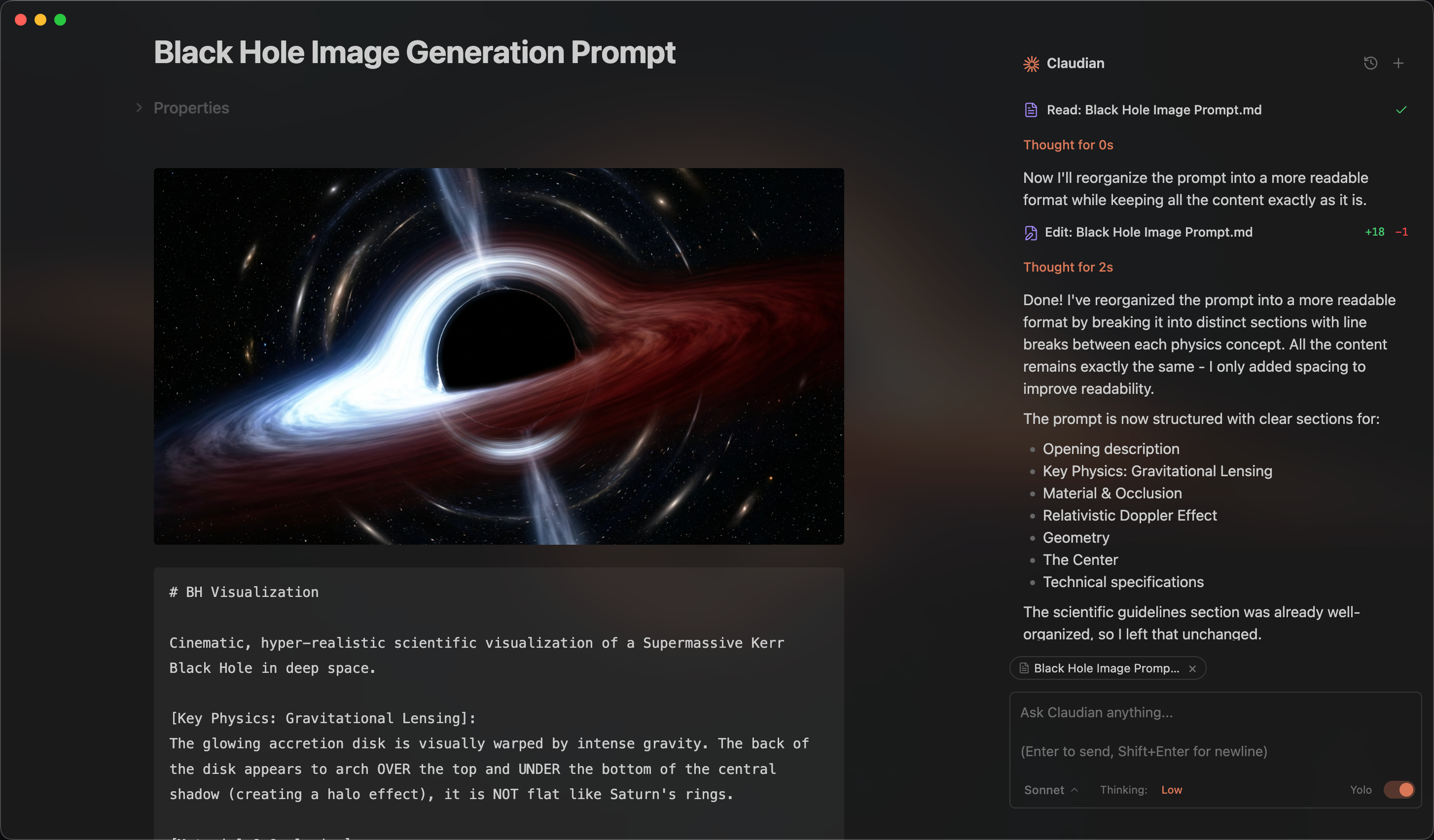
An Obsidian plugin that embeds AI coding agents (Claude Code, Codex, Grok, Opencode, Pi, and more to come) in your vault. Your vault becomes the agent's working directory — file read/write, search, bash, and multi-step workflows all work out of the box.
Features & Usage
Open the chat sidebar from the ribbon icon or command palette. Select text and use the shortcut for inline editing. Everything works like your familiar coding agent, Claude Code, Codex, Grok, Opencode, and Pi — talk to the agent, and it reads, writes, edits, and searches files in your vault.
Inline Edit — Select text or start at the cursor position + hotkey to edit directly in notes with word-level diff preview.
Slash Commands & Skills — Type / or $ for reusable prompt templates or Skills from user- and vault-level scopes.
@mention — Type @ to reference vault files and folders.
Side Chat (/side or /btw) — Explore a separate, temporary conversation with follow-ups and tools while keeping the main chat unchanged.
MCP Servers — Connect external tools through each coding agent's native CLI-managed MCP configuration.
Tabs & Session Management — Use multiple tabs in single-panel mode or a persistent session manager beside the chat in dual-pane mode.
Collaboration — Collab is now a standalone plugin. See Claudian Collab.
Requirements
- At least one of the following harnesses:
- A compatible subscription or API provider, such as OpenRouter, Kimi, GLM, or DeepSeek etc.
- Obsidian v1.13.0+
- Desktop only (macOS, Linux, Windows)
Claudian now supports OpenCode v2, OpenCode v1 support will end on October 30, 2026. See the OpenCode v2 migration guide.
Installation
From Obsidian Community Plugins (recommended)
- Open Obsidian → Settings → Community plugins → Browse
- Search for "Claudian" and click Install
- Enable the plugin
Or install directly from the community plugin page.
From source (development)
Clone this repository into your vault's plugins folder:
cd /path/to/vault/.obsidian/plugins
git clone https://github.com/YishenTu/claudian.git
cd claudian
Install dependencies and build:
npm install
npm run build
Enable the plugin in Obsidian:
- Settings → Community plugins → Enable "Claudian"
Development
# Watch mode
npm run dev

# Production build
npm run build
Privacy & Data Use
- Sent to API: Your input, attached files, images, and tool call outputs. Depending on the selected provider, data is sent to Anthropic (Claude), OpenAI (Codex), xAI (Grok), or the providers configured in OpenCode or Pi. The destination can be configured through provider settings and environment variables.
- No telemetry or unsolicited background activity: Claudian does not run telemetry beacons. UI polling timers read local Obsidian/editor selection state only. Network activity is limited to explicit provider runtime work, configured MCP endpoints, provider SDK/CLI calls needed to answer your requests, and their configured services.
Troubleshooting
The following sections use Claude Code as an example.
Provider CLI not found
If Claudian cannot auto-detect a provider CLI, verify that the CLI is installed and available to GUI applications through PATH. Typical errors include spawn claude ENOENT and Claude CLI not found. This issue is common with Node version managers (nvm, fnm, volta).
Leave the CLI path setting empty first so Claudian can auto-detect the CLI. If auto-detection fails, find the executable path and set it in Settings → Advanced → Claude CLI path.
| Platform | Command | Example Path |
|---|---|---|
| macOS/Linux | which claude |
/Users/you/.volta/bin/claude |
| Windows (native) | where.exe claude |
C:\Users\you\AppData\Local\Claude\claude.exe |
| Windows (npm) | npm root -g |
{root}\@anthropic-ai\claude-code\cli-wrapper.cjs |
Note: On Windows, avoid
.cmdand.ps1wrappers. Useclaude.exefor native installs, orcli-wrapper.cjsfor package-manager installs.cli.jsis only a legacy fallback for older Claude Code npm packages.
Alternative: Add your Node.js bin directory to PATH in Settings → Environment → Custom variables.
npm CLI and Node.js not in the same directory
When using an npm-installed provider CLI, make sure its executable and Node.js are available from the same environment. Check their paths:
dirname $(which claude)
dirname $(which node)
If the paths differ, GUI apps like Obsidian may not find Node.js.
Either:
- Install the native binary (recommended).
- Add the Node.js path in Settings → Environment:
PATH=/path/to/node/bin.
More help
For provider-specific installation and configuration guidance, refer to the provider documentation linked in the Requirements section. If you have a feature request or run into a bug, please submit a GitHub issue.
Architecture
src/
├── main.ts                      # Plugin entry point
├── app/                         # Application services, and storage
├── core/                        # Provider-neutral execution, registry, and type contracts
│   ├── execution/               # Provider execution, session lifecycle, and interaction contracts
│   ├── providers/               # Provider registry and workspace services
│   ├── auxiliary/               # Shared provider auxiliary services
│   ├── bootstrap/               # Plugin bootstrap wiring
│   ├── security/                # Approval utilities
│   └── ...                      # commands, prompt, storage, tools, types
├── providers/
│   ├── claude/                  # Claude SDK adaptor, prompt encoding, storage, MCP, plugins
│   ├── codex/                   # Codex app-server adaptor, JSON-RPC transport, JSONL history
│   ├── grok/                    # Grok Build ACP adaptor, native history, models, and tools
│   ├── opencode/                # Opencode adaptor
│   ├── pi/                      # Pi RPC adaptor, model discovery, JSONL history
│   └── acp/                     # Agent Client Protocol shared transport
├── features/
│   ├── chat/                    # Sidebar chat: tabs, controllers, renderers
│   ├── inline-edit/             # Inline edit modal and provider-backed edit services
│   └── settings/                # Settings shell with provider tabs
├── shared/                      # Reusable UI components and modals
├── i18n/                        # Internationalization (10 locales)
├── types/                       # Shared ambient types
├── utils/                       # Cross-cutting utilities
└── style/                       # Modular CSS
Contributing
Issues and focused pull requests are welcome. Issues are the preferred starting point: describe the problem, reproduction steps, and environment clearly so it can be investigated.
Before opening a pull request, please read the contribution guide. Pull requests must explain the problem, the proposed solution, why the approach is appropriate, and how the change was validated. Pull requests that add a new provider are not accepted; the guide explains this maintenance and product-quality boundary in detail.
Star History
Sponsorship
Kimi (Moonshot AI)
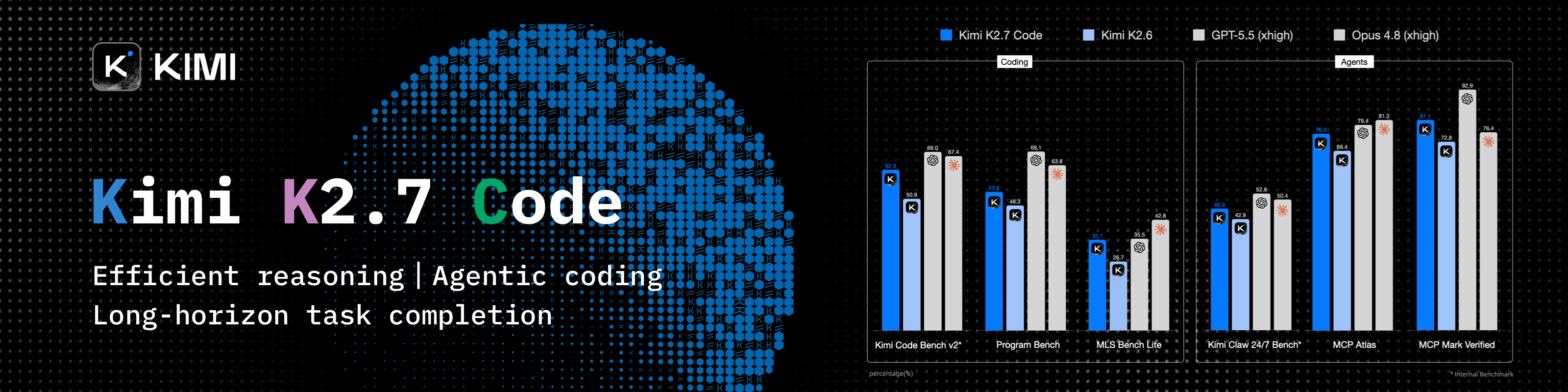
Thanks to Kimi (Moonshot AI), our Open Source Friend, for supporting Claudian! With 2.8T parameters, native vision, and a 1-million-token context window, Kimi K3 delivers frontier performance across long-horizon coding, knowledge work, and reasoning.
New users receive bonus API credits equal to 10% of their first successful top-up. Use the discount link for the CN or Global platform. This offer ends September 30, 2026. Claudian receives no affiliate commission from these links.
Ke Holdings Inc. (BEIKE)
Claudian is proudly sponsored by Ke Holdings Inc. (BEIKE) and the MOMA team. Their support helps Claudian continue to improve through ongoing development and maintenance.
Want to support Claudian or appear here? Contact me: [email protected].
License
Licensed under the MIT License.