
- Overview
- Scorecard
- Updates212

One hotkey to log a line, create a note, or run a whole workflow.
Install · Documentation · Examples · Discussions · Changelog
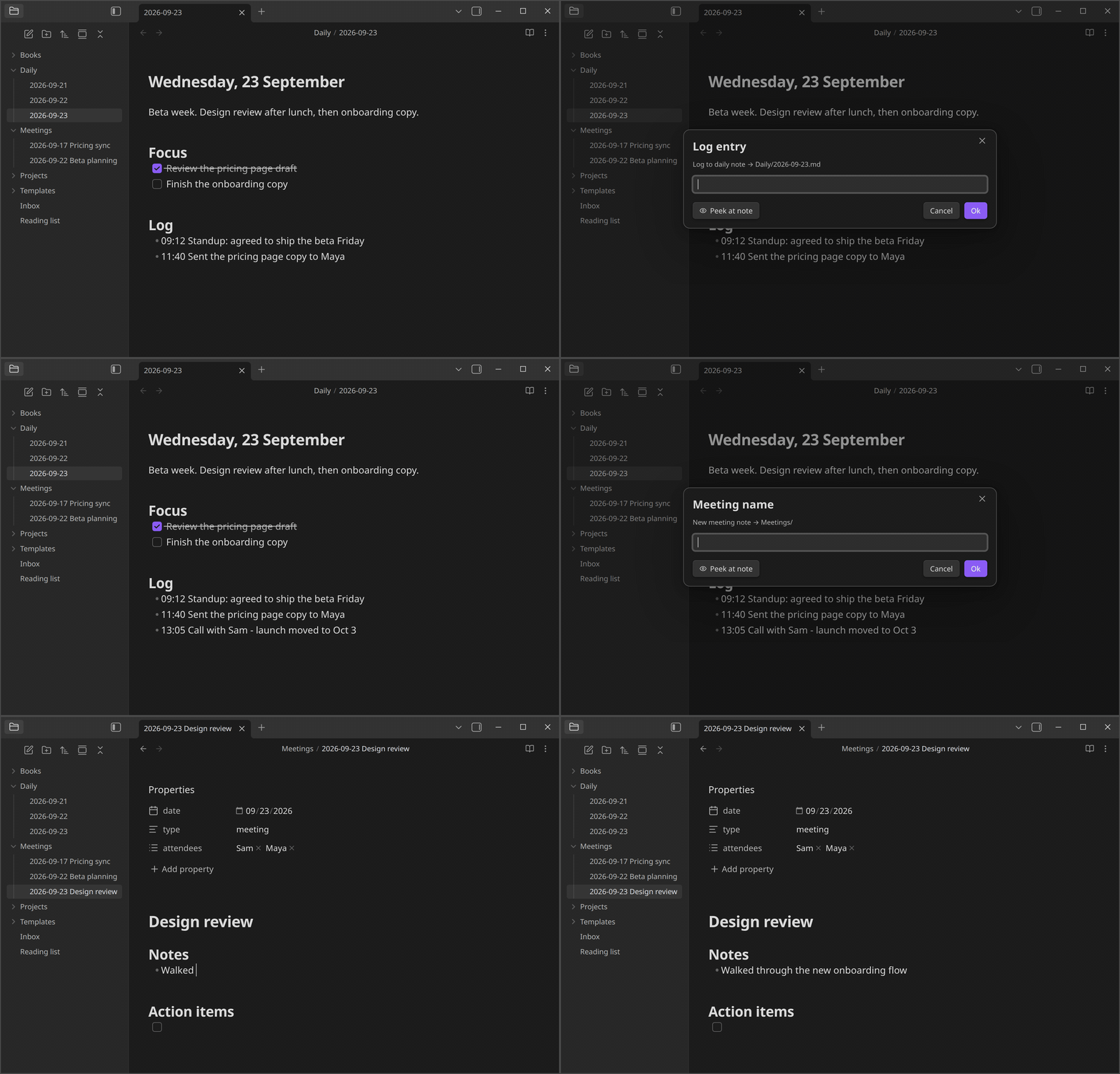
What you can build
Each workflow you set up in QuickAdd is called a choice. There are four kinds:
- Template creates a note from a template, with its name, folder, and properties filled in. For example, a meeting note named with today's date in your Meetings folder.
- Capture adds text to a note without opening it. For example, a timestamped line under the Log heading of today's daily note.
- Macro runs several steps in a row: other choices, Obsidian commands, scripts, and AI prompts. For example, look up a book online and create a note with its details.
- Multi groups choices into a folder in the QuickAdd menu. For example, a Journal folder holding your daily log and gratitude captures.
Placeholders fill in the details each time a choice runs: {{DATE}} inserts today's date, {{VALUE}} asks you for text, and {{FIELD:project}} suggests the project values your notes already use. Others insert links, your selection, or the clipboard. See format syntax for all of them.
QuickAdd also has:
- Forms: collect every input on one page, with dropdowns, date pickers, and sliders.
- Scripts: run your own JavaScript as user scripts, and call the QuickAdd API from scripts, Templater, or other plugins.
- Triggers: run choices from
obsidian://quickaddlinks, Apple Shortcuts, launchers and schedulers, or the Obsidian CLI. - AI: send prompts to OpenAI, Anthropic, Gemini, or any OpenAI-compatible provider, including local models, with the AI Assistant. AI features stay off until you turn them on.
- Packages: export your choices as a package and import them into another vault.
QuickAdd works on desktop and mobile. The Obsidian CLI is desktop-only.
Get started
- In Obsidian, open Settings → Community plugins, search for QuickAdd, then install and enable it.
- Build your first choice with the one-minute first workflow guide.
- In Settings → QuickAdd, click the ⚡ next to a choice to add it to the command palette (on mobile, tap ⋮ → Enable in command palette). Then give it a hotkey in Settings → Hotkeys. You can also run any choice with the QuickAdd: Run command.
Using Templater? Add your template folder in QuickAdd's settings and QuickAdd: New note from template works right away. Coming from Templater shows the QuickAdd way to do each Templater job.
Learn more
- Examples: complete workflows for daily notes, inboxes, meetings, books, movies, and more.
- Scripting guide: writing your own scripts when the built-in steps aren't enough.
- FAQ: answers to common questions.
- llms.txt and the MCP server at
https://quickadd.obsidian.guide/mcp: the docs in a form AI assistants can read.
Help and feedback
- Ask questions and share workflows in Discussions.
- Report bugs and request features in Issues.
- Report security problems privately, as described in the security policy.
Contributing
Contributions are welcome. Read CONTRIBUTING.md before you start: comment on the issue you want to work on and wait for a go-ahead before writing code.
Support QuickAdd
If QuickAdd saves you time, you can buy me a coffee.