Search...Search plugins and themes...
⌘K
Sign in
  • Get started
  • Download
  • Pricing
  • Enterprise
  • Account
  • Obsidian
  • Overview
  • Sync
  • Publish
  • Canvas
  • Mobile
  • Web Clipper
  • CLI
  • Learn
  • Help
  • Developers
  • Changelog
  • About
  • Roadmap
  • Blog
  • Resources
  • System status
  • License overview
  • Terms of service
  • Privacy policy
  • Security
  • Community
  • Plugins
  • Themes
  • Discord
  • Forum / 中文论坛
  • Merch store
  • Brand guidelines
Follow us
DiscordTwitterBlueskyThreadsMastodonYouTubeGitHub
© 2026 Obsidian

Ultrafocus

Elia ScottoElia Scotto108 downloads

A plugin to turn Obsidian into the ultimate platform for focused writing.

Add to Obsidian
  • Overview
  • Scorecard
  • Updates3

Hide Everything Everywhere All at Once

A plugin to turn Obsidian into the ultimate platform for focused writing.

What it does: hides all elements like tabs, status, ribbon, sidebars, etc. All with a single toggle command, no buttons.
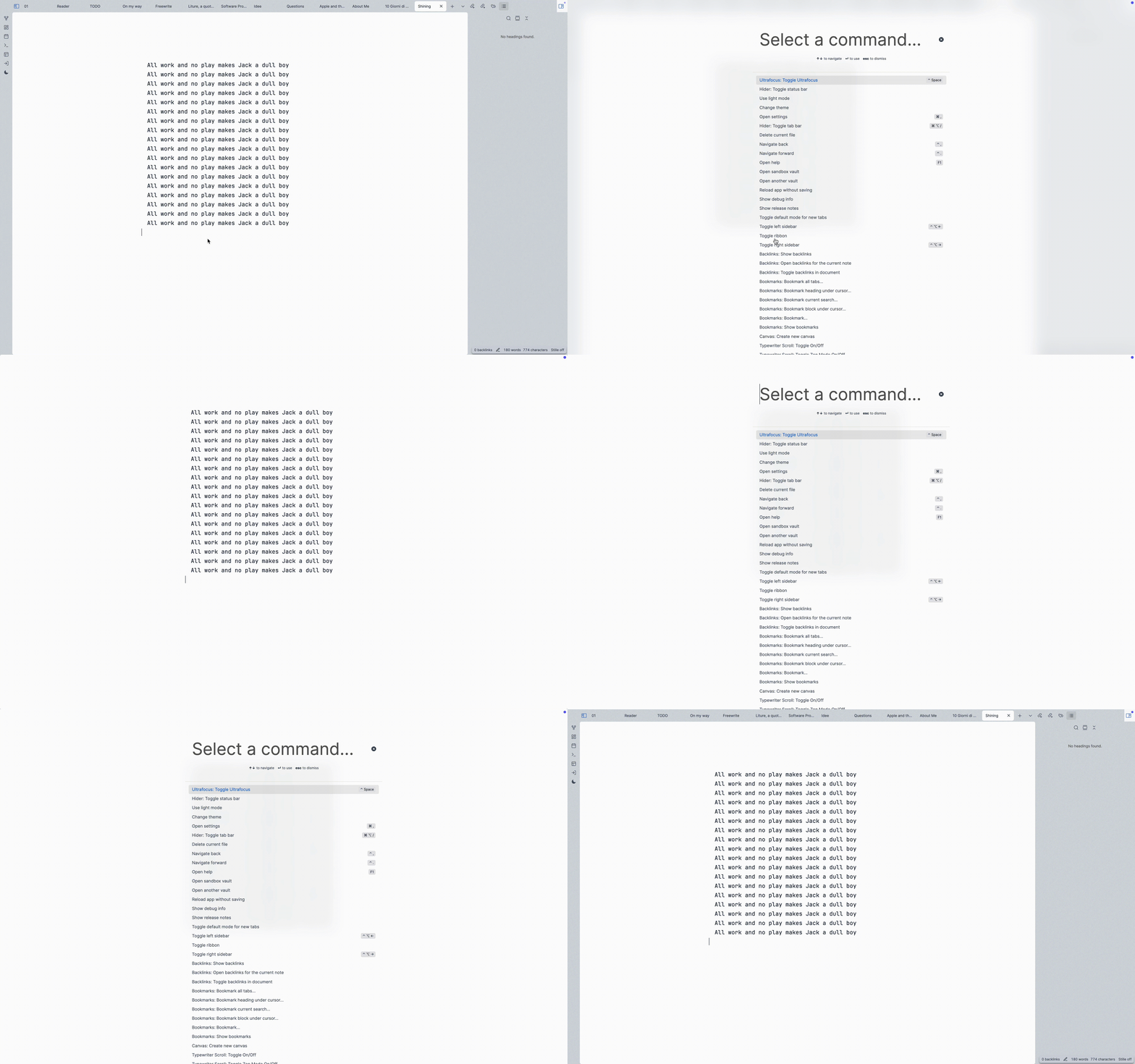
demo.gif

Install

Getting this plugin approved in Obsidian Community repo was a bit of a pain. But you can install it manually very easy.

In your Obsidian vault, we clone this repo, install the deps and build it.

cd YourVault/.obsidian/plugins/
git clone [email protected]:eliascotto/ultrafocus.git
cd ultrafocus
npm i
npm run build

This will give us a main.js file. Then from Obsidian:

  1. cmd+p -> Open Settings...
  2. Go to "Community Plugins"
  3. Installed Plugins, press the reload button
  4. Find Ultrafocus and enable it

Settings

Choose what elements you'd like to keep visible. By default, everything will be hidden.

Alternatives

  • Hider: Chose what to hide one by one.
  • Focus Mode: Toggle focus with a sidebar button but doesn't hide elements.
HealthExcellent
ReviewSatisfactory
About
Hide all UI elements — tabs, status bar, ribbon, sidebars, and panels — with a single toggle command to create a distraction-free writing environment. Choose which elements remain visible and switch back instantly without using buttons.
InterfaceCommandsAppearance
Details
Current version
1.0.2
Last updated
3 weeks ago
Created
Last year
Updates
3 releases
Downloads
108
Compatible with
Obsidian 0.15.0+
Platforms
Desktop only
License
MIT
Report bugRequest featureReport plugin
Author
Elia ScottoElia Scottoeliascotto
GitHubeliascotto
  1. Community
  2. Plugins
  3. Interface
  4. Ultrafocus

Related plugins

Note Toolbar

Add customizable toolbars to your notes.

Hider

Hide interface elements such as tooltips, status bar, titlebar, and more.

Commander

Customize your workspace by adding commands everywhere, create macros and supercharge your mobile toolbar.

Lean Terminal

Embedded terminal panel powered by xterm.js and node-pty - no external windows.

Hotkey Helper

Easily see and access any plugin's settings or hotkey assignments (and conflicts) from the Community Plugins tab.

Tray

Run Obsidian from the system tray for customisable window management and global quick notes.

Slash Commander

Customize the slash command list, assign each command an icon.

Minimal Theme Settings

Control the colors and fonts in Minimal Theme.

Meta Bind

Make your notes interactive with inline input fields, metadata displays, and buttons.

Find orphaned files and broken links

Find files that are not linked anywhere and would otherwise be lost in your vault. In other words: files with no backlinks.