Custom Note Width
 0skater021k downloads
Effortlessly change the line width of each note individually. Provides multiple ways to customize the experience, making it both efficient and user-friendly to adjust line widths.
- Overview
- Scorecard
- Updates10
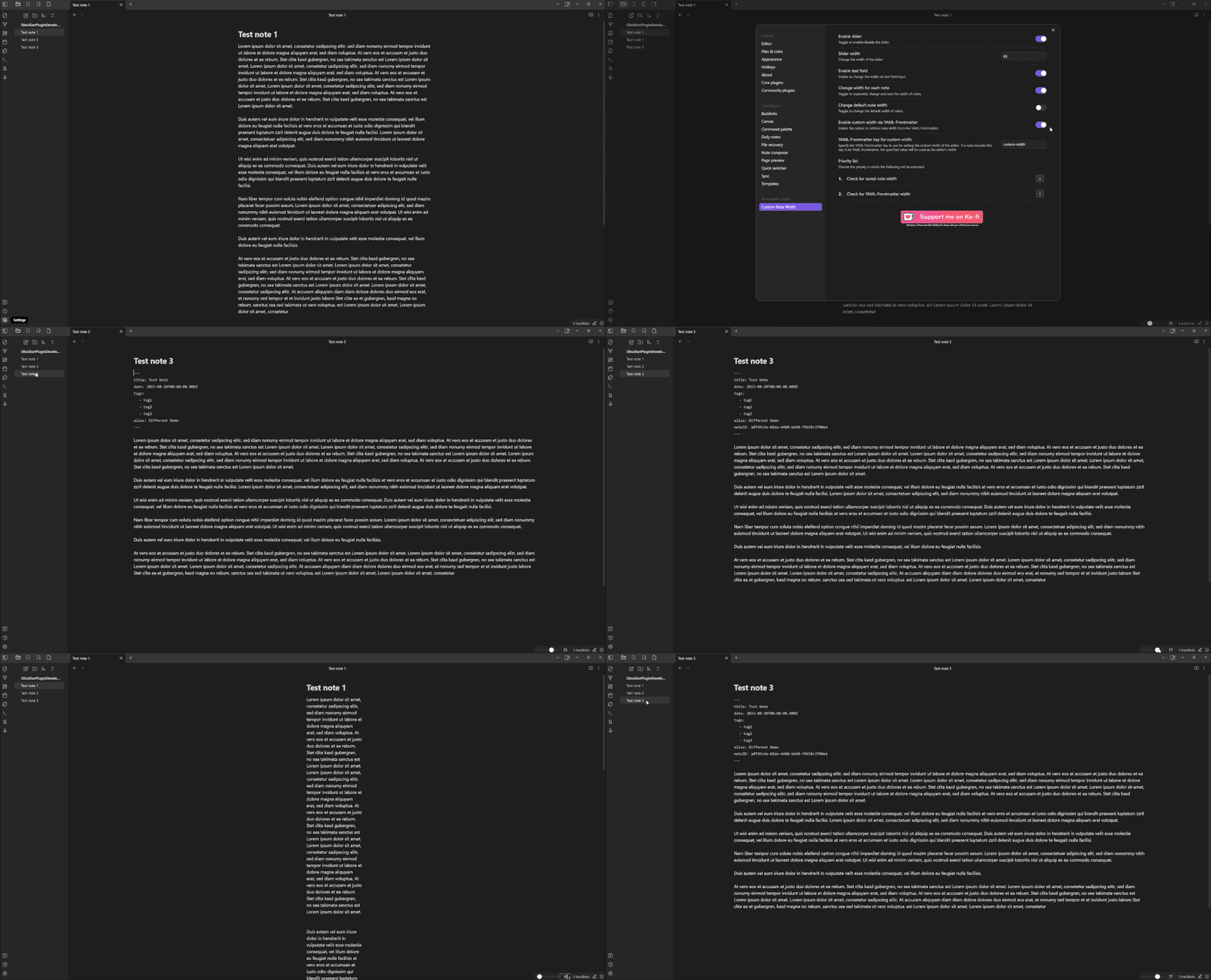
Control the line width of every note in Obsidian — individually, per note, or globally. A small control in the status bar gives you instant access, YAML frontmatter persists widths per note, and a new Pills mode lets you switch between presets with a single click.
Features
- Per-note widths — stored in the note's frontmatter, kept locally on your device, or held only until the note is closed
- Status-bar controls — choose between a classic slider or Pills (three preset buttons)
- Three width units —
%,px,ch - Independent code block width — so narrow prose and wide code can coexist
- Hotkey-ready commands for every width operation
- Full English, German and Russian UI
Installation
From Community Plugins
- Open Settings → Community plugins
- Browse → search "Custom Note Width"
- Install → Enable
Manual
- Download
main.js,manifest.jsonandstyles.cssfrom the latest release - Copy them into
<vault>/.obsidian/plugins/custom-note-width/ - Restart Obsidian and enable the plugin
Requirement: Obsidian's Readable line length setting must be enabled (Settings → Editor → Readable line length).
Usage
The plugin modifies Obsidian's --file-line-width CSS variable. Control it three ways:
| Method | Best for |
|---|---|
| Status-bar control (slider or pills) | Quick adjustments while reading/editing |
YAML frontmatter (custom-width: 60) |
Persisting a specific width per note |
| Commands (palette / hotkeys) | Power users, keyboard-driven workflows |
Width units
- % — relative to the editor pane (0–100)
- px — absolute pixels (100–4000)
- ch — character widths (10–200)
Switch units via the unit label next to the slider/value (slider mode) or inside a preset editor (pills mode).
Pills mode
Enable under Settings → Control mode → Pills. The status bar shows three buttons with your configured preset values. Click to apply. The button matching the currently applied width is highlighted; no button is active when the width is a custom value.
Settings
Click to see every setting
| Setting | Description | Default |
|---|---|---|
| Language | Plugin UI language (Auto / English / Deutsch) | Auto |
| Enable slider | Shows the width control in the status bar | on |
| Control mode | Slider (draggable) or Pills (three preset buttons) | Slider |
| Slider width (Slider mode) | Horizontal size of the slider in pixels | 85 |
| Pill preset 1–3 (Pills mode) | Value and unit per preset | 30% / 50% / 100% |
| Value display in status bar | Editable input, read-only text, or hidden for a slider-only status bar | Editable |
| Show unit selector in status bar (slider mode) | Show the unit dropdown (%, px, ch) next to the slider; off keeps the unit fixed | on |
| Default width unit | Unit used for the global default width | % |
| Default width | Width applied when a note has no per-note width | 50 |
| % range | Min / max for percentage unit | 0 / 100 |
| px range | Min / max for pixel unit | 100 / 4000 |
| ch range | Min / max for character unit | 10 / 200 |
| Enable per-note width | Let notes have their own width instead of the global default | on |
| Where per-note width is stored (per-note mode) | Frontmatter (in the note), Local (kept in the plugin, note untouched), or View only (kept until the note is closed) | frontmatter |
| Reset local width overrides (local mode) | Removes every per-note width you have stored locally | button |
| YAML front matter key | Frontmatter key used to store the per-note width | custom-width |
| Enable code block width | Give code blocks an independent width | off |
| Code block width unit | Unit for code block width | px |
| Code block width | Size applied to code blocks | 800 |
| Reading mode | Apply code block width in preview | on |
| Source mode | Apply code block width in source view | on |
| Live preview mode | Apply code block width in live preview | on |
Commands
All commands appear in the palette and can be bound to hotkeys under Settings → Hotkeys (filter: Custom Note Width):
| Command | Action |
|---|---|
| Change the width of the open note | Opens a modal, applies width to current note |
| Change the default note width | Opens a modal, updates the global default |
| Change the width for all notes | Opens a modal, rewrites every note's YAML width |
| Apply pill preset 1 / 2 / 3 | Applies the given preset (Pills mode only) |
Theme compatibility
Disclaimer: The plugin modifies
--file-line-width. Custom themes may override this variable; there is no guarantee the plugin works with every theme.
| Theme | Status | Obsidian Version | Notes |
|---|---|---|---|
| Default | Works | 1.12.4 | Fully functional |
| Things | Works | 1.12.4 | Fully functional |
Your theme isn't listed? Open a PR adding a row — see CONTRIBUTING.
Reporting bugs
Please include:
- Obsidian version (
Settings → General) - Plugin version (
Settings → Community plugins) - Theme name (
Settings → Appearance → Themes) - Operating system
- Console errors — open DevTools (
Ctrl+Shift+I/Cmd+Option+I), Console tab, copy anything red referencingcustom-note-width - Steps to reproduce and what you expected vs what happened
- Screenshots or screen recordings help a lot — tools like LICEcap or ShareX work well
Reports that only say "it doesn't work" can't be investigated — details make the difference.
Backups
Always keep backups of your vault. The plugin writes to YAML frontmatter; bugs are possible. Protect your data.
Contributing
See CONTRIBUTING.md for development setup, code style, and the PR process.
License
MIT — provided as-is, no warranty.