Tab Switcher
 Vinzent88k downloads
Switch your tabs with Ctrl + Tab in recently used order like in a browser.
- Overview
- Scorecard
- Updates26
Previously called "Cycle Through Panes"
In Combination with Mr. Jackphils Jump to Link plugin and Vim Keybindings, this plugin allows you to control Obsidian entirely without a Mouse!
How to use
There are two different groups of commands:
- Navigate in the order of the tabs from left to right. In contrast to the native Obsidian commands, they ignore panes/tab groups and work per window.
- "Go to right tab" Typically set to Ctrl + Tab
- "Go to left tab" Typically set to Ctrl + Shift + Tab
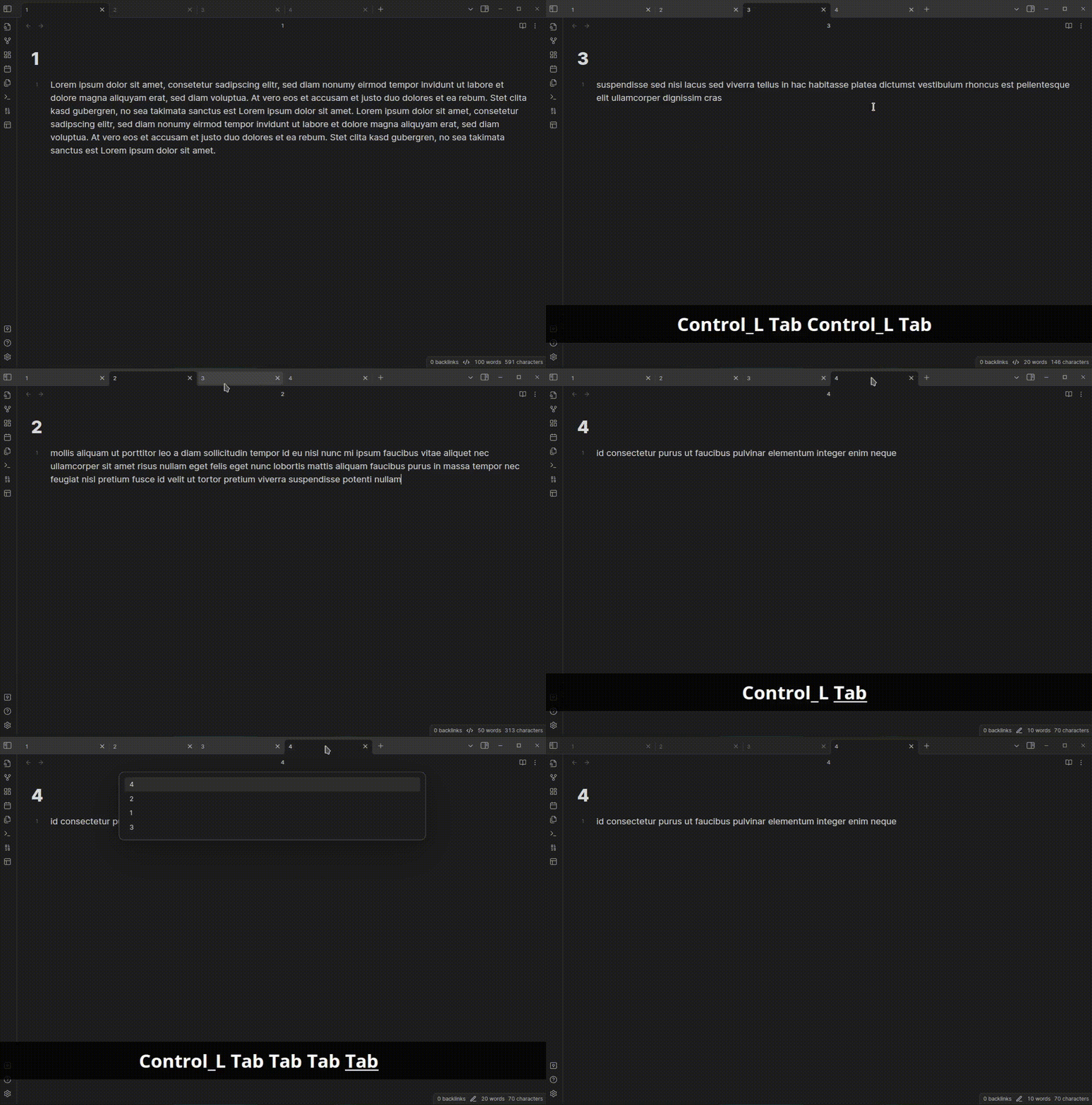
- Navigate in the order they were last used. These support holding the Ctrl key like in a browser.
- "Go to previous tab" Typically set to Ctrl + Tab
- "Go to next tab" Typically set to Ctrl + Shift + Tab
Note that this plugin does not set any default hotkeys, so that you can choose the behavior you prefer.
To keep iterating through tabs with repeated key presses, you need to keep a modifier key held between presses. This works with whichever hotkeys you assign in Obsidian, not only Ctrl + Tab.
Showcase of the second mode
Manually installing the plugin
- Copy over
main.js,manifest.jsonto your vaultVaultFolder/.obsidian/plugins/cycle-through-panes/.
HealthExcellent
ReviewSatisfactory
About
Cycle through tabs in a window using either left–right order or most-recently-used order, ignoring pane groups so navigation works per window. Combine with Jump to Link and Vim keybindings to operate Obsidian entirely without a mouse.Details
Current version
1.5.3
Last updated
3 days ago
Created
6 years ago
Updates
26 releases
Downloads
88k
Compatible with
Obsidian 0.16.3+
Platforms
Desktop, Mobile
License
GPL-3.0
Sponsor