Cursor-Smith
 sadsnake115k downloads
Forge your cursor with the most advanced cursor engine there is!
- Overview
- Scorecard
- Updates81
Cursor-Smith
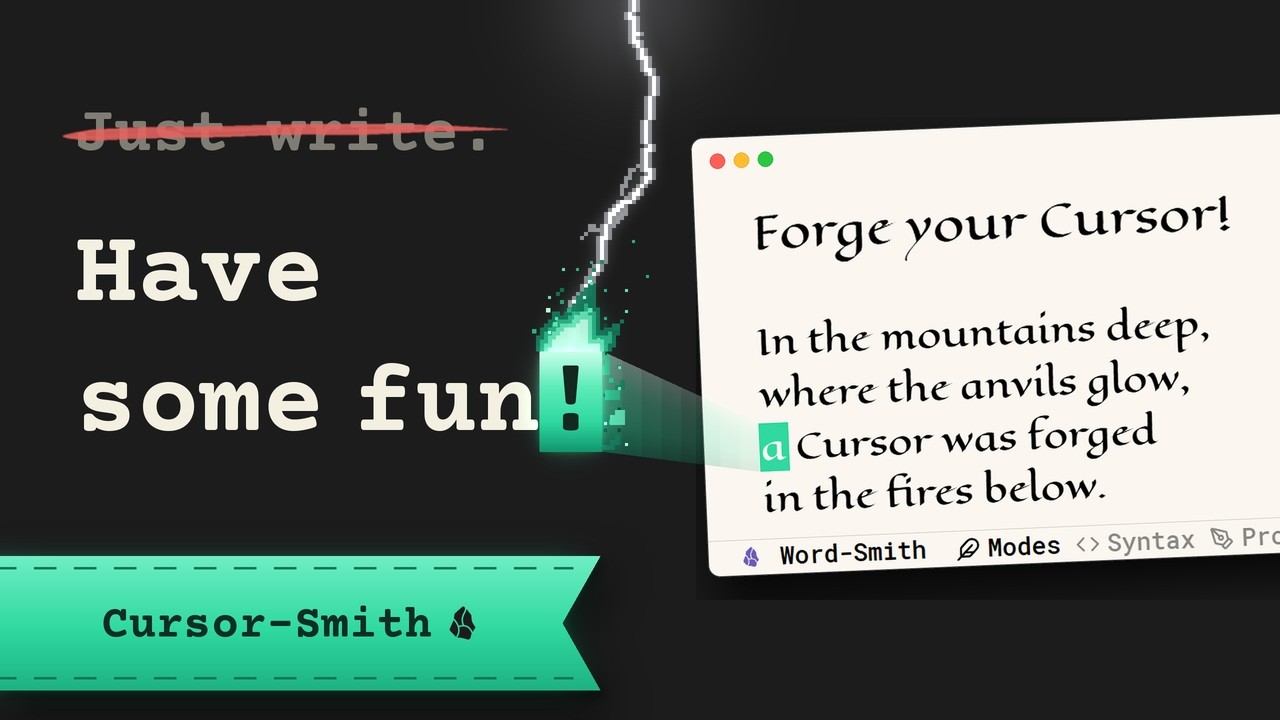
Forge your own cursor!
The most advanced cursor engine there is. Desktop and mobile.
Most people never think about their cursor. This is for the ones who do!
Writers who want a screen worth looking at, anyone who keeps losing their caret, and people who just like to make things their own.
Every effect has its own switch. Reduced motion is respected out of the box. It's free. It swooshes. And it looks cool! It also makes you a better writer!(maybe)
Install
Settings → Community plugins → Browse, search Cursor-Smith, install, enable. It's on as soon as you enable it.
The cursor
Box, Line or Underline, solid or hollow, with serifs on the Line or the Underline. Your colors for dark and light themes, or a gradient. Thickness in tenth-of-a-pixel steps, a shorter Line if you like, opacity, glow, translucency, a letter showing through the box.
Caps Lock on, or Shift held? The cursor and all its effects flip to their opposite colors, and the cursor grows a little, so you see it before you type (on the desktop). Backspace and Delete can flip the colors too, while you delete, with or without a Text Eater.
It can blink the way you like: speed, balance, fade, breathing, or not at all, or not while you type. It can glide to its new spot instead of jumping there, faster when you type fast.
Multiple cursors get ALL of it. Every caret you add is drawn, styled and animated like the first. Shiny!
The effects
Eleven of them, from subtle to absurd, and sounds on top. Each has its own switch and its own settings, and they stack together like peas in a pod.
| Effect | What it does |
|---|---|
| Pop effects | Letters pop out or rise as you type. When you delete, your cursor eats them, whatever its shape: Back-man gulps them, the Shredder cuts them into strips, the Portal swallows them. The letters can also burst or evaporate. Enter strikes lightning, Space sends fireworks and knocks anvil sparks off the word, Rainbow colors it all. |
| Typewriter | The cursor strikes like a typewriter key: a springy dip that hits harder on capitals, an ink stamp on each letter, fresh ink that dries as you write, an x-out when you delete, a carriage return on Enter, a small push forward as you type. Mix any of them. |
| Sounds | Real typewriters, mechanical keyboards, a kalimba and an actual horse as you type, each with its own Space, Backspace and Enter. |
| Pixel trail | A puff of pixels wherever the cursor has just been, while you type, delete, or both. |
| Stardust | Motes drifting up from the cursor, or orbiting it like fireflies. |
| Bracket tether | A line under the span between matching brackets or quotes. |
| Motion smear | The cursor stretches as it moves and snaps back when it arrives. |
| Energy beam | A pulse of light along the cursor; an aurora with a gradient. |
| CRT effects | Phosphor ghosts behind the cursor while you type, delete, or both; neon and glitch options, the glitch on jumps, deletes, or both. |
| Speed demon | Heats from gray to white-hot as you type, throwing sparks. Or as you delete: the faster, the hotter. |
| Hot-head | Sets the text you're working on alight, in pixel-art flames, while you type, delete, or both. |
| Torch spotlight | Darkens everything except a pool of warm light around the cursor. |
Some of them unlock extra options together. Try Blinking with the Torch.
Sounds
Turn on Sounds on its own page, pick a category, then a sound. Press play to hear it before you type.
- Typewriters: Hermes 3000, Erika 5, IBM Selectric II, L. C. Smith, Mercedes, Olivetti Lettera 35, Olympia, Royal Portable, Sears Electric Twelve, Smith-Corona Corsair. The bell rings at the end of a line.
- Keyboards: Purples, Creams, Reds, Browns, Blues, Greens, Blacks, Pinks, Springs, a Kalimba, and an actual horse. Every key sounds from where it sits on the board.
Ready to annoy some people? Try it out!
Have better recordings of your favorite typewriter or keyboard? Send them my way and I'll be happy to put them in the plugin.
Recordings, cut and leveled for the plugin:
- Erika 5: Konrad Gutkowski for Work With Sounds, Wikimedia Commons, CC BY 4.0
- Mercedes, and the Olympia's bell: doxent, CC BY 4.0
- Olivetti Lettera 35: Leossom, CC BY 4.0
- Royal Portable: fastson (typing, bell), CC BY 3.0
The Hermes 3000, L. C. Smith, Olympia, Sears Electric Twelve and Smith-Corona Corsair are public-domain recordings from Freesound.
Most keyboards, the Kalimba and the horse come from OmaVibes by Mohammed Shareef (mshareef-git), who brought them over in issue #46. Thank you! The Cherry MX and NovelKeys Cream packs were first Mechvibes' own. The IBM Buckling Spring, Gateron Ink Black and Durock Alpaca come from Thomas Lai's kbsim. All three are MIT licensed:
MIT License (OmaVibes, Mechvibes, kbsim)
Copyright (c) 2026 Mohammed Shareef
Copyright (c) 2021 Hai Nguyen
Copyright (c) Thomas Lai
Permission is hereby granted, free of charge, to any person obtaining a copy of this software and associated documentation files (the "Software"), to deal in the Software without restriction, including without limitation the rights to use, copy, modify, merge, publish, distribute, sublicense, and/or sell copies of the Software, and to permit persons to whom the Software is furnished to do so, subject to the following conditions:
The above copyright notice and this permission notice shall be included in all copies or substantial portions of the Software.
THE SOFTWARE IS PROVIDED "AS IS", WITHOUT WARRANTY OF ANY KIND, EXPRESS OR IMPLIED, INCLUDING BUT NOT LIMITED TO THE WARRANTIES OF MERCHANTABILITY, FITNESS FOR A PARTICULAR PURPOSE AND NONINFRINGEMENT. IN NO EVENT SHALL THE AUTHORS OR COPYRIGHT HOLDERS BE LIABLE FOR ANY CLAIM, DAMAGES OR OTHER LIABILITY, WHETHER IN AN ACTION OF CONTRACT, TORT OR OTHERWISE, ARISING FROM, OUT OF OR IN CONNECTION WITH THE SOFTWARE OR THE USE OR OTHER DEALINGS IN THE SOFTWARE.
Settings
Enable the plugin, Vim mode on or off, your presets, and the mode you're editing when Vim is on. Everything else is its own page:
| Page | What's in it |
|---|---|
| Behavior | Enable on this device, notes only, hide the real cursor, hide when Obsidian isn't focused, low power mode, respect reduced motion, and your hotkeys |
| Vim | Obsidian's Vim key bindings and the status bar indicator |
| Appearance | Shape, color, opacity |
| Blinking | If it blinks, how, and how fast |
| Smooth movement | Gliding instead of jumping |
| Effects | Pick an effect, see its settings. A tick marks the ones that are on |
| Sounds | Typewriters, keyboards and more: pick a category, then a sound, and press play |
| Randomizer | Roll a whole new cursor and watch it write in the big preview on top |
Randomizer
Can't decide? Let the dice do it. Randomize rolls a whole new cursor: its shape, colors, blink, glide and a handful of effects, all at once. The big preview on top shows it off: it types silly lines, fixes its own typos, jumps around, then backspaces it all. Roll again until you like one, then hit Save as preset right under it. Keep one Shape if you like, or let the dice pick.
Presets
Make a new shiny cursor, save it under a name, and it's one tap away in the settings. Every preset has a share code: copy it, send it to a friend or showcase it here, but only if its WORTHY! XD
Cursor showcase
Made a cursor you love? Save it as a preset, copy its share code and post it in the Cursor Showcase.
Vim mode
Five modes, five cursors. Normal, Insert, Visual, Replace and Command each get their own look and effects, and a -- NORMAL -- indicator in Obsidian's status bar. Vim presets save all five under one name. The plugin can turn Obsidian's Vim key bindings on and off along with the mode, if you let it. DON'T GET STUCK!
Commands
Five, all in the Command Palette, all take a hotkey. The Behavior page shows the keys you've set, with a button to set them.
| Command | What it does |
|---|---|
| Toggle Cursor-Smith on/off | The whole plugin off and back on, settings untouched. |
| Cycle preset | The next saved preset. Bind it to a key and flip through your cursors. |
| Toggle Vim mode | One cursor, or one per Vim mode. Flips Obsidian's Vim key bindings with it when you've let it. |
| Randomize | A whole new cursor, rolled with the Randomizer's sliders. |
| Performance report | Measures ten seconds of typing and copies a short report. Paste it into an issue if Obsidian feels slower with the plugin on. |
Good to know
Reduced motion. When your system asks for it, the moving effects pause and the cursor keeps its look. Blinking stays, since it's the normal caret behavior; it has its own switch. If you lose the caret easily: thickness, glow, high-contrast colors and a bigger box all work with every effect off.
Performance. The plugin only repaints a small area around the caret and idles when nothing moves. If Obsidian still feels slower with it on, or you're on battery, Low power mode halves every effect's frame rate.
Mobile. Works on phones and tablets.
One device only. Behavior → Enable on this device switches the cursor off on the device you're holding and nowhere else.
Your language. The settings, commands and notices follow Obsidian's language: English, 简体中文, 繁體中文, 日本語, 한국어, Deutsch, Français, Español, Português (Brasil), Русский and Italiano. Spotted a clumsy translation? Open an issue.
Building from source
A TypeScript project: src/ holds the modules, npm run build bundles them into main.js, npm run check type-checks, npm test runs the suite (2,600 assertions) against the built bundle. BUILDING.md has the layout.
Pairs with Word-Smith
Word-Smith is my other plugin, a writing suite for Obsidian. Its themes can color your caret, including Vim mode, and its status bar can wear the same color back, so you can pair your cursor with the powerline.
Forged elsewhere
Cursor-Smith is MIT, and the engine has been carried to other editors and forked into new plugins. Ported or forked it? Open an issue and I'll add it here.
| Editor | Port | By |
|---|---|---|
| Thymer | Cursor Tweaks | akaready |
| Obsidian | Terminal Workbench Cursor | Real-Fruit-Snacks |
| Chrome, Edge, Brave | Cursor-Smith for Browsers (unofficial) | ooexiaoo |
Special thanks
- RainyGrass, for nine reports and counting.
- mshareef-git, for the keyboards, the Kalimba and the horse (#46).
- mihdaja, for the Vim tables fix (#42), and RohitNahar-Offical, for pushing for TypeScript and a leaner build.
Questions, ideas, bugs
Found a bug, or want a new effect? Write it here.
Free and MIT. If it's made your writing better, a coffee helps me keep going. Cheers!