Meta Bind
 Moritz Jung543k downloads
Make your notes interactive with inline input fields, metadata displays, and buttons.
- Overview
- Scorecard
- Updates141
A plugin for Obsidian to make your notes interactive with inline input fields, metadata displays (view fields), and buttons.
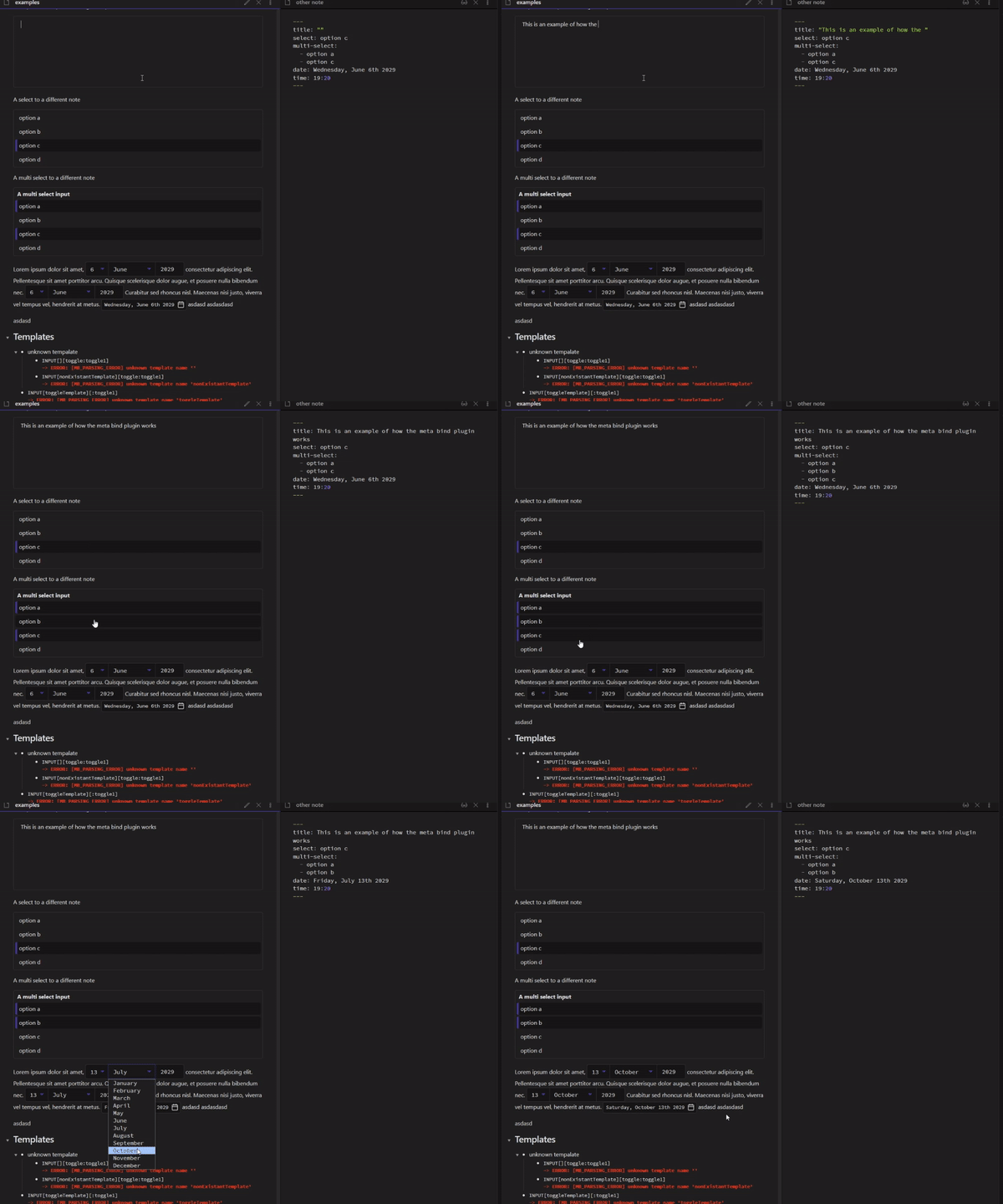
Meta Bind allows you to create input and view fields inside your notes. Those input and view fields can then be bound to frontmatter properties, which keeps them in sync with those frontmatter properties. This allows you to edit and view your frontmatter properties inside your notes.
For example, you can create a toggle inside your note, that is bound to a frontmatter property named done, with this simple inline code block INPUT[toggle:done].
When you click the toggle, the done property will switch between true and false.
To learn more, check out the docs.
Demo
Docs
The docs for the plugin are available here. The plugin provides an offline FAQ/Help page as well, which can be accessed via a command or the plugins settings page.
Problems, unexpected behavior or improvement suggestions?
You are more than welcome to open an issue on GitHub
Installation
Obsidian Marketplace (Recommended)
- Open
Settings -> Community Pluginsin your vault - Click on the
Browsebutton in theCommunity pluginssection - Search for
Meta Bind - Select
Meta Bindand click firstInstall, thenEnable
BRAT (For Canary Releases)
- Install and enable the
BRATplugin - Run the
BRAT: Plugins: Add a beta plugin for testingcommand - Enter
https://github.com/mProjectsCode/obsidian-meta-bind-plugininto the text field - Click on
Add Plugin
License
Credits
I want to thank the following people:
blacksmithgu for the Dataview type definitions
Daniel (dbarenholz) for his contributions to the plugin and the docs
koala (kometenstaub) for help with CodeMirror
sailKite for help with CSS
Sigrunixia for enabling me to work on the Obsidian Publish version of the plugin
Zachatoo and SilentVoid13 for the Templater type definitions
All the contributors to the plugin and the docs
All the authors of the libraries used in the plugin
Everyone who has given feedback and suggestions
Contributions
Thank you for wanting to contribute to this project.
Contributions are always welcome. If you have an idea, feel free to open a feature request under the issue tab or even create a pull request.
Notes for Contributors
The plugin uses Bun instead of Node.js/NPM to manage dependencies.
To install the dependencies, run bun install and bun run pack:i in the root directory of the project.
bun run devwill build the plugin in dev mode and watch for changes. The plugin builds directly into the example vault inside of this repo.bun run buildwill build the plugin in production mode. The plugin builds into the root of this repo.bun run testwill run the tests.bun run checkwill check for formatting, linting, type errors and run the tests.bun run check:fixwill fix formatting and linting errors, check for type errors and run the tests.
bun run check should run successfully before creating a pull request.