Advanced Tables
 Tony Grosinger3.2M downloads
Improved table navigation, formatting, and manipulation.
- Overview
- Scorecard
- Updates51
Add improved navigation, formatting, and manipulation to markdown tables in Obsidian:
- Auto formatting
- Excel-like table navigation (tab/enter between cells and rows)
- Spreadsheet formulas!
- Add, remove, and move columns and rows
- Set column alignment (left, center, right)
- Sort rows by a specified column
- Export to CSV
- Works on Obsidian Mobile (See notes below)
Demo
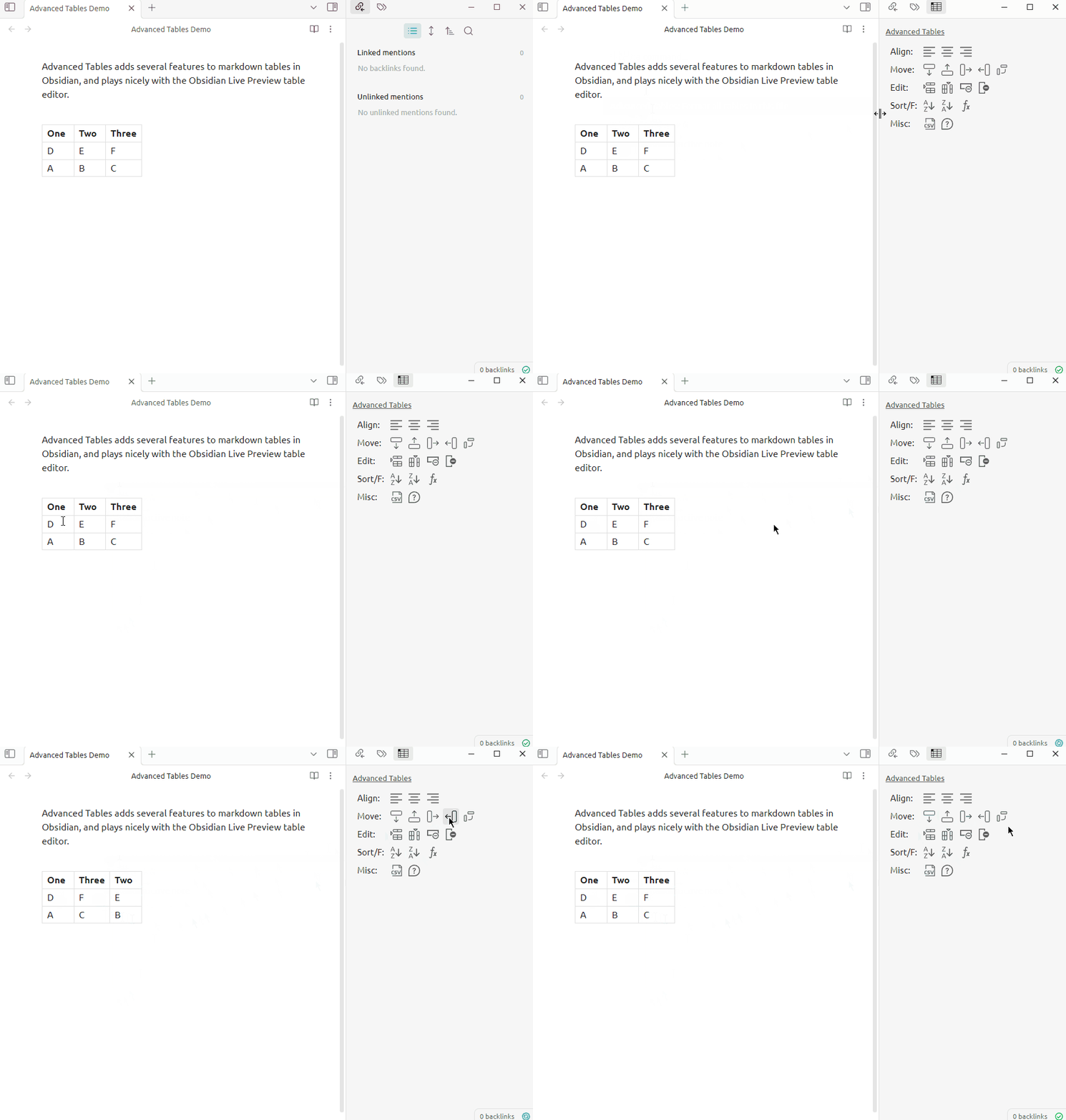
How to use
To create a table, create a single | character, then type the table's first
heading and press Tab. Continue entering headings and pressing
Tab until all the headings are created. Press Enter to
go to the first row. Continue filling cells as before, and press
Enter again for each new row.
When a cursor is in a markdown table...
| Hotkey | Action |
|---|---|
| Tab | Next Cell |
| Shift + Tab | Previous Cell |
| Enter | Next Row |
| Ctrl + Shift + D | Open table controls sidebar |
Or use the command palette and search "Advanced Tables". There are many commands available, don't forget to scroll!
Formulas and Spreadsheets in Markdown!
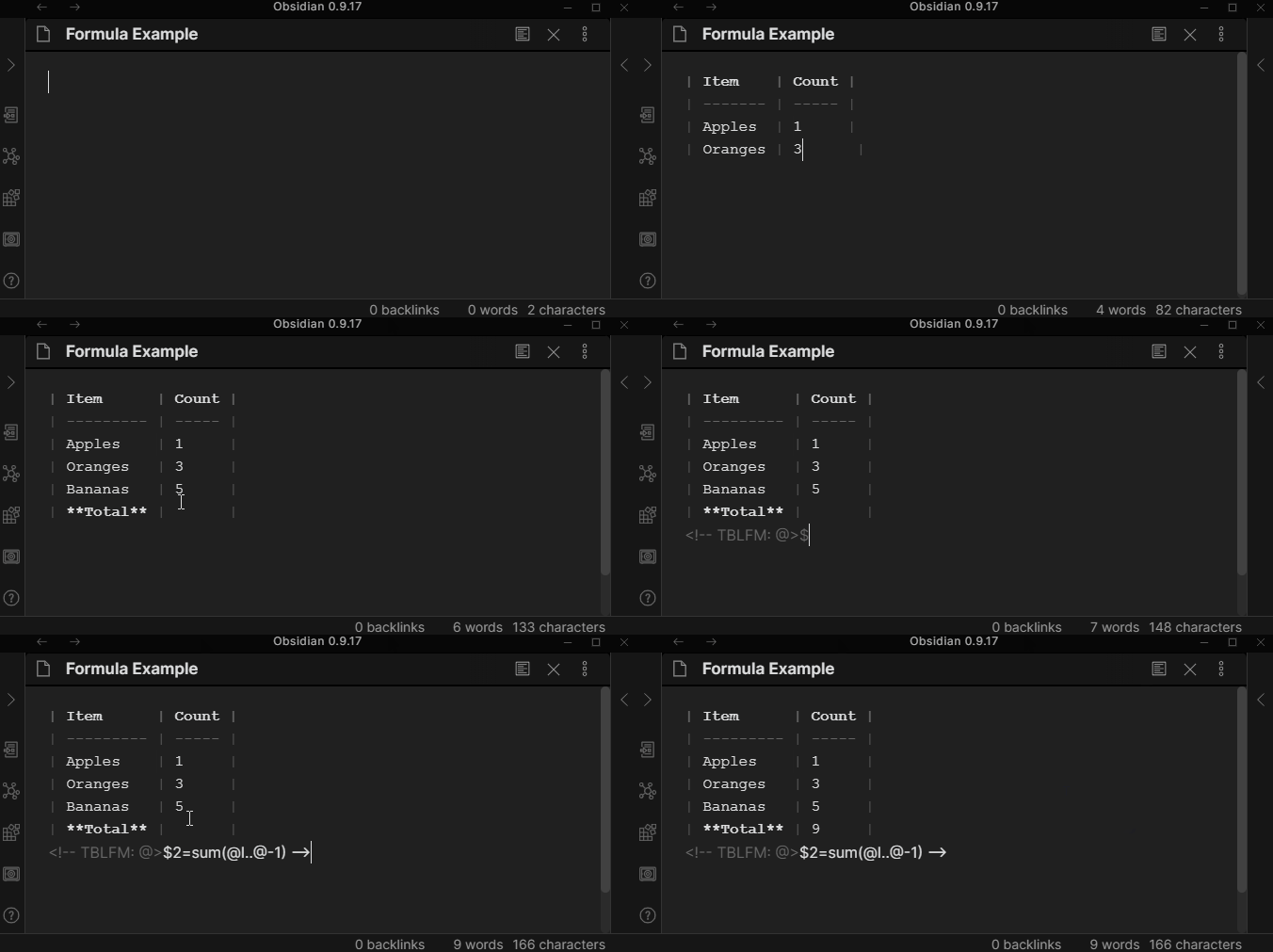
For more information on using formulas, visit the Help Docs.
How to Install
From within Obsidian
From Obsidian v0.9.8+, you can activate this plugin within Obsidian by doing the following:
- Open Settings > Third-party plugin
- Make sure Safe mode is off
- Click Browse community plugins
- Search for "Advanced Tables"
- Click Install
- Once installed, close the community plugins window and activate the newly installed plugin
Obsidian Mobile
When using Obsidian on a mobile device, the Advanced Tables plugin can be used. Using Enter and Tab to navigate the table will not work, however you can add the "Next Cell" and "Next Row" commands to the mobile toolbar and use them to navigate, or use the buttons from the sidebar.
Pricing
This plugin is provided to everyone for free, however if you would like to say thanks or help support continued development, feel free to send a little my way through one of the following methods:
Notes
This is experimental and may have instability. It is possible that there are bugs which may delete data in the current note. Please make backups!