Simplified Chinese Word Splitting
 Aiden Liu73k downloads
Adds Simplified Chinese word splitting support for the editor and Vim mode.
- Overview
- Scorecard
- Updates22
Adds Simplified Chinese word splitting support for the editor and Vim mode for Obsidian.md
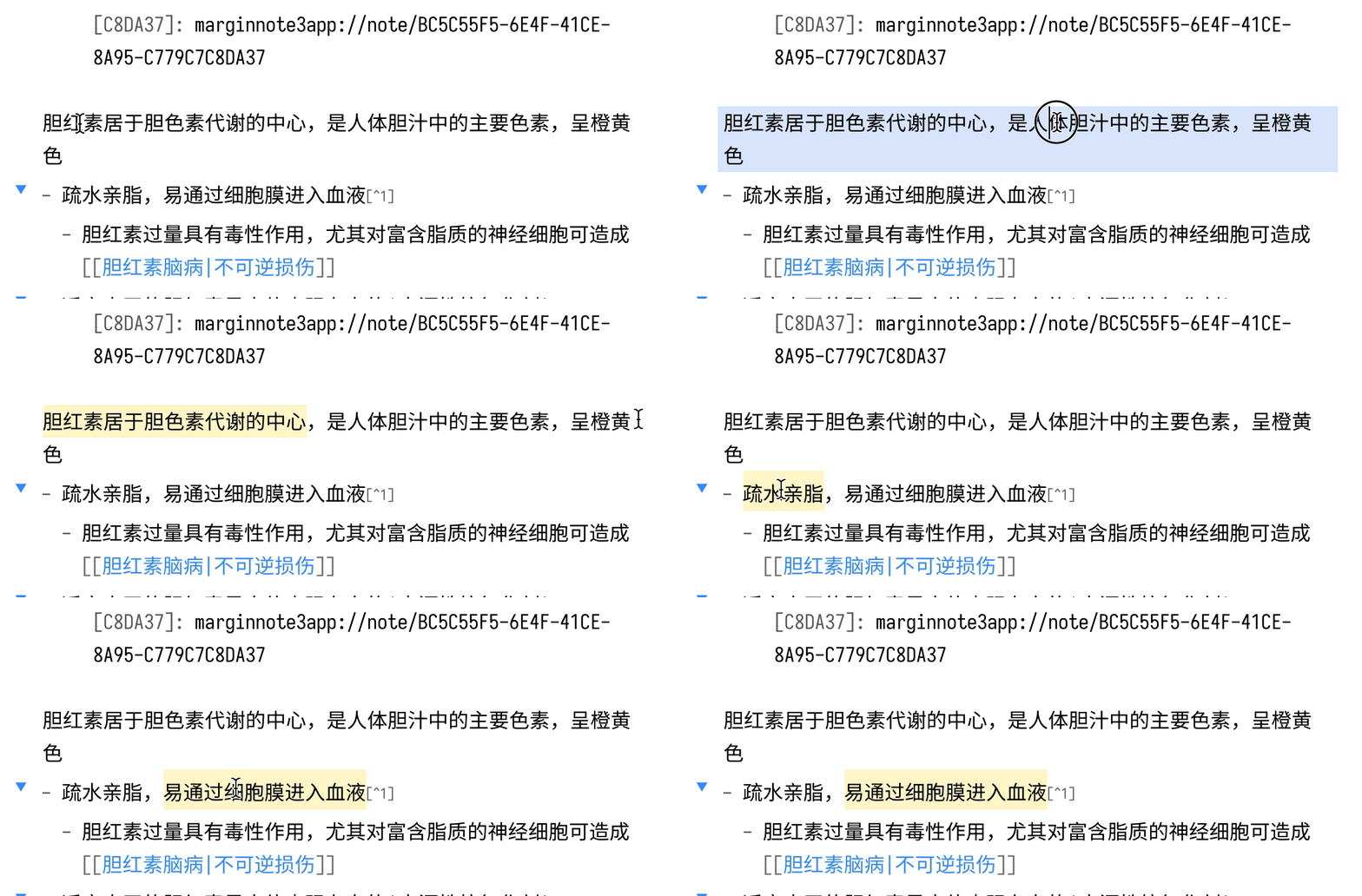
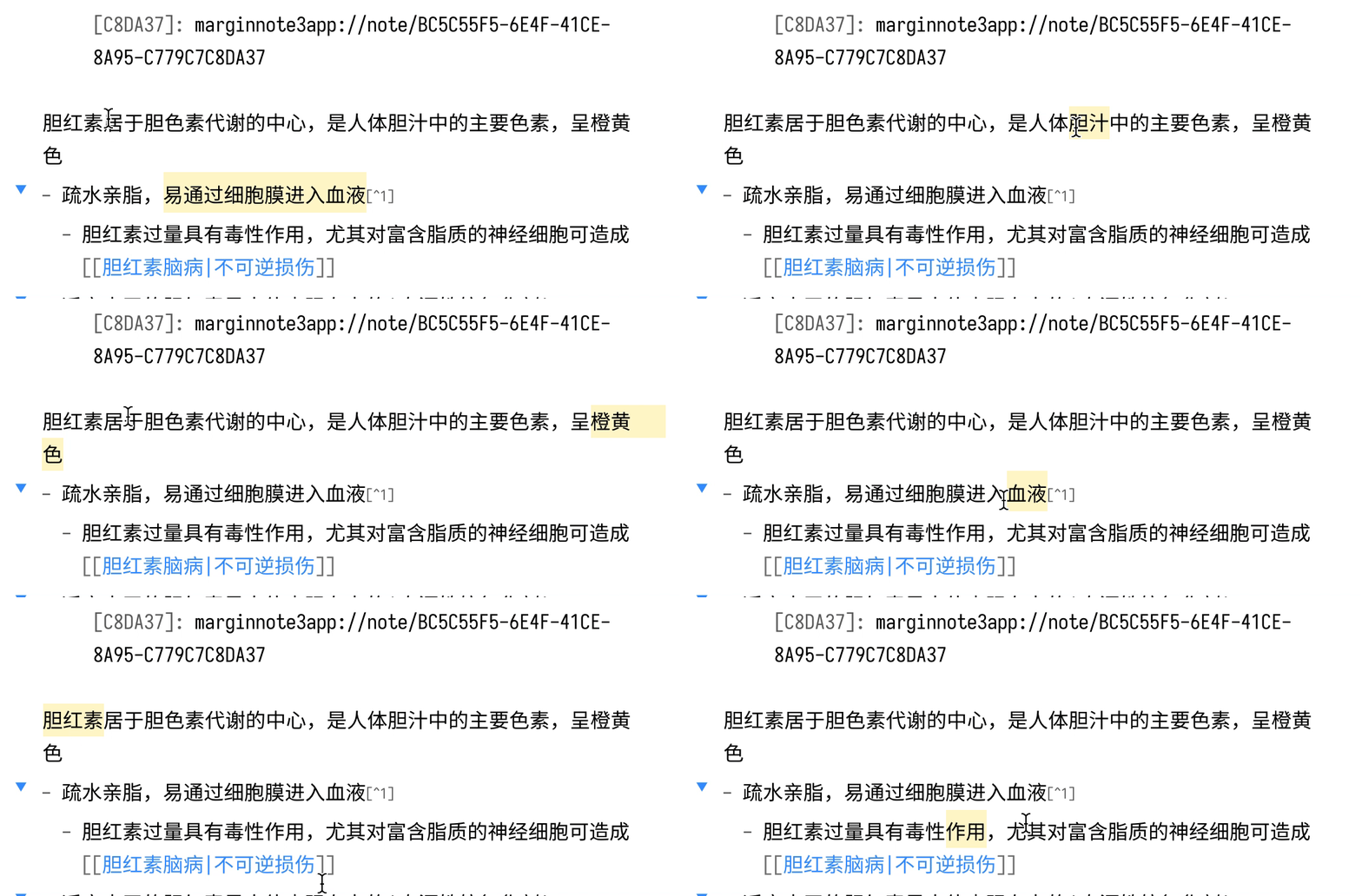
增加 Obsidian 内置编辑器的(简体)中文分词支持,使得编辑模式的双击可以选中中文,以及在 Vim 模式下可以按中文分词移动光标
Special Thanks to @fengkx for jieba-wasm module 感谢 @jiyee 实现的Vim分词支持!
注意:从 v1.8.0 开始,默认分词引擎由结巴分词更换为系统自带分词引擎,结巴分词不再是必备组件,若你需要结合 omnisearch 插件使用,或仍需要使用结巴分词提供的更精确的分词结果,以及新词发现、自定义词库功能,请在设置打开选项后,按照弹窗提示进行安装(若系统不提供分词引擎,无论选项是否打开,本插件仍会提示安装结巴分词)
Demo
| Obsidian's Default Word Splitting 默认分词 |
Patched 安装插件后 |
|---|---|
 |
 |
Disclosure 安全声明
[!WARNING] 直接文件系统访问:在桌面端,本插件使用 Node.js
fs模块在 Obsidian Vault API 之外读写文件。这用于将结巴分词 WASM 文件(jieba_rs_wasm_<版本号>.wasm)存储在 Obsidian 的共享userData目录中,从而避免在每个库中重复安装:
平台 路径 macOS ~/Library/Application Support/obsidian/jieba_rs_wasm_<版本号>.wasmWindows %APPDATA%\obsidian\jieba_rs_wasm_<版本号>.wasmLinux ~/.config/obsidian/jieba_rs_wasm_<版本号>.wasm在移动端,该文件通过标准 Obsidian Vault API 存储在库的配置目录(
<vault>/.obsidian/jieba_rs_wasm_<版本号>.wasm)中,不涉及直接文件系统访问。
[!WARNING] Direct Filesystem Access: On desktop, this plugin uses the Node.js
fsmodule to read and write files outside of the Obsidian vault API. This is used to store the jieba WASM binary (jieba_rs_wasm_<version>.wasm) in Obsidian's shareduserDatadirectory so that it does not need to be duplicated in every vault:
Platform Path macOS ~/Library/Application Support/obsidian/jieba_rs_wasm_<version>.wasmWindows %APPDATA%\obsidian\jieba_rs_wasm_<version>.wasmLinux ~/.config/obsidian/jieba_rs_wasm_<version>.wasmOn mobile, the file is stored inside the vault's config directory (
<vault>/.obsidian/jieba_rs_wasm_<version>.wasm) using the standard Obsidian vault API, and no direct filesystem access is involved.
Installation 安装
From Obsidian
- Open
Settings>Third-party plugin - Make sure Safe mode is off
- Click
Browse community plugins - Search for this plugin
Simplified Chinese Word Splitting - Click
Install - Once installed, close the community plugins window and the patch is ready to use.
- 打开
设置>第三方插件 - 确保安全模式为
关闭 - 点击
浏览社区插件 - 搜索此插件
Word Splitting for Simplified Chinese in Edit Mode and Vim Mode - 点击
安装 - 安装完成后,关闭安装窗口,插件即可使用
From GitHub
- Download the Latest Release from the Releases section of the GitHub Repository
- Put files to your vault's plugins folder:
<vault>/.obsidian/plugins/cm-chs-patch - Reload Obsidian
- If prompted about Safe Mode, you can disable safe mode and enable the plugin. Otherwise head to Settings, third-party plugins, make sure safe mode is off and enable the plugin from there.
Note: The
.obsidianfolder may be hidden. On macOS you should be able to pressCommand+Shift+Dotto show the folder in Finder.
- 从 GitHub 仓库的 Releases 下载最新版本
- 把文件放在对应 Vault 的插件文件夹下:
<vault>/.obsidian/plugins/cm-chs-patch - 重新加载 Obsidian
- 如果出现有关安全模式的提示,则可以禁用安全模式并启用插件。否则,请转到
设置→第三方插件,确保关闭安全模式,然后从第三方插件启用插件
注意,
.obsidian文件夹为隐藏文件夹,在 macOS 的 Finder 下可以按Command+Shift+.以显示隐藏文件夹
Development
Prerequisites
- Node.js 26+ — pinned in
mise.toml; the easiest way to provision it is mise. If you manage Node yourself, runcorepack enableto activate pnpm. - pnpm 11.0.9 — sourced from
packageManagerinpackage.jsonvia corepack. No global install needed. - Git with submodule support (any modern version).
One-time setup
# 1. Clone with the cm-view submodule populated.
#    If you already cloned without `--recurse-submodules`, run the second line instead.
git clone --recurse-submodules https://github.com/aidenlx/cm-chs-patch.git
git submodule update --init --recursive

cd cm-chs-patch

# 2. Provision Node 26 + enable corepack (skip if you manage Node yourself).
mise install

# 3. Install dependencies. The `packages/cm-view` workspace package's `prepare`
#    hook builds its `dist/` (the @codemirror/view internal bundle) automatically.
pnpm install
Scripts
| Command | Purpose |
|---|---|
pnpm dev |
Vite watch build to build/; also writes .hotreload for the Obsidian Hot-Reload plugin |
pnpm build |
Production bundle to build/main.js; the version from package.json is stamped onto manifest.json |
pnpm typecheck |
tsc --noEmit |
pnpm lint |
oxlint (pnpm lint:fix to autofix) |
pnpm format |
oxfmt check (pnpm format:fix to apply) |
pnpm release |
release-it (maintainers only) |
Loading the build into Obsidian
Symlink (or copy) build/ into a test vault as <vault>/.obsidian/plugins/cm-chs-patch, then enable the plugin in Obsidian's Community Plugins settings. With Hot-Reload installed in the same vault, pnpm dev triggers live reloads on rebuild.