Feed Bases
 edrickleong42k downloads
Adds a feed layout to bases so you can display notes with their content in an editable feed view.
- Overview
- Scorecard
- Updates4
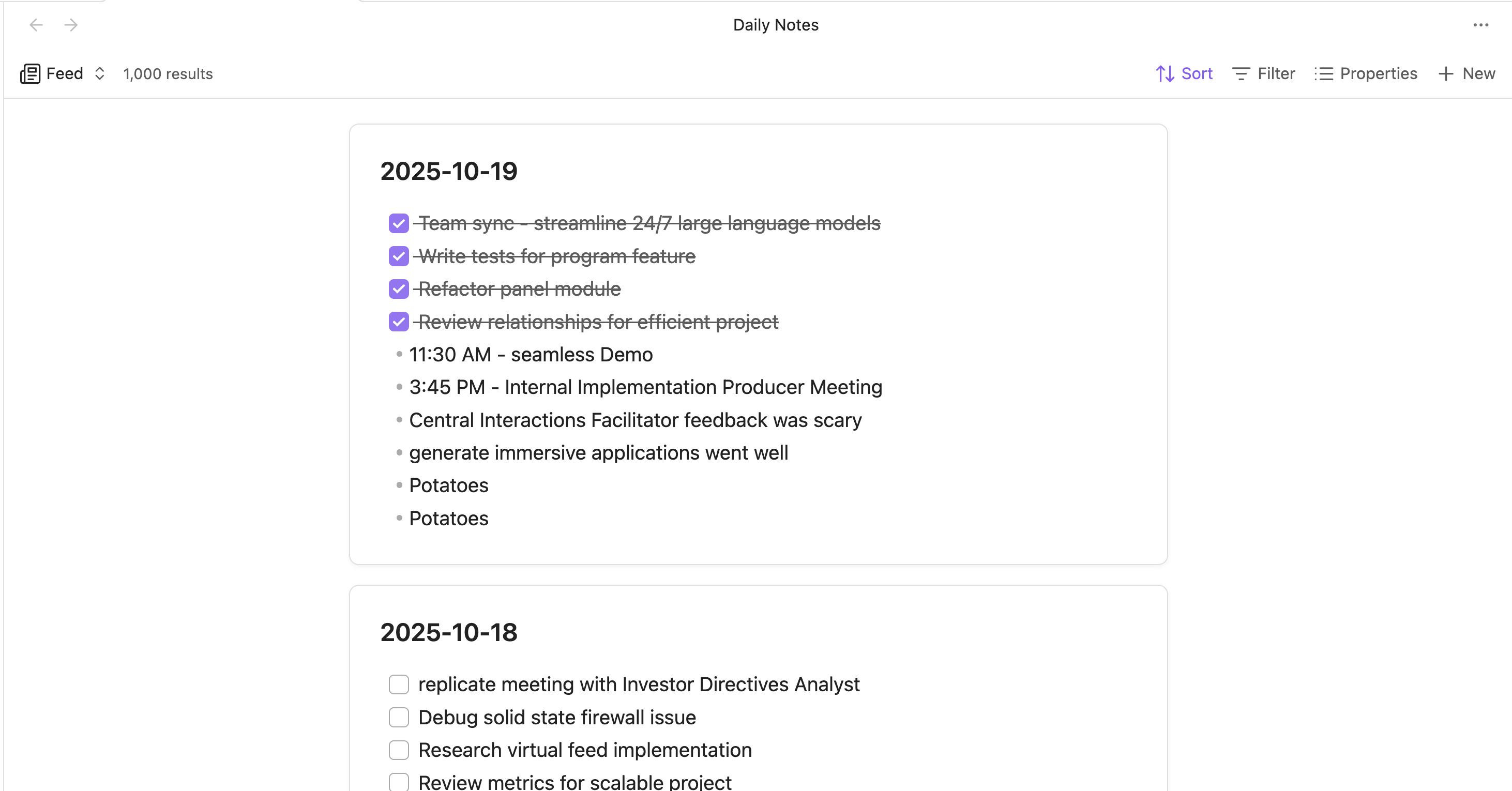
Adds a feed layout to Obsidian Bases so you can display notes with their content in an editable feed view.
- Display all notes from your bases in a scrollable feed.
- Edits are automatically saved back to the source file.
- Sort by modified date, created date, or name (default).
- Click note titles to open them or use context menus for more options.
Installation
This plugin currently requires Obsidian v1.10.0 or later to work.
Obsidian v1.10.0 is currently in Early Access, so you will need a Catalyst license to use it.
Install via BRAT
- Install the BRAT plugin under Community Plugins.
- Open BRAT settings and click "Add beta plugin".
- Enter the URL of this repository:
https://github.com/edrickleong/obsidian-feed-bases. - Under "Select a version", choose the Latest version.
- Click "Add plugin".
Install via Community Plugins
Feed Bases is not yet available under Community Plugins. It is currently being reviewed and should hopefully be available soon.
Usage
- Create or open a Bases view.
- Click the view type selector and choose "Feed".
- Configure sorting options in the view settings.
- Edit notes directly in the feed by clicking on them.
- Any changes you make are automatically saved.
License
This project is licensed under the MIT License.
HealthGood
ReviewSatisfactory
About
Display notes from your Bases in a scrollable, editable feed that shows each note's content inline. Edit notes directly with changes auto-saved to source files, sort by modified/created/name, and open notes or access actions via titles and context menus.Details
Current version
0.2.0
Last updated
9 months ago
Created
12 months ago
Updates
4 releases
Downloads
42k
Compatible with
Obsidian 1.10.0+
Platforms
Desktop, Mobile
License
MIT
Author