Outliner
 vslinko1.4M downloads
Work with your lists like in Workflowy or Roam Research.
- Overview
- Scorecard
- Updates117
Work with your lists like in Workflowy or RoamResearch
⁉️ Discuss ideas or ask a question
⚙️ Follow the development process
🐛 Report issues
Compatible with Obsidian Zoom plugin.
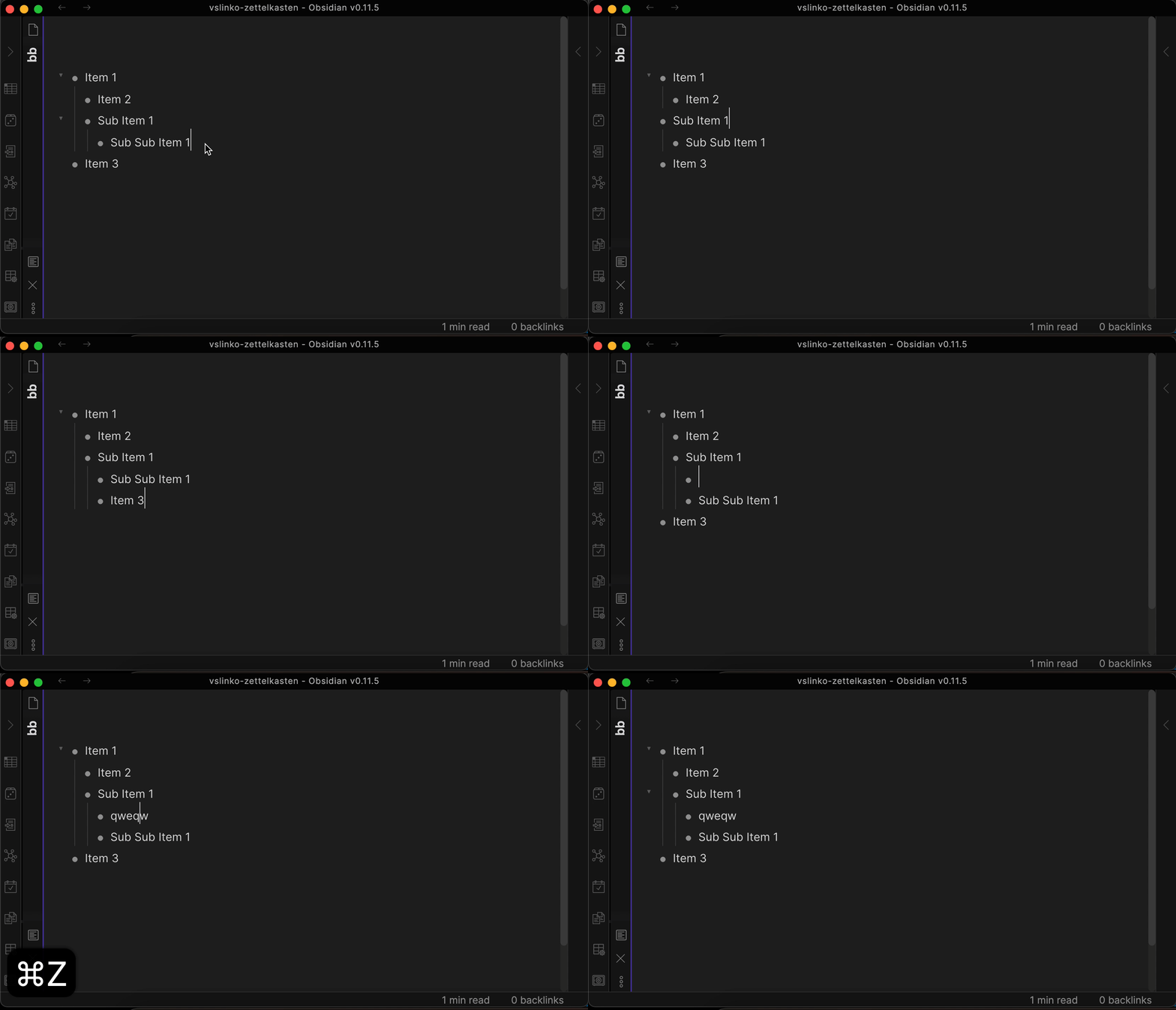
Demo
How to install
From within Obsidian
You can activate this plugin within Obsidian by doing the following:
- Open Settings > Third-party plugin
- Make sure Safe mode is off
- Click Browse community plugins
- Search for "Outliner"
- Click Install
- Once installed, close the community plugins window and activate the newly installed plugin
Manual installation
Download main.js, manifest.json, styles.css from the latest release and put them into <vault>/.obsidian/plugins/obsidian-outliner folder.
How to use
Try to create a deeply structured list and move items by pressing the hotkeys described below.
Features
Improve the style of your lists
If you liked the styles from the demo above, you can enable them in the plugin settings tab.
Disclaimer: Styles are only compatible with built-in Obsidian theme.
| Setting | Default value |
|---|---|
| Improve the style of your lists | true |
Move lists back and forth
Move lists with children wherever you want without breaking the structure.
| Command | Default hotkey (Windows/Linux) | Default hotkey (MacOS) | Mobile Quick Action |
|---|---|---|---|
| Move list and sublists up | CtrlShift↑ | CommandShift↑ |  |
| Move list and sublists down | CtrlShift↓ | CommandShift↓ |  |
| Indent the list and sublists | Tab | Tab |  |
| Outdent the list and sublists | ShiftTab | ShiftTab |  |
| Setting | Default value |
|---|---|
| Enhance the Tab key | true |
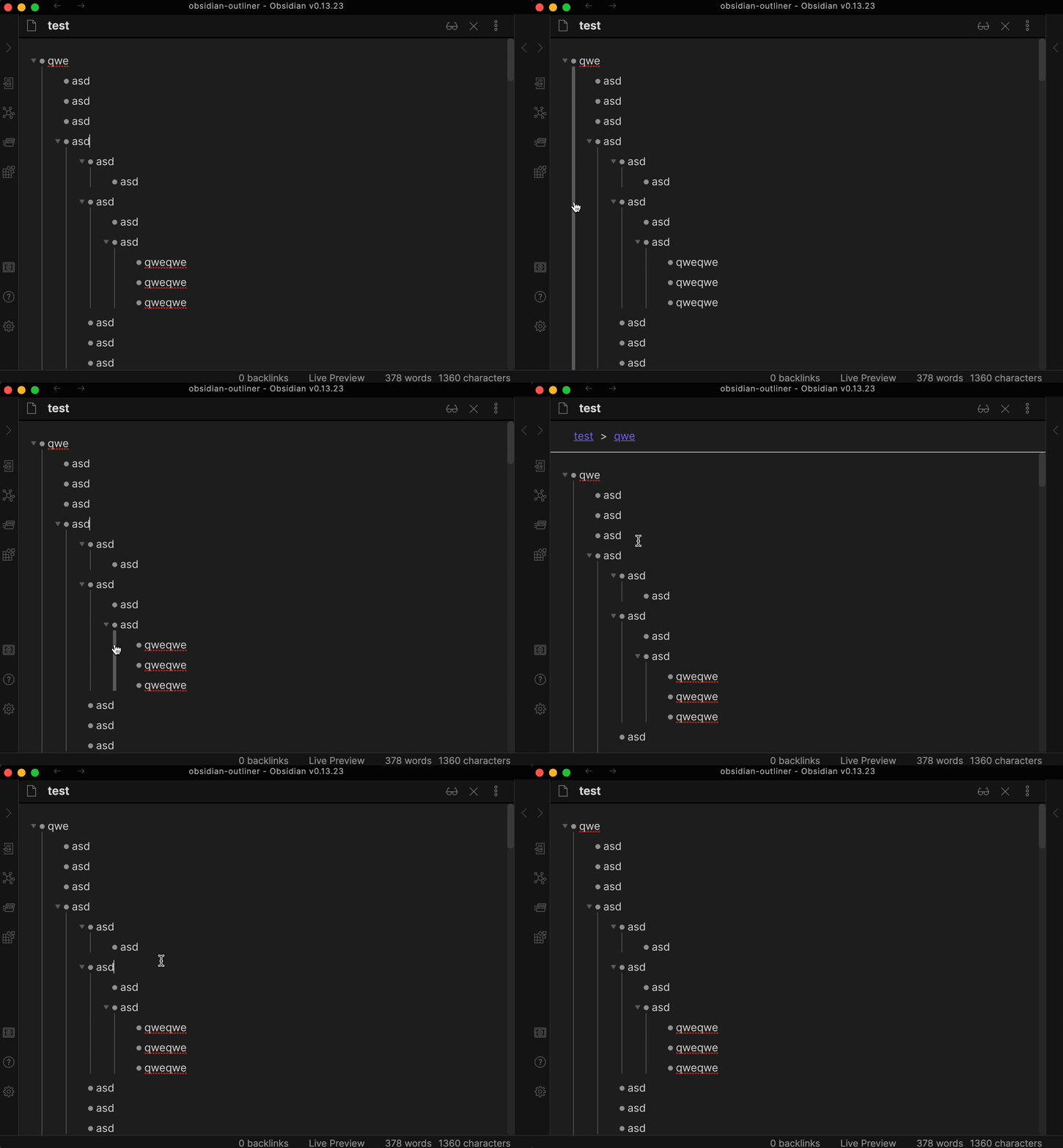
Draw vertical indentation lines
Disclaimer: vertical indentation lines are only compatible with built-in Obsidian theme.
| Setting | Default value |
|---|---|
| Draw vertical indentation lines | false |
| Vertical indentation line click action | Toggle Folding |
Stick the cursor to the content
Don't let the cursor move to the bullet position. Affects cursor movement, text deletion, text selection.
| Setting | Default value |
|---|---|
| Stick the cursor to the content | true |
Enhance the Enter key
Make the Enter key behave the same as other outliners:
- Enter outdents list item if it's empty.
- Enter creates new line on children level if there are any children.
- Shift-Enter creates a new note line.
| Setting | Default value |
|---|---|
| Enhance the Enter key | true |
Fold and unfold your lists
| Command | Default hotkey (Windows/Linux) | Default hotkey (MacOS) | Mobile Quick Action |
|---|---|---|---|
| Fold the list | Ctrl↑ | Command↑ |  |
| Unfold the list | Ctrl↓ | Command↓ |  |
Enhance the CtrlA or CmdA behavior
Press the hotkey once to select the current list item. Press the hotkey twice to select the entire list.
| Setting | Default value |
|---|---|
| Enhance the Ctrl+A or Cmd+A behavior | true |
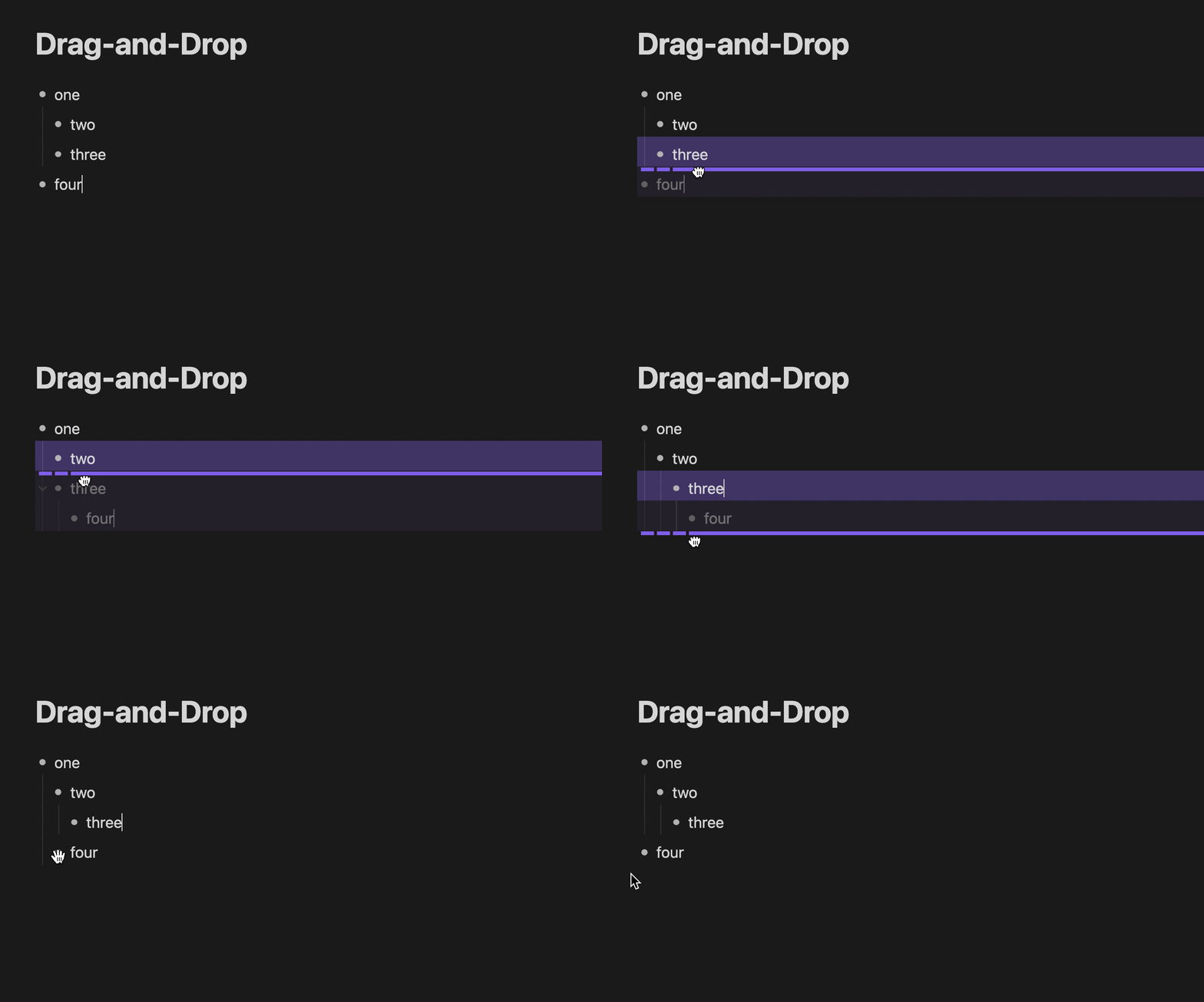
Drag-and-Drop
| Setting | Default value |
|---|---|
| Drag-and-Drop | true |
Debug mode
Open DevTools (Command+Option+I or Control+Shift+I) to copy the debug logs.
| Setting | Default value |
|---|---|
| Debug mode | false |
Unsupported (yet) features
Pricing
This plugin is free for everyone.
Patrons & Supporters
I want to say thank you to the people who support me, I really appreciate it!
- Lucas D
- Philipp K.
- Daniel B.
- Mat Rhein (@mat_rhein7)
- Ollie Lovell
- Faiz MK (@faizkhuzaimah)
- more patrons and anonymous supporters