Chord Sheets
 olvidalo23k downloads
Work with chord sheets (chords over lyrics or inline) in Live Preview and reading mode: Chord diagrams for guitar, ukulele, mandolin and piano, transpose, autoscroll, and more.
- Overview
- Scorecard
- Updates31
Render and work with chord sheets (chords over lyrics or inline chords in brackets) in your vault. This plugin brings UltimateGuitar-like functionality into Obsidian, featuring chord diagrams (guitar, ukulele, mandolin, piano), transposition, and autoscroll. Works seamlessly in edit / live preview and reading mode. It integrates with your theme colors and is customizable to your needs.
Features
✨ Highlight Chord Symbols
Detects and highlights chord symbols in fenced code blocks marked as ```chords.
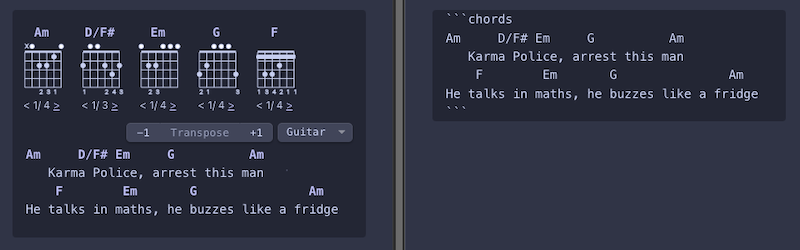

Note: When copy and pasting a chord sheet from a website, paste as plain text to preserve formatting (per default ⌘ + ⇧ + V on Mac and Ctrl + ⇧ + V on Windows/Linux or right click ➔ Paste as plain text).
The plugin auto-detects chord and lyric lines. If it fails, add %c at the end of chord lines or %t for lyrics (an
idea
'borrowed' from the Chord Lyrics plugin):

🎼 Chord Diagrams
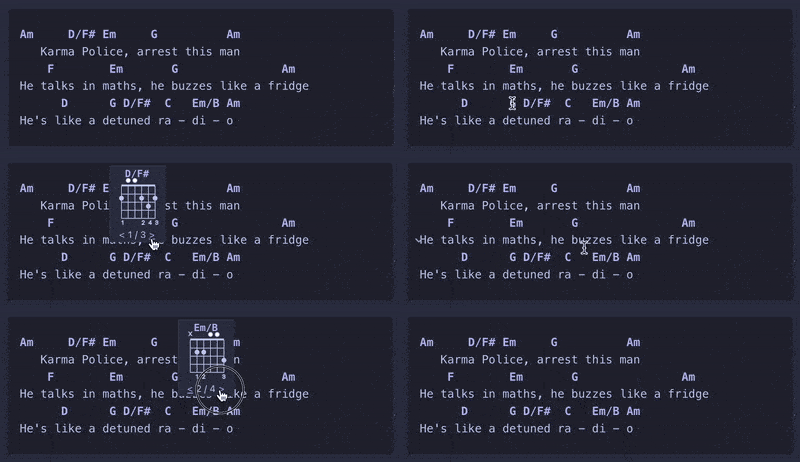
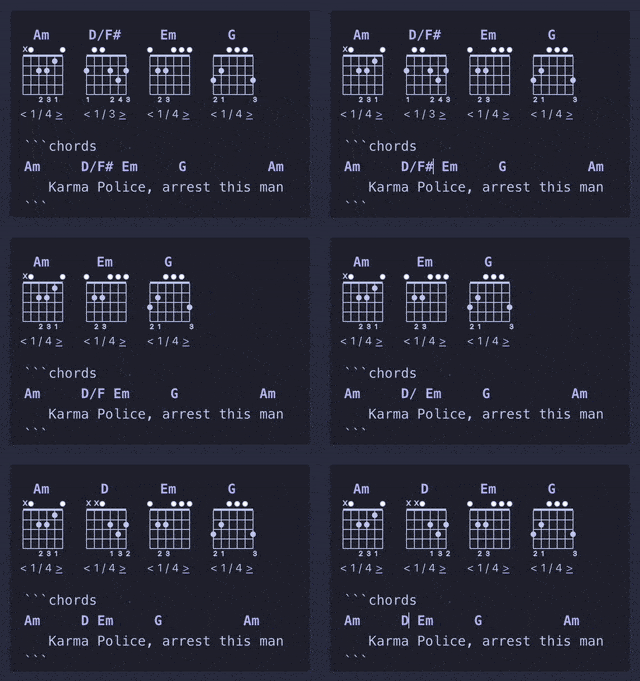
Show chord diagrams for fretted instruments or piano, on hover or on top of a chord block. Provides alternative fingerings / voicings for each chord. Diagrams are rendered locally, no API calls to an external service are required.
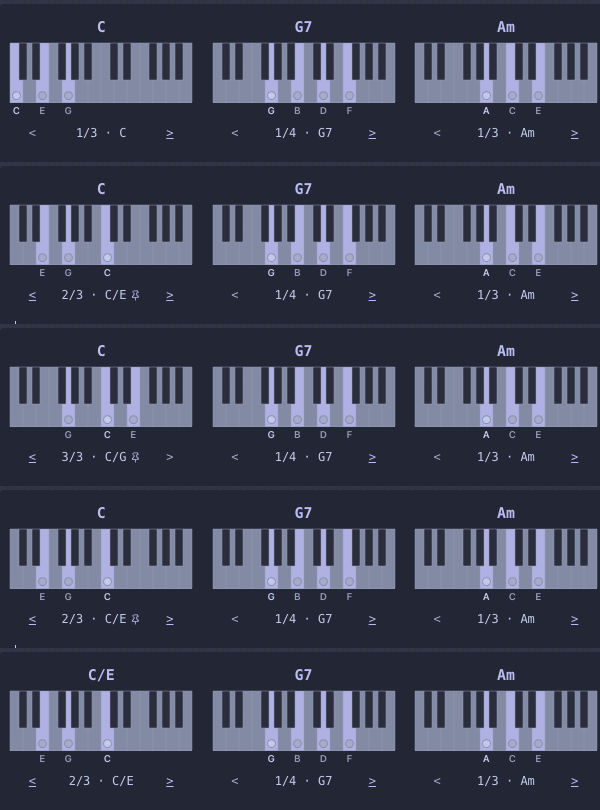
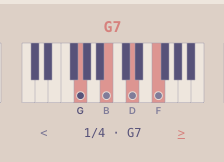
🎹 Piano voicings
In edit / live preview mode, clicking the name of the voicing you picked writes it into the sheet as a slash chord, either for every occurrence of the chord in the block (from the chord overview) or just for the one you hovered (from the popup).
🎸 Choose Your Instrument
Includes chord diagrams for guitar, ukulele, mandolin, and piano. The instrument can be set globally or specified per chord block.
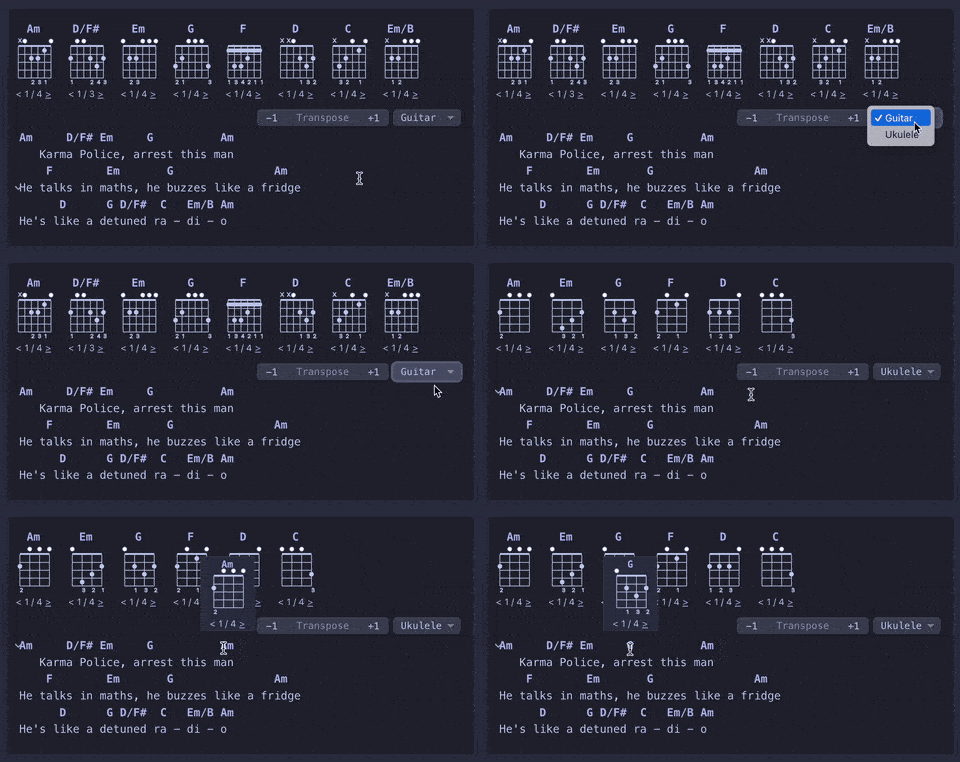
📝 Seamless Editing
Allows seamless editing of chords and lyrics in live preview / edit mode while keeping chord symbol highlighting and chord diagram rendering active, without needing to switch the fenced block to source view. This is achieved by implementing a CodeMirror editor extension for rendering instead of a code block post processor.
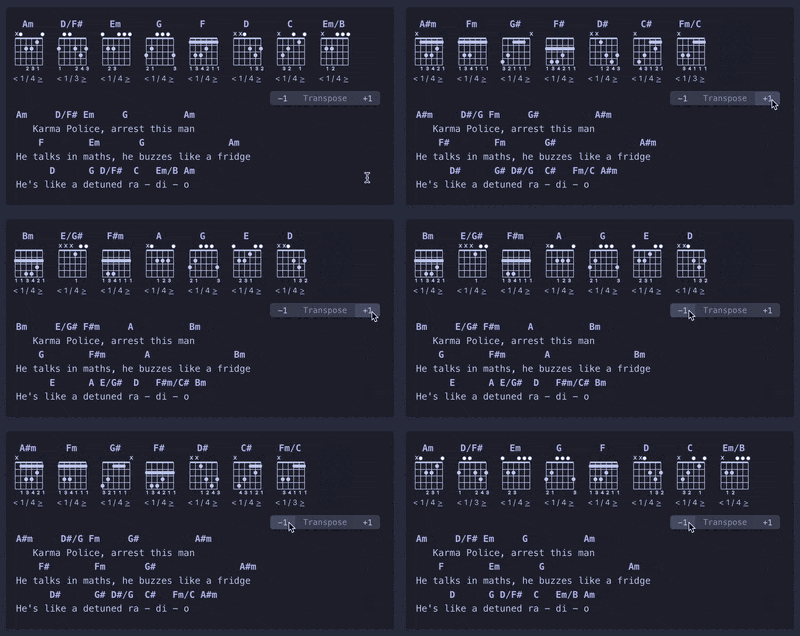
🔄 Transpose Songs
Transpose songs up and down with a click or an editor command. When a chord symbol gets longer or shorter (C → C#),
the spaces after it are adjusted so that the following chords stay above their syllables.
📜 Autoscroll
Scroll down as you play with configurable speed.
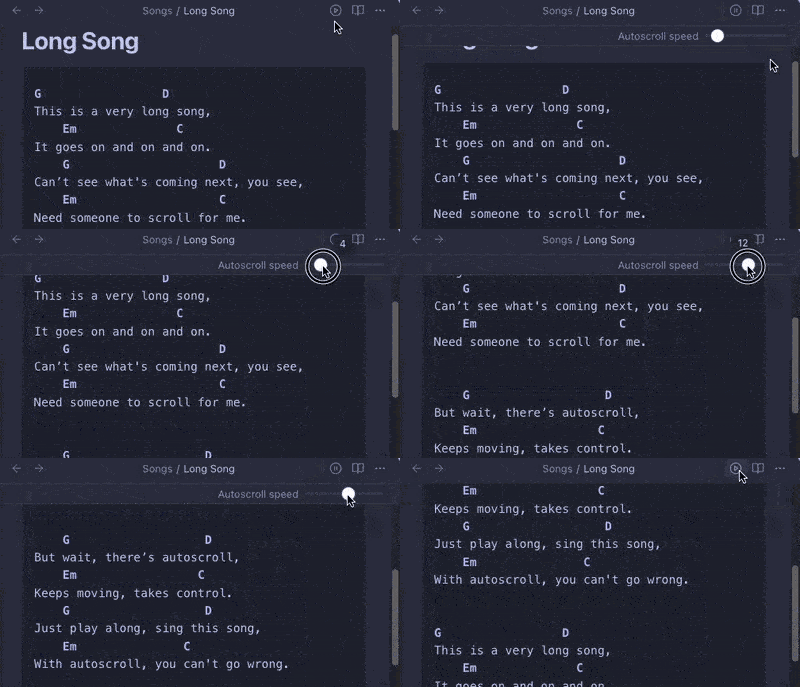
Save your preferred scroll speed for a note by adding the autoscroll-speed frontmatter property. Set it manually or
use the Save current autoscroll speed command to add it with the last used speed. The property will update
automatically as you adjust the speed.
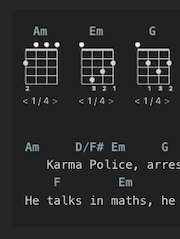
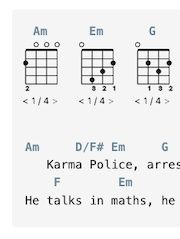
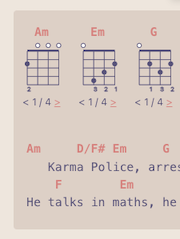
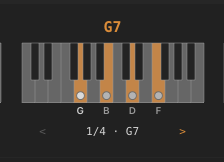
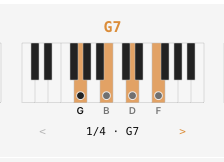
🌈 Uses Theme Colors
| Minimal dark | Minimal light | AnuPpuccin light |
|---|---|---|
 |
 |
 |
 |
 |
 |
To customize colors and styles, use the Style Settings plugin.
🔨 Custom Chord Shapes
Define your own chord shapes using brackets. On fretted instruments, use fret numbers (or x for muted) in brackets:
Bbadd13[x13333],
Dm6[4|x2x132] (with capo), or C°[x34_242_] (with barre). For frets higher up the neck, separate with spaces or
commas: C*[0 10 10 12 8 8], C*[0,10,10,12,8,8].
On piano, use note names (Cmaj7[E G B D]) or chord degrees (C7[3 b7 9]) to define a voicing. A bar splits the left
and the right hand: C7[1 5 | 3 b7 9]
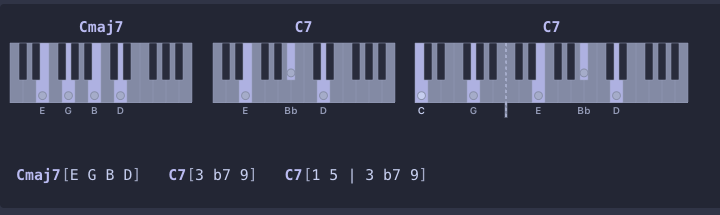
Custom fretted chord shapes and symbols are never transposed. For piano, note names are transposed along with the chord symbol.
⌨️ Editor Commands
Access all features using dedicated editor commands with support for keyboard shortcuts.
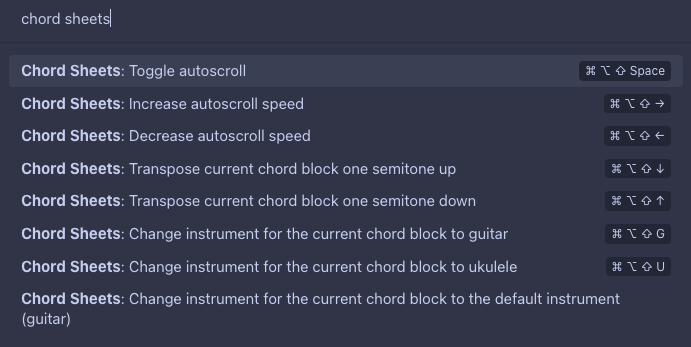
Note: The keyboard shortcuts in the screenshot are just for illustration. Shortcuts are empty by default and need to be set in Obsidian settings after installing the plugin.
📱 Mobile Support
Works well on mobile. Bring up chord diagram popups by tapping on the chord symbols. Can be a bit fiddly in edit / live preview mode because tapping on a chord will position the caret there which brings up the keyboard. Prefer reading mode on mobile.
⚙️ Configurability
- Turn chord or section header highlighting on or off
- Hide certain UI elements (instrument and transpose controls, chord diagrams, autoscroll button) for edit / live preview mode, reading mode, or both.
- Adjust chord diagram size and the default instrument, show or hide the note names in piano diagrams
- Customize the block "language" specifier (e.g., start a chord block with
```tabinstead of```chords) and the line markers (e.g.[c]instead of%c) - Integrates with Style Settings for fine-grained customization of colors and styles
Development
- Clone this repo.
npm ito install dependenciesnpm run devto start compilation in watch mode.
This repo contains run / debug configurations for JetBrains IDEs (such as WebStorm). You will need to adapt the Run Obsidian configuration to the path of your Obsidian installation and set the working directory to the path where you cloned this repo.
To start a development and debug session with support for breakpoints etc.:
- Run the Run Obsidian configuration in debug mode. This will start Obsidian with the
--remote-debugging-port=9222parameter which enables Chrome remote debugging on port 9222. - Run the Debug configuration which attaches the IDE to Obsidian.
- Run the dev configuration in debug mode which starts the development server.
Manually installing the plugin
- Copy over
main.js,styles.css,manifest.jsonto your vaultVaultFolder/.obsidian/plugins/chord-sheets/and enable the plugin in Obsidian's settings.
Credits
This plugin uses:
- Vexchords for rendering chord diagrams.
- tonal for parsing chord symbols, chord normalization, and transposition.
- chords-db for ukulele and guitar fingerings.
Inspiration / Alternatives
- Scales and Chords
- Highlights chord symbols over lyrics in fenced code blocks
- Shows chord diagrams on click that are fetched through an external web service
- Obsidian Chord Lyrics
- Highlights chord symbols over lyrics in fenced code blocks
- Maintains chord / lyrics relationships when line wrapping, good for reading chord sheets on your phone
- Obsidian Markdown Chords
- Renders chords in the ChordPro-inspired markdown-it-chords (bracketed chords in lyrics) format in fenced code blocks
- Optional rendering of chord diagrams above lyrics
- Fingering needs to be specified explicitly as part of the chord symbol
- Obsidian jTab
- Renders tabs and chord diagrams in jTab format in fenced code blocks