TaskNotes Task Colors
 neclor771 downloads
Color TaskNotes tasks by a color-name frontmatter property or tag across the calendar, agenda, kanban, list and widget views.
- Overview
- Scorecard
- Updates5
Colors TaskNotes tasks by a color-name frontmatter property or tag across the calendar, agenda, kanban, list and widget views.
Contents
Screenshots
| Calendar |
|---|
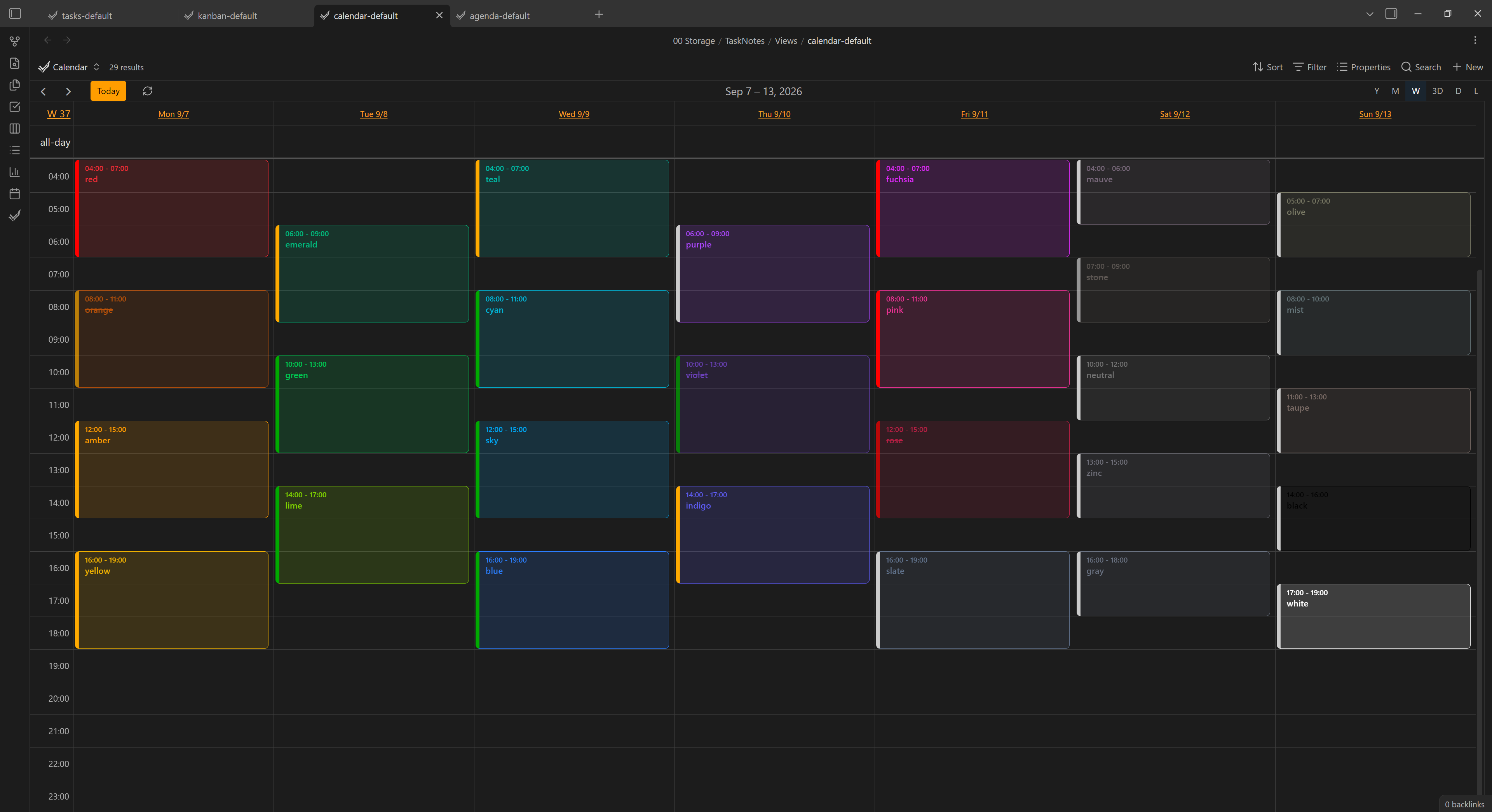 |
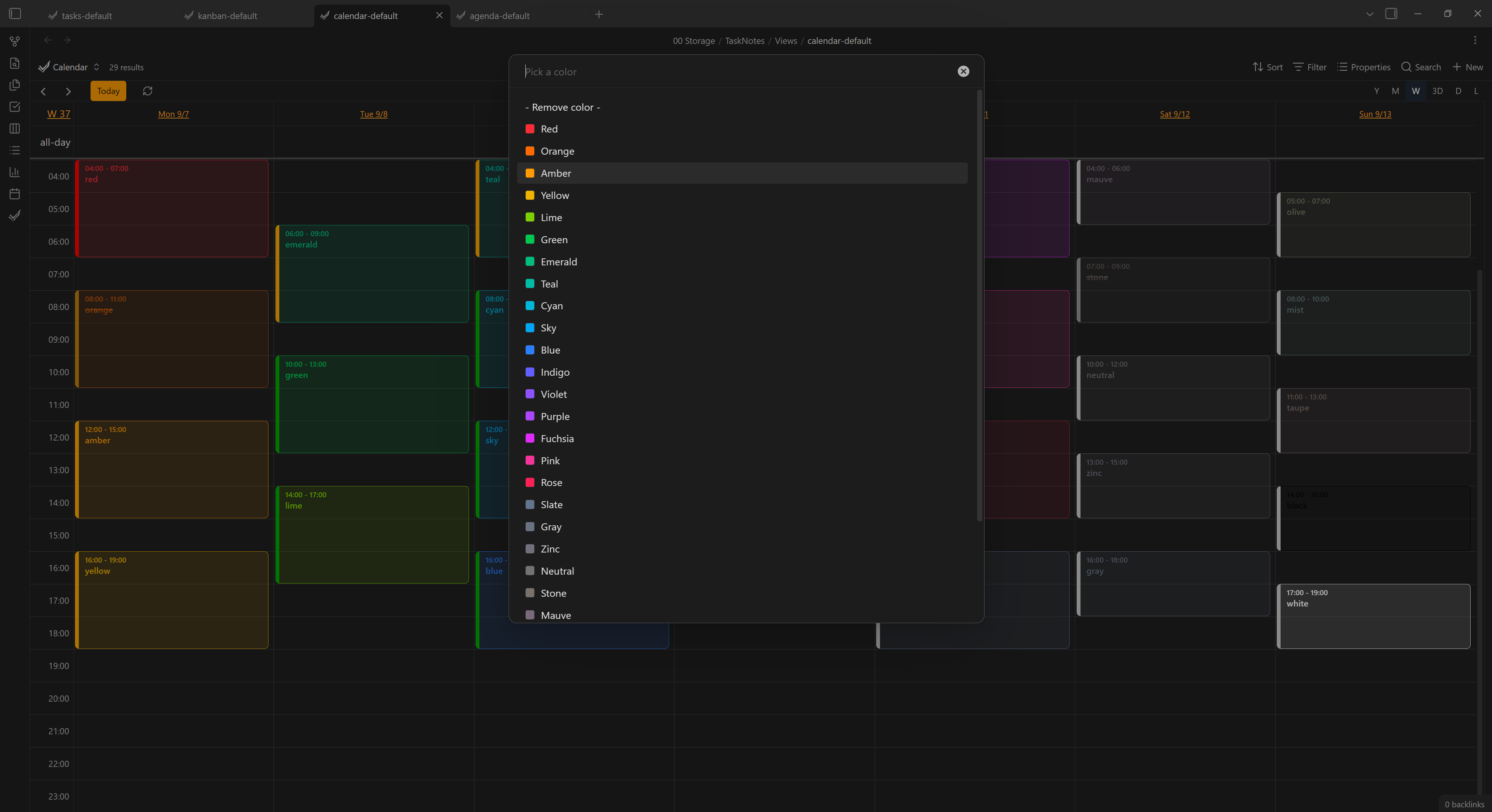
| Agenda | Kanban | List | Color picker |
|---|---|---|---|
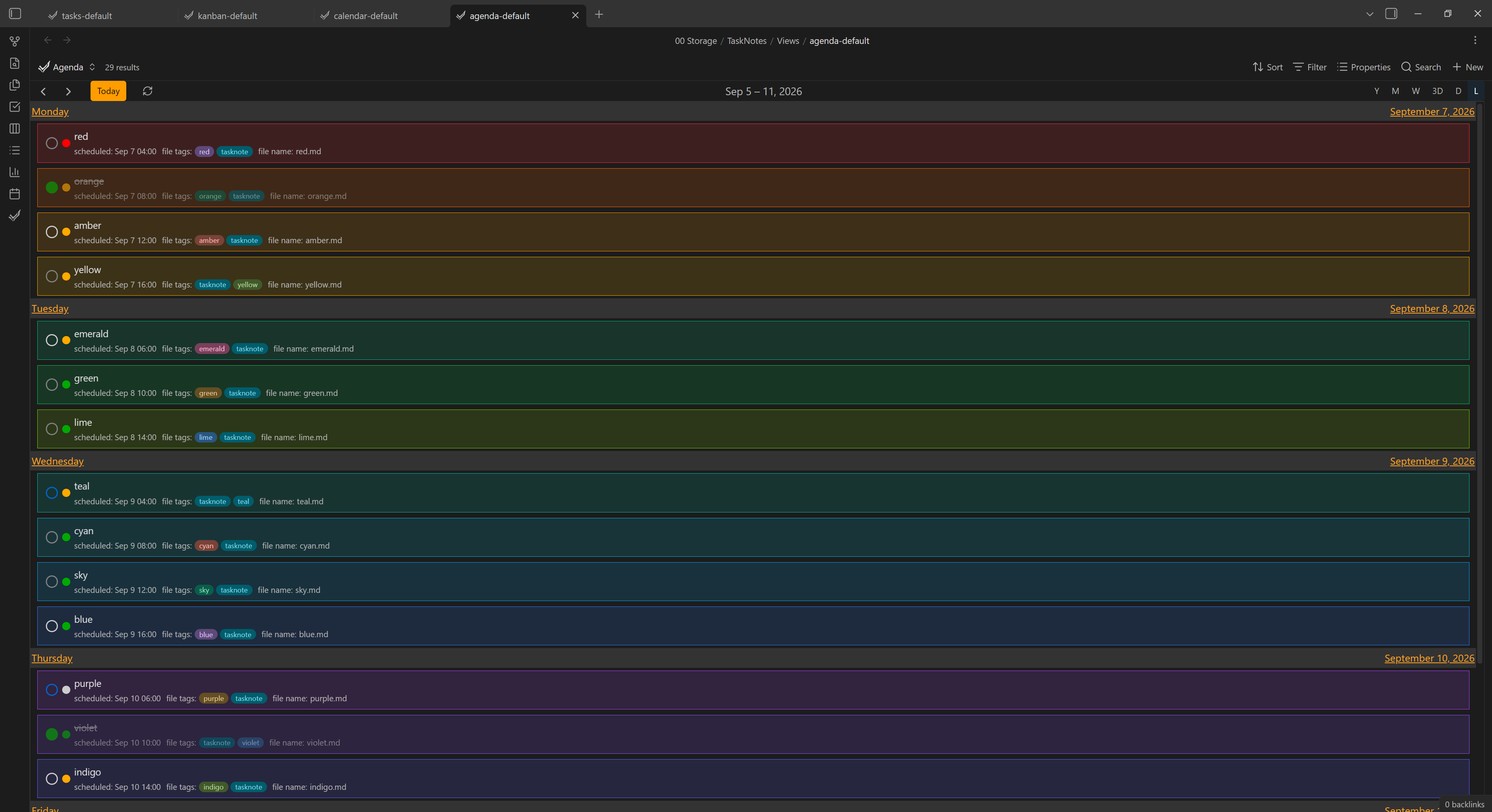 |
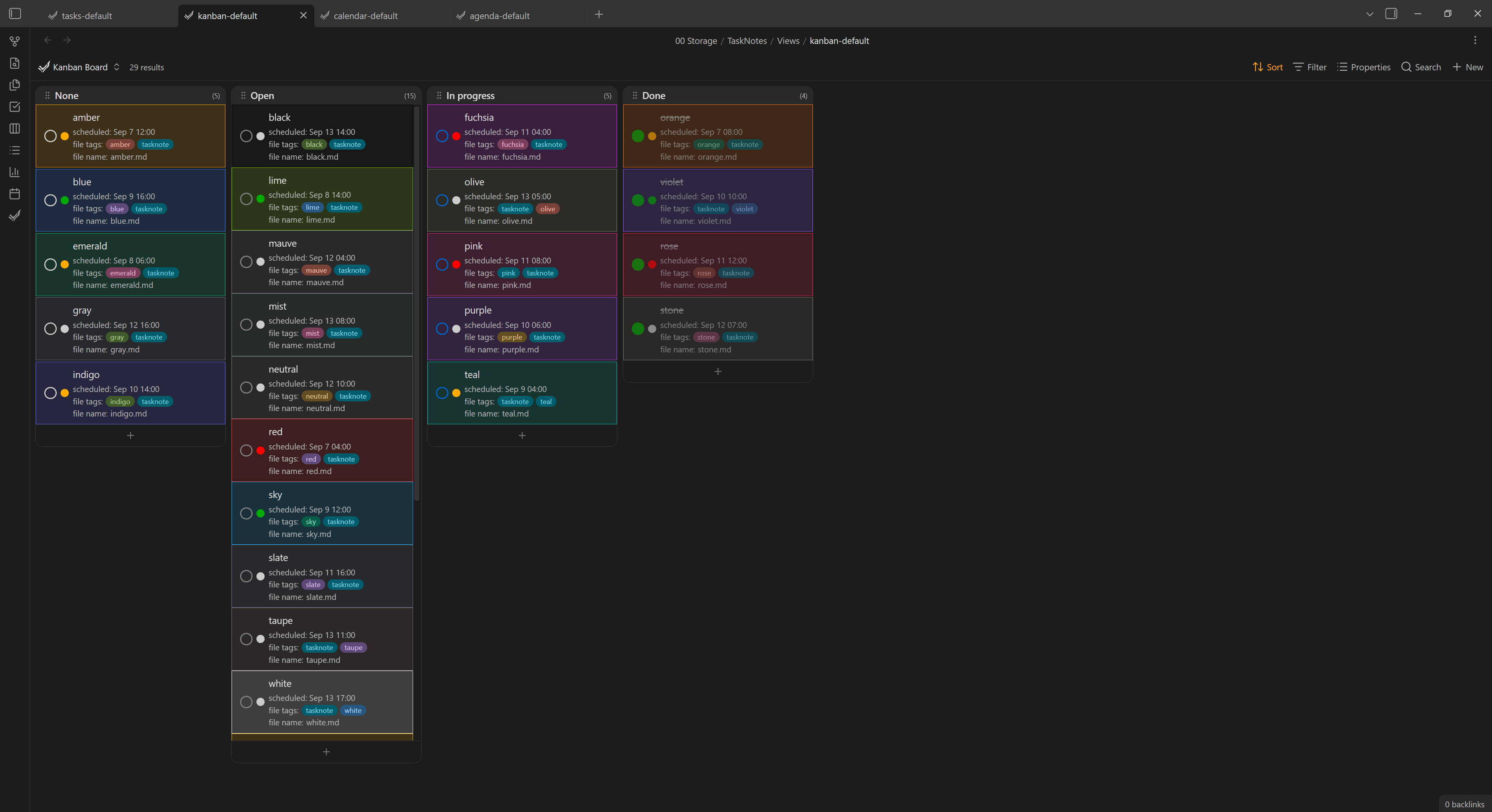 |
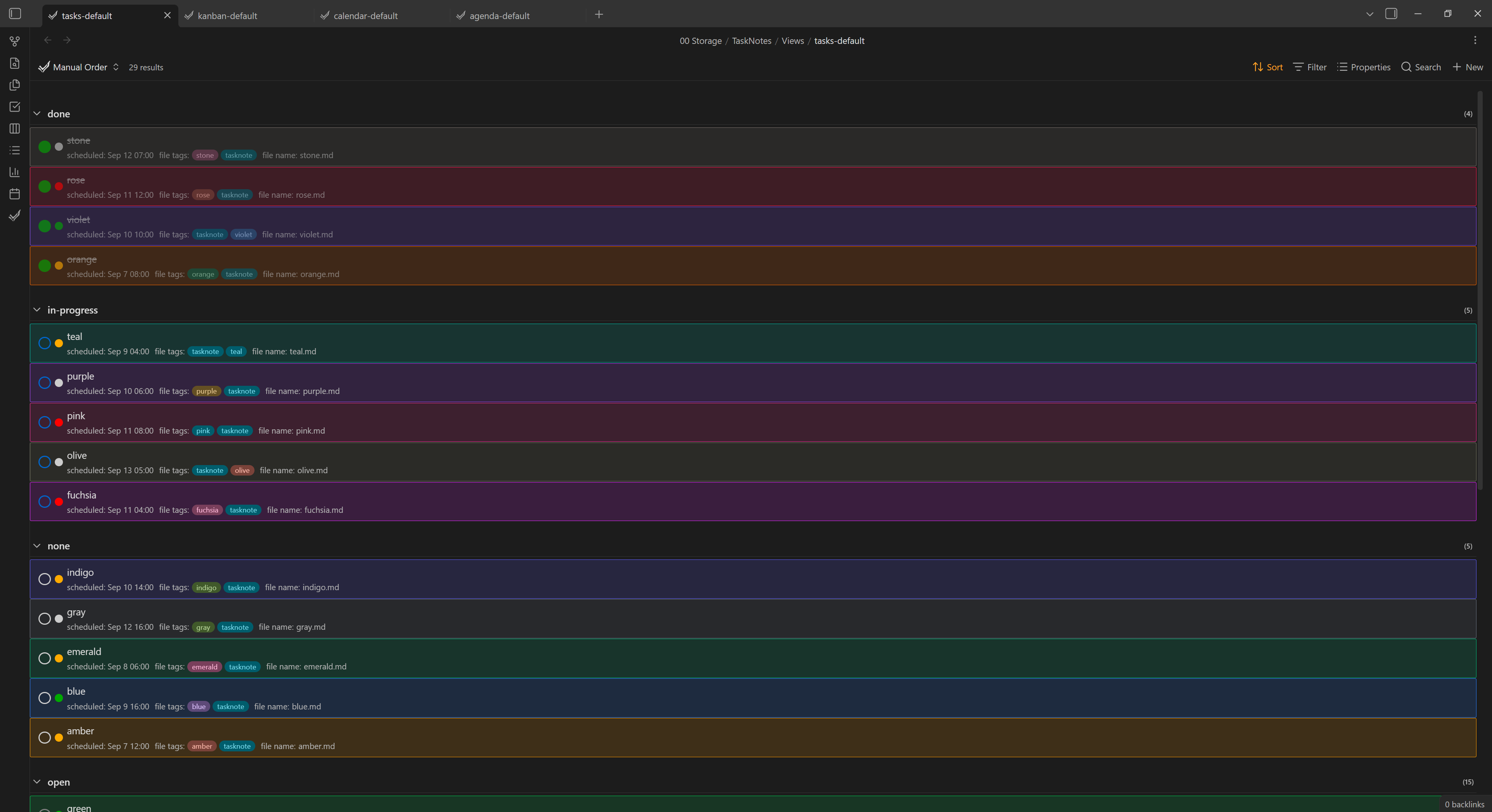 |
 |
Download
Requires the TaskNotes plugin and Obsidian 1.13+.
Usage
- Enable the plugin. By default every view is colored.
- Give a task note a Tailwind color name -
red,blue,zinc, … The task is then tinted with that color everywhere it appears.- Property source (default): set a frontmatter property, e.g.
tntc-color: red. - Tag source: add a tag, e.g.
#red.
- Property source (default): set a frontmatter property, e.g.
- Or set it from the UI: right‑click a task → Set color, pick from the list, or Remove color.
Only recognized color names are used; anything else is ignored. If a task carries several, the last one wins.
Settings
| Setting | Default | What it does |
|---|---|---|
| Source | Property | Read the color from a frontmatter property or from a #tag. |
| Property name | tntc-color |
(Property source) Frontmatter property holding the color name. |
| Tag prefix | (empty) | (Tag source) Restrict color tags to this prefix (e.g. tntc- - only #tntc-red counts). |
| Priority stripe | on | Keep the calendar event's left edge in its priority color. |
| Agenda / Calendar / Kanban / List / Widget | on | Toggle coloring per view. |
HealthExcellent
ReviewSatisfactory
About
Color TaskNotes tasks across calendar, agenda, kanban, list and widget views using Tailwind color names drawn from a frontmatter property or tag. Set or remove colors from the task UI or via tags/properties, and keep task tints consistent everywhere (supports recognized Tailwind names and an optional priority stripe).Details
Current version
2.1.0
Last updated
2 months ago
Created
2 months ago
Updates
5 releases
Downloads
771
Compatible with
Obsidian 1.13.0+
Platforms
Desktop, Mobile
License
MIT