Tasks


Track tasks across your vault. Supports due dates, recurring tasks, done dates, sub-set of checklist items, and filtering. Maintained by Clare Macrae and Ilyas Landikov, created by Martin Schenck.
- Overview
- Scorecard
- Updates142
Task management for the Obsidian knowledge base.
User Guide - Contributing Guide - Roadmap
Track tasks across your entire vault. Query them and mark them as done wherever you want. Supports due dates, recurring tasks (repetition), done dates, sub-set of checklist items, and filtering.
You can toggle the task status in any view or query and it will update the source file.
For changes in each release, please check the releases page: https://github.com/obsidian-tasks-group/obsidian-tasks/releases
Screenshots
- All screenshots assume the global filter
#taskwhich is not set by default (see also installation). - The theme is default Obsidian theme.
 The
The ACME note has some tasks.
 The
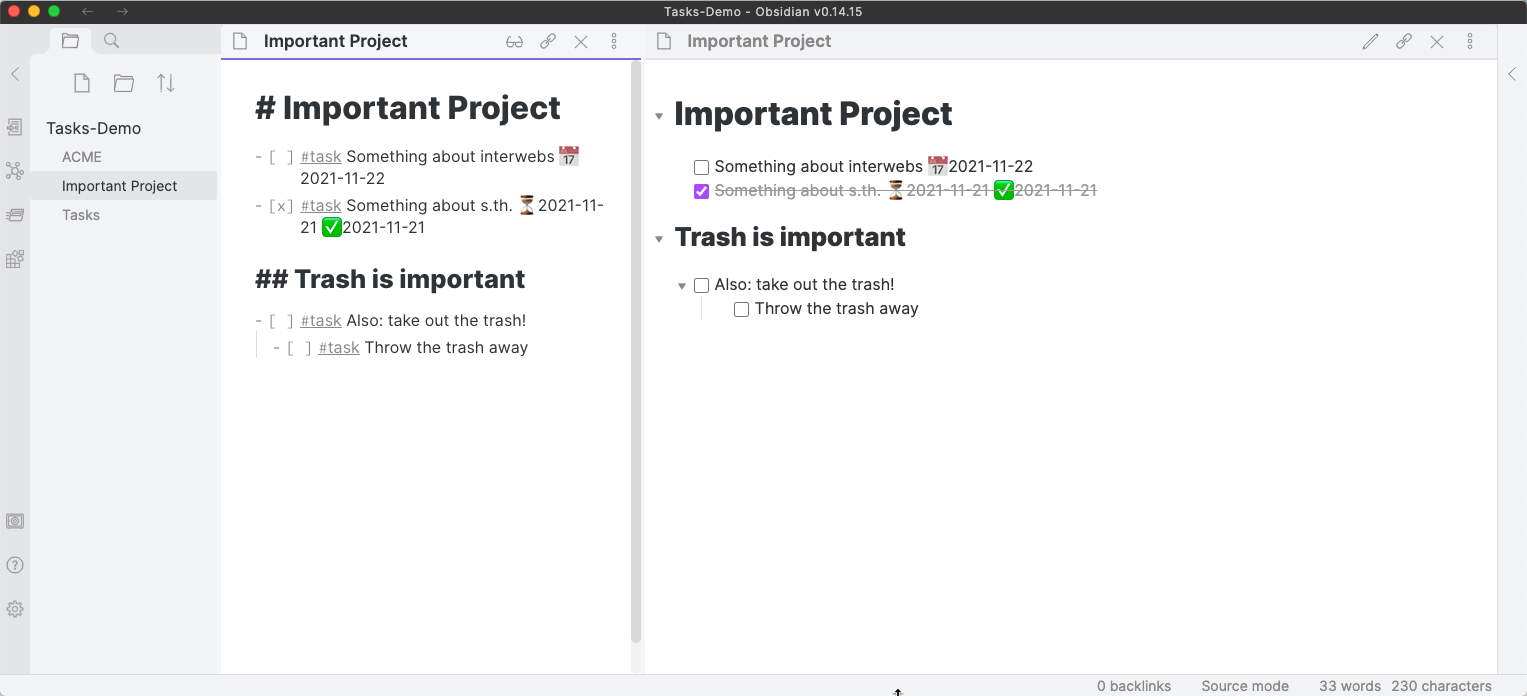
The Important Project note also has some tasks.
 The
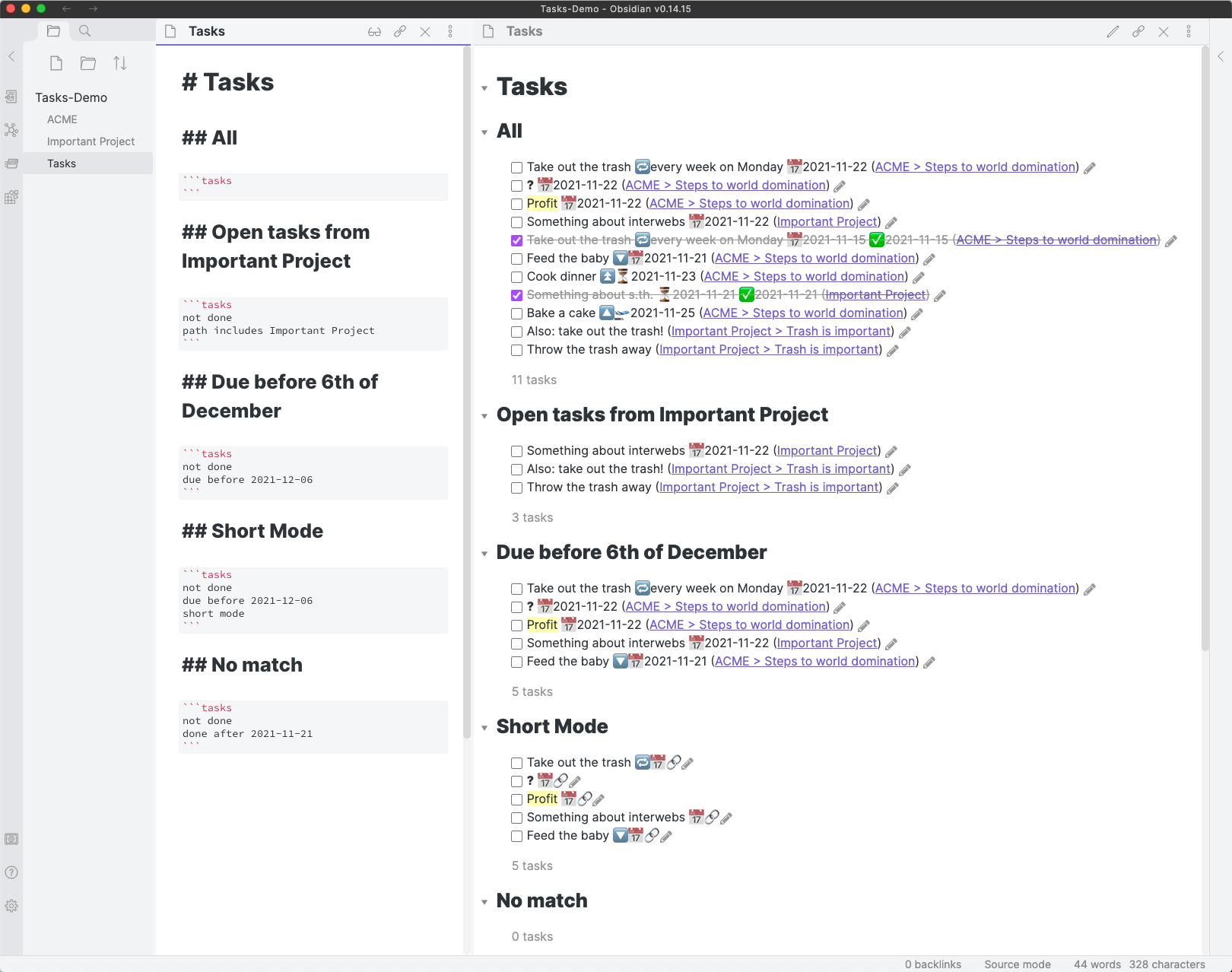
The Tasks note gathers all tasks from the vault and displays them using queries.
 The
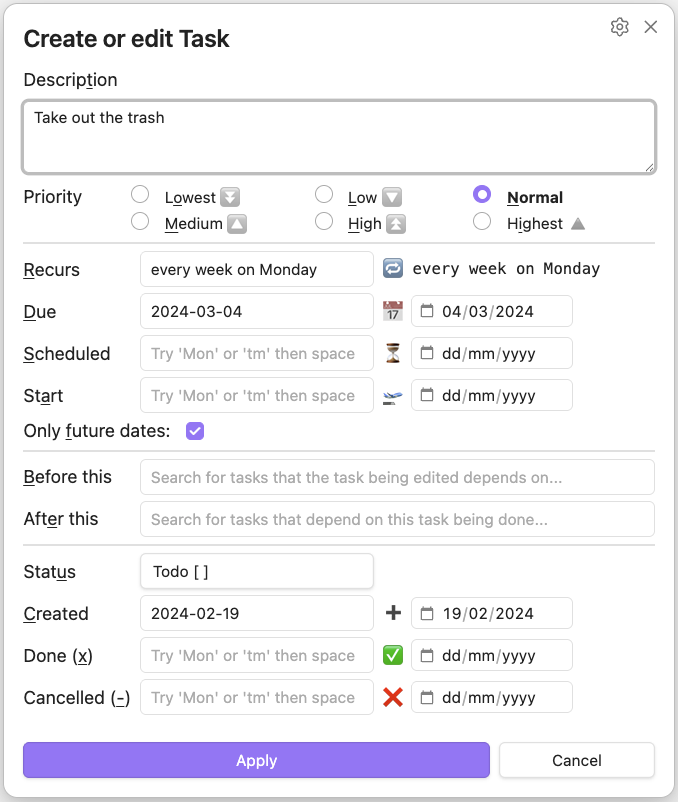
The Tasks: Create or edit command helps you when editing a task.
Installation
Follow the steps below to install Tasks.
- Search for "Tasks" in Obsidian's community plugins browser
- Enable the plugin in your Obsidian settings (find "Tasks" under "Community plugins").
- Check the settings. It makes sense to set the global filter early on (if you want one).
- Replace the "Toggle checkbox status" hotkey with "Tasks: Toggle Done".
- I recommend you remove the original toggle hotkey and set the "Tasks" toggle to
Ctrl + Enter(orCmd + Enteron a mac).
- I recommend you remove the original toggle hotkey and set the "Tasks" toggle to
Getting Started
Write some tasks
Create a few tasks in a Markdown note in your vault. For example:
- [ ] Something non-important, with no date
- [ ] Remember to do that important thing - with a due date 📅 2022-12-17
- [ ] Send Kate a birthday card - with a scheduled date 🔁 every January on the 4th ⏳ 2023-01-04
Find out more in Getting Started, and its sub-sections.
Create your first Tasks search
And then write a Tasks search block somewhere in your Obsidian vault, to find the tasks that are interesting.
Here is an example that shows a few different features. View it in Reading or Live Preview modes to see the results.
```tasks
# Only tasks that are not done, that is, which begin like this (but without the quotes):
#   '- [ ] ' or
#   '* [ ] ' or
#   '1. [ ] '
# Indented tasks are supported, but only single-line tasks.
not done

# Tasks due today or earlier:
due before tomorrow

# Restrict to at most 100 tasks.
# If you ask Tasks to display many hundreds or thousands of tasks,
# Obsidian's editing performance really slows down.
limit 100

# Group and sort the output:
group by filename
sort by due reverse
sort by description

# Optionally, ask Tasks to explain how it interpreted this query:
explain
```
Find out more in Queries, and its sub-sections.
Documentation
For user documentation, please check https://publish.obsidian.md/tasks/.
Development
Clone the repository, run yarn to install the dependencies, and run yarn dev to compile the plugin and watch file changes.
Then see the Contributing Guide.
Donations
The plugin is completely free to use, and very willingly developed and supported by Clare Macrae since May 2022.
If you have particularly been helped by the Tasks plugin and wish to support it, please see the following link.
Donations will go towards my computing costs and licenses for development tools that I use for productivity.
Thank you 🙏.