Syncstone
 syncstone127 downloads
Sync your vault across devices with end-to-end encryption.
- Overview
- Scorecard
- Updates30

Your Obsidian vault on every device. Encrypted, always in sync.
Website · Install · Getting started · Support
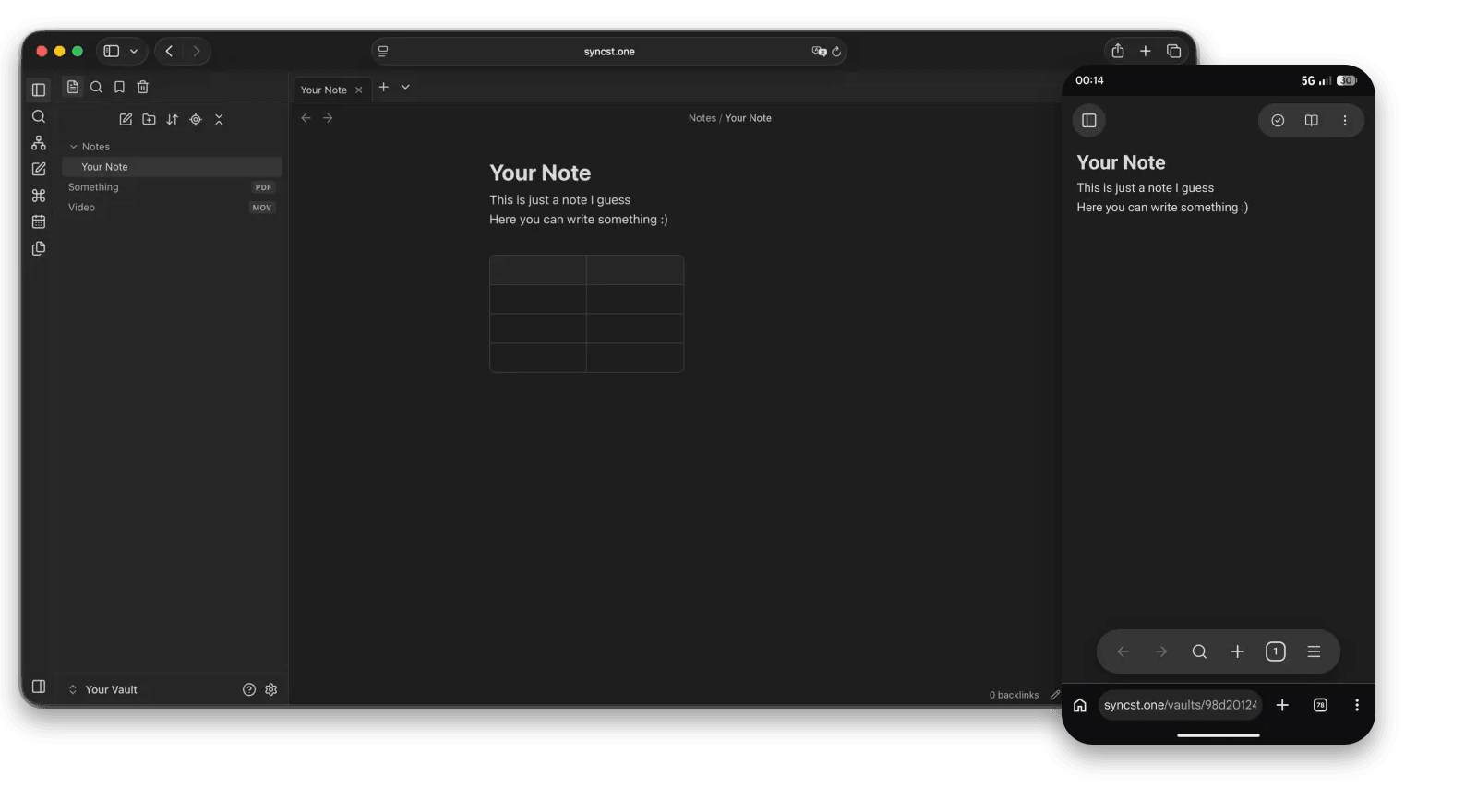
Syncstone for Obsidian
Syncstone keeps your Obsidian vault in sync on all your devices, end-to-end encrypted. Your notes are encrypted on your device before they leave it, so only you can read them.
Syncstone is still in development. It works, but you may run into bugs. Please keep your own backup of your vault, and report problems in the issues or at [email protected].
- Encrypted on your device. The server only ever stores ciphertext.
- Every device. Desktop and mobile, plus your vault in any browser. No Obsidian needed.
- Live collaboration. Several people, one note, every cursor, in real time.
- Sharing. Share whole vaults or send a single note as a link.
- History. Version history, trash and restore.
Install
Community plugins: Obsidian -> Settings -> Community plugins -> Browse -> search for Syncstone.
Today, with BRAT:
- Install BRAT from Settings -> Community plugins -> Browse and enable it.
- Open the BRAT settings, choose Add beta plugin and enter
https://github.com/syncst-one/syncstone-plugin. - Enable Syncstone under Settings -> Community plugins.
BRAT keeps the plugin up to date.
Getting started
- Open the Syncstone settings and press Sign in in the browser.
- In the browser, sign in (or create an account at syncst.one, it starts with a free 14-day trial), approve the device and pick a vault.
- Back in Obsidian, enter your vault passphrase once. Syncing starts.
Make a backup first. Sync tools can make mistakes. The plugin asks you to confirm that you have a backup of your vault before it syncs anything.
A self-hosted version of the server is planned. Requires Obsidian 1.8.7 or newer.
Privacy and transparency
- Network use: the plugin talks only to the Syncstone service at
syncst.one, to sync your encrypted vault. There is no telemetry, no analytics and no other third-party request. - Account required: you need a Syncstone account to use the plugin.
- Payment required: a new account starts with a free 14-day trial. Afterwards a paid plan is required, see syncst.one/pricing.
- Source code: this plugin is open source (MIT). The Syncstone server is closed source. A self-hosted version of the server is planned and will follow.
- Data on the server: the server stores only encrypted vault content plus technical metadata and account data. How it is handled is described in the privacy policy. The terms of service apply to the service.
- No self-update: the plugin never downloads or runs code other than what Obsidian installed.
- Lost passphrase = lost data: the encryption key is derived from your vault passphrase and never leaves your device. Syncstone cannot reset it.
Support
Questions or problems? Write to [email protected].
License
MIT, see LICENSE. The copyright notice and the licence text must stay with every copy of the code.
The name "Syncstone", the logo and the syncst.one domain are not part of the licence: a fork needs its own name and logo.
Syncstone is an independent project and is not affiliated with or endorsed by Obsidian. "Obsidian" is a trademark of its owner.