Relay
Collaborate in real time with live cursors. Share folders. Manage access to updates.
- Overview
- Scorecard
- Updates88
True multiplayer mode for Obsidian. 💃🕺
- Collaborate in real time with live cursors.
- Edit offline and sync seamlessly when you're back on.
- Share folders and manage access to updates.
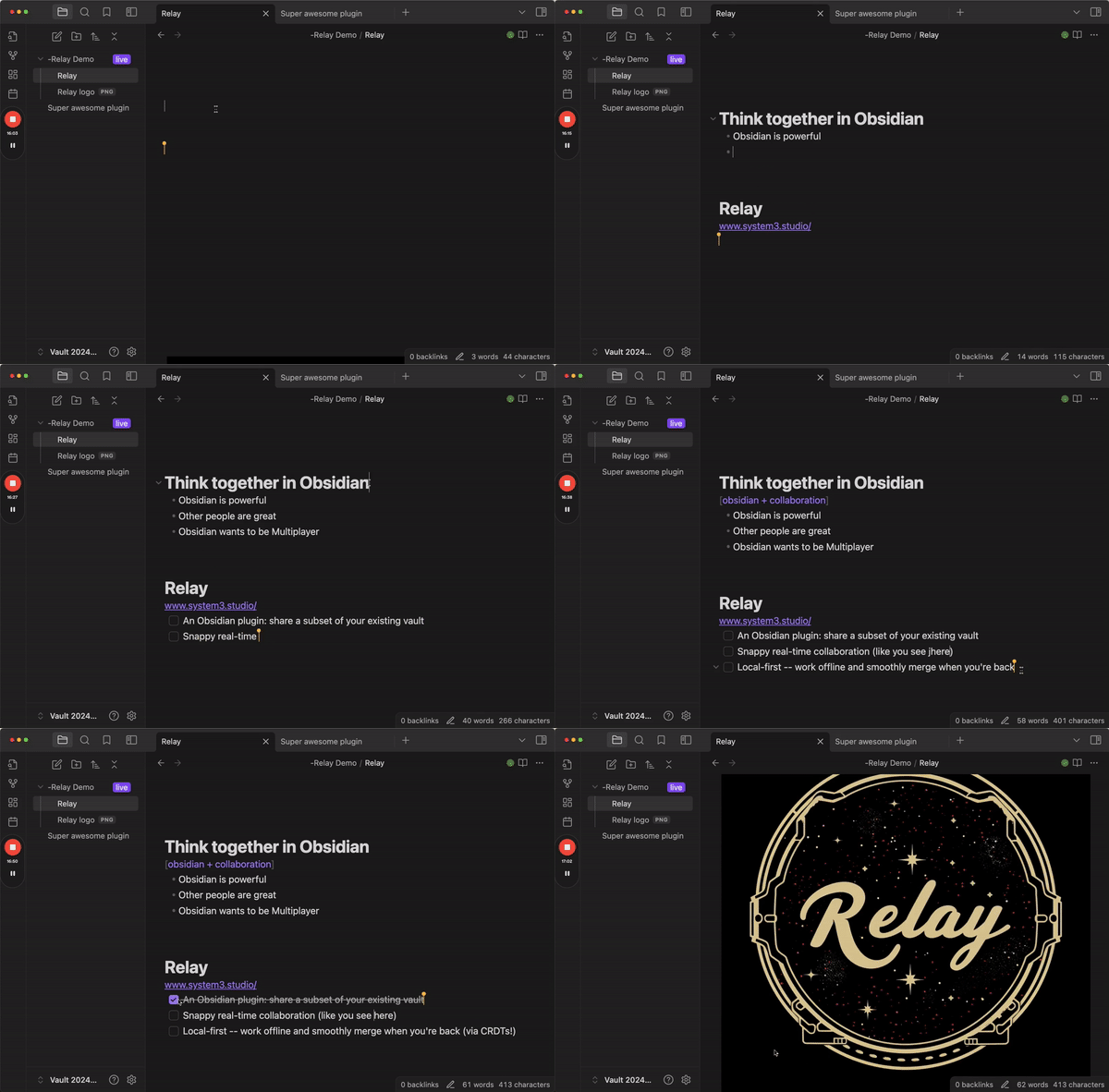
Relay is a collaborative editing plugin for Obsidian by System 3. It uses CRDTs to enable snappy, local-first, real-time and asynchronous collaboration.
Join our Discord for support and a good time.
How does Relay work?
In a nutshell, Relay:
- Tracks updates to designated folders. The plugin uses conflict-free replicated data types (CRDTs) to track updates to folders that you designate within your vault.
- Relays updates. It sends those updates up to Relay servers 🛰️, which then echo the updates out to all collaborators on the relay.
- Integrates updates. Your collaborator receives the updates and integrates them seamlessly as they come in.
What's a CRDT?
Great question. CRDT stands for conflict-free replicated data type and it's a technology that's critical to making local-first real-time collaboration work.
The fundamental idea is this: You have data. This data is stored on multiple replicas. CRDTs describe how to coordinate these replicas to always arrive at a consistent state. [1]
For a great intro and overview, watch the first 10 minutes of this video by Martin Kleppmann. If you want to get into the nitty-gritty, watch the whole thing.
For more, check out this video: Intro to the Modern State of Synchronization by Kevin Jahns. Jahns is the maintainer of Yjs, which is the open source CRDT that we use in Relay.
What can I do with Relay?
Oh, the things you can do.
Here's a video tour:
Create a new relay
- Go to Obsidian settings (gear icon in lower left of Obsidian)
- Go to Relay settings (on the left, at the bottom)
- Create new relay
- Add shared folder(s) to the relay
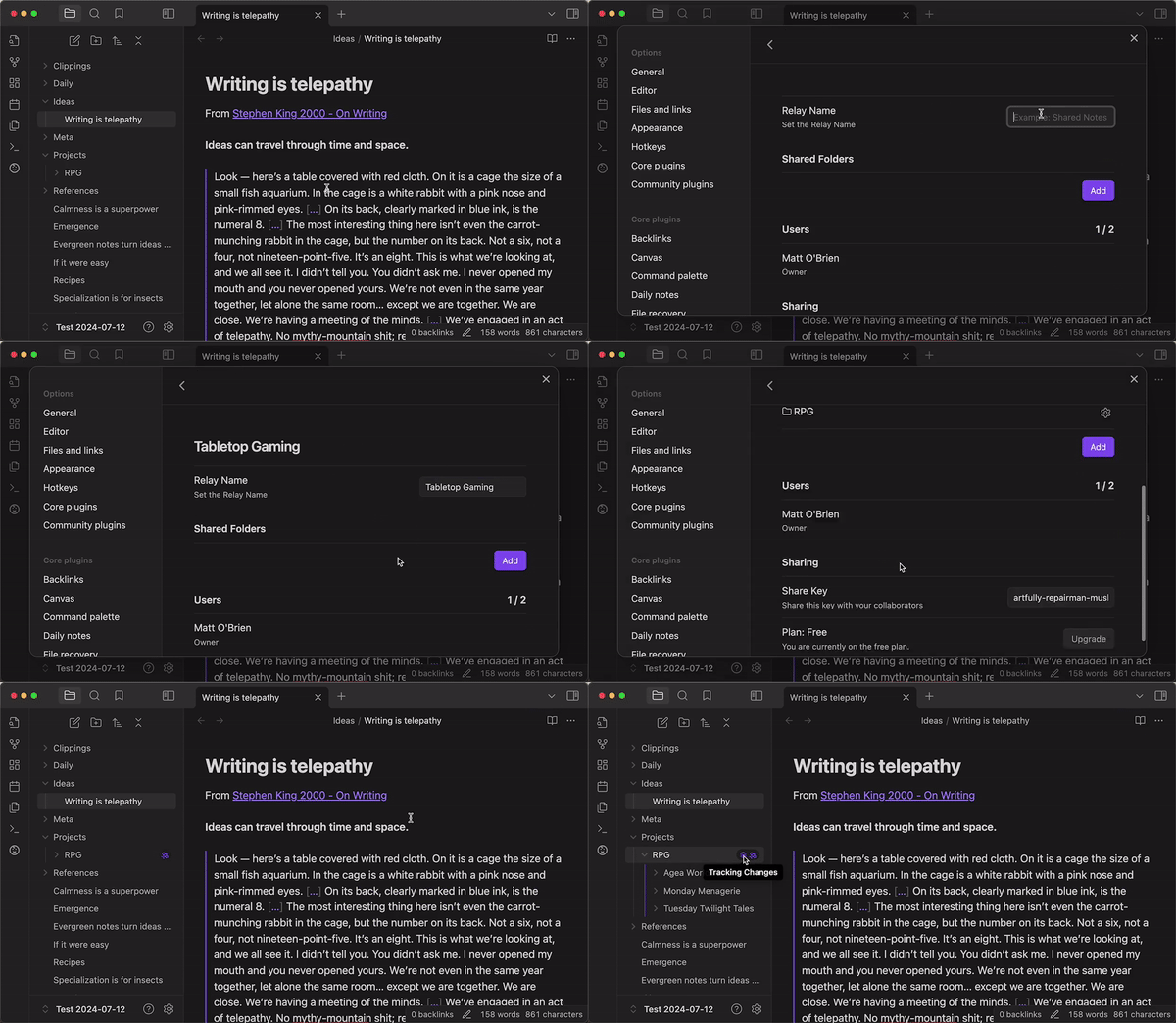
Add users to the relay by giving them a share key
- Go to settings for your relay
- Grab the share key
- Give it to your people
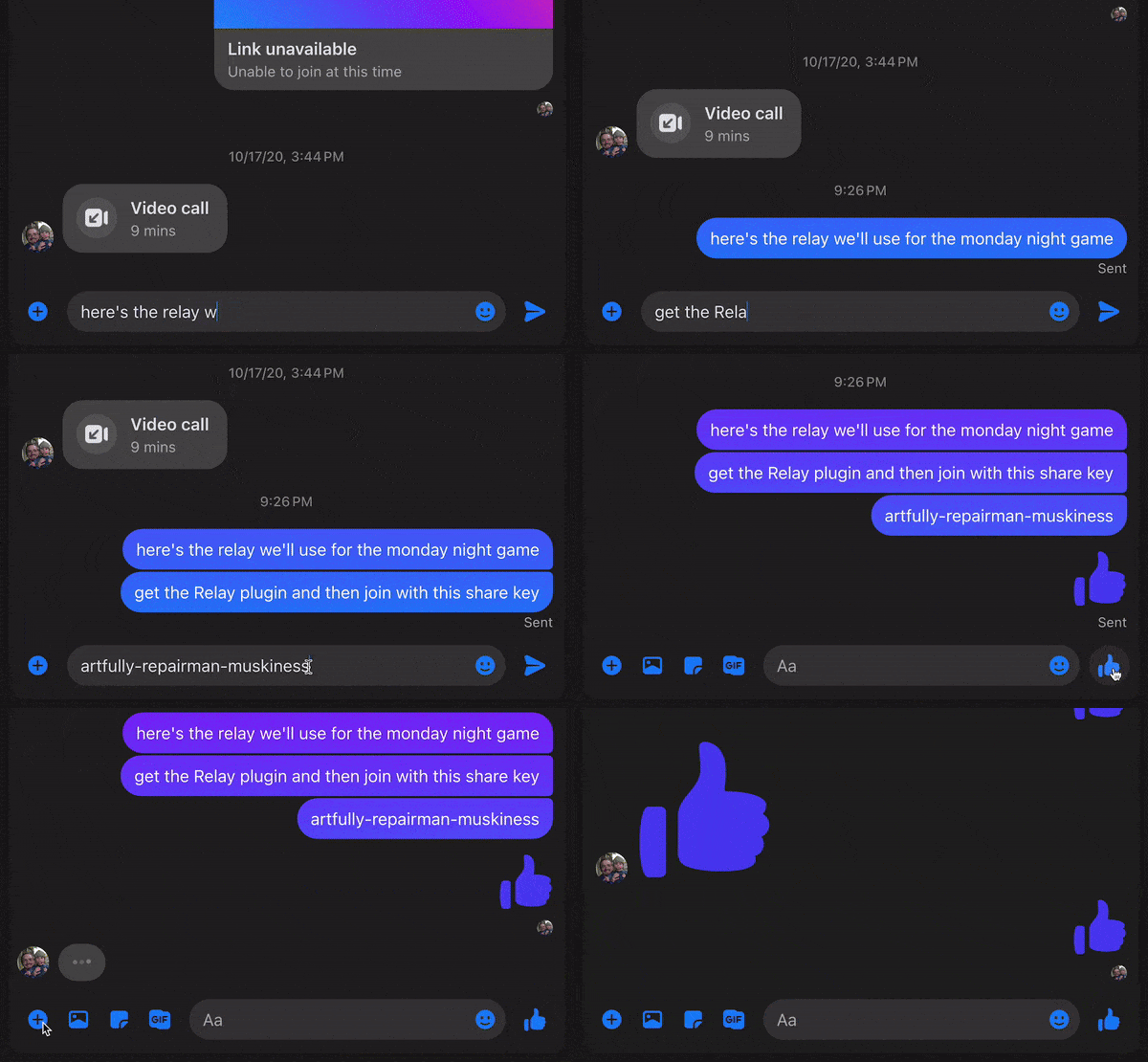
Collaborate to your heart's content
- If you're in a note at the same time, you'll see each others' cursors
- You can edit the same block at the same time (magic of CRDTs)
- You can edit offline and it'll all be fine when you come back on (CRDTs ftw)
- If you hit any bugs or have questions/requests let us know in the Discord
Kick user from a relay
- Right now anyone with the share key can join the relay
- So you can kick the user but they could rejoin if they want
- We'll be adding stricter sharing options in the future

Join someone else's relay
- Get their share key
- Use it to join their relay
- Add the folders you want to your vault

Destroy the relay when you're done
If you're the owner of a relay, you can destroy the copy on the server.
If you're a member but not the owner, you can leave the relay (destroy your connection to the server), and you can destroy the local data.
FAQ
Asked more or less frequently.
Which file types are supported?
Relay currently has two types of storage, document storage and attachment storage. Document storage is backed by our real-time CRDT servers, while Attachments are stored as file blobs.
Document storage:
- Folders
- Markdown files
- Canvases
Attachment storage:
- Bases
- Images
- Audio
- Video
- PDFs
- Other files (must be enabled in settings)
You need to have available Attachment storage in order to sync bases/images/audio/video/PDFs/etc.
How much does Relay cost?
Free ($0)
- Up to 3 users
- 2 devices per user
- Unlimited markdown and canvas files
- No cloud storage (0 MB)
- Cloud deployment (.md only)
- Self-hosted Relay Server
- BYO storage (unmetered, self-host only)
- Community support
Hobby ($5 per month total)
- Up to 6 users
- 3 devices per user
- Unlimited markdown and canvas files
- 10 GB cloud storage included
- Self-hosted Relay Server
- BYO storage (unmetered, self-host only)
- Community support
Starter ($6 per user per month)
- Up to 50 users
- 6 devices per user
- Unlimited markdown and canvas files
- 20 GB + 5 GB/user cloud storage included
- Self-hosted Relay Server
- BYO storage (unmetered)
- Role-based access control
- Single sign-on
- Private Discord / Slack channel
- Email support
We offer discounts for educational use.
Do I need to be online to use Relay?
Relay is local-first -- this means that all of your edits are tracked locally and the server is used to relay the edits to your collaborators. You can work offline and your edits will be merged once you come back online.
How are edits merged?
We use a Conflict-Free Replicable Data Types (CRDTs) provided by the excellent yjs library.
Is Relay Open Source?
The Obsidian plugin code is MIT licensed (this repo).
The Relay Server is a fork of y-sweet and is MIT licensed.
Our login, permissions, and billing server code is proprietary.
Can I self-host?
You can self-host your Relay Server on any tier (we don't charge for privacy).
If you self-host your Relay Server on a private network then your users will still perform login and permissions checks through our control plane, but they will connect directly to your server. Your content will be completely private and inaccessible by us.
For instructions on hosting your Relay Server on fly.io, see Relay Server Template.
Join our Discord for help configuring your self-hosted Relay Server.
Who's behind Relay?
Relay is made by System 3. The legal entity behind System 3 is No Instructions, LLC.
Right now the whole operation is two people:
- Dan, a software engineer who has worked at places like Planet and Benchling
- Matt, a product manager and psychotherapist (in training) who has worked at places like Meta AI, Lumosity, and Big Health
Do you have a privacy policy?
Yes: https://system3.md/Privacy+policy.
How can I make a responsible security disclosure?
Please email [email protected]
Installing Relay
You can search for Relay in the Obsidian Community plugins list,
or click this Obsidian Plugin Link.
[1] Intro to CRDTs by Lars Hupel https://lars.hupel.info/topics/crdt/01-intro/