Navidrome Player
 Ben Currie440 downloads
Dock a music player in the sidebar that streams your Navidrome (Subsonic) library at full quality without leaving your vault.
- Overview
- Scorecard
- Updates11
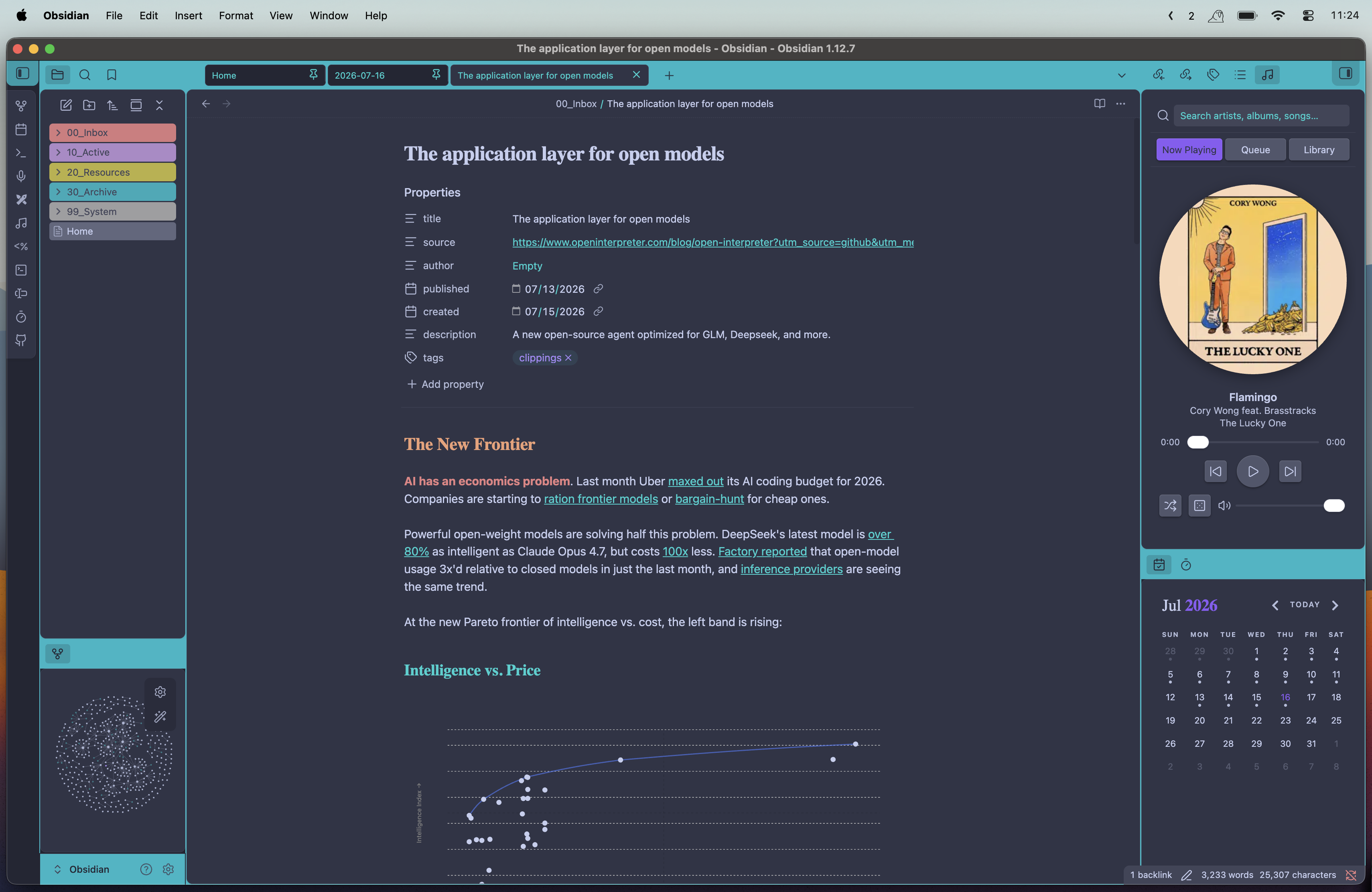
I spend hours in Obsidian and got tired of leaving my vault to skip a track on my Navidrome server. So I built a little player that lives in the sidebar, plays my library at full quality, and spins a record while it goes.
Desktop only for now, mobile is on the list once the audio path is sorted.
What it does
- A spinning record — cover art turns like vinyl while it plays, stops when you pause. Click the cover to play/pause. There's a square mode too. 🤷♂️
- Browse your library — albums grid, artists with expandable albums, playlists
- Search everything — one bar up top searches artists, albums, and songs across your library
- Internet radio — the stations saved on your server show up under Radio and stream live, with best-effort now-playing info
- Shuffle & the dice — shuffle the current queue, or roll the dice to clear it and start an endless random mix pulled from your whole library. Roll again any time to re-draw a fresh queue; the mix keeps topping itself up until you pick something specific.
- Two-minute setup — server, username, password in settings, hit Test Connection, done
Installation
From within Obsidian:
- Open Settings → Community plugins and make sure Restricted mode is off.
- Click Browse, search for Navidrome Player, and click Install.
- Click Enable.
Getting started
You'll need a running Navidrome server (or anything that speaks the Subsonic API) and desktop Obsidian.
Enter your server URL, username, and password in Settings → Navidrome Player and hit Test connection.
Open the player from the music icon in the ribbon, or run "Open Navidrome Player" from the command palette. It docks in the right sidebar.
Manual installation
If you'd rather build it yourself, clone the repo and run:
npm install && npm run build
Then copy main.js, manifest.json, and styles.css into your vault at
<vault>/.obsidian/plugins/navidrome-player/ and enable it in Settings → Community plugins.
Network use
This plugin only connects to the Navidrome/Subsonic server you configure in settings — to authenticate, browse your library, and stream audio — and opens short-lived connections to your server's saved radio stream URLs to read "now playing" metadata. It sends no data to any third party and includes no telemetry; your credentials are stored locally and only sent to your server.
Credits
Built with the assistance of AI coding tools. Mostly documentation and UI/UX work using Claude opus 4.8
License
MIT