Havemind
 Mikolaj Sapek275 downloads
Sync a shared vault in real time across desktop and mobile, on a server you host yourself. Full authorship, no silent overwrites.
- Overview
- Scorecard
- Updates37

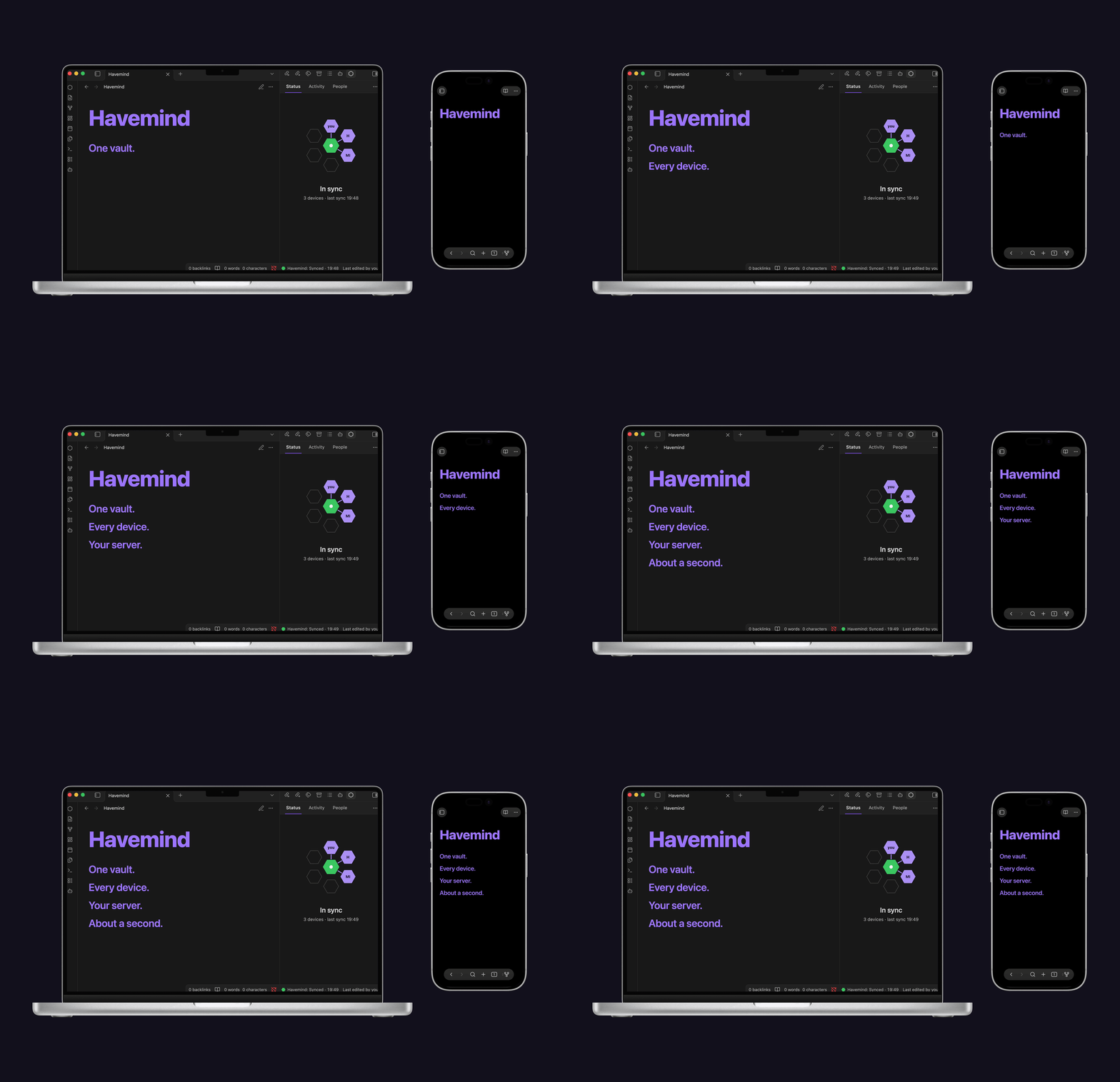
Havemind
Share one Obsidian vault with people you trust.
Havemind is self-hosted sync for Obsidian, built for two or three people sharing one vault. Everyone keeps a normal local copy. A server you own passes the changes around and remembers who wrote what.
Built for people. If you also run Claude, MCP or another local agent in that vault, its edits land in the same history.
Version 1.7.1, desktop and mobile. A two-week pilot on two devices lost no data, including through three real incidents.
There is no end-to-end encryption. Your server stores the vault in plaintext, so whoever runs that machine can read it. Read the security model before you connect a vault you care about.
Self-hosting your own instance? See docs/self-hosting.md for the full zero-to-working guide (Docker Compose + Tailscale, tailnet-only).
Connecting Claude or an AI agent? See docs/using-with-ai-agents.md for the requirements and the steps.
Install
Havemind needs two things: the plugin, and a server you run.
The plugin. In Obsidian, open Settings, then Community plugins, then Browse, and search for Havemind. Install it and enable it. It runs on macOS, Windows, Linux, iOS and Android, and needs Obsidian 1.11.4 or newer.
The server. There is no Havemind cloud to sign up for: you host it, or you join someone who does. See Quick start below.
Quick start
Two paths, depending on whether you are the one running the server.
You are hosting
Install Tailscale on the machine that will run the server, and log in. Everyone who syncs joins the same tailnet; that is the whole access boundary, and nothing is exposed to the public internet.
Configure and start the server. From a checkout of this repository,
cp deploy/.env.example deploy/.envand setHAVEMIND_API_BASE_URLto the HTTPS tailnet URL you will use in step 3; it is baked into the server's discovery document, so it has to be right before the first start. Before running Compose, complete the server preparation: give uid 1000 ownership of the data volume and backup directory. Then rundocker compose -f deploy/compose.yaml up -d --build. You need Docker Engine with the Compose v2 plugin.Put Tailscale in front of it with
tailscale serve, so the other devices on your tailnet can reach it. Full commands are in the self-hosting guide.Create your account. Run
setupinside the container, once:docker compose -f deploy/compose.yaml exec havemind-server \ node apps/server/bin/havemind.js setup --owner "Your Name" --vault "My Vault"It prints a single-use pairing token (
hm_pt_...).Connect the plugin. Open the Havemind pane in Obsidian, choose I'll run the server, then I've done this, connect, and enter your server's full address (
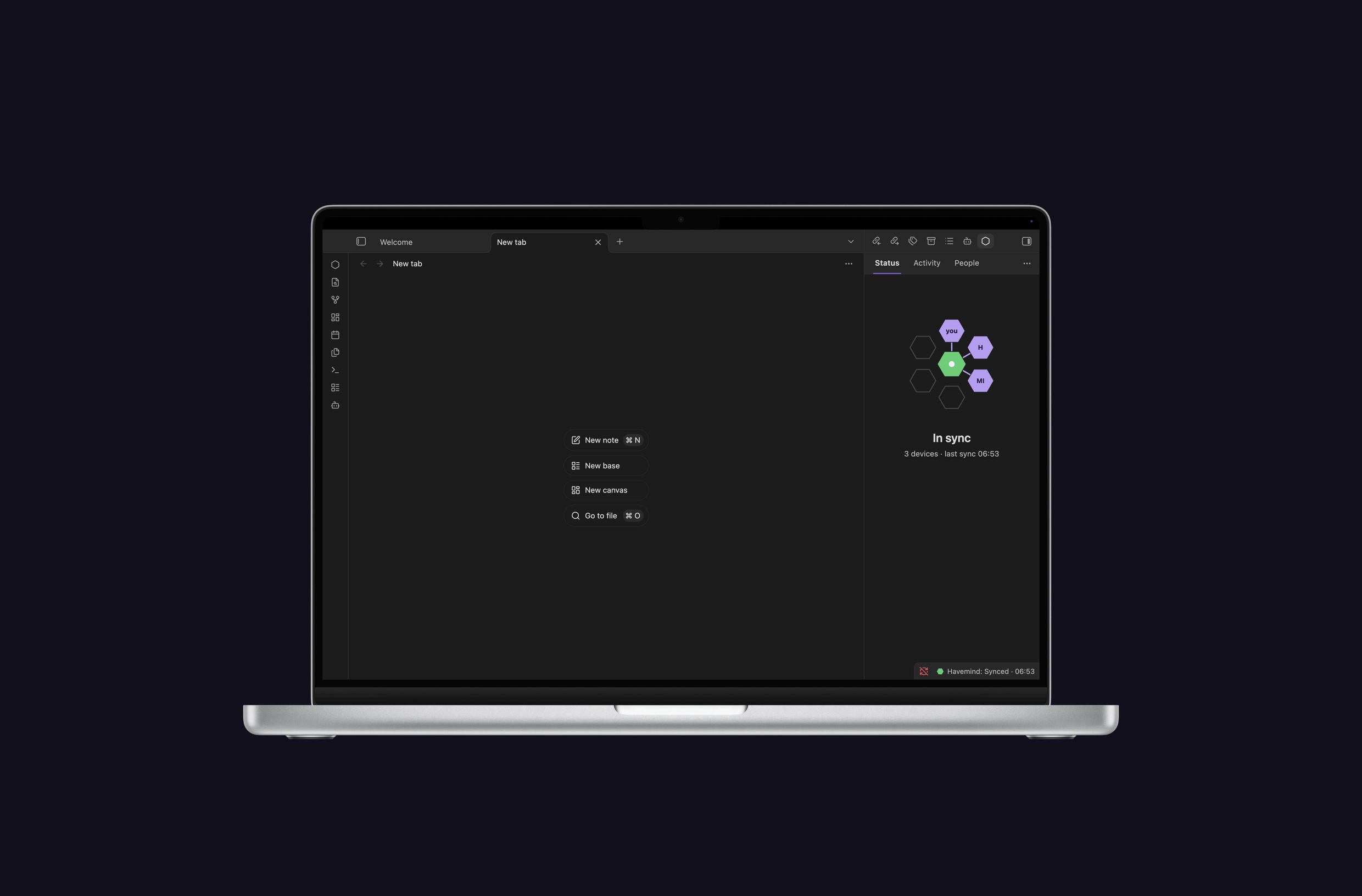
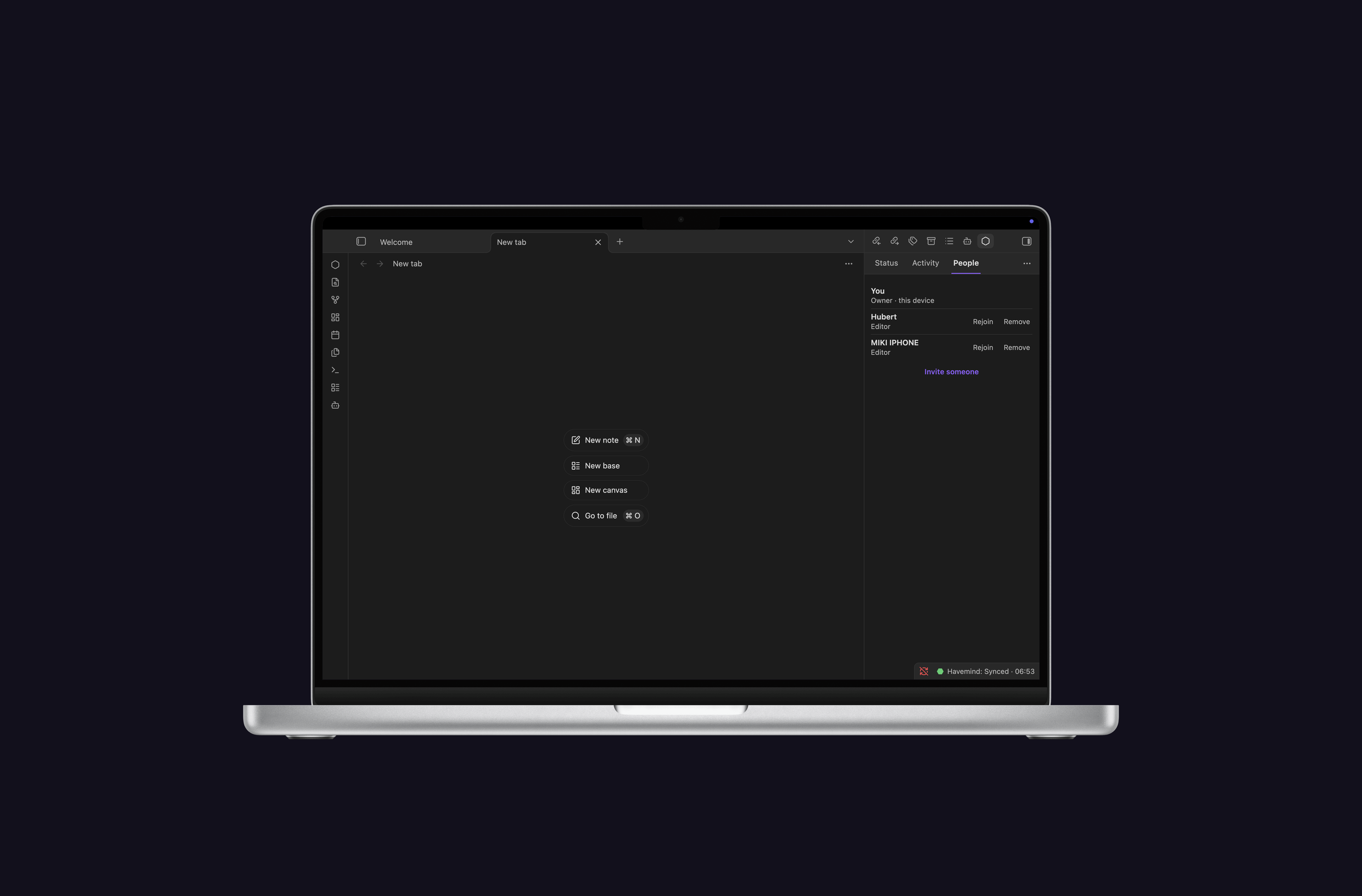
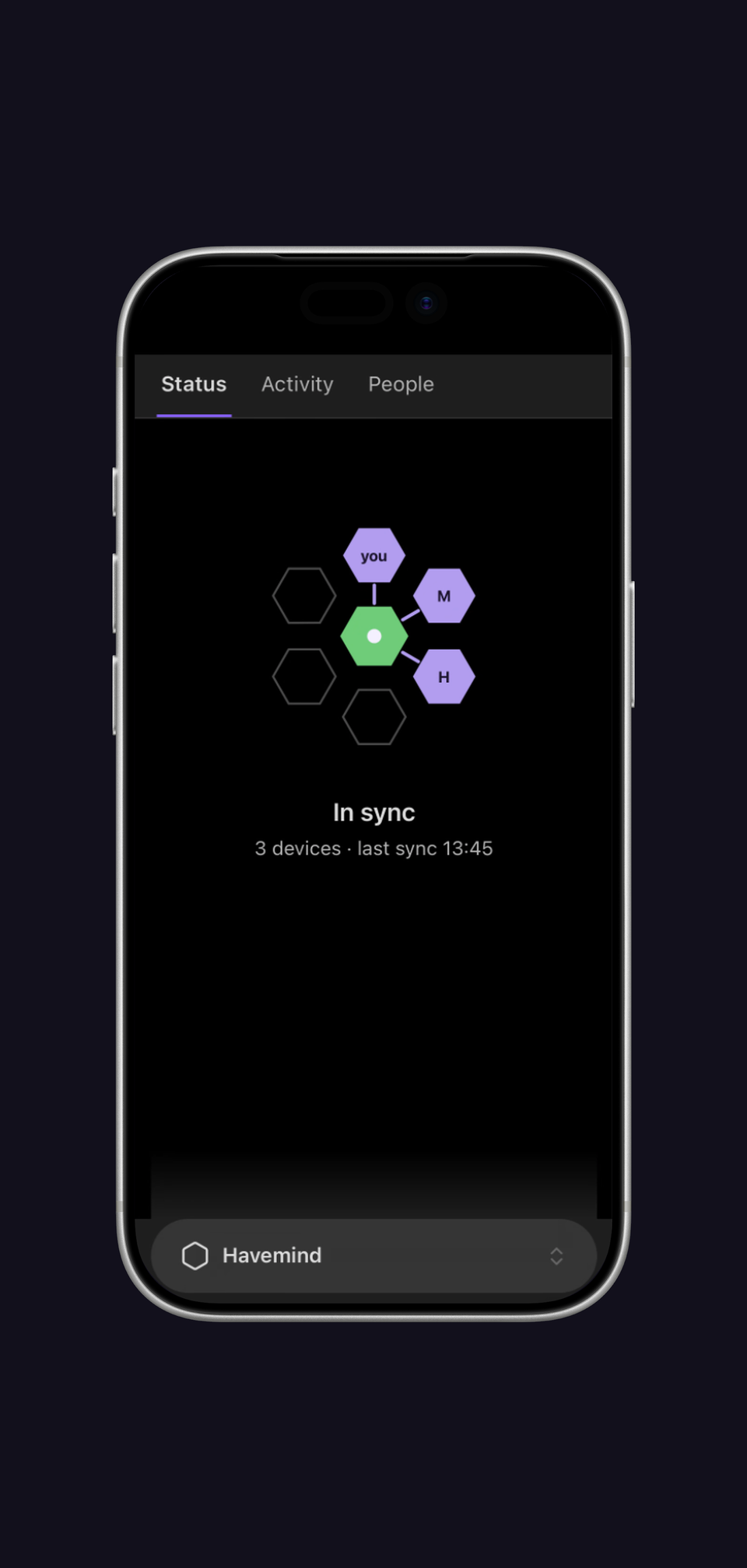
https://something.tailnet-name.ts.net) together with that pairing token. The Status tab says In sync when it is working.Invite the other person. People tab, then Invite someone. Send them the invitation; it works once.
Approve their device. They read a 6-digit code aloud to you, you type it in. Three attempts. That handshake is what binds their identity, so do it by voice, never by message.
The long version, including backups and multiple vaults, is in docs/self-hosting.md.
You are joining someone else's vault
- Install Tailscale, log in, and accept the invitation to their tailnet.
- Install the Havemind plugin in Obsidian.
- Open the invitation the owner sent you.
- Your device shows a 6-digit code. Read it aloud to the owner over a call, never in a chat message.
- Once they approve, the vault syncs. It appears in your Obsidian like any other vault.
What it does
- One vault, every device. Mac, Windows, Linux, iPhone, Android. Write on the phone, it is on the laptop a couple of seconds later.
- Nothing is overwritten silently. Edits that do not overlap merge on their
own. When two people change the same lines, both versions survive and a copy
lands in
Havemind Conflicts/. - You can see who wrote what. Every change in the Activity panel carries its author's name when the member can be resolved. The author identity comes from the server with the revision; unknown authors keep a neutral label. The Activity feed holds up to 200 entries in memory and resets when the plugin reloads. Restore on an entry puts that note back to the text it had then, as a normal edit that syncs; the current text stays in history.
- Notes, attachments and how the vault looks. Markdown notes, images and PDFs up to 25 MB, plus your theme, snippets, hotkeys and graph settings.
- Joining takes a phone call. The new device shows six digits, the owner types in what they hear. Three tries. That is what ties a person to a device.
The details behind those five
| Sync speed | A peer's change lands in about a second over the long-poll channel. An edit waits 1.5 s to settle first, reducing bursts from format-on-save tools. Incompatible formatter settings can still cause churn. Creates, renames and deletes go out immediately. |
.obsidian/ scope |
An allowlist, nothing more: themes/, snippets/, hotkeys.json, graph.json, appearance.json, app.json, core-plugins.json. |
| Attachments | PNG, JPG, GIF, WebP, SVG, PDF, up to 25 MB, byte for byte. Other files (Canvas, Bases, audio, video) are not synced; the plugin says how many it skipped. |
| Crash safety | The outbox survives a crash. A torn state file is kept as a sidecar and flagged, never dropped. |
| Members | The owner sees who is in the vault and can remove them. A device whose session died reconnects with Rejoin, no new code. |
| Several vaults | One server, independent vaults. Two teams share a box without seeing each other's data. |
| Backups | Off unless you set HAVEMIND_BACKUP_DIR; the shipped compose file sets it. Then a snapshot every 24 h, last 7 kept, in plaintext like the live data; encrypt copies off the server (the ops scripts use restic). |
| Limits | Storage quota per vault, throttling per device. |
What it looks like
What it will not do
- Run in our cloud. There isn't one. The server is your hardware, reachable only over your Tailscale network.
- Sync your plugins.
.obsidian/plugins/never crosses: not the code, not the state, not thedata.jsonsecrets. Nor does your enabled-plugin list or window layout. So nobody can swap out your plugin code and have Obsidian run it, and two machines can keep entirely different plugin sets. Blocked paths are refused twice, once when a revision is written and again when one arrives, so an older peer cannot push what a newer one forbids. - Think about your notes. The server holds blobs and revision headers. Diffs, merges and authorship happen on your machine.
Architecture
Obsidian plugin (Vault A) ─┐
                           ├── HTTPS over tailnet ──► opaque server (Fastify + SQLite)
Obsidian plugin (Vault B) ─┘   real-time /wait wake     content-addressed blob store
The plugin does the thinking: watching the vault, a durable outbox that survives a crash, the pull-and-apply loop, three-way merges, conflict copies, the activity log. Your files are never rewritten to canonicalise them; that happens on the hash side only.
The server is deliberately dumb. Fastify and SQLite in WAL mode, blobs stored by content hash, and the long-poll that wakes your other devices. It rotates refresh tokens and spots reuse, rate-limits per device, holds each vault to its quota, and sweeps orphaned blobs at startup. Non-root, read-only, capabilities dropped.
Security model
Security here rests on Tailscale, not on encryption inside the app. The server answers only on your private tailnet, never the public internet, and Tailscale (WireGuard) encrypts everything in transit with per-device authentication.
Between members of a vault, the line is drawn at code. Appearance settings
cross: themes, snippets, hotkeys, graph.json, appearance.json, app.json
and core-plugins.json, which toggles Obsidian's own built-in modules.
.obsidian/plugins/ never crosses. Plugin code, state and secrets stay on the
machine they live on, so one member cannot overwrite another's plugin and have
Obsidian run it on the next reload.
The vault sits on the server in plaintext. Whoever controls that machine can read everything. Run it on hardware you and your people trust, keep it on the tailnet (never turn on Tailscale Funnel), and treat access to the server as access to the vault. End-to-end encryption is out of scope on purpose: this is a small tool for a circle that already trusts each other, not a zero-trust service. See known limitations for the current operational caveats.
Privacy and permission disclosures
No telemetry, no analytics, no ads, no accounts we operate, no hard-coded server. The plugin makes its first network request only after you connect a vault, and none at all while disconnected.
- Network. Every request goes to the one HTTPS address you typed when connecting. They carry invitations, device authentication, revisions and blobs, membership state, and the held long-poll that makes sync feel immediate. That server is yours, not ours, and it stores your notes in plaintext.
- Reading your vault. On first reconciliation and when resolving a
conflict, the plugin lists vault paths to spot creates, deletes, renames and
conflicts. It reads and sends only notes, allowed attachments, and the
.obsidian/appearance allowlist above. - Clipboard. Write-only, once, when the owner presses Copy invitation. The plugin never reads your clipboard and never logs the invitation.
- Base64. A transport encoding for binary payloads. Not encryption, not obfuscation, and not a way to hide code or URLs.
The Community directory asks for network use to be spelled out in the README, which is why this section exists.
Documents
If you are running it
- Self-hosting guide, zero to working server
- Current limitations, the caveats that bite
- Using it with AI agents
If you are working on it
- Technical plan, the architecture and the engineering contract
- MVP spec, what the product promised to be
- Contributing and decisions
Local verification
Requires Node.js 22 and npm 10.
npm ci
npm run verify      # workspace/release checks, lint, typecheck, all tests, build
npm run test:e2e     # run only the two-device tests (also included in verify)
npm run test:coverage # coverage thresholds, checked separately in CI
npm run verify is the baseline local check before a release. CI also checks
coverage, design tokens, the generated plugin class list, release artifacts
and private-infrastructure markers; a passing local verify does not replace
a passing CI run. The individual steps (npm run build, npm run typecheck,
npm run lint, npm test) are still there when you want to run just one.
Do not point a development build at an existing important vault. Use a dedicated test vault for development and automated testing.