Better Bujo
 Sebastien Delisle776 downloads
Render bullet-journal markers (events, migration, future log, emotions) in your notes in the same way you would on paper.
- Overview
- Scorecard
- Updates6
Render bullet-journal (BuJo) markers in your notes instead of Obsidian's checkboxes — in both Reading mode and Live Preview.
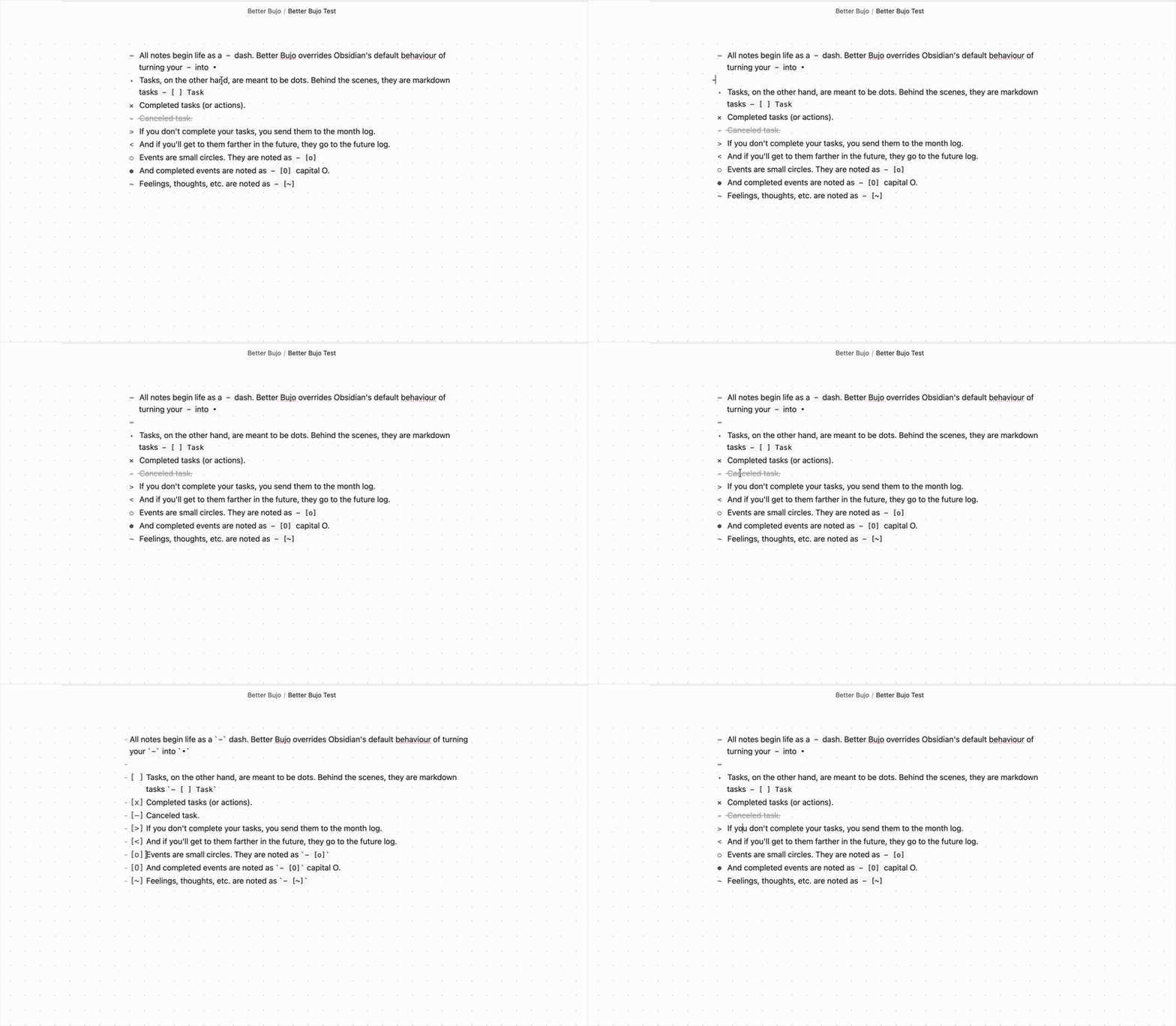
Markers
At the beginning of a line:
| You type | Renders as | Meaning |
|---|---|---|
- item |
– |
Plain note (a dash, not a bullet) |
- [ ] |
• |
Open task |
- [x] |
x |
Done |
- [>] |
> |
Migrated to the month note |
- [<] |
< |
Sent to the future log |
- [o] |
○ |
Event |
- [O] |
● |
Completed event |
~ ... |
~ (styled) |
An emotion or a thought |
How it works
A regular - dash triggers a list, just as normal. A markdown task turns into a • bullet. Click it to complete the task. A migrated task looks like >, and a task sent to the future log looks like <. Events look like a small circle. Click it to complete the circle.
Known Limitations
This plugin does not work with the Border theme.
Acknowledgements
Inspired by obsidian-bujo-bullets by Frank Olson and Bullet Journaling by Ryder Carroll.
My other Obsidian plugins
- Date List — Returns a list of dates according to the conditions you supply.
- Calendar List — Insert macOS Calendar events into your notes.
- File Filter — Filter your pages and sidebar by a search term; everything else fades away.
HealthExcellent
ReviewSatisfactory
About
Bring the simplicity of your bullet journal to the screen. A dash is a note. A dot is a task. An arrow means it moved.
Type your BuJo shorthand the way you always have (- [ ], - [>], - [o], ~ …), and the plugin replaces Obsidian's checkboxes with the glyphs they were always meant to be — a bullet, an arrow, a ringed dot, a styled emotion line. It works in both Reading mode and Live Preview, and it leaves no trace when disabled: all styling is scoped to a single body class, so switching it off hands full control back to Obsidian instantly.Details
Current version
0.4.2
Last updated
2 months ago
Created
3 months ago
Updates
6 releases
Downloads
776
Compatible with
Obsidian 1.5.7+
Platforms
Desktop, Mobile
License
MIT