Date List
 Sebastien Delisle1k downloads
Quickly search for and add a single date or an entire list of dates, formatted exactly as you like them.
- Overview
- Scorecard
- Updates20
An Obsidian plugin for inserting single dates and formatted date lists, with a live-preview wizard and inline autocomplete. Inspired by, but much expanded from, the original Natural Language Dates plugin. This plugin is actively being developed, so create a GitHub issue if you have any trouble.
Features
Inline @ autosuggest
Type @ (or your configured trigger) anywhere in a note to open a predictive date suggestion popup. The suggestions update live as you type — press ↵ or ⇥ to insert, ↑↓ to navigate.
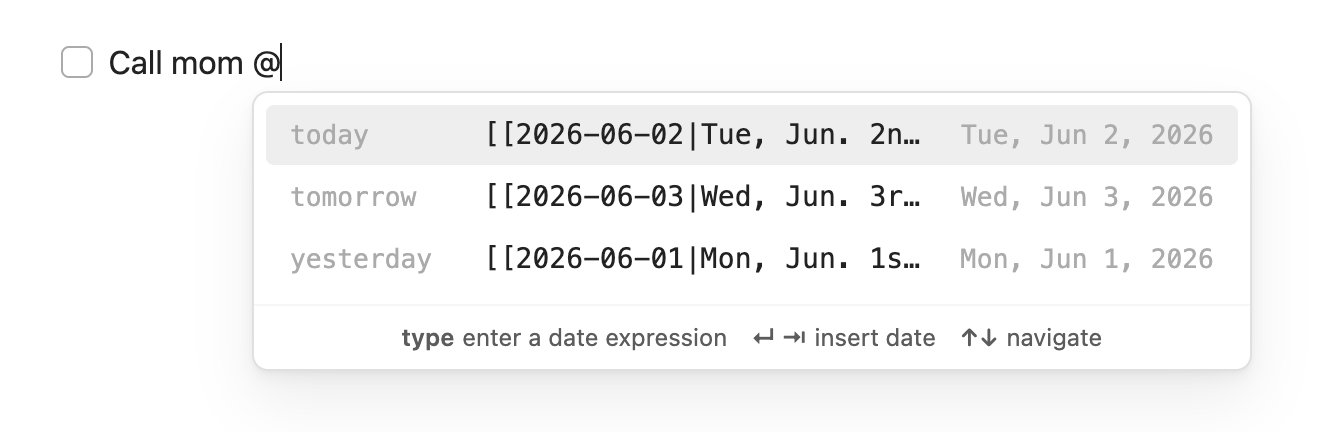
The popup is predictive based on what you type after @:
| What you type | What you get |
|---|---|
@ |
Today, tomorrow, yesterday |
@t |
Presets + upcoming Tuesdays and Thursdays |
@mon |
Next 7 Mondays |
@june |
7-day window starting from June |
@jun15 |
7-day window starting from June 15 |
@this |
Remaining days of this week |
@next |
All days of next week |
@last |
All days of last week |
@2026-06-15 |
ISO date (full or partial: @2026, @2026-06) |
@20260615 |
Compact date |
@6/15 |
Slash date — shows both US (Jun 15) and EU (Jun 6) options |
@15 jun |
Military format (@15 jun 2026 for a specific year) |
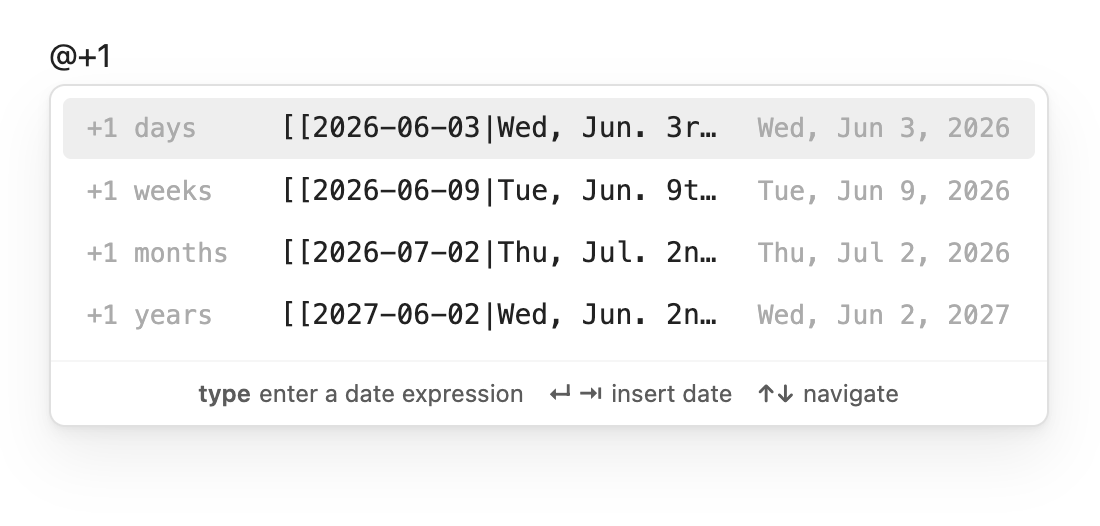
@+7 |
7 days from today in all units (days / weeks / months / years) |
@+7d |
7 days from today (d, w, m, y or full words like days) |
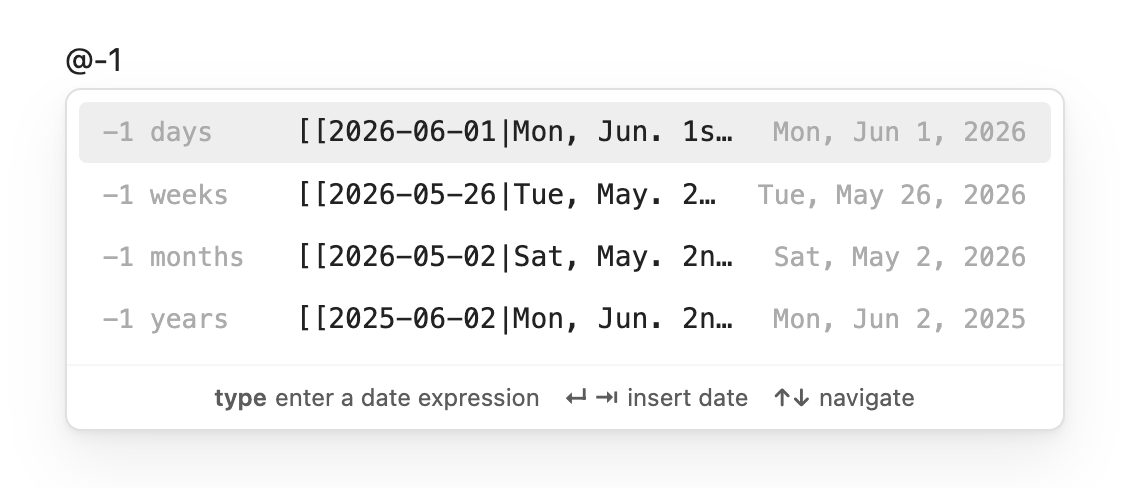
@+ / @- |
Tomorrow / yesterday |
Inline @@ date list autosuggest
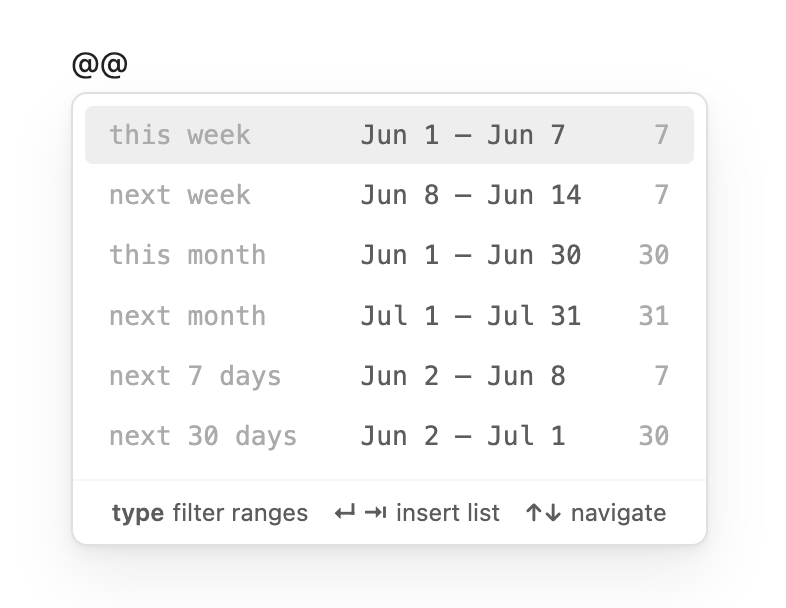 Type
Type @@ (or your configured list trigger) to open a range picker that inserts a full list of dates at the cursor. Press ↵ or ⇥ to insert, ↑↓ to navigate.
Six presets appear immediately:
| What you type | What you get |
|---|---|
@@ |
All six presets |
@@this |
This week, this month |
@@next |
Next week, next month, next 7 days, next 30 days |
@@next 14 days |
Jun 2 – Jun 15 (14 dates) |
@@next 3 weeks |
21 dates starting today |
@@next 2 months |
~61 dates starting today |
Each row shows the label, the date range, and the number of dates. The inserted list uses your configured format, prefix, postfix, and wiki link settings.
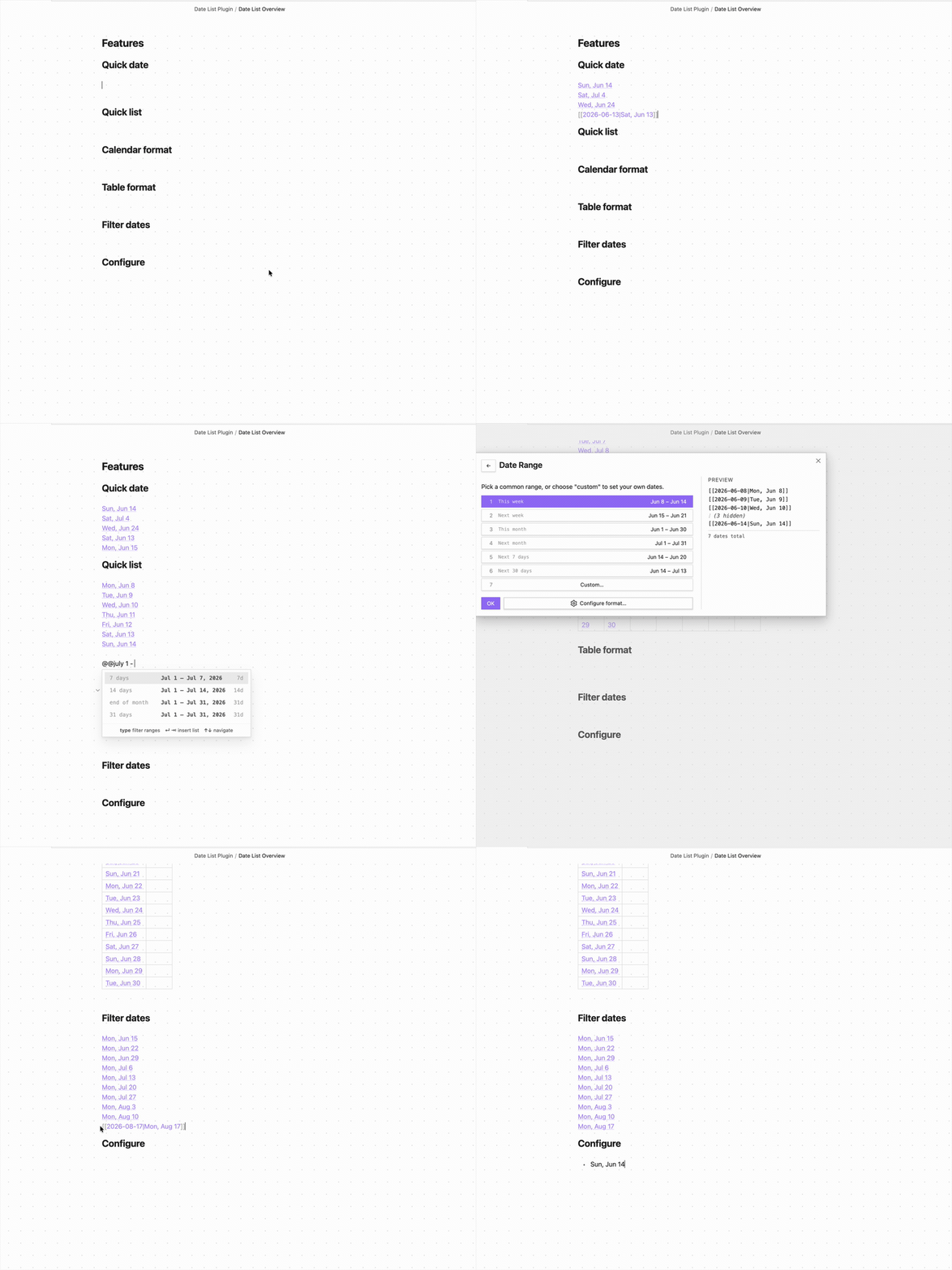
Quick date
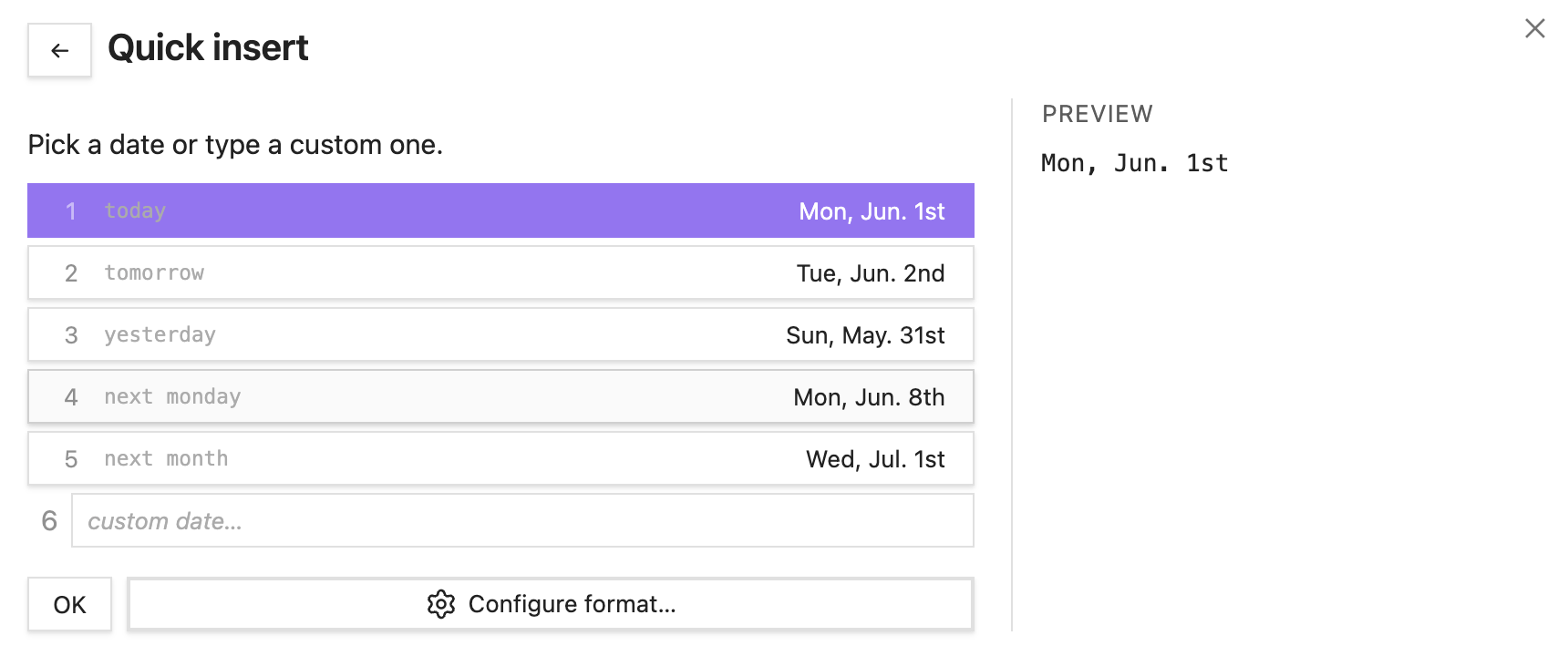
Date List: Quick date drops a single formatted date at the cursor. Pick from common presets or type any custom date expression.
You can also use a calendar popup:
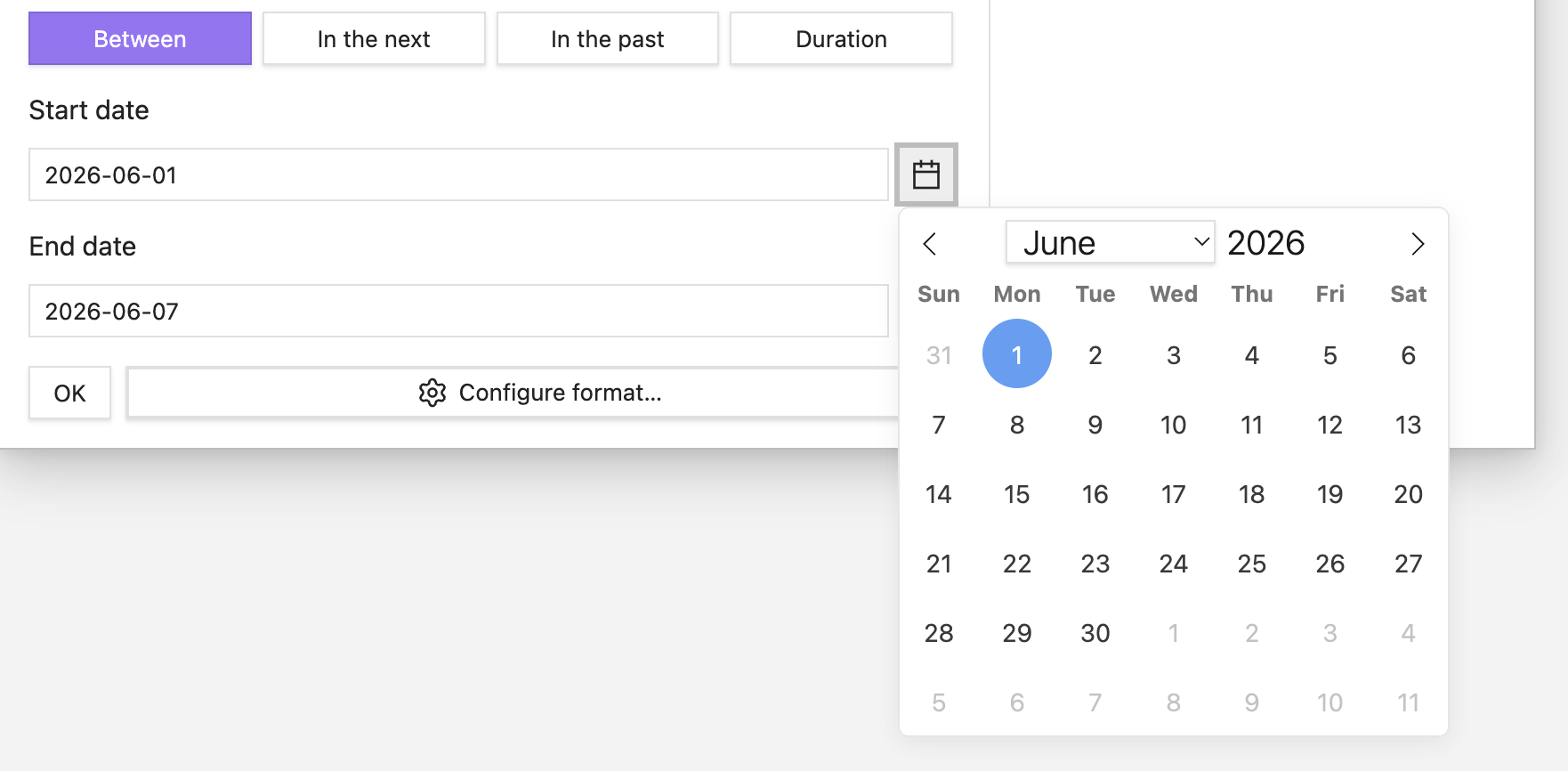
The inserted date uses your configured default format, wiki links, and alias settings.
Quick list
Quickly add a list of dates according to your search criteria. The most common options are provided first: this week, next week, this month, etc.
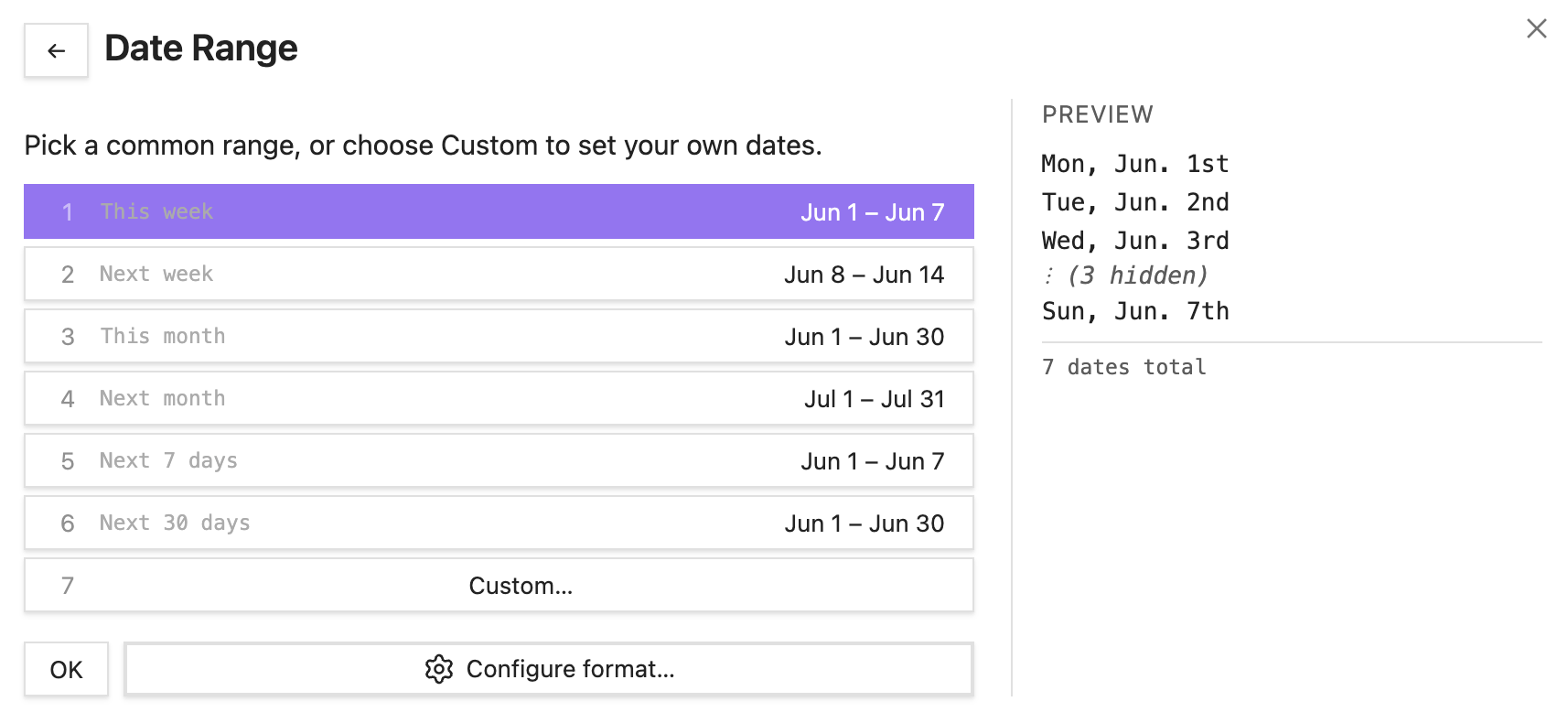
Alternately, you can just return the next n number of days, say for example if you are going on a ten day vacation and you want to plan your itinerary.
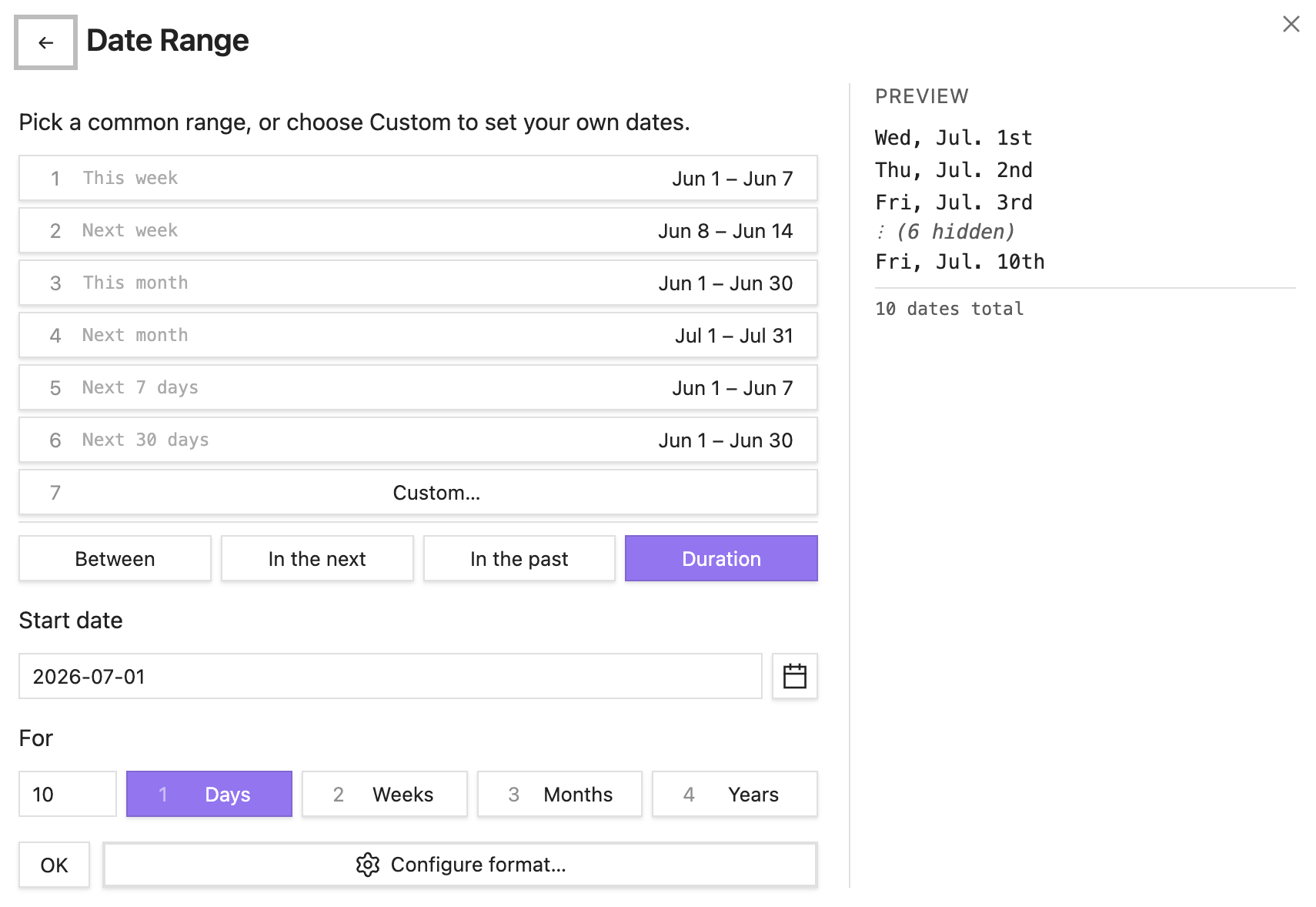
Open the command palette and run Date List: Quick list. It opens on Custom… (option 1) with the start date field focused, so you can type a range straight away. Options 2–7 are common range presets (this week, next week, this month, etc.) — click or press the matching number to insert immediately.
The custom section offers four methods:
| Method | What it generates |
|---|---|
| Between | All dates from a specific start date to a specific end date |
| In the next | N days / weeks / months / years forward from today |
| In the past | N days / weeks / months / years back to today |
| Duration | N days / weeks / months / years forward from a chosen start date |
All date fields accept natural language input.
A ⚙ Configure format… button is available on every screen to set the date format, wiki links, prefix, and postfix before inserting.
Insert table
The Date List: Insert table command builds the same date range as Quick list, but renders it as a two-column markdown table with a blank Notes column for each date — handy for itineraries, habit logs, or meeting notes.
| Date | Notes |
|---|---|
| 2026-06-01 | |
| 2026-06-02 |
It uses the same range picker as Quick list (custom range first, then the six presets). Your default prefix and postfix are dropped, since list bullets don't belong in a table cell — the ⚙ Configure format… button can add them back if you want them.
Filter dates
The Date List: Filter dates command allows you to find all instances of a specific day given the search parameters. For example, you can easily find the weekends for the next three months, or the dates of a recurring meeting you have.
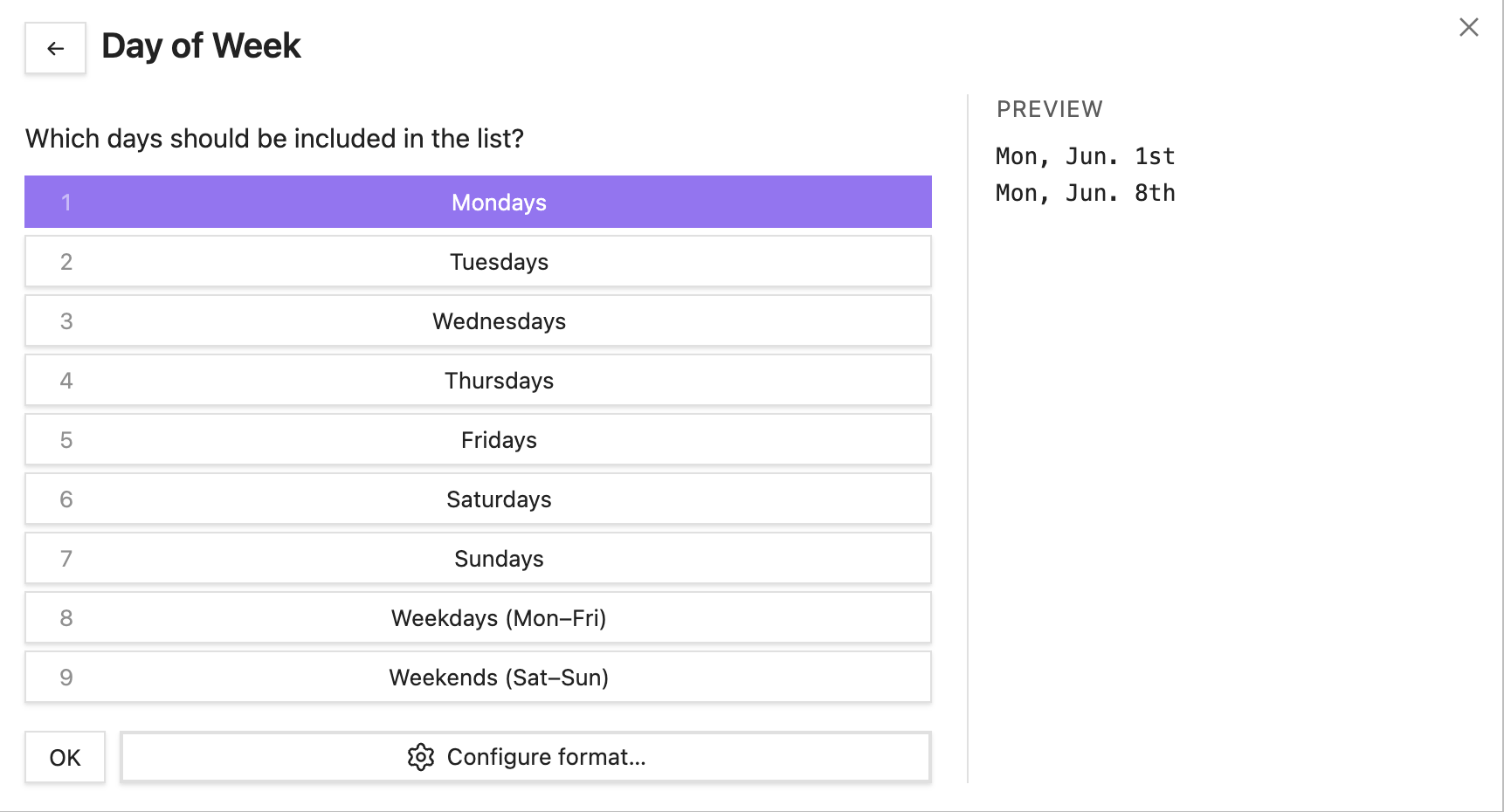
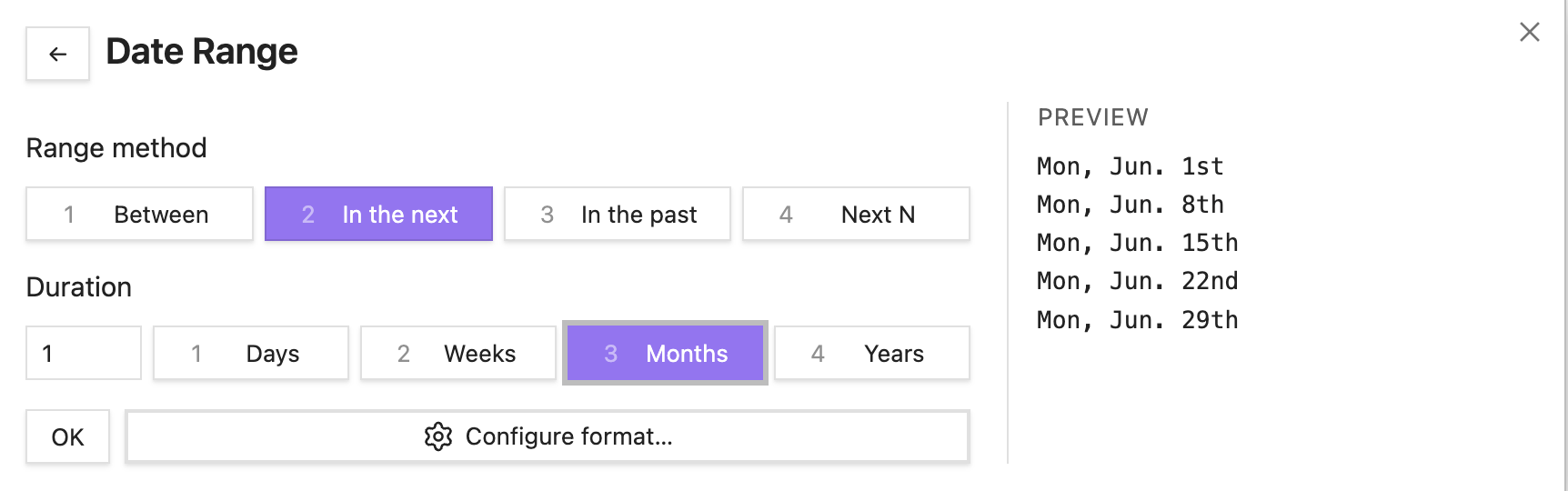
Insert calendar
The Date List: Insert calendar command inserts a markdown table for a whole month. The header row follows your configured first day of week, and each day cell uses your date format and wiki link preference.
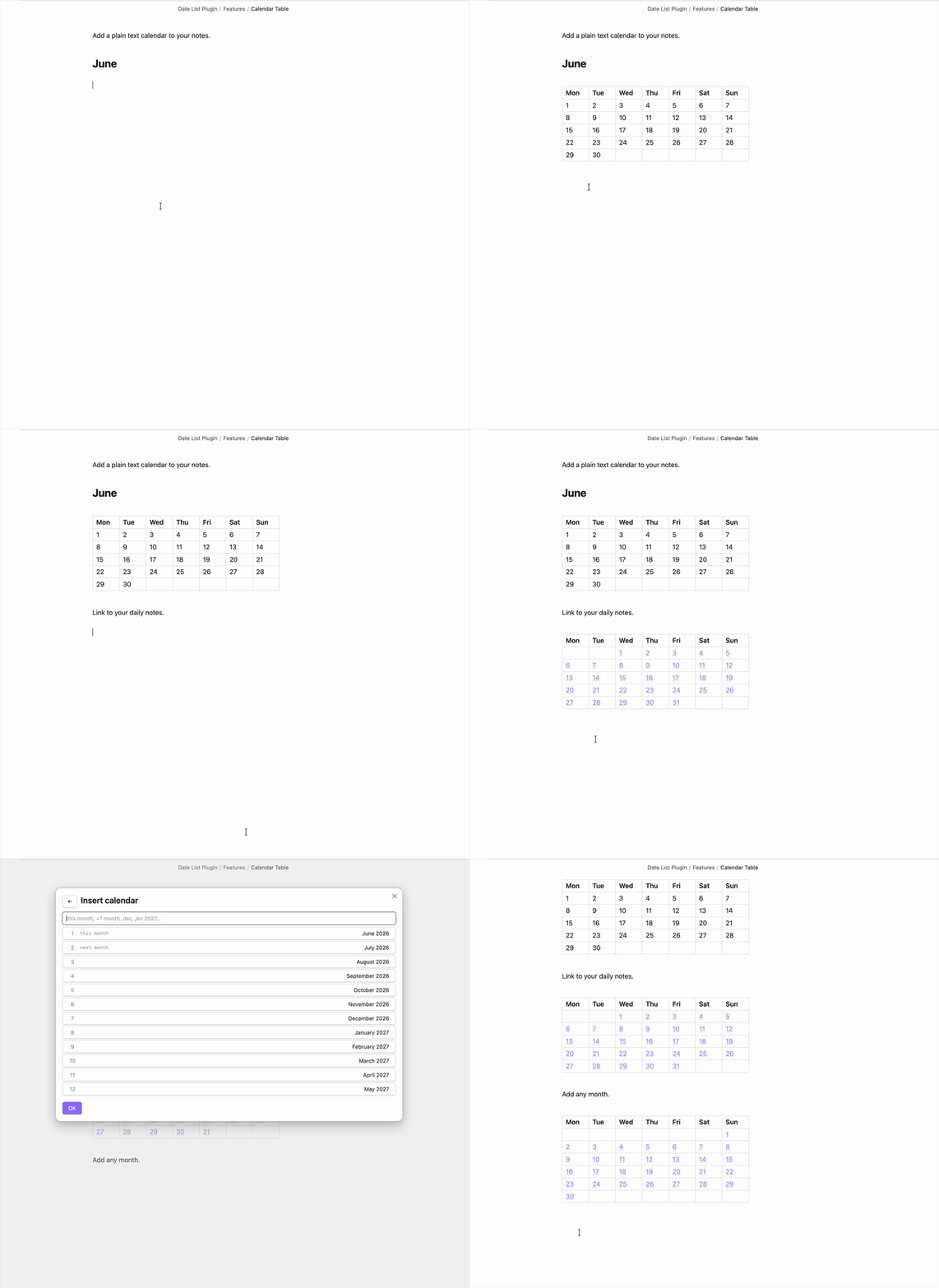
A searchable picker lets you choose the month:
| What you type | What you get |
|---|---|
| (empty) | The next 12 months, starting with the current month |
+1 |
One month and one year ahead — type +1m or +1y to narrow |
dec |
December of the current year |
jan 2027 |
A specific month and year |
With wiki links enabled, each cell links to that day's note (e.g. [[2026-06-07\|7]]); otherwise it shows the plain day number.
Configure
Every time you enter a date, you can choose from a default format or customize it on the fly. The plugin supports wiki links, aliases, and any date format you can think of.
In the plugin settings, you can customize your default preferences. For example, if you use Daily Notes, you may have a dating convention like YYYY-MM-DD, but prefer a more readable format in the alias.
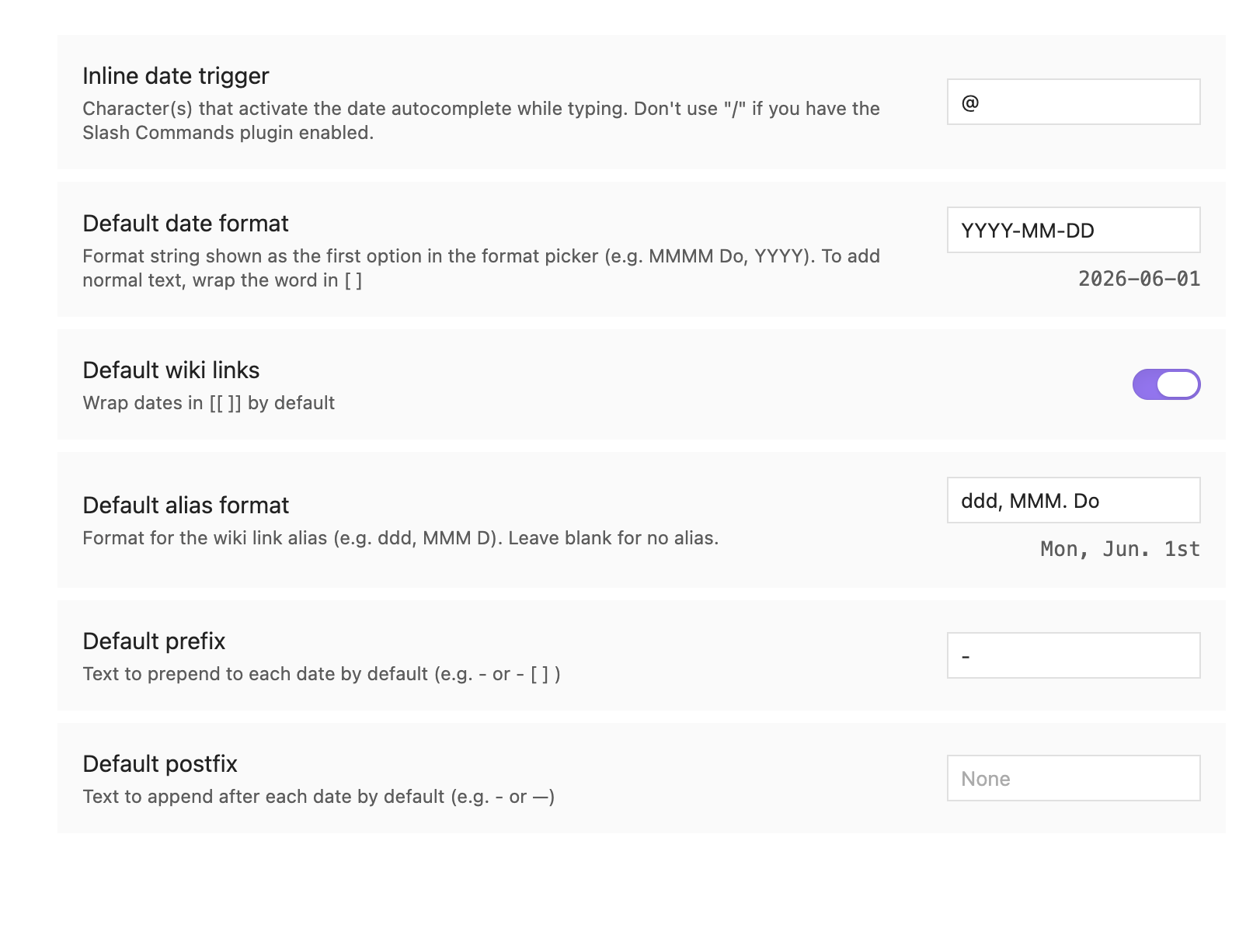
In the plugin settings, you can customize your default date format preferences and trigger characters. For example, if you use Daily Notes, you may have a dating convention like YYYY-MM-DD, but prefer a more readable format in the alias.
The inline date trigger (default @) and inline date list trigger (default @@) can each be changed to any character or sequence that doesn't conflict with other plugins.
The first day of week setting (default Monday) determines where weeks begin for the inserted calendar and for the this week / next week ranges throughout the plugin.
Date List: Configure runs a wizard to set your format defaults without inserting anything — useful for changing defaults without having to insert a list first.
Keyboard navigation
All screens support full keyboard control:
- ↑ / ↓ — move between options
- 1, 2, 3… — jump to option by number
- Enter — confirm the focused option
- Escape / ← — go back
- OK button — available on every screen for mouse-only users
Known conflicts
Various Complements
The Various Complements plugin conflicts with the @ and @@ inline triggers. After you type a second character, Various Complements fires its own suggestion popup and dismisses the date-list popup.
Workaround: In Various Complements settings, make sure the match strategy is set to 'prefix'. Alternately, increase Min number of characters for completion to 3 or higher. This prevents it from triggering while you are still typing a short date expression.
Related plugins
If you like Date List, you might also like Calendar List — a companion plugin that pulls events from your macOS Calendar app and inserts them into your notes. I also made File Filter, which is a great plugin that lets you filter your notes by a search term.
Feedback and contributions
Let me know if you have any feedback or suggestions!