Custom Font Loader
 Amir Pourmand76k downloads
Customize your vault with any font you want (+ Support for Android and iOS).
- Overview
- Scorecard
- Updates39
Spice up your Obsidian notes with custom fonts! Obsidian doesn't make it easy to set custom fonts — especially on Android and iOS. With this plugin you set your fonts up once and they work everywhere: Windows, macOS, Linux, Android, and iPhone. No need to install the font on your operating system.
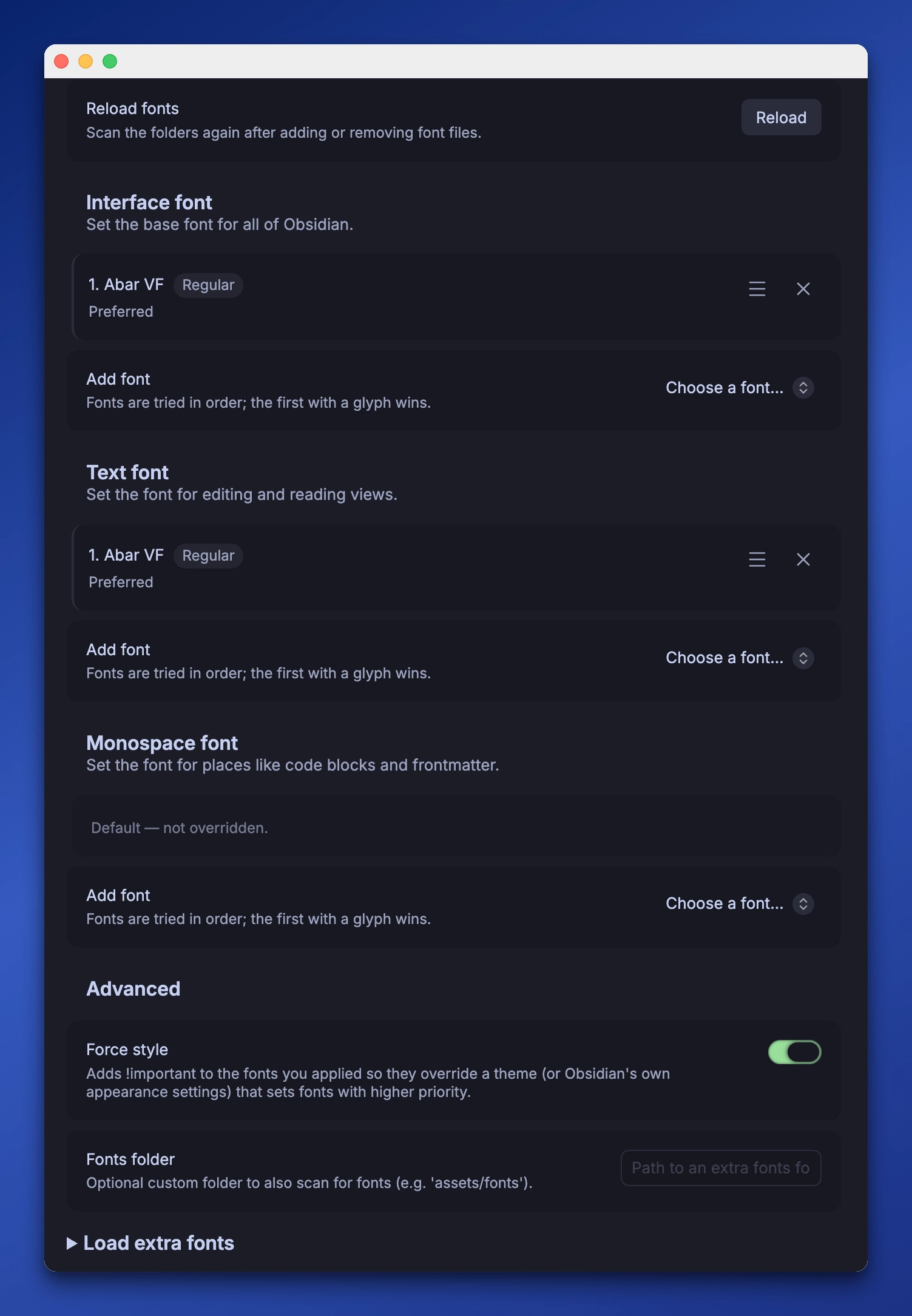
Features at a glance
- 🌍 Works on every platform — Windows, macOS, Linux, Android, and iOS. Fonts are embedded, so nothing needs installing on the device.
- 🎨 A different font for Interface, Text, and Monospace — style the UI, your notes, and code independently (or leave any of them on Obsidian's default).
- 🔤 Multiple fallback fonts per role — set an ordered list for each; the first font with a matching glyph wins per character. Perfect for mixed scripts (e.g. a Latin font + a Persian/Arabic font).
- 🅱️ Automatic multi-weight families — add each weight file and bold/italic resolve on their own.
- 😀 Better emoji support — color emoji fonts are appended to every stack, so emojis keep rendering even when your font lacks them.
- 📄 Per-note fonts — apply a font to a single note via
cssclasses, without touching the rest of your vault. - 📂 Automatic font detection — scans
fonts/and.obsidian/fonts, loading only what you use. - 💪 Force style — win against themes that hard-code fonts.
To get started
- Put your font files (
.ttf,.otf,.woff,.woff2) into afontsfolder at your vault root, or into.obsidian/fonts. Both are scanned automatically (you can also point the plugin at a custom folder). - Open the plugin settings and pick a font for each role you want to change.
- Your fonts are applied instantly, across every platform.
Key Features
Automatic font detection
The plugin scans a fonts folder at your vault root and .obsidian/fonts automatically — drop fonts in either (or point it at a custom folder) and hit Reload; no restart needed. Only the fonts you actually use are loaded, so startup stays light.
Three independent font roles
Set a different font for each part of Obsidian — or leave any of them on Default to keep Obsidian's own font:
- Interface — the base font for all of Obsidian (menus, sidebars, ribbons, settings).
- Text — note content in editing and reading views.
- Monospace — code blocks, inline code, and frontmatter.
Font fallback chains (great for mixed scripts)
Each role is an ordered list, not a single font. Add several fonts and drag them to reorder — the browser uses the first font that has a glyph for each character. Perfect for pairing, say, a Latin display font with a Persian/Arabic font so both render correctly in the same line.
Automatic multi-weight families
Drop in the individual weight files of a family (Roboto-Regular.ttf, Roboto-Bold.ttf, Roboto-BoldItalic.ttf, …) and the plugin groups them into one family automatically by reading the weight/style from each filename. Set the family once and bold text uses the Bold file, italic uses the Italic file — the browser resolves the right weight per character. Each file's weight is shown as a colored label right where you select it.
Naming matters: include the weight in the filename so it's detected. Recognized weights are Thin, ExtraLight, Light, Regular, Medium, SemiBold, Bold, ExtraBold, and Black (plus Italic/Oblique). Everything before the weight becomes the family name — so Open-Sans-Bold.ttf is family "Open Sans", weight Bold.
Emoji support
When you override a font, Obsidian normally drops its emoji fallback — so this plugin re-appends cross-platform emoji fonts (Apple Color Emoji, Segoe UI Emoji, Noto Color Emoji) to every font stack. Emojis keep rendering, always.
Per-note fonts via CSS classes
Every loaded font also gets a utility class, .font-<name>. Apply a font to a single note — without changing the rest of your vault — by adding the class name to cssclasses in the note's frontmatter:
---
cssclasses:
  - font-roboto
---
You can also wrap part of a note in a <div class="font-roboto">. The settings page lists every font's copyable font-family name (for your own CSS/snippets) and class.
Load extra fonts
Only the fonts you actually use are loaded, keeping startup light. A collapsed Load extra fonts section lets you load additional fonts just to use via their CSS class, without applying them to any role.
Force style
For community themes that hard-code fonts and ignore the standard variables, the Force style toggle adds !important to the fonts you applied so they win.
Compatibility
This plugin leverages base64 encoding to ensure maximum compatibility across platforms. The chosen font works on all operating systems (Windows, macOS, Linux, Android, and iOS) without installing it on the device.
Note: dynamic CSS is injected via constructable stylesheets (
adoptedStyleSheets), which requires iOS/Safari 16.4+ on mobile.
Web-based Font Converter
🌐 Font to Base64 CSS Converter
Convert font files to base64-encoded CSS without installing the plugin — perfect if you only want the conversion, or experience performance issues with the full plugin.
Features:
- Convert
.woff,.ttf,.woff2, and.otffont files - Multiple CSS output options (Obsidian variables, custom classes, force styles)
- Copy to clipboard or download CSS files
- No installation required — works in any modern browser
Issues and Pull-Requests
Issues and pull requests are highly appreciated — I'd love to hear which features are useful to you.