Search...Search plugins and themes...
⌘K
Sign in
  • Get started
  • Download
  • Pricing
  • Enterprise
  • Account
  • Obsidian
  • Overview
  • Sync
  • Publish
  • Canvas
  • Mobile
  • Web Clipper
  • CLI
  • Learn
  • Help
  • Developers
  • Changelog
  • About
  • Roadmap
  • Blog
  • Resources
  • System status
  • License overview
  • Terms of service
  • Privacy policy
  • Security
  • Community
  • Plugins
  • Join the community
  • Discord
  • Forum / 中文论坛
  • Merch store
  • Brand guidelines
Follow us
DiscordTwitterBlueskyThreadsMastodonYouTubeGitHub
© 2026 Obsidian

Focus Mode

ryanpcmcquenryanpcmcquen66k downloads

Add a toggle to hide interface elements so you can focus on your note.

Add to Obsidian
  • Overview
  • Scorecard
  • Updates34

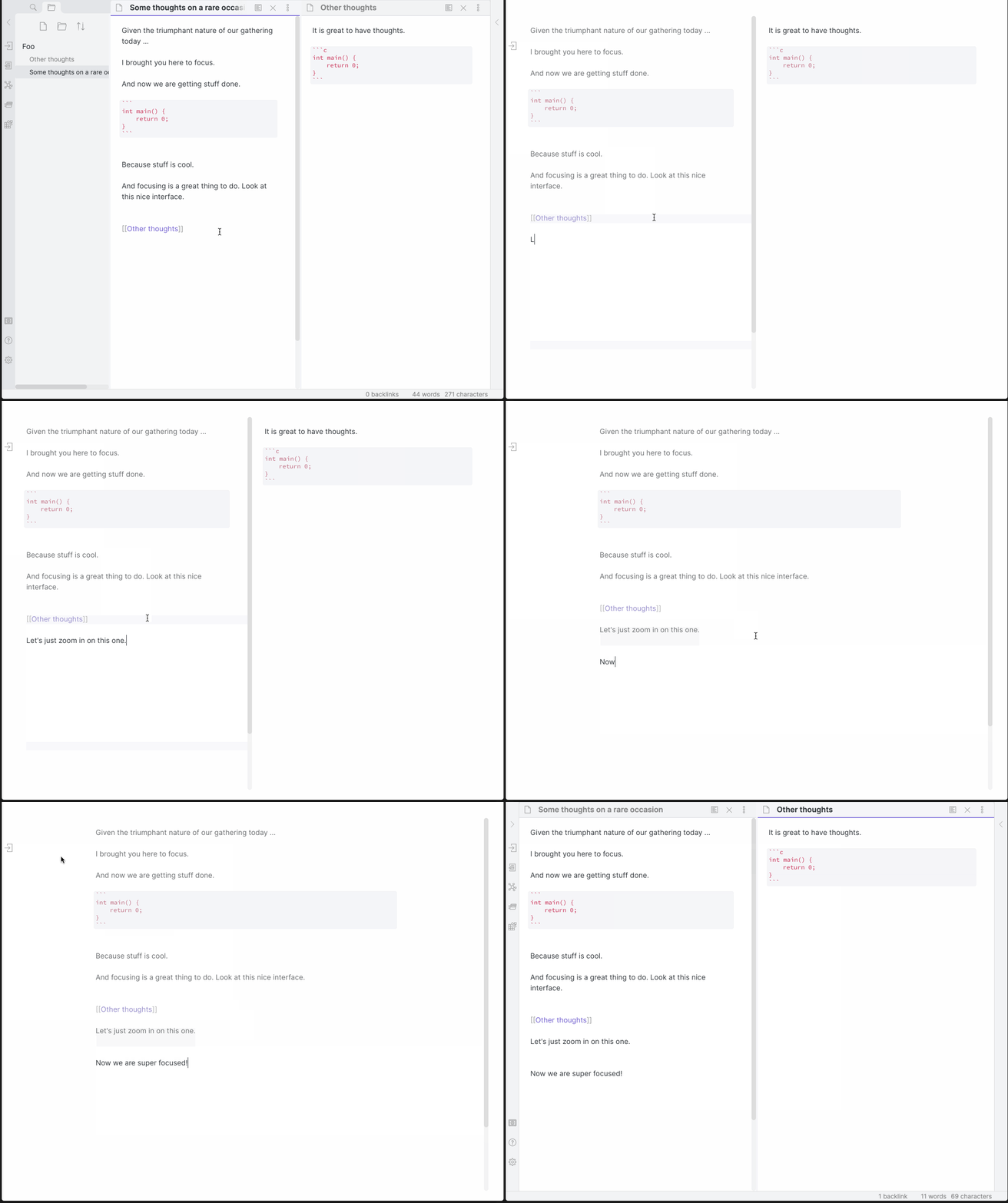
Add Focus Mode to Obsidian.

Focus Mode Demo

Now with Super Focus Mode (Shift + Left Click), which will only focus on the active pane. The original behavior still exists on a normal Left Click.
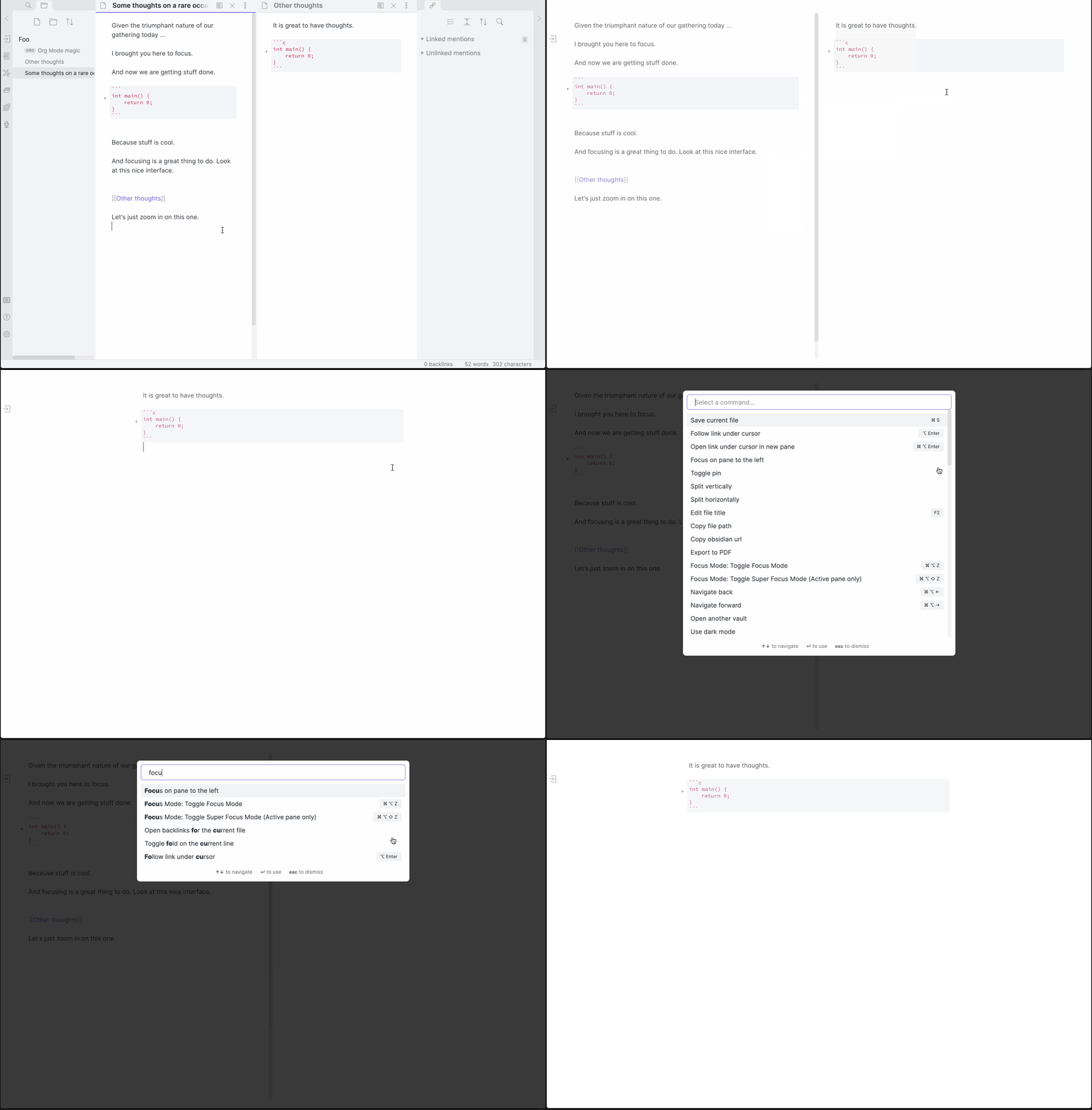
Super Focus Mode and Command/Hotkey demo

Hotkeys

Hotkeys Action
Cmd/Ctrl + Alt + Z Toggle Focus Mode
Cmd/Ctrl + Alt + Shift + Z Toggle Super Focus Mode (Active pane only)

Customizing the plugin's appearance:

Classes are added to document.body depending on the state. focus-mode exists in Normal and Super Focus modes, while super-focus-mode, only exists in Super Focus Mode (surprise!).

The following CSS snippet added to a vault will remove the opacity on non-active lines:

.focus-mode .cm-s-obsidian .cm-line:not(.cm-active),
.focus-mode .cm-s-obsidian div:not(.CodeMirror-activeline) > .CodeMirror-line {
    opacity: 1 !important;
    filter: saturate(1) !important;
}

Manually installing the plugin:

  • Copy over main.js, styles.css, manifest.json to your vault VaultFolder/.obsidian/plugins/obsidian-focus-mode/.
72%
HealthGood
ReviewSatisfactory
About
Add Focus Mode to dim non-active panes and lines and keep attention on the active editor. Toggle Super Focus Mode to isolate only the active pane and hide other content for distraction-free editing.
AppearanceEditingCSS
Details
Current version
1.11.5
Last updated
2 years ago
Created
5 years ago
Updates
34 releases
Downloads
66k
Compatible with
Obsidian 0.9.12+
License
MPL-2.0
Report bugRequest featureReport plugin
Author
ryanpcmcquenryanpcmcquen
github.com/ryanpcmcquen
GitHubryanpcmcquen
  1. Community
  2. Plugins
  3. Appearance
  4. Focus Mode

Related plugins

Lapel

Show the heading levels in the gutter of the editor.

Style Settings

Adjust theme, plugin, and snippet CSS variables.

CSS Editor

Edit CSS snippet files.

Contextual Typography

Add a data-tag-name attribute to all top-level divs in preview mode containing the child's tag name, allowing contextual typography styling.

Minimal Theme Settings

Control the colors and fonts in Minimal Theme.

Hider

Hide interface elements such as tooltips, status bar, titlebar, and more.

Advanced Tables

Improved table navigation, formatting, and manipulation.

Outliner

Work with your lists like in Workflowy or Roam Research.

Meta Bind

Make your notes interactive with inline input fields, metadata displays, and buttons.

Various Complements

Complete words similar to auto-completion in an IDE.