ZotFlow
 Xianpi Duan17k downloads
Read, annotate and cite your Zotero library in Obsidian: two-way sync, built-in PDF/EPUB reader, templated literature notes and CSL citations. #Zotero #PDF #Annotation
- Overview
- Scorecard
- Updates71

ZotFlow — Keep Your Research in Flow
English | 简体中文
Your Zotero library, your reader, your notes — one seamless workspace inside Obsidian.
ZotFlow is a community plugin for Obsidian that brings the full power of Zotero into your vault. Read papers, annotate PDFs, generate templated source notes, and cite literature — all without ever leaving Obsidian.
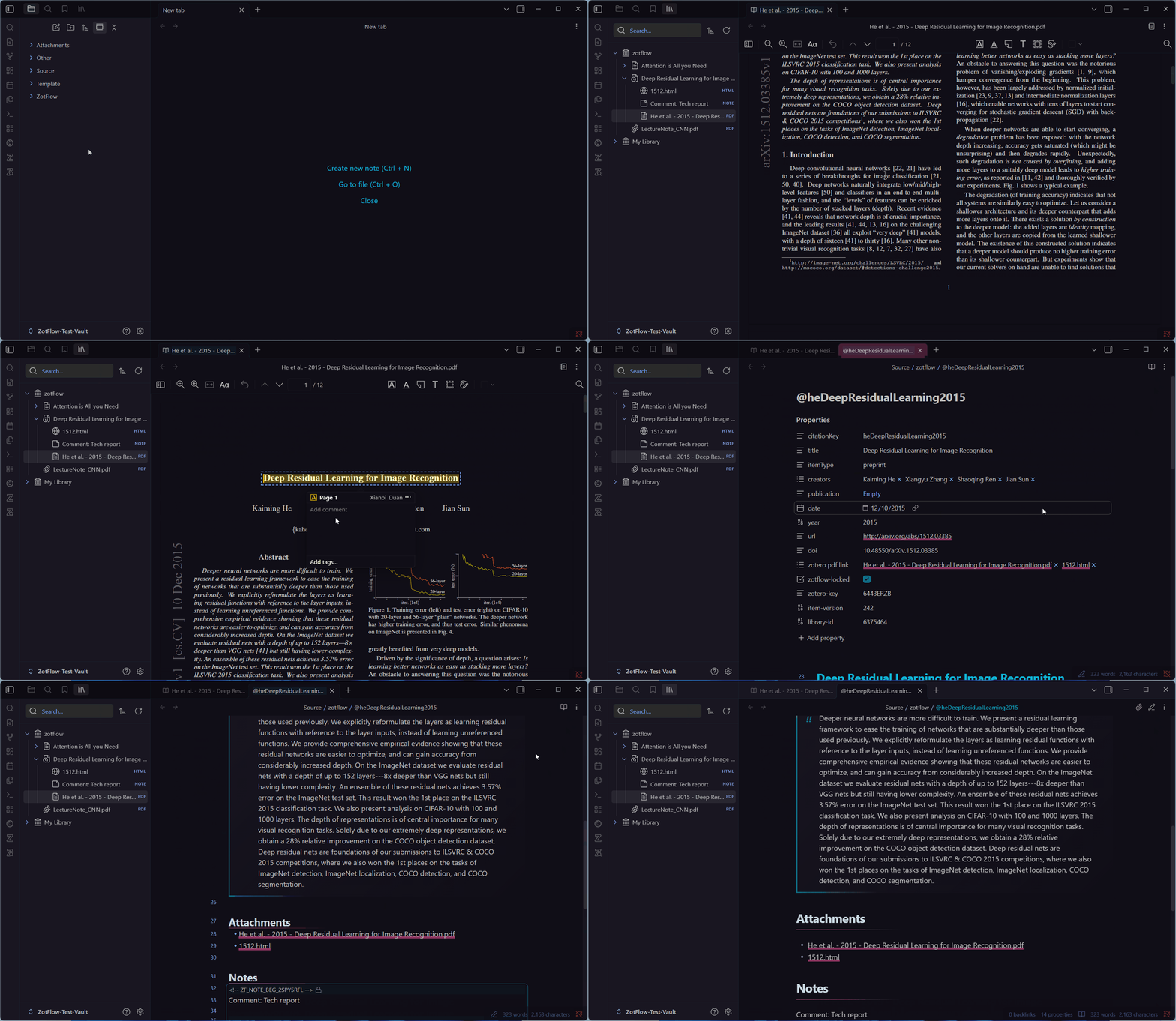
Why ZotFlow?
If any of these sound like you, ZotFlow was built for you:
- 📚 You want to read and annotate PDFs/EPUBs without switching between Zotero, a PDF viewer, and Obsidian.
- 🎨 You want your reader to match your Obsidian theme — dark mode, custom fonts, the works.
- 🔄 You want true bidirectional sync — annotations made in Obsidian flow back to Zotero, and vice versa.
- ✍️ You want every Zotero item to have an auto-generated, template-driven source note that always stays up to date.
- 🔗 You want to cite literature in Pandoc, Wikilink, Footnote, or raw citekey format — by drag-and-drop, autocomplete, or hotkey.
- 📂 You want to annotate any PDF or EPUB already in your vault, even ones that aren't in Zotero.
- 🛡️ You want an offline-first, privacy-respecting tool with no telemetry and secure credential storage.
What You Can Do With ZotFlow
🪟 Read & Annotate Inside Obsidian
A full-featured PDF/EPUB/HTML reader, embedded right in your workspace and themed to match Obsidian. Highlight, underline, draw, add sticky notes, capture image regions — every annotation type Zotero supports, in a window that finally feels like home.
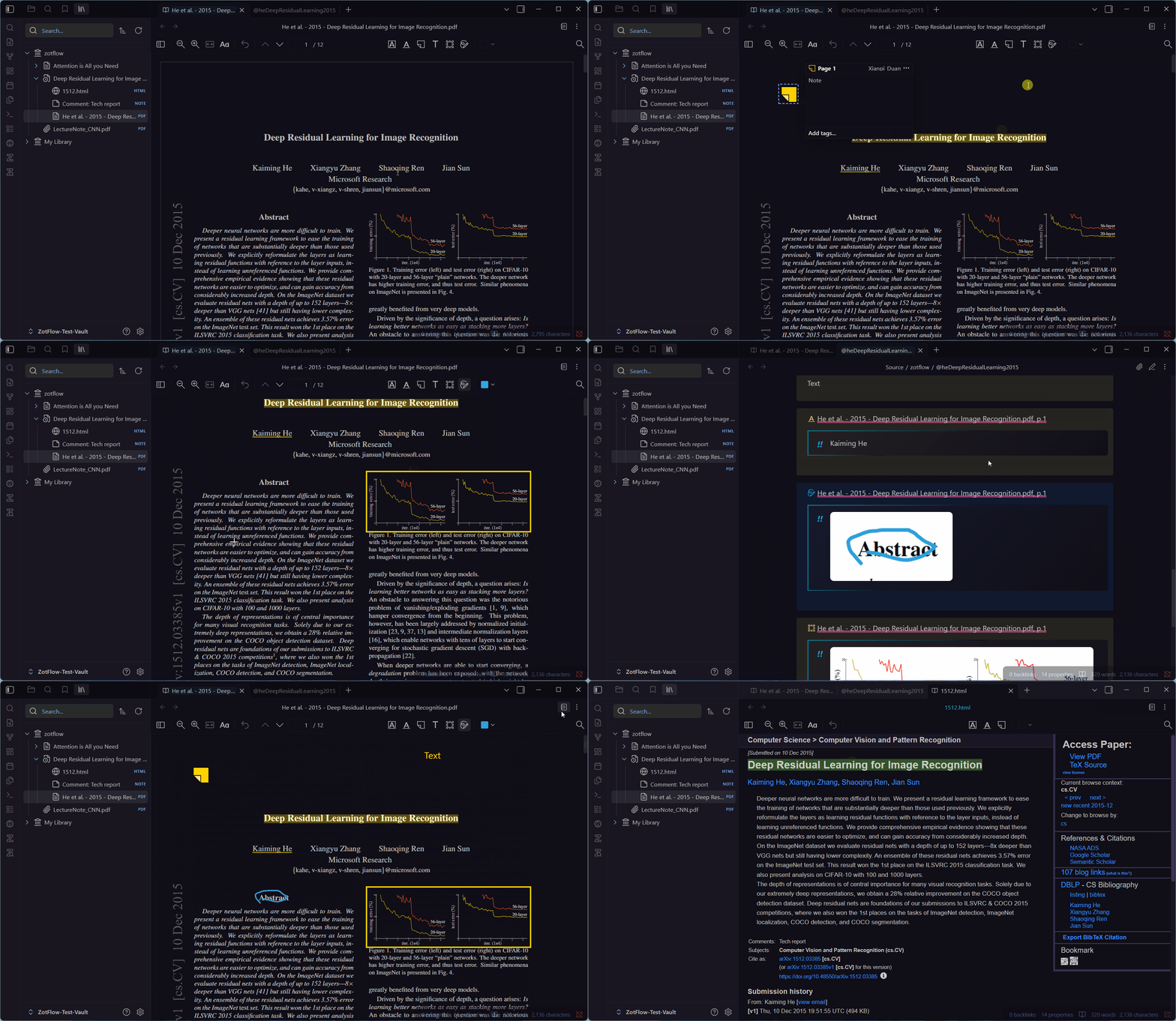
🔄 True Bidirectional Sync
Pull items, metadata, and annotations from Zotero — and push your changes back. Configure each library independently as Bidirectional, Read-Only, or Ignored. Sync works like Zotero's own: changes to different fields (or different tags) on both sides merge automatically, and only a field changed differently on both sides — or an item deleted on one side and changed on the other — becomes a conflict. A field-level diff viewer lets you decide what to keep; items deleted in Zotero together are resolved together.
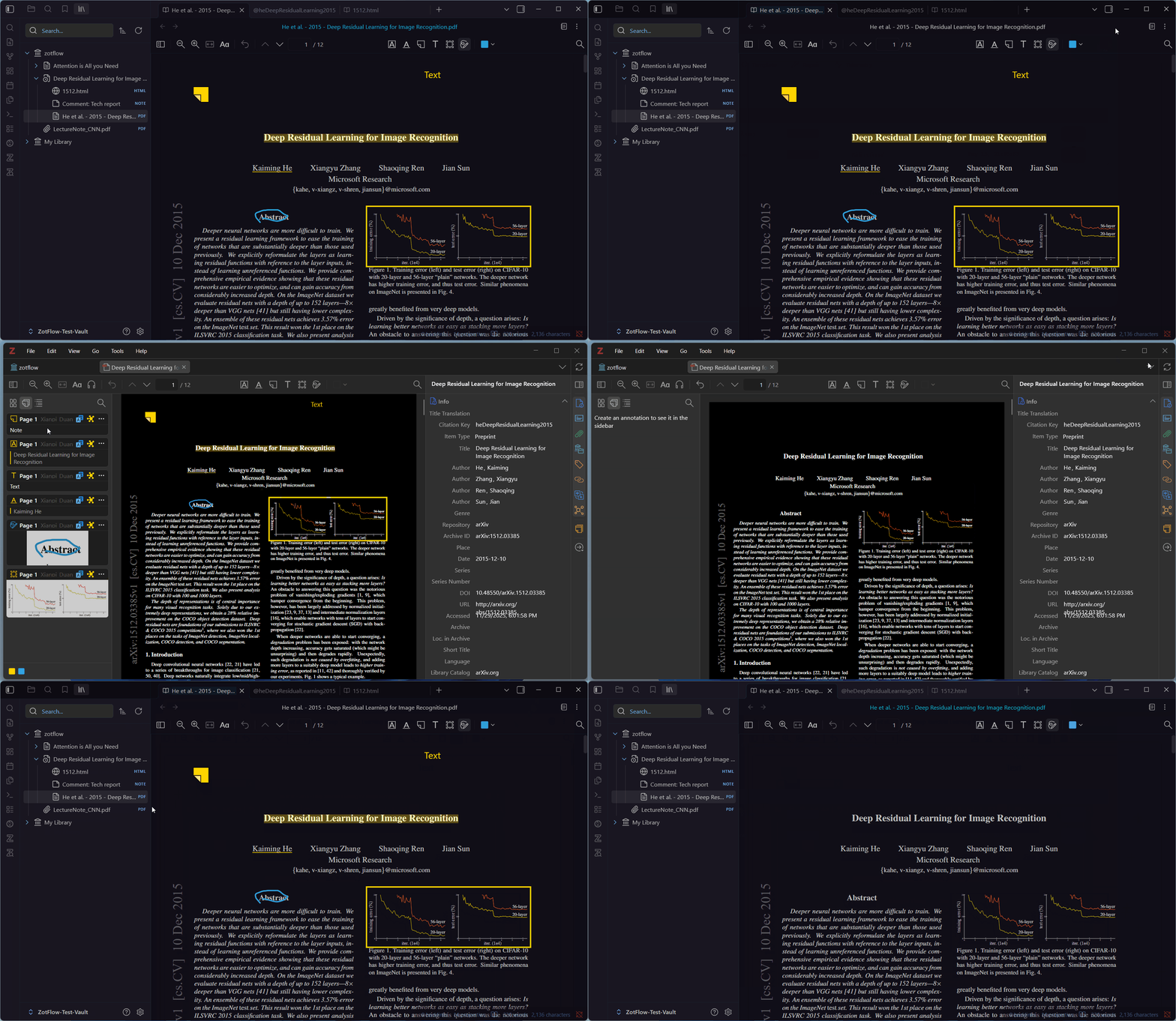
✨ Template-Powered Source Notes
Every Zotero item gets one auto-generated Markdown note, rendered with LiquidJS templates you fully control.
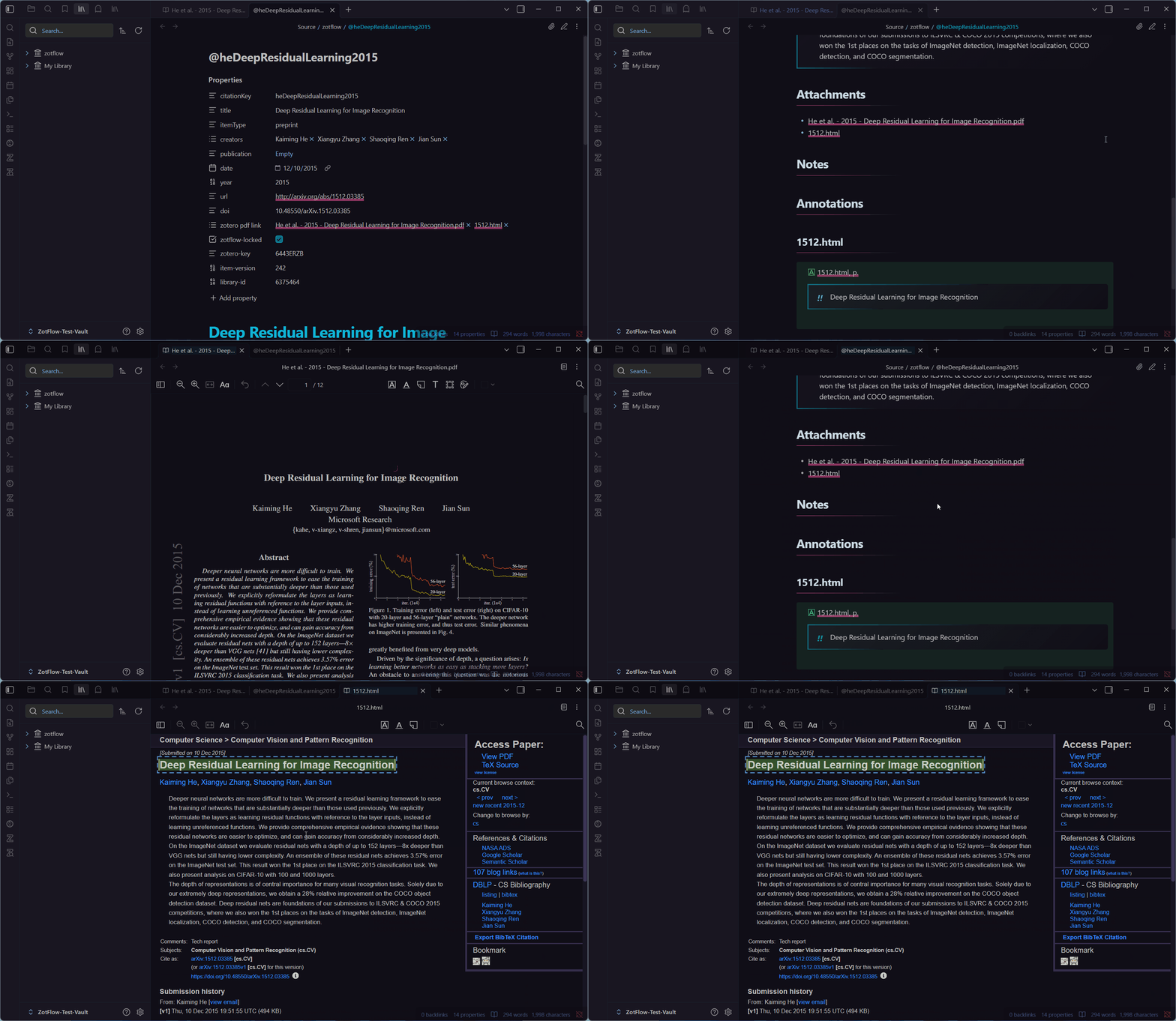
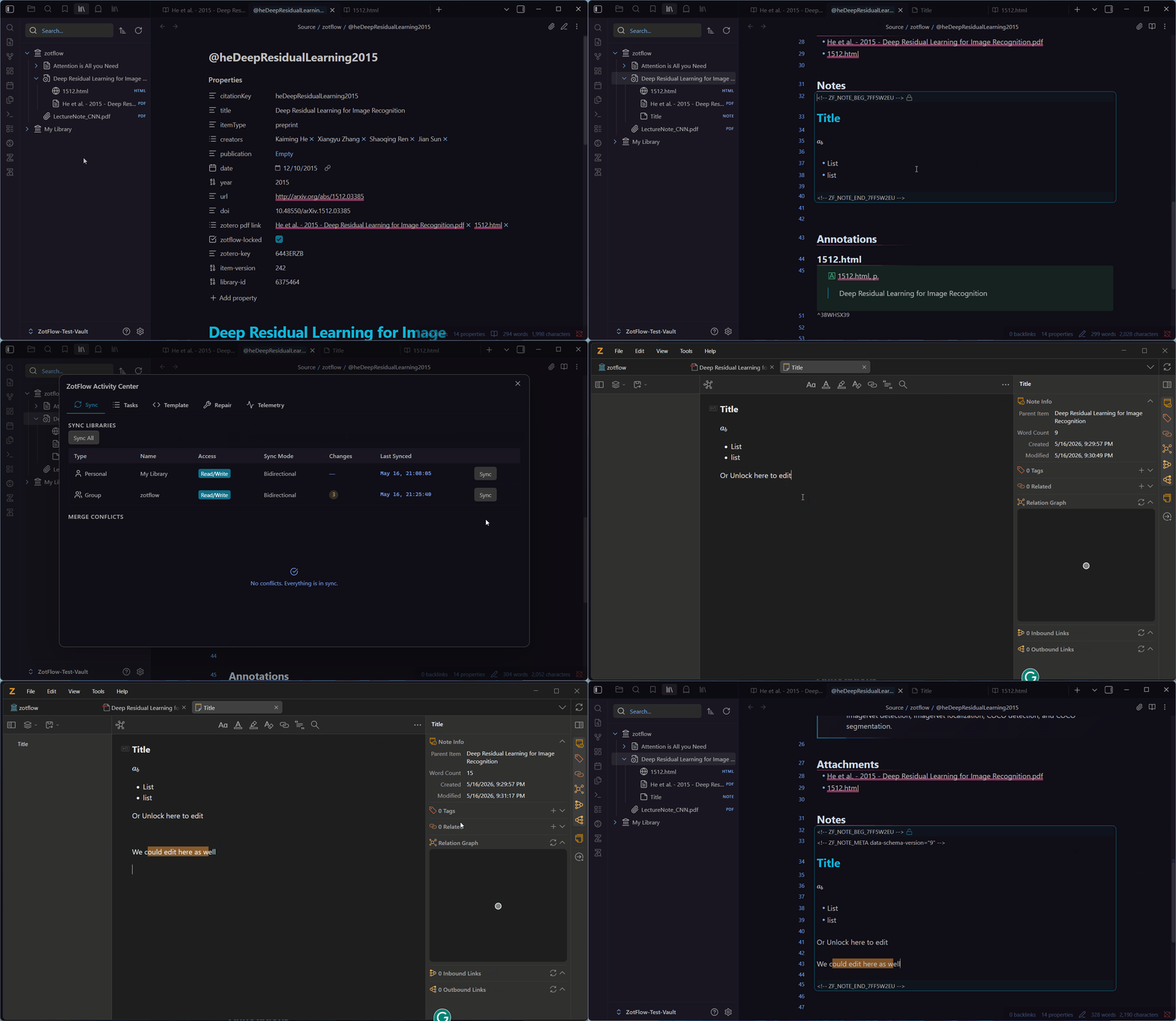
🗒️ Native Zotero Item Notes
Create, edit, and delete Zotero child notes without leaving Obsidian. Right-click any item in the Tree View to add a note, edit it in a dedicated tab with Obsidian's full Markdown editor, or unlock its region inside the parent source note and edit in place. Every change auto-saves and syncs back to Zotero.
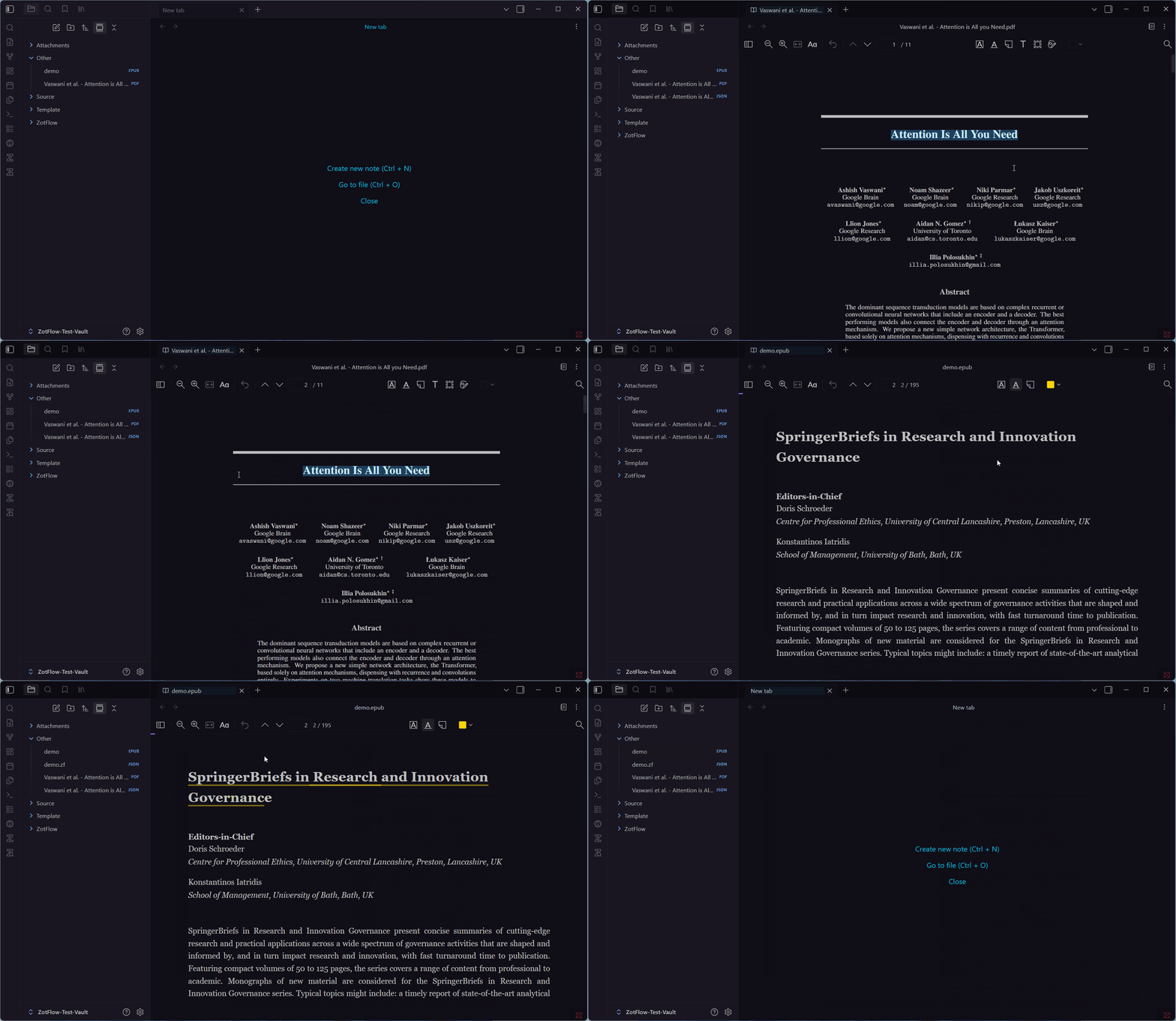
📝 Annotate Any Vault File
Have PDFs or EPUBs that aren't in Zotero? Open them with the same reader. Annotations save into a co-located .zf.json sidecar — no Zotero account required. Perfect for personal notes, downloaded papers, or books you're reading.
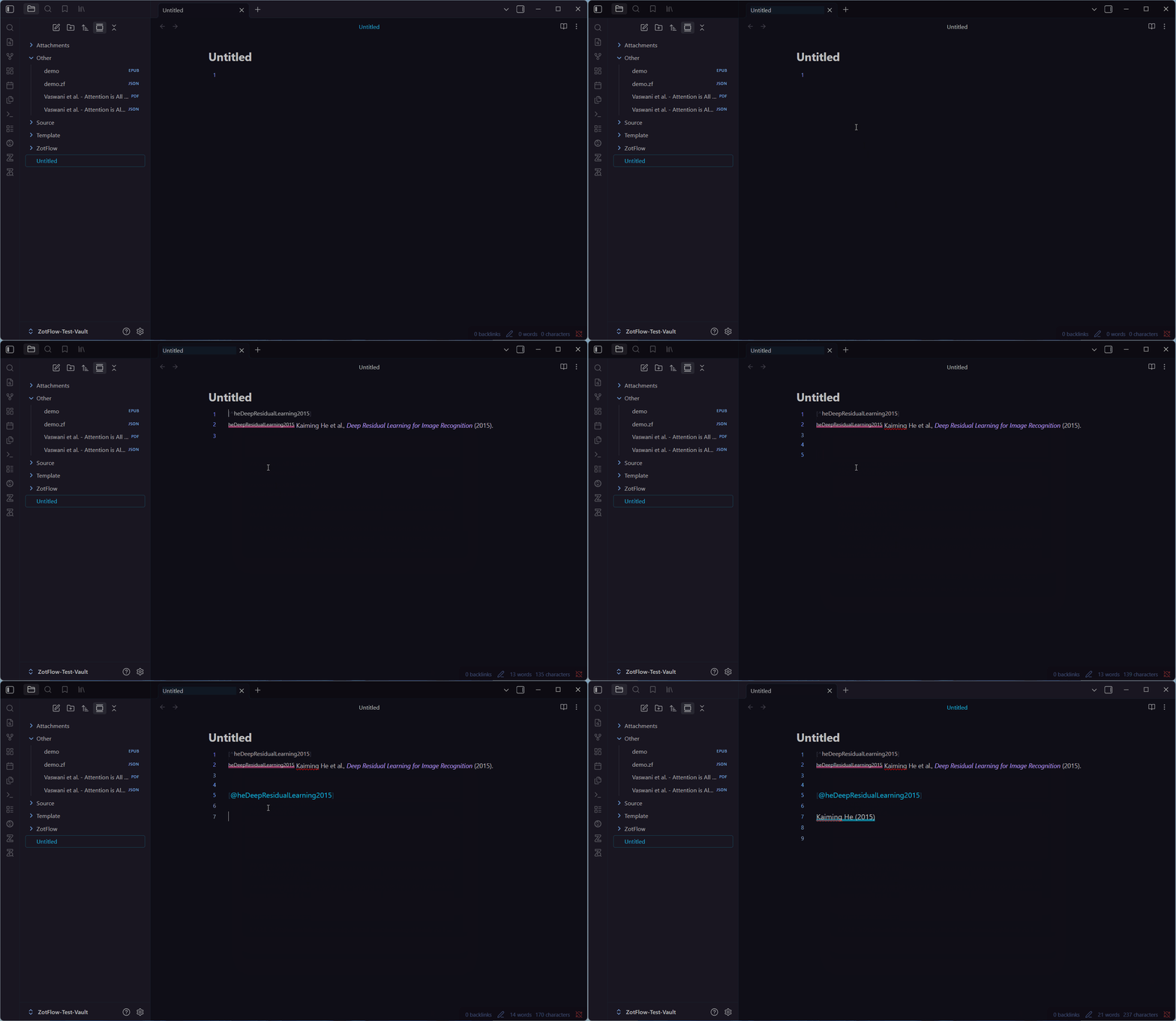
📎 Multi-Format Citations
Insert citations as Pandoc ([@key]), Wikilink ([[Source/@key|Author (year)]]), Footnote, or raw citekey — via drag-and-drop from the tree view, autocomplete with a trigger string (@@), or copy-from-reader hotkeys. Include annotation context (page numbers, quoted text) automatically.
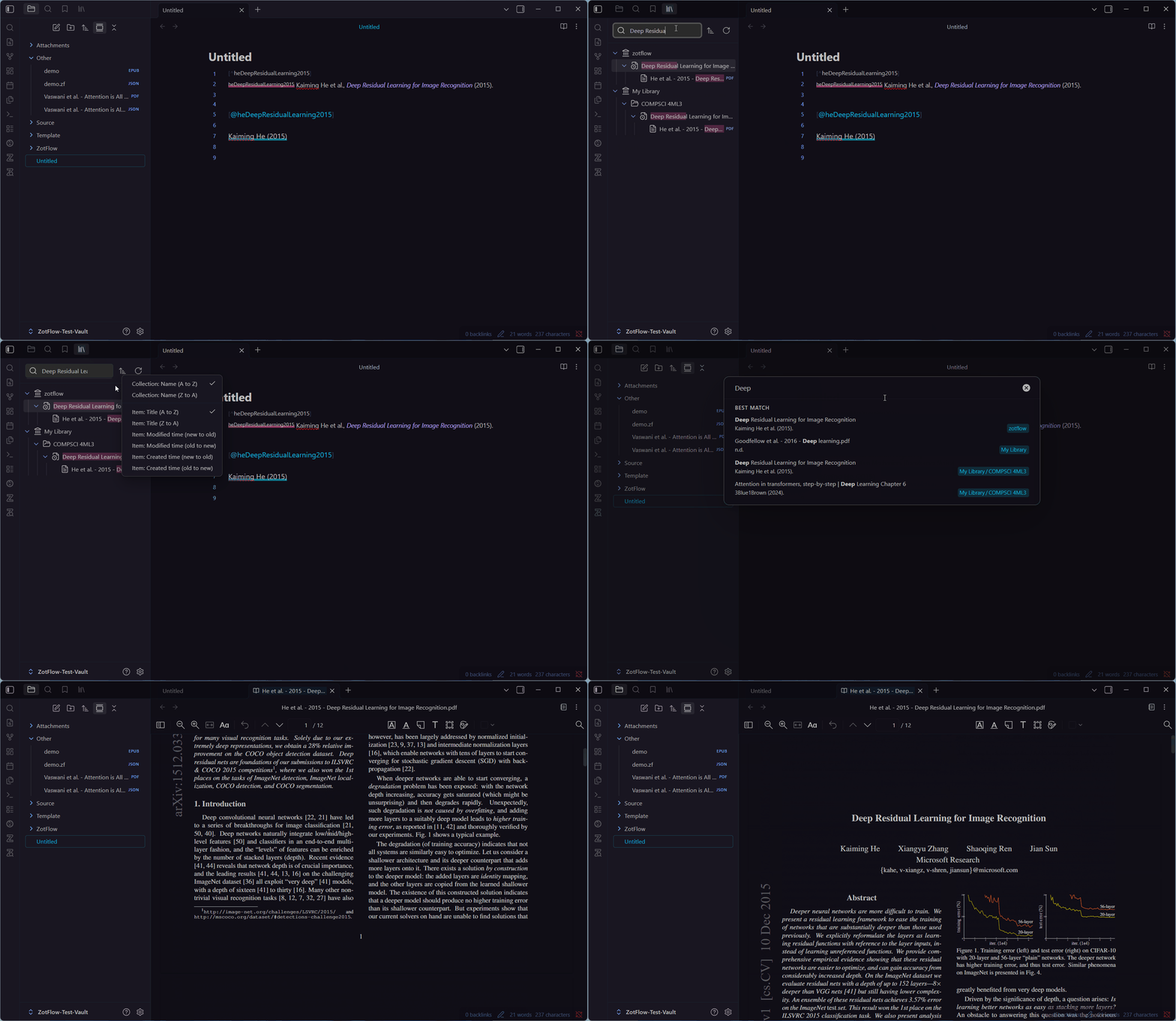
🌳 Zotero Tree View & Search Modal
Browse your entire Zotero universe — libraries, collections, items, attachments — in a fast virtualized sidebar tree. Search, sort, drag, right-click. Click any attachment to open it; drag any item to cite it.
Or open the search modal from the command palette, type to filter your library, and hit Enter to jump to an item or open its attachment.
🛠️ And a Whole Lot More
- WebDAV support — download attachments from your self-hosted Zotero storage.
- Linked attachment base directory — works with Zotero's external file storage feature.
- Batch operations — generate every source note, extract every annotation image, re-render every template in one click.
- Activity Center — a control panel for sync progress, running tasks, and a searchable log console.
- Offline-first — everything cached locally in IndexedDB; the network is only used for Zotero and WebDAV.
- Secure credentials — API keys stored in Obsidian's platform-native
SecretStorage, never in synceddata.json. - Mobile-aware — built to be mobile-safe (current mobile support is limited).
Quick Start
New to ZotFlow? Start here:
👉 Read the docs website — the documentation site introduces ZotFlow's key concepts and design philosophy first, then walks you through installation and your first sync.
For the impatient:
- Open Settings → Community plugins → Browse, search for ZotFlow, install and enable it. (Or grab it from the Obsidian plugin directory.)
- Create a Zotero API key with read/write access.
- Paste it into Settings → ZotFlow → Sync and click Verify Key.
- Open the Activity Center (ribbon icon) → Sync All.
- Open the Zotero Tree View, double-click an attachment, and start reading.
Documentation
Read ZotFlow docs on the new website:
- English: https://zotflow.peterduan.dev/
- 简体中文: https://zotflow.peterduan.dev/zh
Legacy Markdown docs are still available in docs/, but the website is the source of truth.
Installation
Option 1 — Obsidian Community Plugins (recommended)
- Open Obsidian → Settings (⚙️) → Community plugins.
- Click Browse, search for ZotFlow, install and enable it.
Direct link: https://community.obsidian.md/plugins/zotflow
Option 2 — Beta builds via BRAT
For pre-release builds, install via BRAT:
- Install and enable BRAT from Community Plugins.
- In BRAT's options, click Add Beta plugin and enter:
duanxianpi/obsidian-zotflow - Enable ZotFlow in Community Plugins.
See the docs website for step-by-step setup: https://zotflow.peterduan.dev/
Architecture
ZotFlow uses a Main Thread + Web Worker split for responsiveness:
- Main thread — Obsidian API, UI rendering (React for complex views, native APIs for settings).
- Web Worker — Zotero API calls, sync engine, IndexedDB (Dexie), template rendering, PDF processing.
- Reader iframe — Zotero's PDF/EPUB/HTML reader, embedded and sandboxed via penpal.
Communication: Comlink (main ↔ worker) and Penpal (main ↔ reader iframe).
Development
Prerequisites
- Node.js ≥ 16
- npm
Setup
git clone https://github.com/duanxianpi/obsidian-zotflow.git --recursive
cd obsidian-zotflow
npm install
Build
npm run build:ci       # Full CI build (PDF.js + reader + plugin)
npm run dev:plugin     # esbuild watch mode (plugin)
npm run dev:reader     # webpack watch mode (reader, separate terminal)
npm run lint
Live testing in Obsidian
npm run live:obsidian drives a separate Obsidian instance over the Chrome
DevTools Protocol. It runs with its own profile (--user-data-dir), so its
settings, IndexedDB and plugin state never touch your everyday Obsidian, which
can stay open.
Requirements: Obsidian installed, and a Zotero API key of your own, ideally limited to a group you only use for testing (sync tests write to it).
npm run build:plugin
npm run live:obsidian -- setup
npm run live:obsidian -- launch
ZOTFLOW_TEST_API_KEY=<key> npm run live:obsidian -- login
setup creates a test vault (default .obsidian-test/vault/), hard-links
main.js, manifest.json and styles.css into
.obsidian/plugins/zotflow/, installs the
Hot Reload plugin (pinned version,
checksum-verified), and writes .obsidian-test/config.json. All of
.obsidian-test/ is gitignored. Options:
| Option | Default |
|---|---|
--vault <dir> |
.obsidian-test/vault |
--profile <dir> |
.obsidian-test/profile |
--port <n> |
9223 |
--obsidian <exe> |
macOS: /Applications/Obsidian.app/Contents/MacOS/Obsidian; Windows: %LOCALAPPDATA%\Programs\Obsidian\Obsidian.exe; Linux: required |
For a live edit loop, run the build in watch mode:
npm run live:obsidian -- dev
esbuild rewrites main.js in place, which the hard link makes visible inside
the vault, so Hot Reload reloads the plugin after every rebuild (plain
npm run dev:plugin works too). Anything that replaces a file instead of
rewriting it, such as git checkout or an editor's atomic save, breaks its
link; dev, launch and reload re-check and repair the links. A vault on a
different volume than the repo gets copies instead, refreshed by the same
commands. npm run live:obsidian -- reload reloads the plugin by hand. Other
commands: status, eval '<js>', screenshot [out] [window],
logs [seconds], targets, quit, and reset (deletes the profile for a
fresh start). The environment variables ZF_OBSIDIAN_PATH, ZF_TEST_VAULT,
ZF_TEST_PROFILE and ZF_TEST_PORT override the config.
Fixture library
npm run live:fixtures keeps a known set of Zotero data in your test library:
collections, items of several types (including ones whose fields have their
own names, like cases and patents), notes, PDF/EPUB/HTML attachments, and
every annotation type. It only creates, updates and deletes objects it owns
(marked in extra, in the note HTML, or by being under a fixture item or the
ZotFlow fixtures collection), so other items in the library are left alone.
A dedicated test group is still recommended, since sync tests touch the whole
library.
ZOTFLOW_TEST_API_KEY=<key> npm run live:fixtures -- libraries   # pick a library
# then set "fixtureLibrary": "groups/<id>" in .obsidian-test/config.json
npm run live:fixtures -- plan      # what apply would change, read-only
npm run live:fixtures -- apply     # create the set, or reset it after tests
npm run live:fixtures -- purge --yes
The set is defined in scripts/fixture-library.mjs. Attachment files are
generated there, not stored: deterministic bytes, so a re-apply uploads
nothing unless the content changes, and annotations are placed on the
generated text. Each object's key derives from its fixture id
(npm run live:fixtures -- keys attention-pdf), so tests can address it directly.
Live sync tests
npm run live:sync runs end-to-end sync tests against the test instance and
the fixture library: pull, push, conflicts, faults (requests dropped after the
server applied them, or never sent) and concurrency (another client writing
mid-sync). They need the instance launched, a fresh npm run build:plugin,
and zoteroApiKey plus a groups/<id> fixtureLibrary in
.obsidian-test/config.json. Every test resets the group to the fixture set,
so use a group you only use for testing. Run a subset with
npm run live:sync -- pull conflicts. npm run live:sync -- server probes,
straight against the API and without Obsidian, the server behaviour the sync
engine relies on (batch DELETE, version: 0 creates, patch uploads, version
checks).
npm run live:sync -- upgrade lets the released 1.6.6 build make a database
full of pending edits and conflicts, then opens it with the current build
(the v7 migration) and syncs; it downloads that release's main.js once.
Memory leak checks
With the test instance running (npm run live:obsidian -- launch):
npm run live:memory
Press Enter for a passive sample, use g <label> for a double-GC checkpoint,
and q to detach and quit. Samples are written to .memory-logs/ as CSV.
Local install
Copy main.js, manifest.json, and styles.css to:
<vault>/.obsidian/plugins/zotflow/
The folder name must match the plugin id in manifest.json. Reload Obsidian
and enable the plugin.
Maintainer release workflow
dev is the only long-lived development branch. master contains only code
that has already been published as a stable release. Feature branches merge
into dev; beta versions are immutable tags on existing dev commits, so no
beta version is committed to package.json or manifest.json.
After the dev CI run is green, preview or publish the next beta with:
npm run beta:next -- patch
npm run beta -- patch
The second command calculates the next x.y.z-beta.N, creates an annotated
tag, and pushes only that tag. Use minor or major instead of patch when
the beta targets that type of stable release. The tag workflow builds temporary
beta metadata and publishes a non-draft GitHub prerelease without changing the
branch files.
For a stable release, run npm version patch, minor, or major on dev,
push the commit and tag, and inspect the generated Draft Release. Publish the
release before merging that exact stable tag into master. Never move or reuse
a published tag.
Privacy
- No telemetry. No analytics. No tracking.
- Network requests go only to the Zotero API and your configured WebDAV server.
- Credentials live in Obsidian's platform-native
SecretStorage. - The reader iframe communicates only via structured-clone messaging — no
eval, no remote code.
License
Author
Xianpi Duan — GitHub
Sponsor
Thanks for checking out ZotFlow! I'm currently a student building this on nights and weekends. If it helps your research, a small tip keeps the features shipping.

Acknowledgements
ZotFlow stands on the shoulders of some incredible open-source work. Huge thanks to the teams and individuals behind these projects — they inspired the design, shaped the architecture, and in some cases provided the actual engine running inside ZotFlow:
- Zotero Reader — the PDF/EPUB/HTML reader engine embedded in ZotFlow. Without this, there's no reader.
- Task Genius — the embeddable Markdown editor in ZotFlow is powered by Task Genius, which made it possible to have a full-featured editor without building one from scratch.
- Zotero Web Library — reference for understanding Zotero's data model and UI patterns.
- Obsidian Zotero Integration by mgmeyers — the battle-tested original that countless researchers rely on. ZotFlow owes a lot to its design decisions.
- ZotLit by aidenlx — a beautiful, thoughtfully built plugin that pushed the bar for what Zotero+Obsidian integration could look like.
- Zotero Better Notes by windingwind — inspired ZotFlow's approach to seamless note editing and the tight Markdown↔HTML note sync loop.
Roadmap & Feedback
Have ideas or found a bug? Join the Discord!