Search...Search plugins and themes...
⌘K
Sign in
  • Get started
  • Download
  • Pricing
  • Enterprise
  • Account
  • Obsidian
  • Overview
  • Sync
  • Publish
  • Canvas
  • Mobile
  • Web Clipper
  • CLI
  • Learn
  • Help
  • Developers
  • Changelog
  • About
  • Roadmap
  • Blog
  • Resources
  • System status
  • License overview
  • Terms of service
  • Privacy policy
  • Security
  • Community
  • Plugins
  • Themes
  • Discord
  • Forum / 中文论坛
  • Merch store
  • Brand guidelines
Follow us
DiscordTwitterBlueskyThreadsMastodonYouTubeGitHub
© 2026 Obsidian

YACHT

jayandohjayandoh135 downloads

Yet another chill habit tracker. Embed it in your notes or open it from the sidebar, and export your data!

Add to Obsidian
  • Overview
  • Scorecard
  • Updates2

Track your habits directly inside of Obsidian. Your habits and logs are all stored locally within the plugin's data, and is easily exportable to another Obsidian vault.
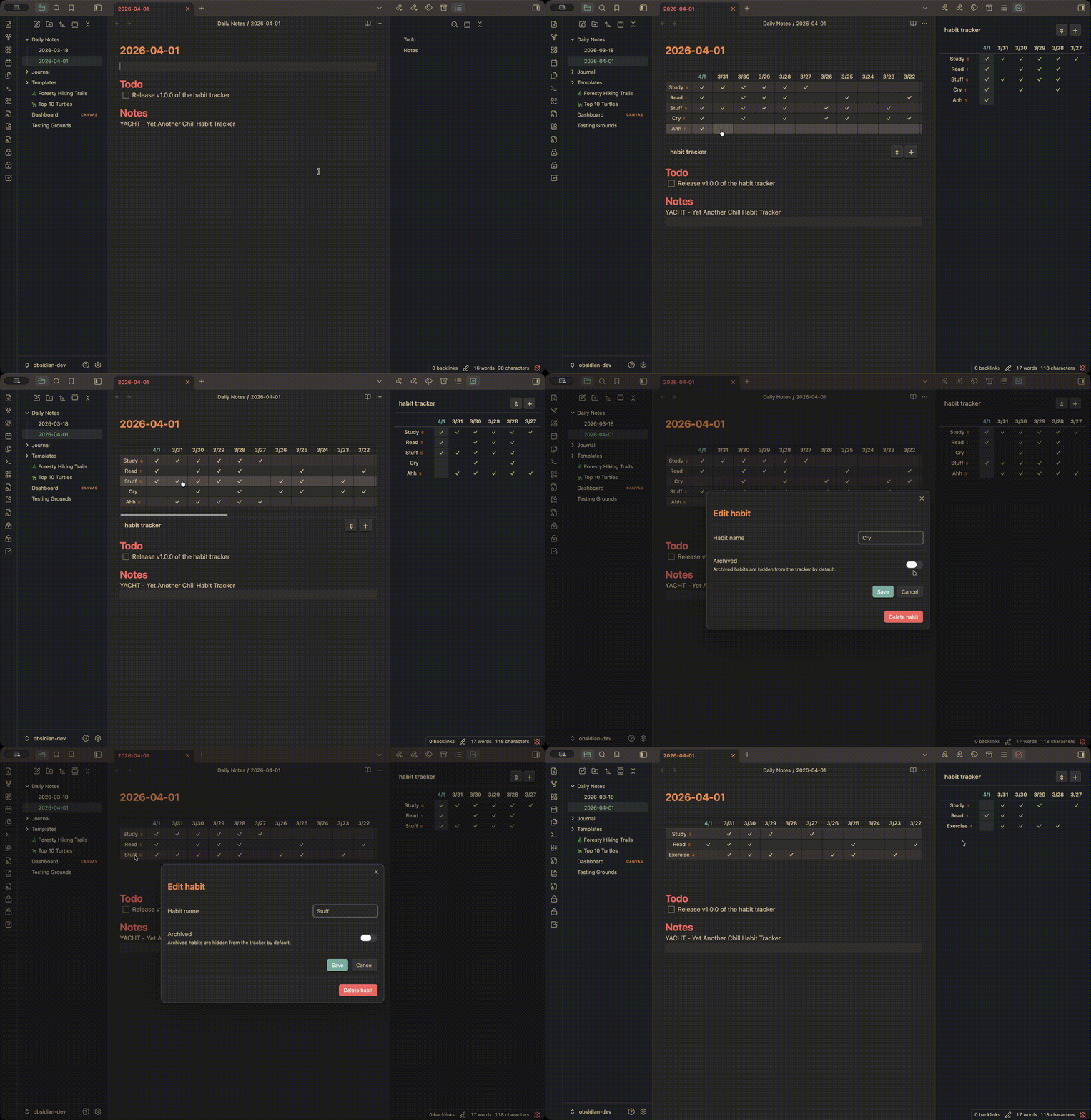
Demo

Features

Habit tracker view

There are two ways to display the habit tracker:

  1. Sidebar/Tab view
  2. Embedded view

Sidebar/Tab view

Clicking the habit tracker ribbon or running the Open habit tracker command will open the habit tracker tab:

Embedded view

Adding the codeblock:

```habit-tracker
```

to any note will embed an interactive habit tracker.

Streak indicator

The number of consecutive completed days are displayed next to each habit name, counting backward from today.

Add, edit, and archive habits

Click the + button or run the "Add habit" command to add a new habit. Click any habit name to edit it, rename it, or archive it. Archived habits are hidden from the tracker by default but can be shown via settings.

Import and export

Export all habits and logs to a JSON file from the settings tab. Import a previously exported file with two options:

  • Replace all - overwrites all existing habits and logs with the imported data
  • Merge - adds imported habits alongside existing ones, with duplicate resolution (Replace, Merge logs, or Ignore per duplicate)

Settings

Setting Description
Date window size Number of date columns to display (default: 30)
Date format Format for column headers, e.g. M-D (default: M/D)
Show archived habits Include archived habits in the tracker view
Export data Download all habits and logs as a JSON file
Import data Import habits and logs from a JSON file

(Potential) Future Todos

  • Overview of habit history / Heatmap
  • Customizable CSS settings
  • Import from Loop Habit Tracker (CSV export handling)
83%
HealthExcellent
ReviewSatisfactory
About
Track habits directly inside Obsidian with a local, exportable habit tracker offering sidebar/tab and embeddable views. View streaks, add/edit/archive habits, and import or export JSON with merge or replace options.
TasksSidebarExport
Details
Current version
1.0.1
Last updated
2 months ago
Created
4 months ago
Updates
2 releases
Downloads
135
Compatible with
Obsidian 1.12.4+
Platforms
Desktop, Mobile
License
0BSD
Report bugRequest featureReport plugin
Author
jayandohjayandoh
GitHubjayandoh
  1. Community
  2. Plugins
  3. Tasks
  4. YACHT

Related plugins

Checklist

Consolidate checklists across all files into a single view.

Timekeep

Time tracking.

Notebook Navigator

A better file browser and calendar inspired by Apple Notes, Bear, Evernote and Day One.

Recent Files

Display a list of recently opened files.

TaskNotes

Note-based task management with calendar, pomodoro and time-tracking integration.

Day Planner

Day planning from a task list in a Markdown note with enhanced time block functionality.

Tasks

Track tasks across your vault. Supports due dates, recurring tasks, done dates, sub-set of checklist items, and filtering.

Longform

Helps you write and edit novels, screenplays, and other long projects.

Flexplorer

Enhance the file explorer with custom sorting, pinning, and hiding.

HiNote

Add comments to highlighted notes, use AI for thinking, and flashcards for memory.