Wysimark Editor
 TAKESHI MORITA5k downloads
A modern WYSIWYG Markdown editor. Edit your notes with a rich text interface while keeping pure Markdown.
- Overview
- Scorecard
- Updates49
A modern WYSIWYG Markdown editor plugin for Obsidian. Edit your notes with a rich text interface while keeping pure Markdown.
Features
Rich Text Editing
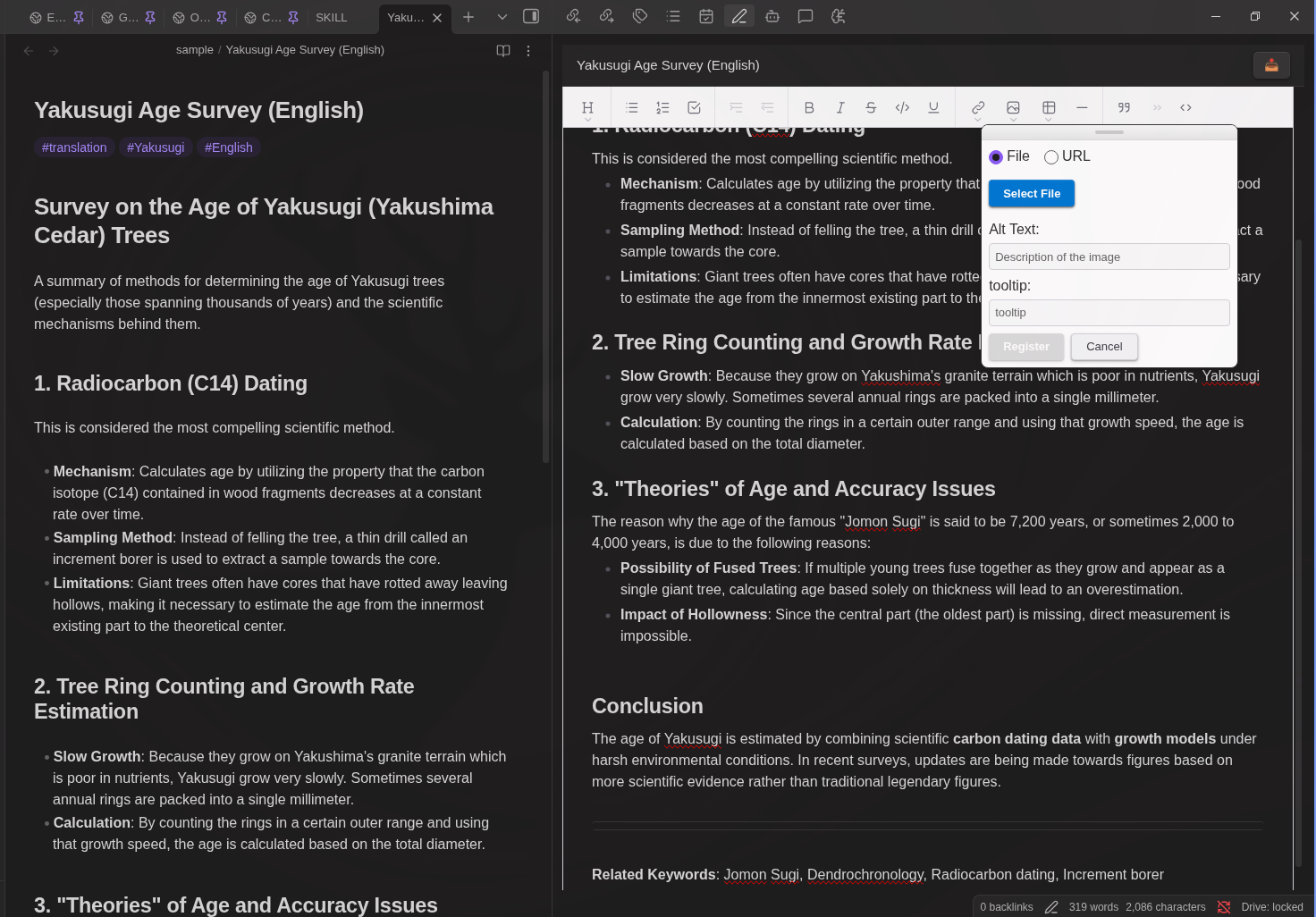
Edit your Markdown files visually with a familiar word processor-like interface. The editor automatically converts between Markdown and rich text format.
Text Formatting
- Bold (
Ctrl/Cmd + B) - Italic (
Ctrl/Cmd + I) Strikethrough(Ctrl/Cmd + K)Inline Code(Ctrl/Cmd + J)- Underline (
Ctrl/Cmd + U)
Headings
- Heading 1 (
Ctrl/Cmd + Alt + 1) - Heading 2 (
Ctrl/Cmd + Alt + 2) - Heading 3 (
Ctrl/Cmd + Alt + 3) - Normal paragraph (
Ctrl/Cmd + Alt + 0)
Lists
- Bullet lists (
Ctrl/Cmd + Alt + 8) - Numbered lists (
Ctrl/Cmd + Alt + 7) - Task/Check lists (
Ctrl/Cmd + Alt + 9) - Increase indent (
Tab) - Decrease indent (
Shift + Tab)
Block Elements
- Block quotes (
Ctrl/Cmd + Alt + .) - Code blocks with syntax highlighting
- HTML blocks (iframe, video embeds, etc.) - displayed as read-only blocks and preserved as raw HTML
- Callouts (
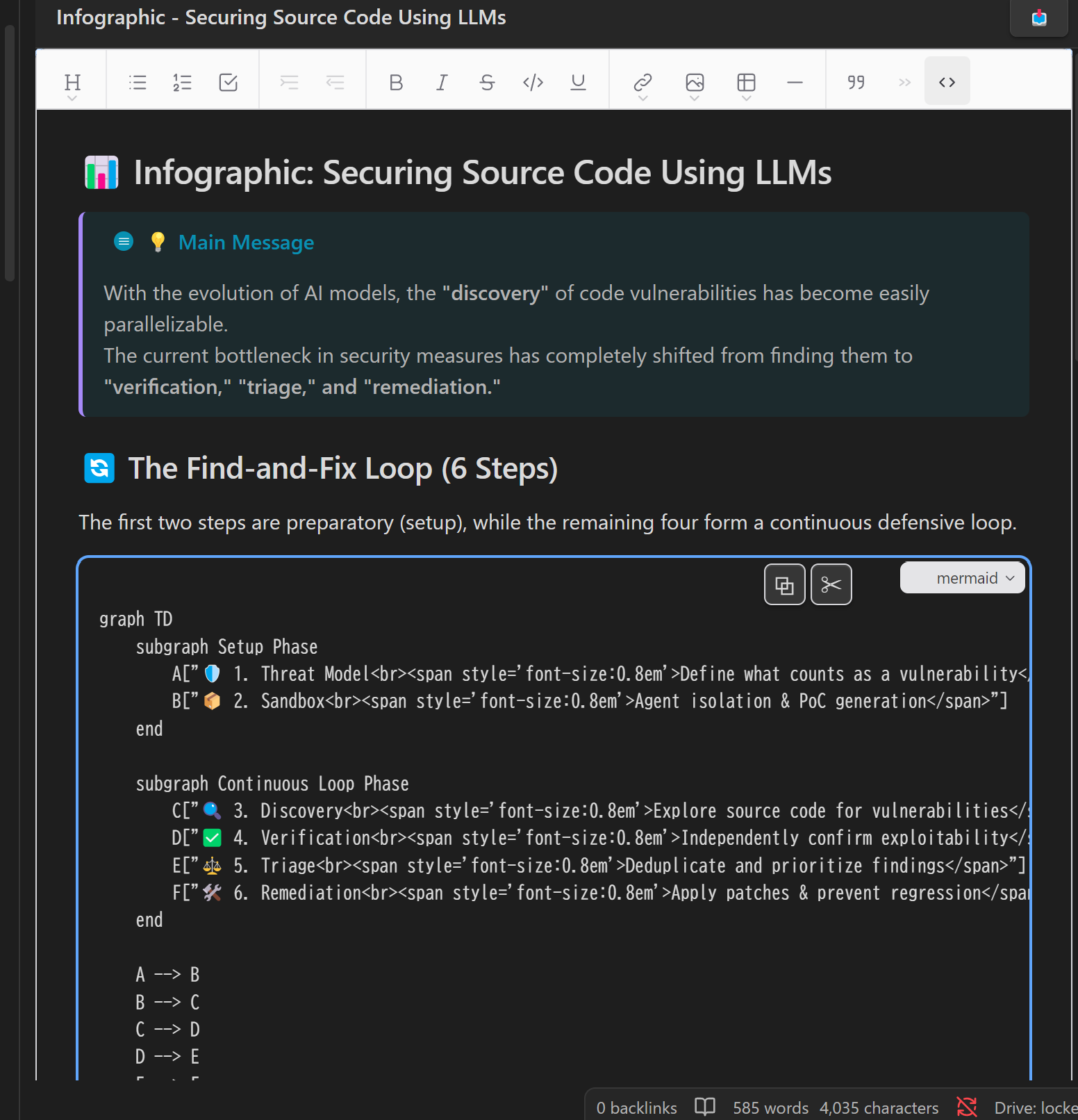
> [!note],> [!warning], etc.) rendered with their icon and color - Mermaid code blocks rendered as live diagram previews
Tables
- Insert tables from toolbar
- Navigate cells with
Tab/Shift+Tab Enter: Insert line break within cellShift+Enter: Move to next cell (adds new row at end)Tabat last cell: Exit table
Links and Images
- Insert links (
Ctrl/Cmd + K) with text and tooltip - Edit existing links (URL, text, and tooltip)
- Selected text becomes link text automatically
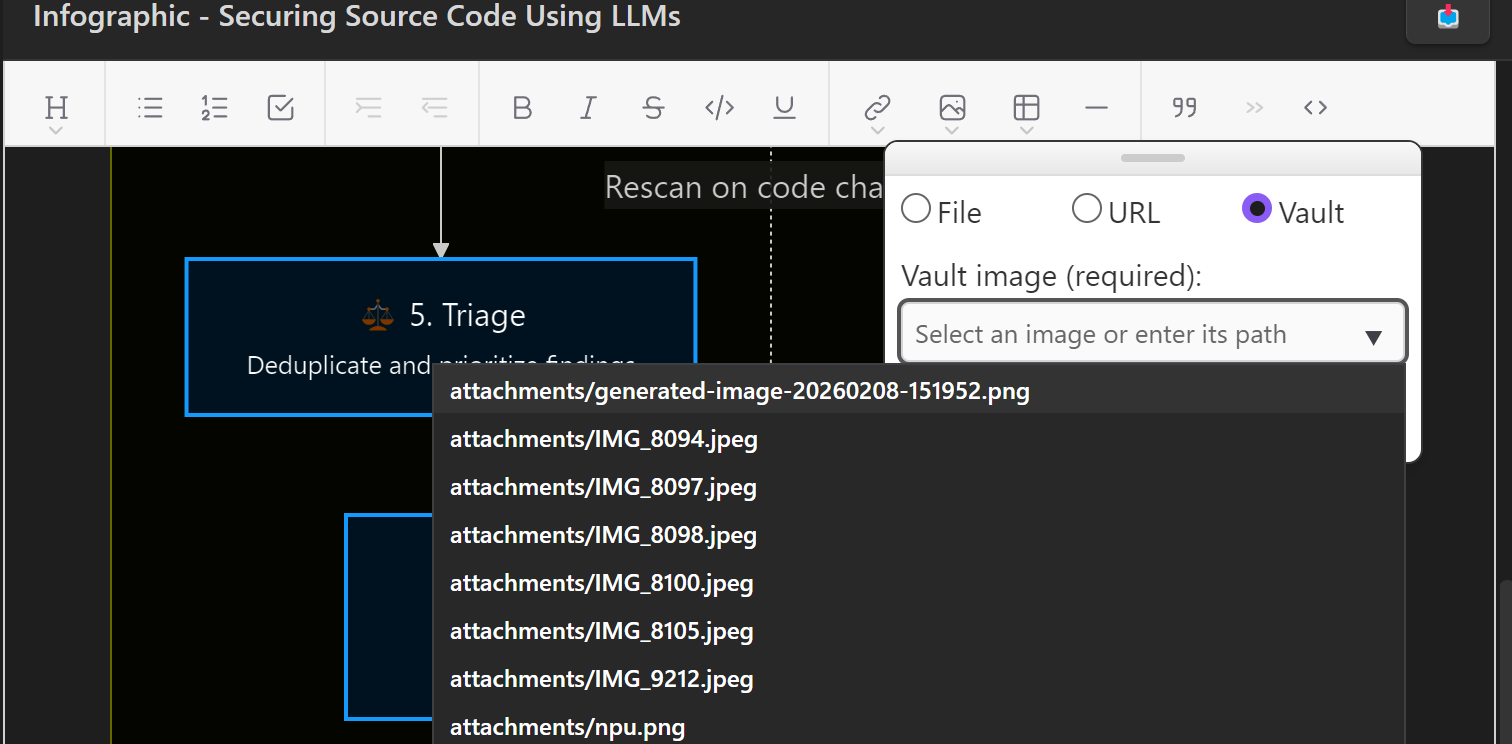
- Insert images from URL
- Insert images from local files (saved to vault)
- Insert images already in the vault via a searchable file picker
Other Features
- Frontmatter Support: YAML frontmatter (properties) at the beginning of files is preserved but hidden from the editor
- Auto-save: Changes are automatically saved with a 1-second debounce
- Reload button: Click the 📥 button to reload the file from Obsidian (useful when the file is modified externally)
Installation
Community Plugins (Recommended)
- Open Obsidian Settings
- Go to Community plugins and disable Restricted mode
- Click "Browse" and search for "Wysimark Editor"
- Install and enable the plugin
Plugin page: https://community.obsidian.md/plugins/wysimark-editor
Manual
- Download
main.js,manifest.json,styles.cssfrom releases - Create
wysimark-editorfolder in.obsidian/plugins/ - Copy files and enable in Obsidian settings
Usage
- After enabling the plugin, a Wysimark panel will appear in the right sidebar
- Click on any Markdown file in your vault to open it in the Wysimark editor
- Edit your content using the toolbar or keyboard shortcuts
- Changes are saved automatically
Development
Build Commands
# Development mode with watch (auto-rebuilds on changes)
npm run dev

# Production build with TypeScript type checking and minification
npm run build
Technology Stack
- Editor: Wysimark (built on Slate.js + React)
- UI Framework: React 19 with Emotion for styling
- Build: esbuild
Credits
This plugin is built using Wysimark, an excellent open-source WYSIWYG Markdown editor. Special thanks to @thesunny for creating and maintaining this fantastic library. Wysimark is licensed under the MIT License.
License
MIT
Author
takeshy
HealthExcellent
ReviewSatisfactory
About
Edit notes with a WYSIWYG rich-text interface while preserving the underlying Markdown source. Apply familiar formatting and block elements (headings, lists, code blocks, tables, HTML embeds), insert links and images, and keep YAML frontmatter hidden and preserved with auto-save and a reload option.Details
Current version
1.2.4
Last updated
2 months ago
Created
9 months ago
Updates
49 releases
Downloads
5k
Compatible with
Obsidian 1.8.7+
Platforms
Desktop, Mobile
License
MIT
Sponsor