Translation Token Audit
 theluckystrike1 downloads
Find missing, added, or changed placeholders in translated line pairs.
- Overview
- Scorecard
- Updates1
Translation Token Audit compares placeholders in two notes. Put the source strings in one note and the translated strings in another. Keep one translation unit per physical line. The report shows missing tokens, added tokens, changed types and unnumbered printf order differences. Select a result to open that line in the target editor.
The free check reads local Markdown notes. It does not change their text. Use it when you review strings before you copy them into an application. A passed line means that the supported tokens match. It does not show whether the translation is correct or whether the application can render the string.
Features
Choose source and target notes
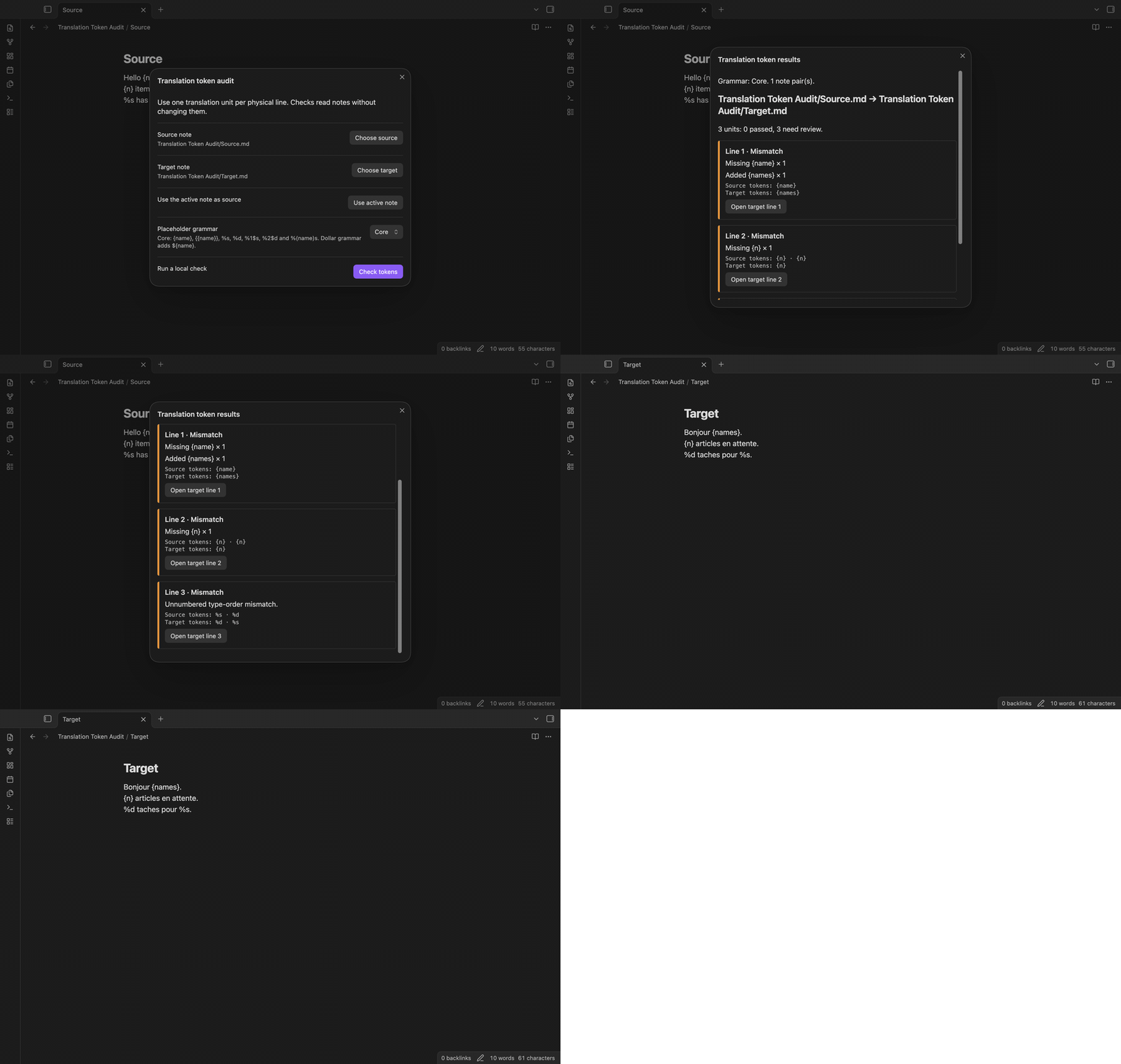
Open the command palette and select Check translated line pairs. Use Choose source and Choose target to search Markdown note paths. Use active note sets the open Markdown note as the source. The selected paths appear beside the controls. Choose the core grammar, then select Check tokens. The plugin saves the paths after the check so that you can use them again.
Read named braces and printf tokens
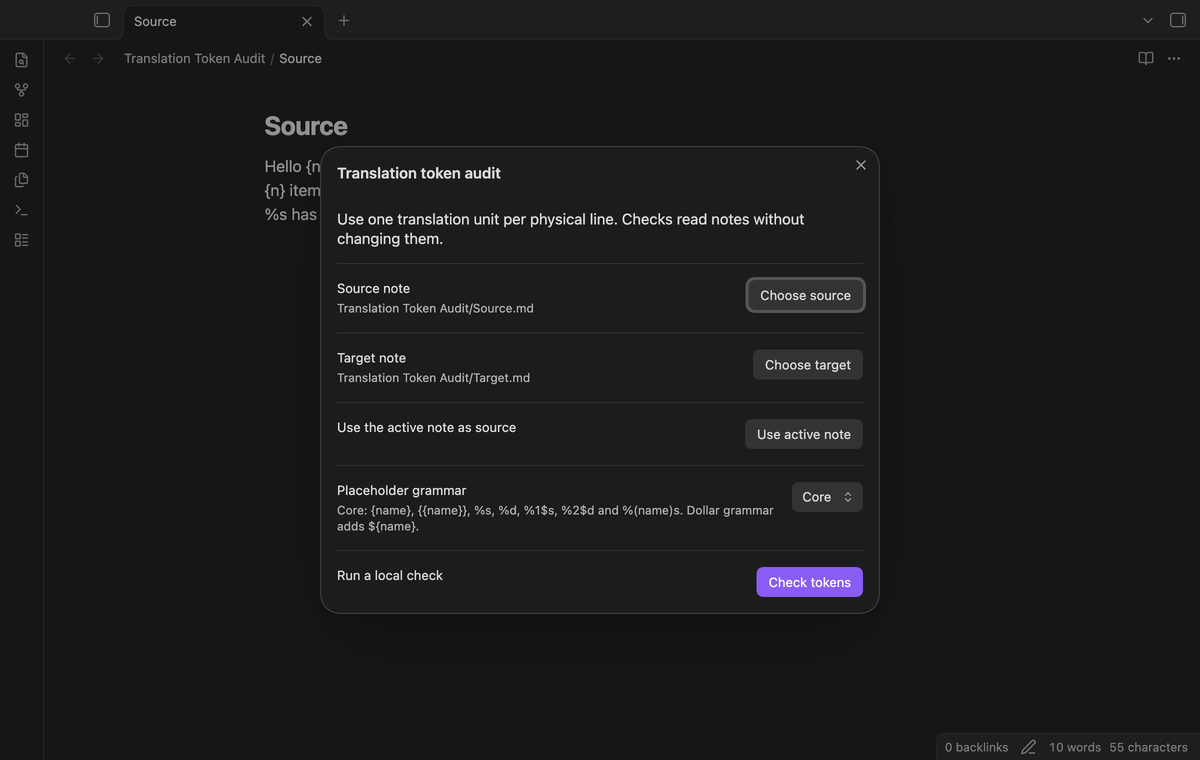
The core reader accepts single named braces such as {name} and double braces such as {{name}}. A double-brace expression counts as one token. It is distinct from a single-brace expression. Names begin with an ASCII letter or underscore. The remaining characters can be ASCII letters, digits, underscore characters, dots or hyphens. Token names keep their case.
Printf support is limited to %s, %d, numbered forms such as %1$s and %2$d, and named string forms such as %(detail)s. The escape %% is ignored. A percent sign at the end of a line or before whitespace is plain text. This release does not implement full printf parsing.
Compare counts and order
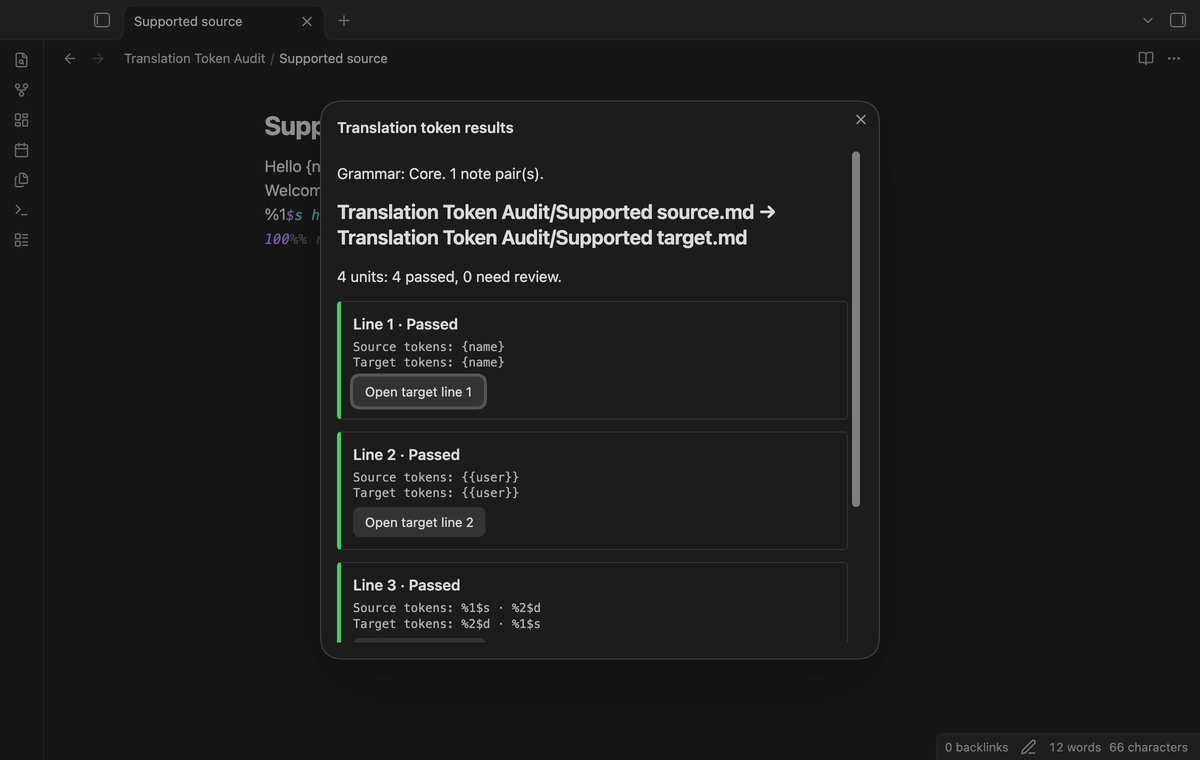
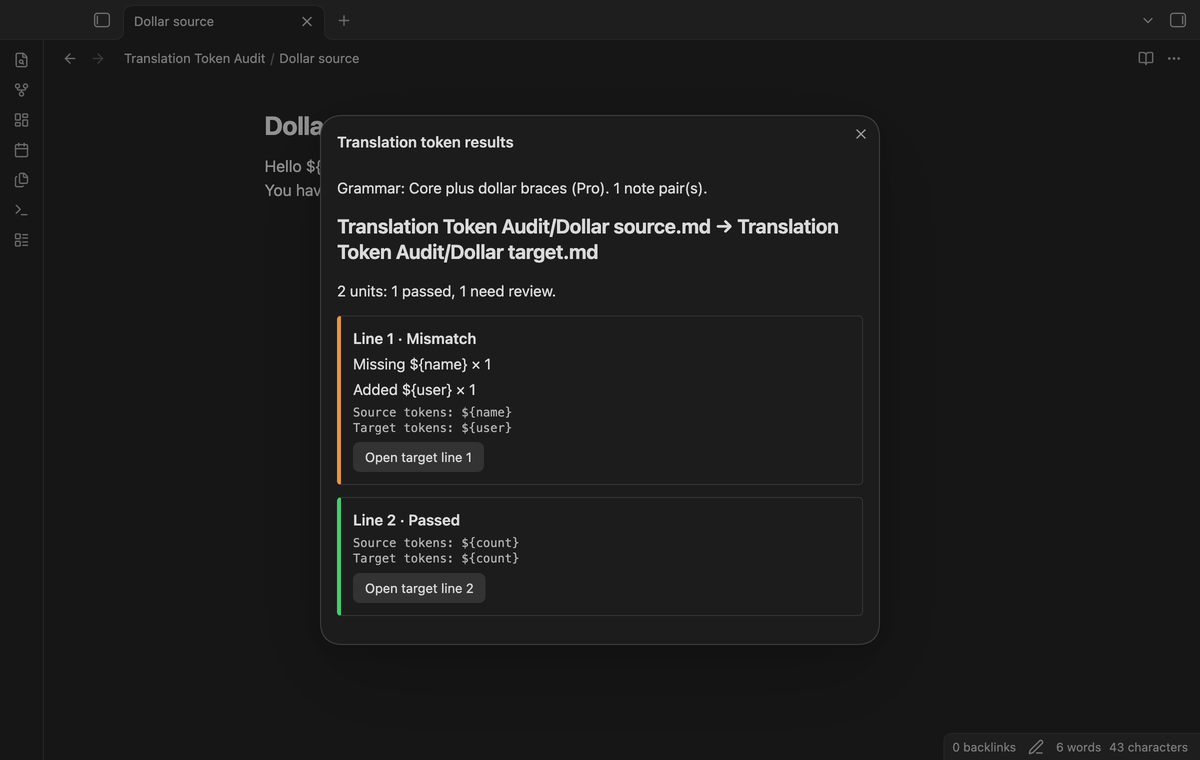
A missing or added token has an occurrence count. For example, two source occurrences of {n} and one target occurrence produce Missing {n} × 1. Changed names appear as a missing source token and an added target token. Changed numbered types use the same rule.
Named and numbered placeholders can move within a unit. Unnumbered printf placeholders keep their type sequence. A source %s has %d and target %d pour %s produce an unnumbered type-order mismatch even though their counts match. The report lists source and target tokens so that you can inspect the difference.
Review results and open target lines
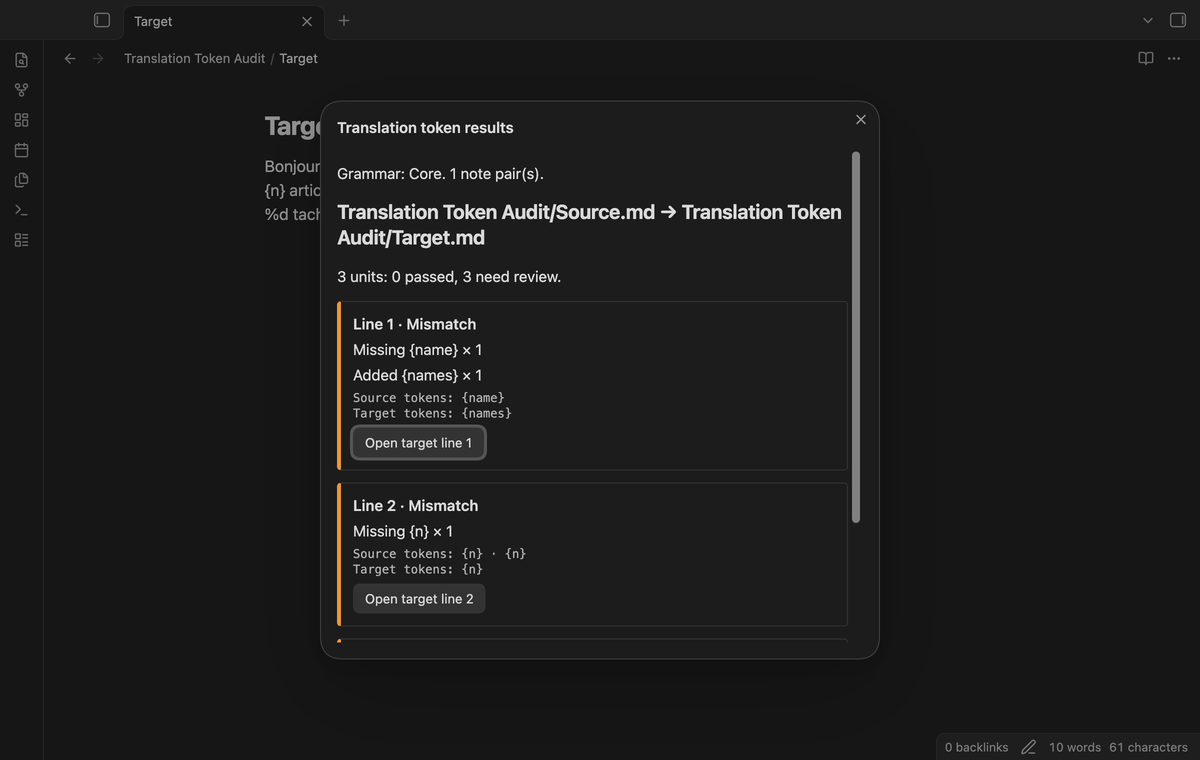
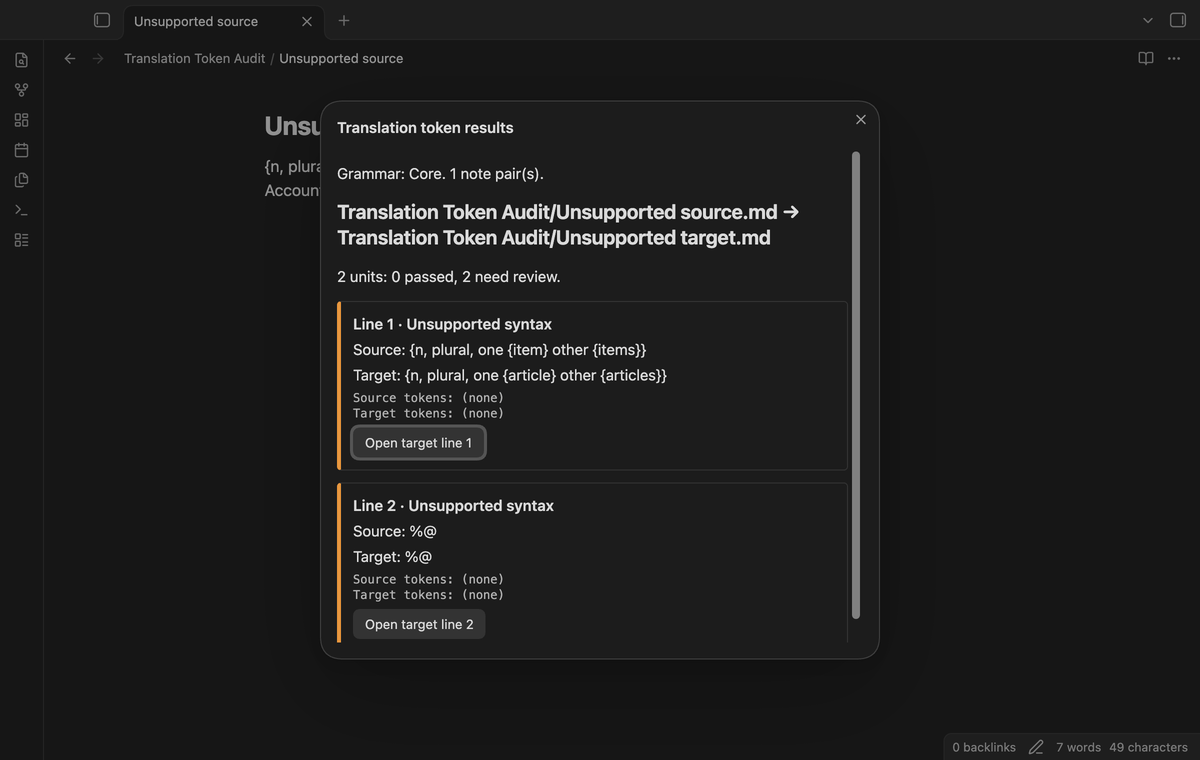
Results use physical line numbers, starting at one. A row can be passed, mismatch or unsupported syntax. Nested ICU braces, numeric braces, unclosed or extra braces, Apple %@, printf widths and unsupported conversion types need review. An unsupported row cannot be passed merely because the target uses the same expression.
Select Open target line on a row to close the report and open the target in source mode. The cursor moves to the start of the line. If the note changed after the check, run the check again before you use the old result. Reports stay in memory and close when the plugin unloads.
Declared folder pairs (Pro)
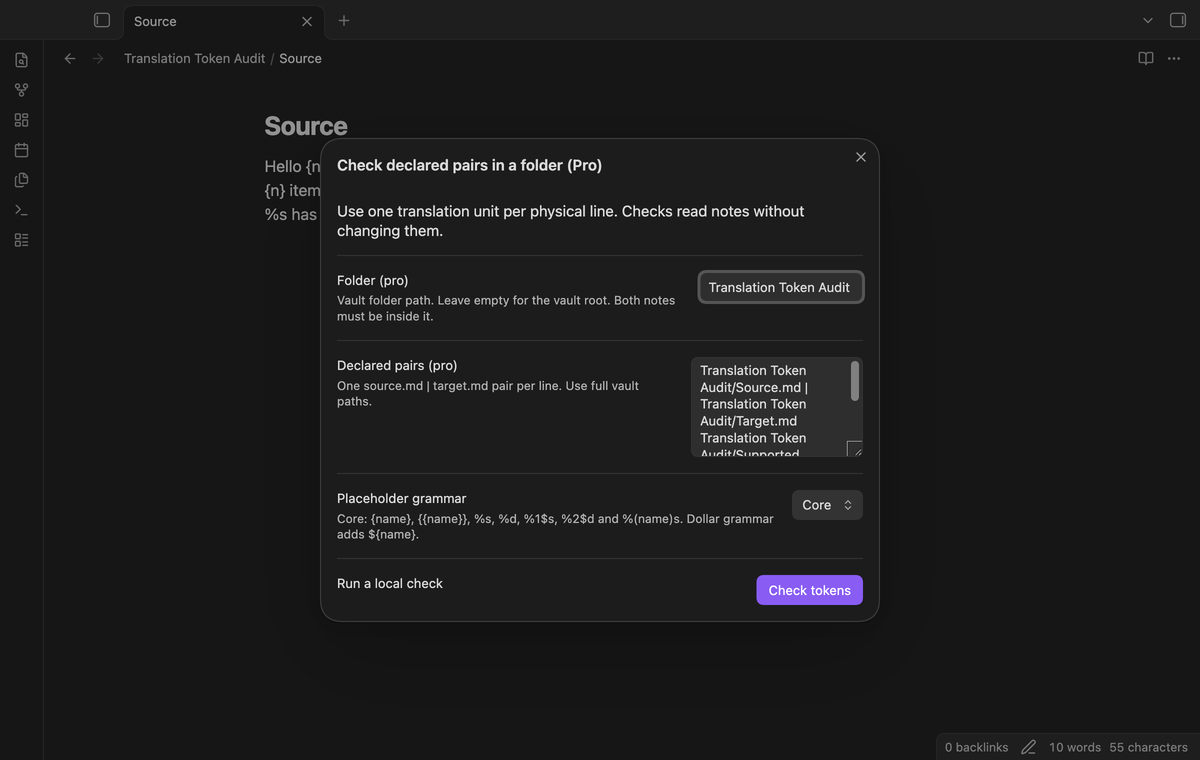
The folder command checks a list of declared pairs. Enter a vault folder path and one source.md | target.md declaration per line. Use full vault paths, including the folder name. Both paths must be in the selected folder or one of its subfolders. An empty folder field selects the vault root.
The plugin checks the declared pairs in their listed order. It does not infer pairs from similar names. A broken declaration or a path outside the selected folder stops the run. A missing note has a pair error. This keeps an unrelated note from being used as a translation target. Folder and declaration fields are saved after a completed check.
Dollar-brace grammar (Pro)
Select Core plus dollar braces to add ${name} placeholders to the core grammar. The name rule is the same as for named braces. Dollar braces and ordinary braces are separate token forms. This grammar has separate acceptance tests for matching names, changed names, distinct forms and nested expressions. It does not add ICU support or more printf conversions. The core grammar reports dollar braces as unsupported syntax.
Install
For manual installation, copy main.js, manifest.json and styles.css from a release build into <vault>/.obsidian/plugins/translation-token-audit/. Open Community plugins in Obsidian settings and enable Translation Token Audit. Use Obsidian 1.13.4 or later. The source package includes the MIT license.
Use a copy of your translation notes for the first review. No account is needed for the core check. The plugin does not include a translation service or an automatic updater.
Usage
Create two plain Markdown notes with corresponding units in the same line positions. Do not add a heading or frontmatter unless it is also a translation unit. The plugin reads raw note text, including Markdown syntax. It does not extract strings from JSON, YAML or an application catalog.
Run the pair command, choose both notes and check tokens. Review the rows that need attention. Open a target line, make the required change in the editor, and run the command again. The check is manual; typing in a note does not start a new report.
One terminal newline is treated as a file terminator. Blank lines inside the file are units. CRLF and CR line endings become LF before comparison. If line counts differ, the report gives both counts and compares zero units. Correct the alignment first. This prevents an inserted unit from shifting the remaining comparisons.
Settings
The settings tab shows the local check description and the GitHub Sponsors controls. Note selection, folder declarations and grammar selection are in the check dialog. The grammar starts as core when you open a new dialog. Selected note paths and completed folder inputs are stored in the vault's plugin data. Report rows are not stored there.
FAQ
Does a passed result prove translation quality? A pass only compares supported token forms, counts and unnumbered order. Review meaning, punctuation and application behavior separately.
Can I use a different placeholder language? Use the documented grammar. Arbitrary regular expressions and user-defined grammars are not included. Unsupported syntax requires a separate tool or a future tested grammar.
What was not tested? Physical Android and iOS devices, Linux app sessions, custom themes, live GitHub sign in, real payments, concurrent edits during a check and very large translation catalogs were not tested. App tests use sample notes and a simulated sponsorship reply. App tests ran on macOS with matching app and installer versions. The plugin uses public Obsidian APIs and browser APIs; its manifest permits mobile loading without claiming device test coverage.
Payment, account and network
The core features are free. Pro features need a GitHub Sponsors sponsorship of theluckystrike: $5 a month or more, or $15 once. A total payment of $15 meets the payment requirement for Pro without further payment. Sign-in and the checks below still apply. Your notes stay readable and editable with or without Pro.
GitHub handles the payment. Sponsor at https://github.com/sponsors/theluckystrike. You need no account for the free features. Pro needs the GitHub account that sponsors.
Until you select "Sign in with GitHub" in the settings, Translation Token Audit makes no network requests. Sign in uses the GitHub device flow. Translation Token Audit sends its public client ID and the scope read:user to https://github.com/login/device/code and shows you a code. While you enter the code at https://github.com/login/device, it asks https://github.com/login/oauth/access_token every few seconds to check the sign-in status. The scope permits profile reads only. GitHub needs this access to show the sponsorship tier. It grants no repository scope and no write access.
After sign in, Translation Token Audit sends one query to https://api.github.com/graphql. It checks if the signed-in account sponsors theluckystrike. It asks for the tier and the total payment to theluckystrike. The plugin reuses a successful check for 7 days. Failed checks can retry after 6 hours. Select Refresh to request an earlier check. It sends no note content, file names or other vault data, and it has no telemetry.
After a successful check, Pro can work offline for up to 14 days. Sign out or a negative sponsorship answer turns Pro off. The plugin stores the GitHub token through the secret storage API of Obsidian. It does not put the token in its saved settings or its local sponsorship data. The local storage of this device keeps your GitHub login, the tier and the time of the last check. Sign out clears the token. You can also revoke the access in your GitHub settings, under Applications.
Support
For support, visit notemods.com. Include the plugin version, Obsidian version, selected grammar and a small source and target example. Remove private content before you share it. A useful example states the expected tokens and the result that you received. Keep a copy of the original translation files while you review edits.