Search...Search plugins and themes...
⌘K
Sign in
  • Get started
  • Download
  • Pricing
  • Enterprise
  • Account
  • Obsidian
  • Overview
  • Sync
  • Publish
  • Canvas
  • Mobile
  • Web Clipper
  • CLI
  • Learn
  • Help
  • Developers
  • Changelog
  • About
  • Roadmap
  • Blog
  • Resources
  • System status
  • License overview
  • Terms of service
  • Privacy policy
  • Security
  • Community
  • Plugins
  • Themes
  • Discord
  • Forum / 中文论坛
  • Merch store
  • Brand guidelines
Follow us
DiscordTwitterBlueskyThreadsMastodonYouTubeGitHub
© 2026 Obsidian

Tengwar

mikevetkinmikevetkin293 downloads

Support Tengwar (The Elvish Letters).

Add to Obsidian
  • Overview
  • Scorecard
  • Updates13

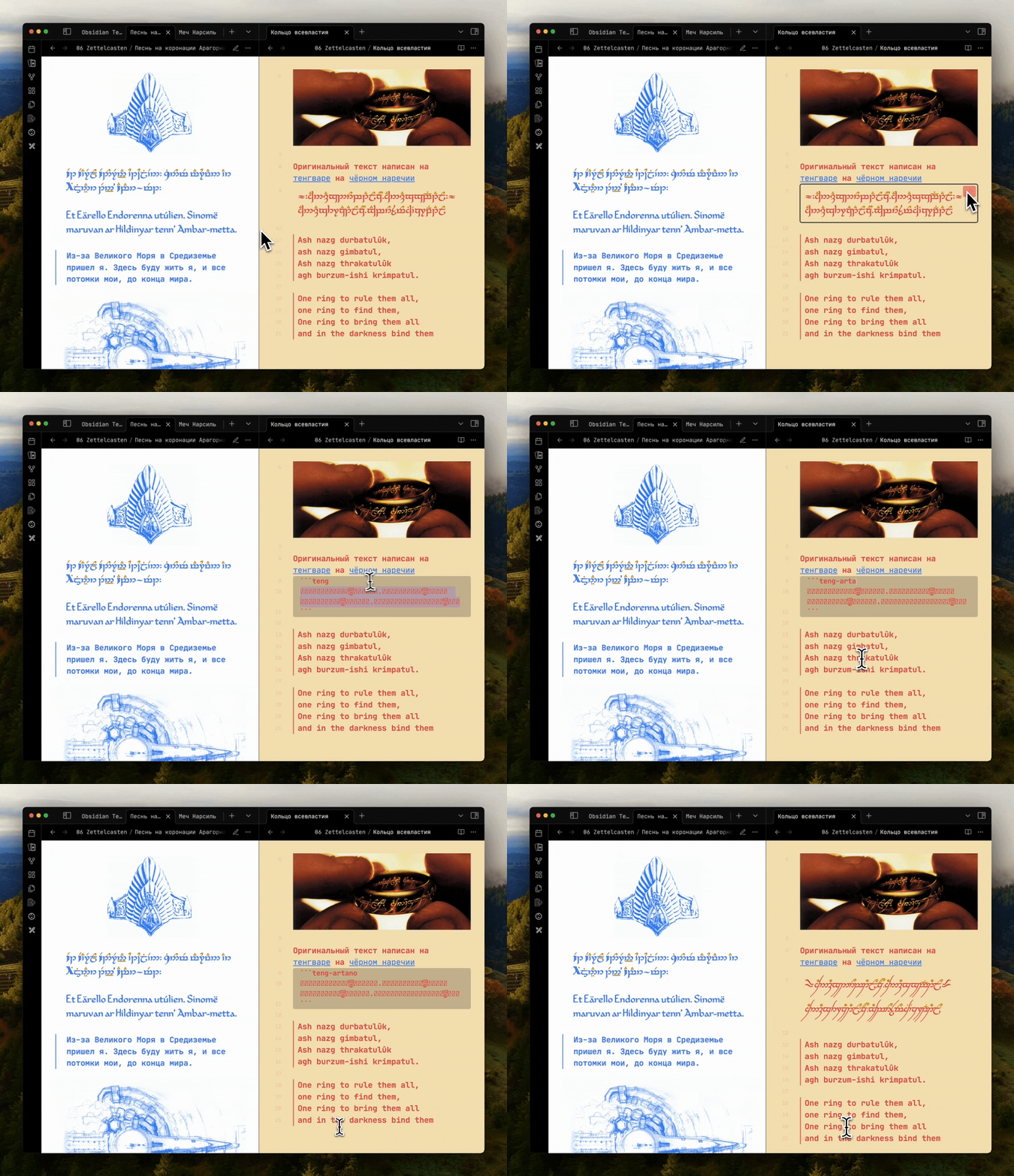
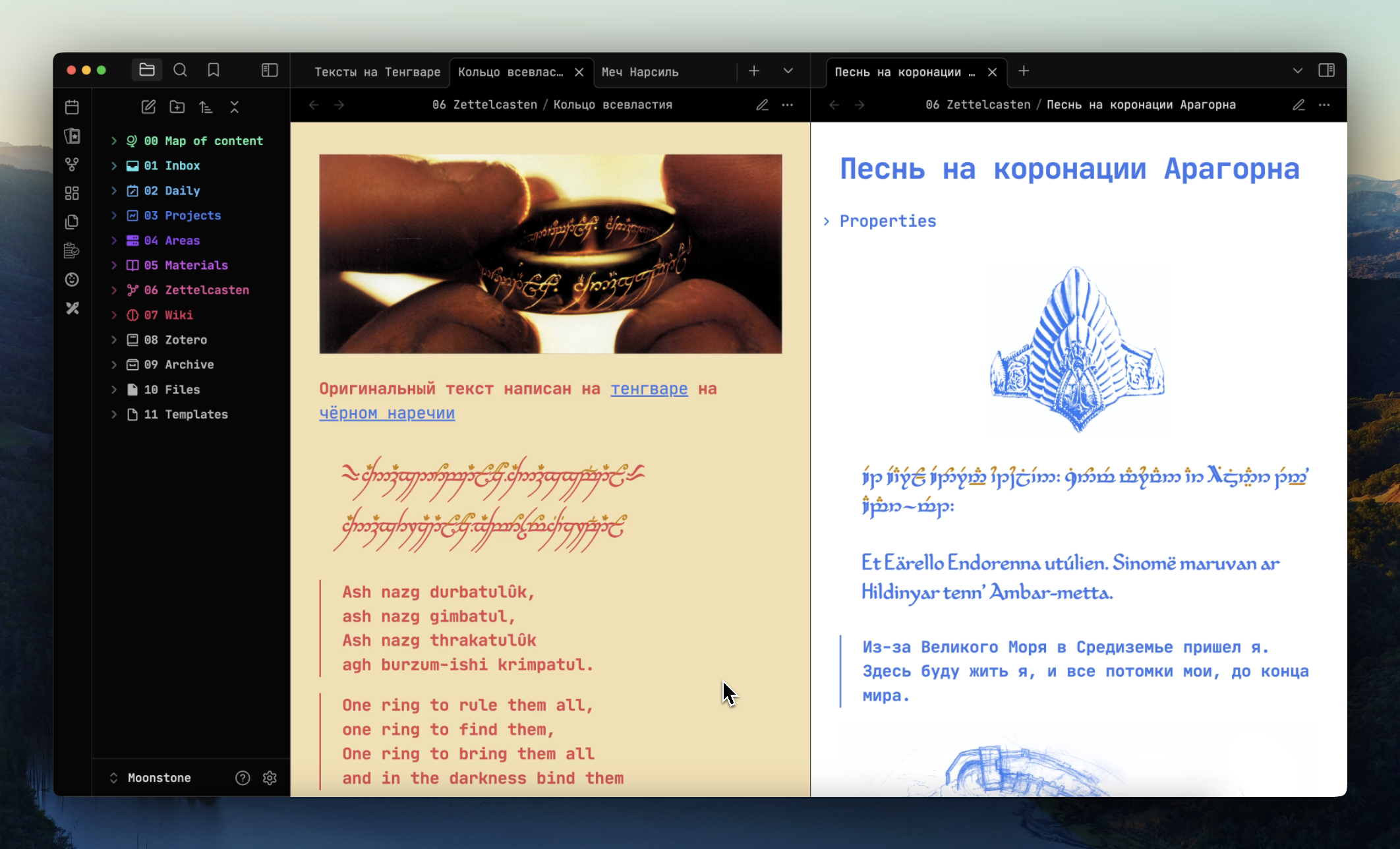
An Obsidian plugin that allows you to add tengwar to your notes
Tengwar Text Examples

How to use

Tengwar Text Examples

To add text in Tengwar to the document:

  • create a block of code;
  • specify the extension teng;
  • paste tengwar text.

For example:

```teng
        
```

Apply a specific font on a page

Tengwar Text Examples

You may need to set different fonts for different notes, other than the main font selected in the settings.

To do this, in the code block, add the font name separated by a - to the keyword teng. For example:

```teng-artano
.
.
```

Other keywords: teng, teng-annatar, teng-eldamar, teng-primate, teng-alcarin, teng-artano, teng-telcontar, teng-freemono.

[!IMPORTANT] If you changed the keyword from tang to elfish in the settings, you need use font name with this keyword. For example: elfish-telcontar or elfish-eldamar.

Supported encodings

At the moment there are two ways to work with Tengvar on a computer in the community:

  • ISO 8859-1;
  • ConScript Unicode Registry;

Both ways is supported.

Supported devices

The plugin supports all devices. But at the moment, on Apple devices, there are problems with rendering some CSUR fonts.

Using with other plugins

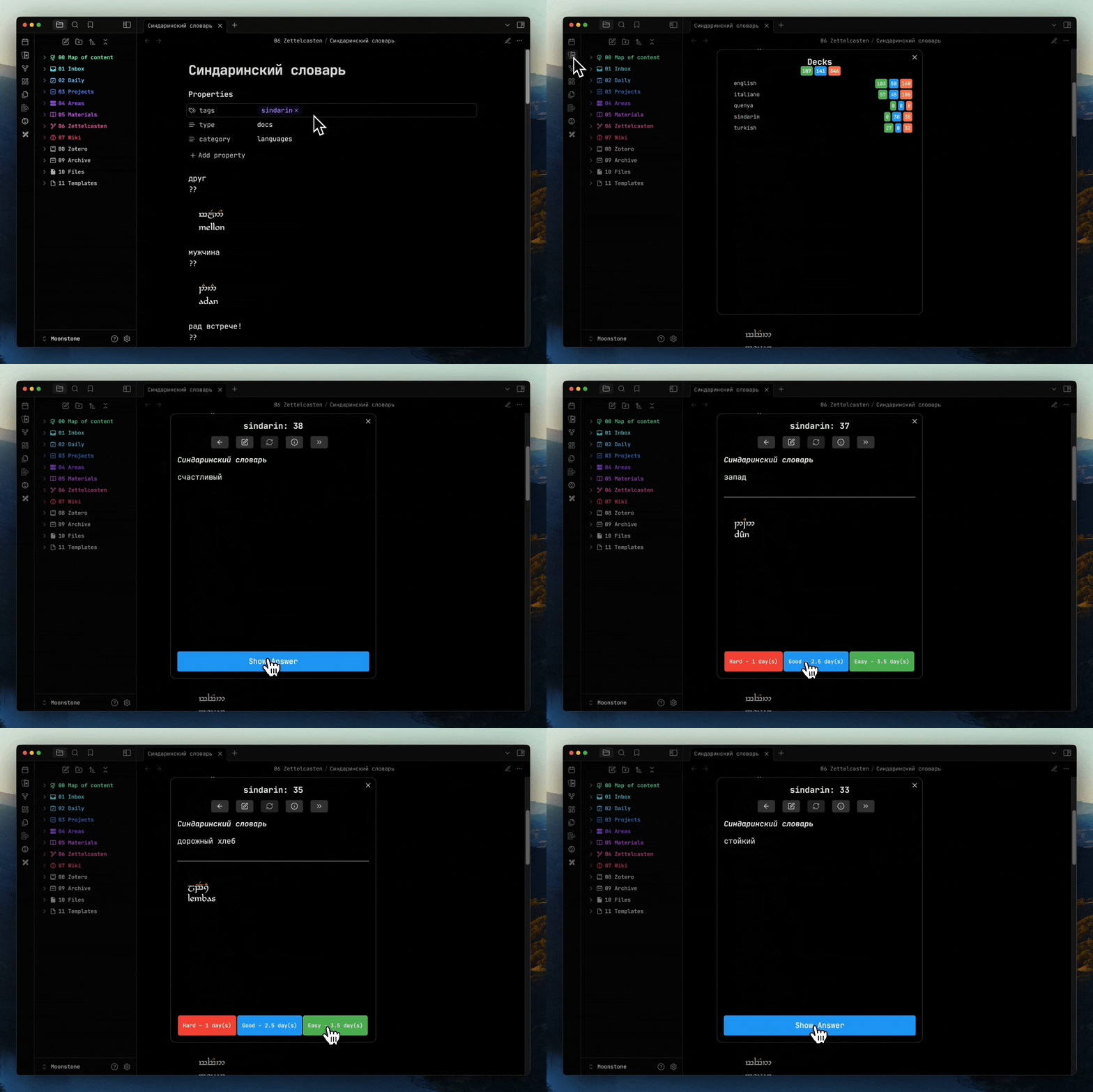
By installing Tengwar and Spaced Repetition, you can learn Elvish through flash cards:
Tengwar Text Examples

Editing mode (WIP)

[!IMPORTANT] In the editing mode, the Elvish letters turn into nonsense. Support for Tengwar in edit mode is currently in development.

Contacts

If you have questions or suggestions, text me in Telegram mikevetkin or create issue on Github.

76%
HealthGood
ReviewCaution
About
Render Tengwar text by creating fenced code blocks tagged teng (or teng-fontname) to display Elvish script in your notes, with support for ISO-8859-1 and ConScript Unicode Registry encodings. Apply specific Tengwar fonts per note and use with spaced-repetition plugins to study Elvish; editing-mode rendering and some Apple font rendering remain a work in progress.
FontsAppearanceLanguages
Details
Current version
1.0.12
Last updated
Last year
Created
Last year
Updates
13 releases
Downloads
293
Compatible with
Obsidian 0.15.0+
Platforms
Desktop, Mobile
License
GPL-3.0
Report bugRequest featureReport plugin
Author
mikevetkinmikevetkin
mikevetkin.com
GitHubmikevetkin
  1. Community
  2. Plugins
  3. Fonts
  4. Tengwar

Related plugins

Minimal Theme Settings

Control the colors and fonts in Minimal Theme.

Hider

Hide interface elements such as tooltips, status bar, titlebar, and more.

Style Settings

Adjust theme, plugin, and snippet CSS variables.

Simplified Chinese Word Splitting

Adds Simplified Chinese word splitting support for the editor and Vim mode.

Link Favicons

See the favicon for a linked website.

Easy Typing

Auto format when typing.

Lapel

Show the heading levels in the gutter of the editor.

Note Toolbar

Add customizable toolbars to your notes.

LanguageTool

Unofficial integration of the LanguageTool spell and grammar checker.

Pretty Properties

Makes note properties look more fun: adds side image, banners, list property colors and allows to hide specific properties.