Talon CQL
 Caio Lopes121 downloads
Syntax highlighting for CrowdStrike CQL (LogScale Query Language) in code blocks.
- Overview
- Scorecard
- Updates4
Obsidian plugin — syntax highlighting for CrowdStrike CQL (LogScale Query Language)
Threat hunters who document their work in Obsidian — playbooks, runbooks, DFIR notes — can now get proper syntax highlighting for embedded CQL queries. No equivalent plugin exists in the Obsidian community.
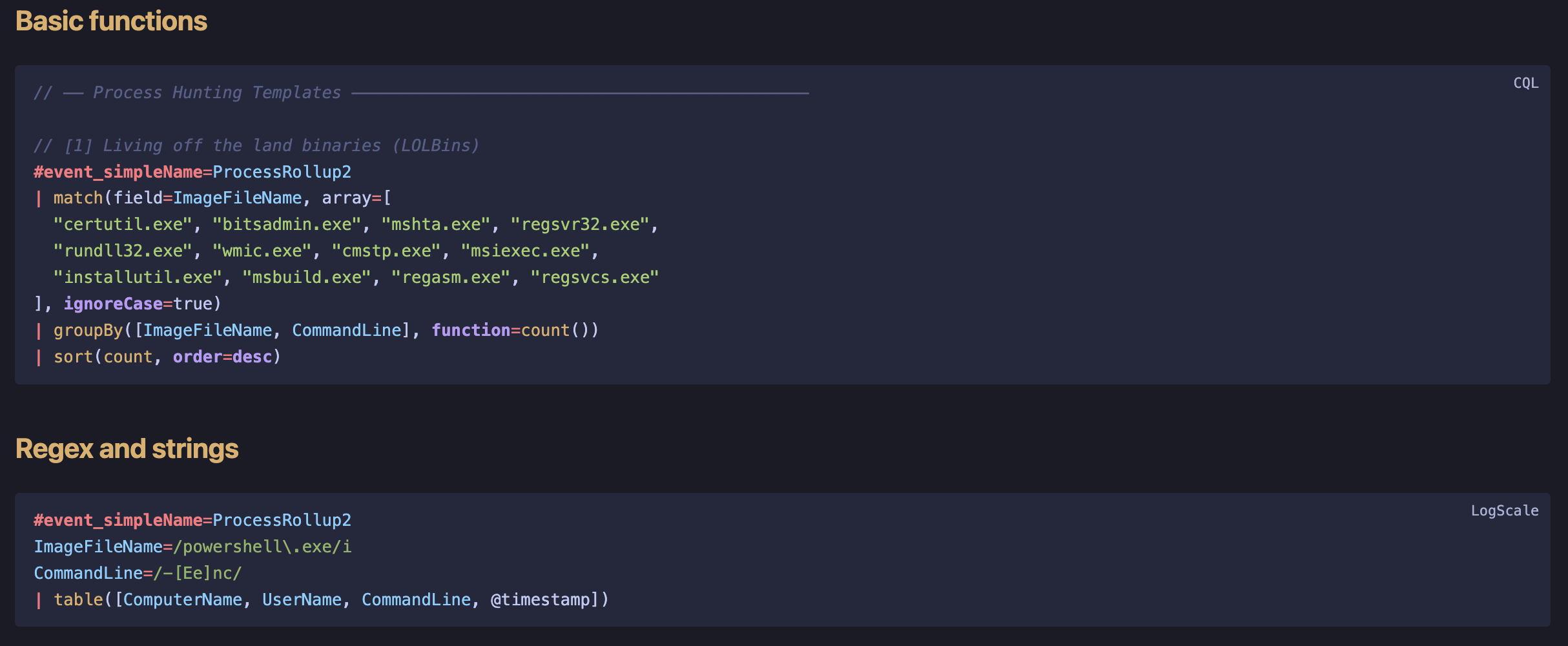
Usage
```cql
#event_simpleName=ProcessRollup2
ImageFileName=/powershell\.exe/i
| groupBy([ComputerName, CommandLine], function=count())
| sort(count, order=desc)
```
Also accepts ```logscale as an alias.
Blocks highlight through Obsidian's native code-block pipeline in reading mode, Live Preview, and source mode: colorization stays active while you edit, the language flair copies the block ("Copied to your clipboard"), and colors come from your theme's code variables.
Install
Community Plugin
Install from the Obsidian Community Plugins directory, or search for Talon CQL in Settings → Community Plugins.
Manual
- Download
main.js,manifest.json,styles.cssfrom the latest release - Create
.obsidian/plugins/talon-cql/in your vault - Copy the three files there
- Enable in Settings → Community Plugins
What gets highlighted
| Token | Example |
|---|---|
| Event fields | #event_simpleName, #aid, #cid |
| Built-in functions | groupBy, eval, timeChart, join |
| Namespaced functions | array:contains, math:abs, time:hour |
| Keywords | case, and, or, not, asc, desc |
| Operators | | := =~ != <= >= |
| Strings | "double" 'single' |
| Regex literals | /pattern/i |
| Numbers | 42, 3.14 |
| Comments | // and /* */ |
Query Templates
Ready-to-use hunting queries in templates/:
| File | Content |
|---|---|
process-hunting.cql |
LOLBins, encoded PowerShell, parent-child chains |
network-hunting.cql |
Beaconing, suspicious ports, geo anomalies |
identity-hunting.cql |
Brute force, off-hours logons, LSASS access |
Build
npm install
npm run build   # production → generates main.js
npm run dev     # watch mode for development
References
- Talon CQL on Obsidian Community Plugins
- CQL Syntax Reference
- LogScale Functions
- CrowdStrike LogScale Community Content
License
MIT