
- Overview
- Scorecard
- Updates32
This plugin integrates shiki via Expressive Code into Obsidian, providing better syntax highlighting for over 100 languages.
This plugin works in reading, live preview and edit mode, providing a consistent experience across the app.
Below is an example with line numbers, a custom header, and line highlighting.
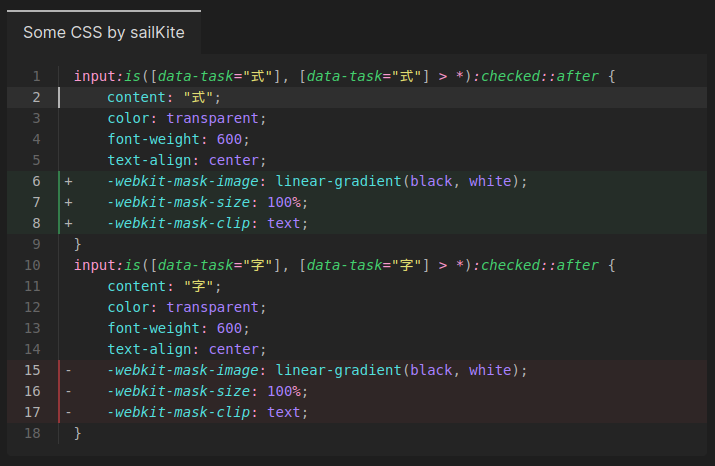
Comparison
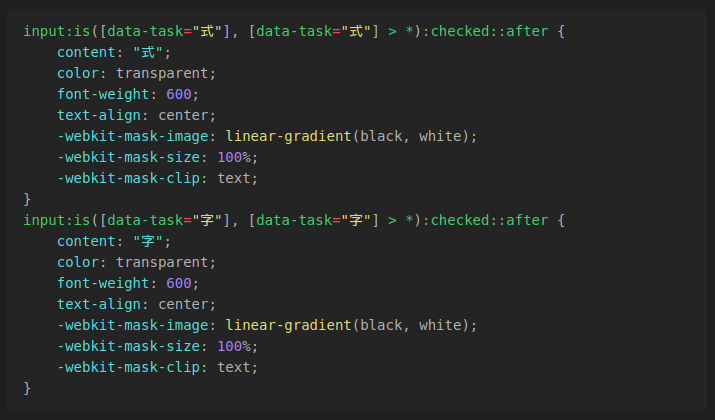
Default Obsidian syntax highlighting:
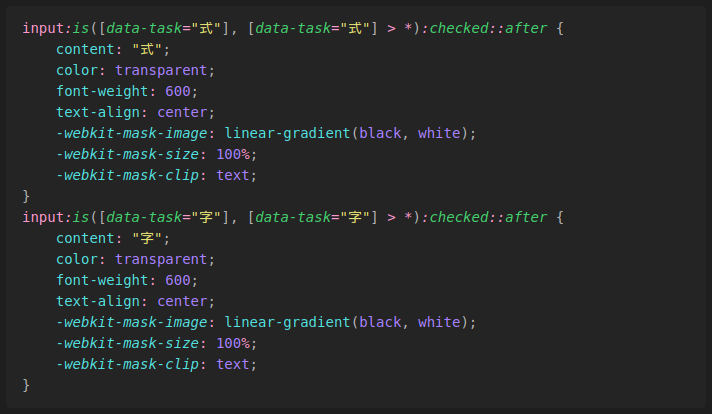
Shiki Plugin syntax highlighting:
Usage
The plugin will automatically highlight code blocks in your notes.
Inline Highlighting
This plugin offers inline code block highlighting. The language for inline code blocks is specified via {lang} code.
Some inline code `{jsx} <button role="button" />`.
This feature can be turned off in the settings.
Custom Themes
This plugin comes bundled with a wide variety of themes. In addition, it supports custom JSON theme files compatible with VS Code. To enable custom themes, create a folder containing your theme files, and specify the folder's path relative to your Vault in the plugin settings. After restarting Obsidian, your custom themes will be available in the Theme dropdown.
Code Block Configuration
To configure the code block you add the configuration options on the same line as the opening triple backticks.
```language configurationHere
some code ...
```
More info on the configuration options can be found on the Expressive Code homepage.
Line Numbers
Line numbers can be enabled with showLineNumbers.
```language showLineNumbers
some code ...
```
Title
A title can be added with title="Title Here".
```language title="Title Here"
some code ...
```
Line Highlighting
Line highlighting can be enabled with {1, 5-10}.
Lines can either be single lines or ranges.
```language {1, 5-10}
some code ...
```
Diff Highlighting
Diff highlighting can be enabled with ins={1} and del={5-10}.
Lines specified in ins will be highlighted green, and lines specified in del will be highlighted red.
Lines can once again either be single lines or ranges.
```language ins={1} del={5-10}
some code ...
```
When the language is set to diff, the plugin will automatically enable diff highlighting for lines either prefixed by + or -.
License
Installation
Obsidian Marketplace (Recommended)
- Open
Settings -> Community Pluginsin your vault - Click on the
Browsebutton in theCommunity pluginssection - Search for
Shiki Highlighter - Select
Shiki Highlighterand click firstInstall, thenEnable
BRAT
- Install and enable the
BRATplugin - Run the
BRAT: Plugins: Add a beta plugin for testingcommand - Enter
https://github.com/mProjectsCode/obsidian-shiki-plugininto the text field - Click on
Add Pluign
Credits
This plugin uses shiki, Expressive Code, and parts of the Dracula VSCode theme for syntax highlighting.
Special thanks to:
- Hippo (hippotastic) for their work and support with Expressive Code
- sailKite for CSS help and testing the plugin