Search...Search plugins and themes...
⌘K
Sign in
  • Get started
  • Download
  • Pricing
  • Enterprise
  • Account
  • Obsidian
  • Overview
  • Sync
  • Publish
  • Canvas
  • Mobile
  • Web Clipper
  • CLI
  • Learn
  • Help
  • Developers
  • Changelog
  • About
  • Roadmap
  • Blog
  • Resources
  • System status
  • License overview
  • Terms of service
  • Privacy policy
  • Security
  • Community
  • Plugins
  • Themes
  • Discord
  • Forum / 中文论坛
  • Merch store
  • Brand guidelines
Follow us
DiscordTwitterBlueskyThreadsMastodonYouTubeGitHub
© 2026 Obsidian

CM Code Editor

gapmissgapmiss2 downloads

Code file editor with syntax highlighting and code folding.

Add to Obsidian
  • Overview
  • Scorecard
  • Updates3

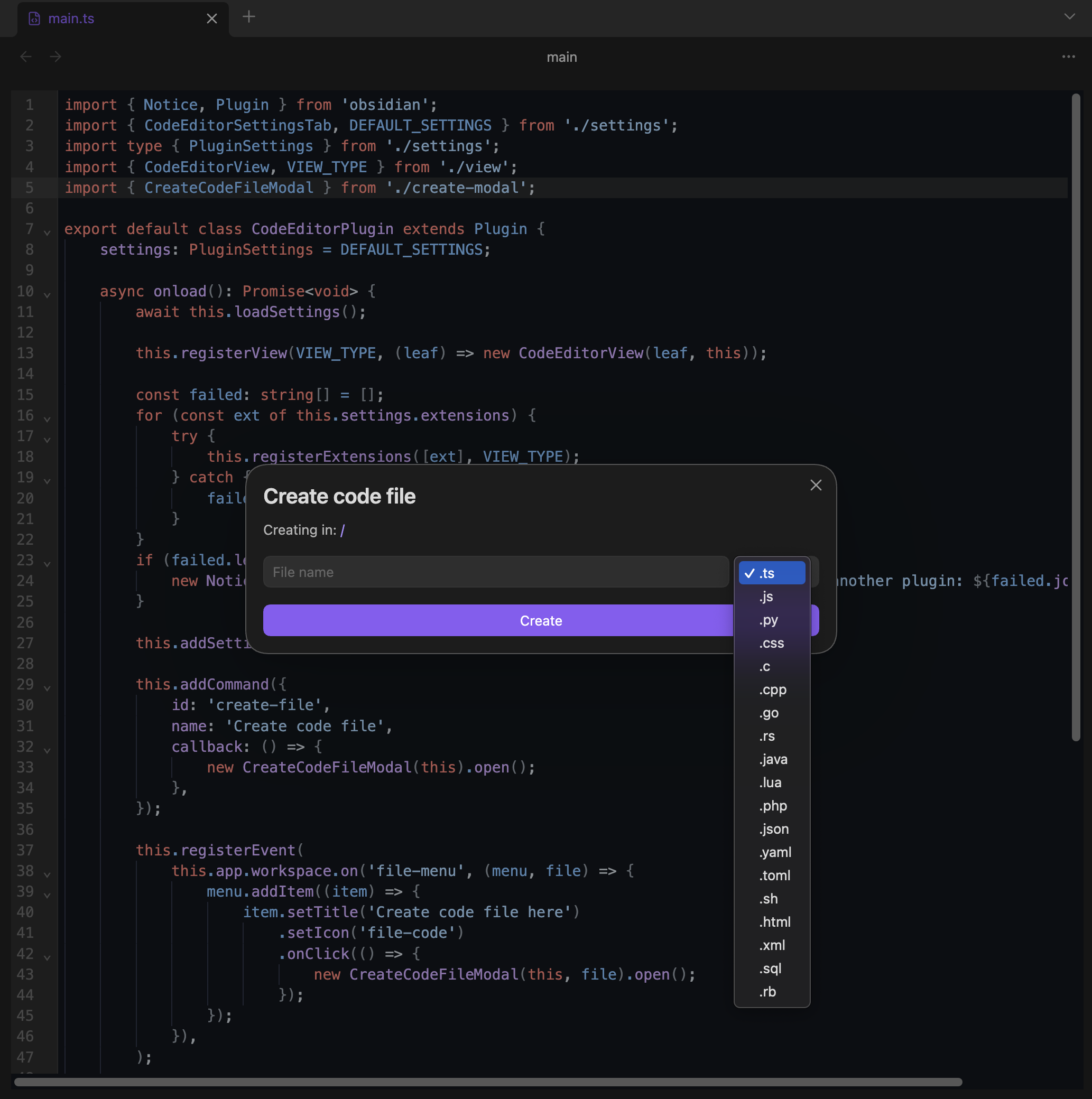
A code file editor for Obsidian with syntax highlighting, code folding, and autocompletion. Powered by CodeMirror 6.

Installation

Install from community.obsidian.md

From Obsidian's settings or preferences:

  1. Community Plugins > Browse
  2. Search for "CM Code Editor"

Manually:

  1. download the latest release archive
  2. uncompress the downloaded archive
  3. move the cm-code-editor folder to /path/to/vault/.obsidian/plugins/
  4. Settings > Community plugins > reload Installed plugins
  5. enable plugin

or:

  1. download main.js, manifest.json & styles.css from the latest release
  2. create a new folder /path/to/vault/.obsidian/plugins/cm-code-editor
  3. move all 3 files to /path/to/vault/.obsidian/plugins/cm-code-editor
  4. Settings > Community plugins > reload Installed plugins
  5. enable plugin

Features

  • Syntax highlighting for 20+ languages
  • 45+ syntax themes (Dracula, GitHub, Monokai, Nord, Solarized, VS Code, and more) or inherit from your Obsidian theme
  • Autocompletion with built-in language completions for JavaScript, TypeScript, CSS, HTML, SQL, and Python
  • Code folding with gutter controls
  • Indent guides with vertical markers at each indent level
  • Line numbers with active line highlighting
  • Configurable tab size (2 or 4 spaces)
  • Search and replace (Ctrl/Cmd+F) with match case, regex, and whole word toggles
  • Bracket matching and auto-closing
  • Multiple cursors and rectangular selection (Alt+drag)
  • Font size zoom with Ctrl/Cmd+scroll
  • Create code file command and context menu action with configurable default folder
  • Configurable file extensions, font family, and font size

Supported languages

Language Extensions
TypeScript .ts .tsx .mts .cts
JavaScript .js .jsx .mjs .cjs
Python .py .pyw .pyi
CSS/SCSS/Less .css .scss .less
HTML .html .htm .svelte .vue
JSON .json .jsonc
Markdown .md .markdown
XML .xml .svg .xsl .xsd
SQL .sql
YAML .yaml .yml
Rust .rs
Go .go
C/C++ .c .h .cpp .hpp .cc .cxx .hxx
Java .java
PHP .php
Shell .sh .bash .zsh
Ruby .rb .ruby
Lua .lua
TOML .toml
R .r .rmd
PowerShell .ps1 .psm1
Dockerfile Dockerfile

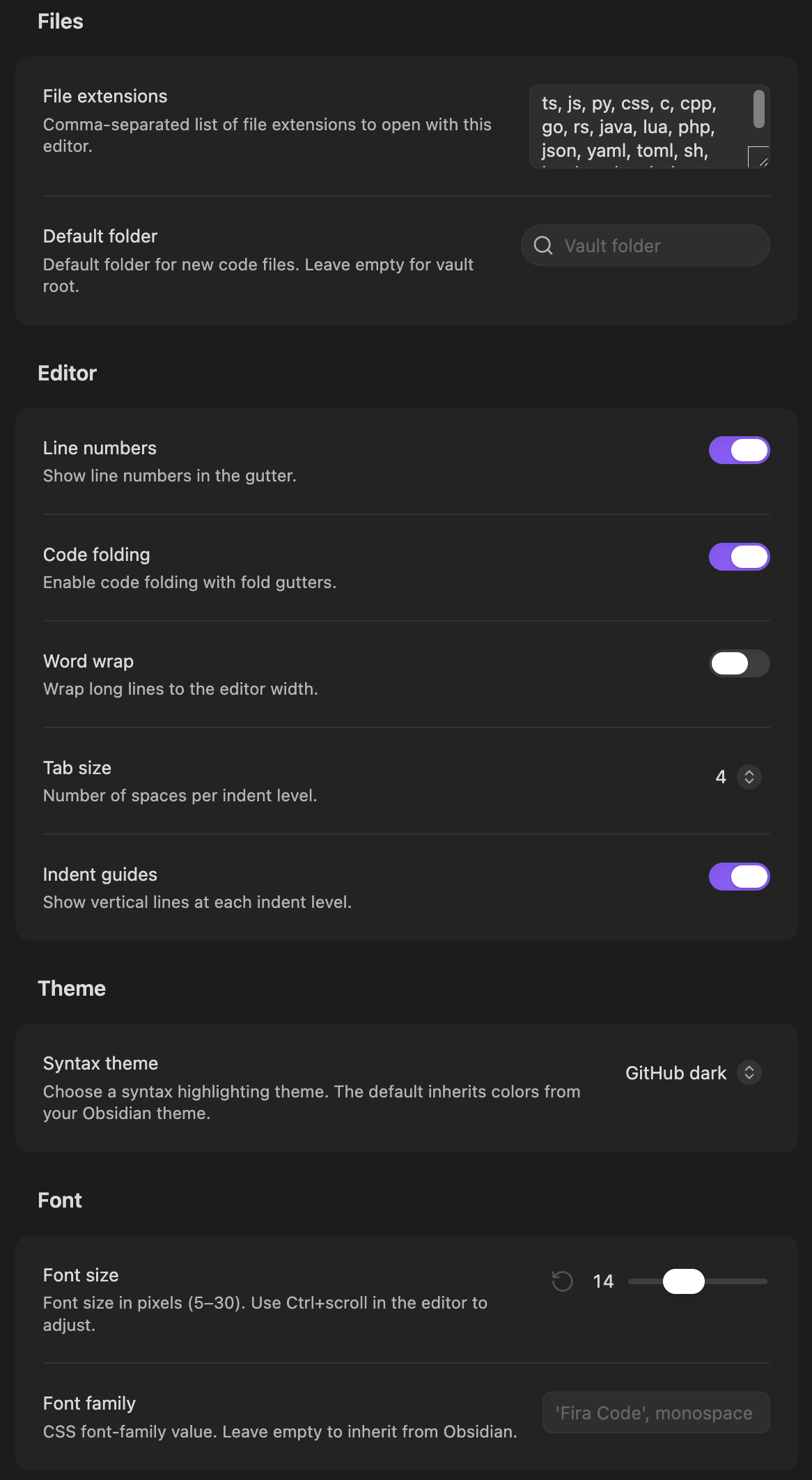
Settings

Files

Setting Description Default
File extensions Comma-separated list of extensions to open with this editor ts, js, py, css, ...
Default folder Default folder for new code files (with fuzzy search) Vault root

Editor

Setting Description Default
Line numbers Show line numbers in the gutter On
Code folding Enable fold gutters On
Word wrap Wrap long lines to the editor width Off
Tab size Number of spaces per indent level (2 or 4) 4
Indent guides Show vertical lines at each indent level Off

Theme

Setting Description Default
Syntax theme Choose from 45+ themes or inherit from Obsidian Obsidian (default)

Font

Setting Description Default
Font size Font size in pixels (5-30), also adjustable with Ctrl+scroll 14
Font family CSS font-family value (empty inherits from Obsidian) —

License

MIT

HealthExcellent
ReviewPassed
About
Edit code files inside Obsidian with a CodeMirror 6 editor offering syntax highlighting for 20+ languages and 45+ themes. Use autocompletion for JavaScript, TypeScript, CSS, HTML, SQL and Python plus code folding, indent guides, multiple cursors, bracket matching, search/replace and line numbers. Create new code files from a command or context menu.
CodeAutocompleteSyntax
Details
Current version
0.1.3
Last updated
11 hours ago
Created
17 hours ago
Updates
3 releases
Downloads
2
Compatible with
Obsidian 1.13.0+
Platforms
Desktop, Mobile
License
MIT
Report bugRequest featureReport plugin
Author
gapmissgapmiss
github.com/gapmiss
GitHubgapmiss
  1. Community
  2. Plugins
  3. Code
  4. CM Code Editor

Related plugins

VSCode Editor

Edit Code Files like VSCode.

Shiki Highlighter

Highlight code blocks with Shiki.

Strudel REPL

Live-coding music environment — Strudel REPL integrated into your vault.

Code Editor

Edit non-markdown text files (code, config, data) directly with syntax highlighting, line numbers, and word wrap.

Ace Code Editor

An enhanced code editor using Ace editor, providing syntax highlighting, code folding, and other advanced editing features.

Templater

Create and use dynamic templates.

Mermaid Tools

Improved Mermaid.js experience: visual toolbar with common elements and more.

Numerals

Turn any code block into an advanced calculator. Evaluate math expressions on each line of a code block, including units, currency, and optional TeX rendering.

Various Complements

Complete words similar to auto-completion in an IDE.

PlantUML

Generate PlantUML diagrams.