Fountain Editor
 Chuang Caleb18k downloads
Fountain (screenplay) syntax highlighting in the editor.
- Overview
- Scorecard
- Updates24

Obsidian Fountain Editor
An Obsidian plugin for Fountain syntax formatting in the editor.
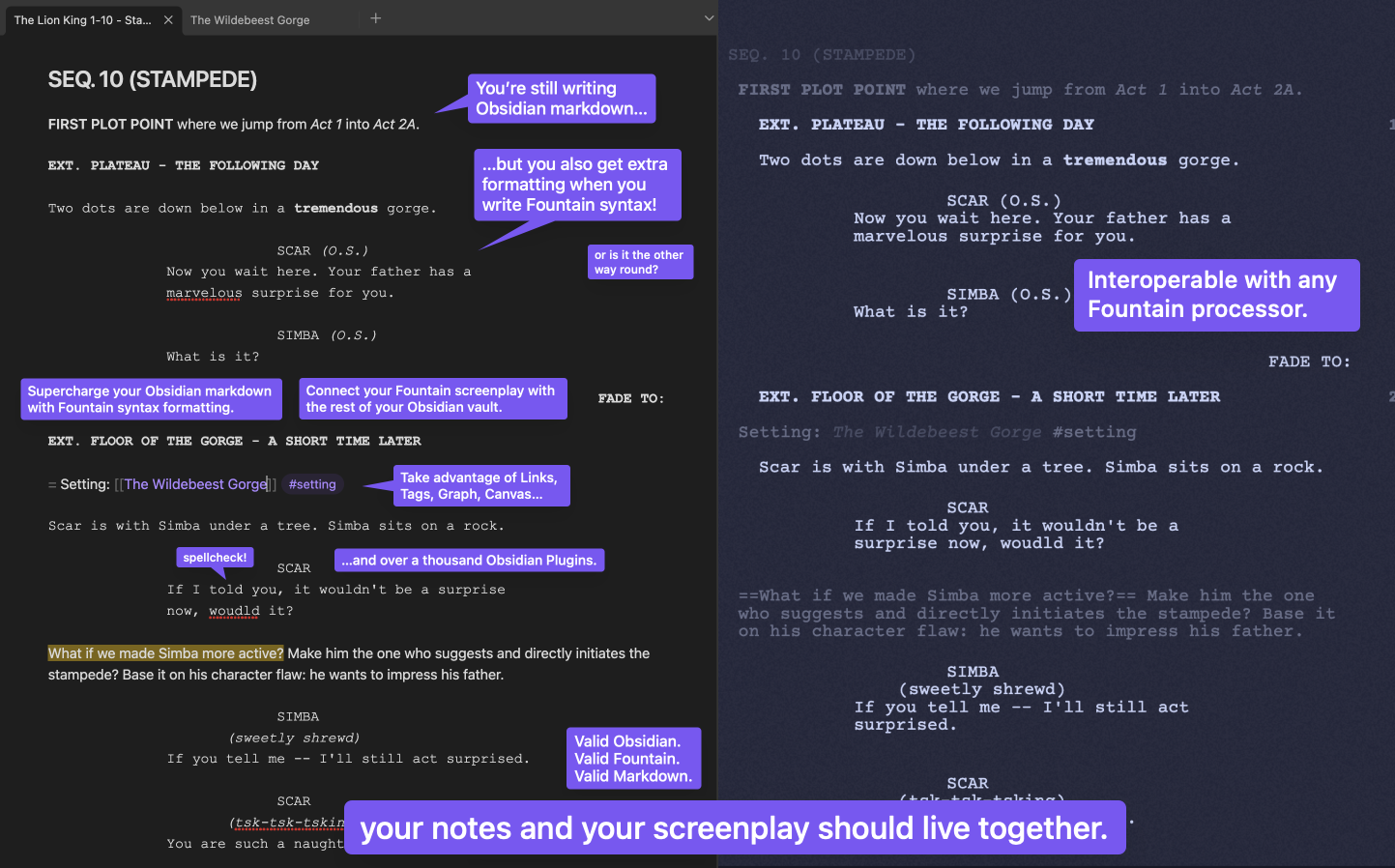
📺 Youtube Demo: Obsidian Fountain - Live Editor (Plugin Showcase)
🔗 Quicklinks
🔨 Usage
🏁 Quickstart
- 📥 [⭐ Recommended] Open the installation prompt in Obsidian
- 📄 Mark a markdown note for Fountain formatting by one of the following:
- Use a
.fountain.mdextension - Add a
fountaintag to the Properties frontmatter - Add
cssclasses: fountainto the Properties frontmatter
- Use a
- 🎨 You will get automatic syntax highlighting/styling according to the Fountain syntax!
Try copy-pasting this into a note:
---
cssclasses:
  - fountain
---

# Opening Hook

> THE STINK LINK <

FADE TO:

EXT. PUBLIC RESTROOM - DAY

A POLICE OFFICER steps into a dingy restroom. She winces.

POLICE OFFICER (V.O.)
I _smell_ a rat...

= Use Fountain's Synopsis to escape into [[regular markdown]]! #so-cool

%%
You can use **Obsidian comment blocks** to escape into markdown too!

> [!tip] Strip these Obsidian comments out with the Obsidian Longform plugin!

%%
🧰 Toolset
Markdown
A lightweight markup syntax that uses simple plaintext formatting for easy conversion other formats.
Obsidian ↗
A markdown-based note-taking app with a focus on knowledge management: linking and organizing information.
Fountain ↗
A lightweight markup syntax for writing screenplays with simple plaintext formatting — just like Markdown.
Fountain Editor - Obsidian Plugin
This plugin integrates Fountain syntax into Obsidian’s editor!
Other Plugins & External Tools
Effortlessly incorporate other Obsidian plugins, and external screenplay tools and apps!
Huh???
You: “I like your funny words, magic man! What are all these different names? I’m new to all this!” Read more →
🌟 Key Features
💰 100% Free
No premium tier, no hidden charges. Everything, for $0.
📝 Author with Obsidian
One app for your research, references, ideating, outlining, drafting, writing. All linked. Unopinionated workflow.
💱 Intuitive Hybrid Syntax
Fountain + Markdown. Interleaved and complementary, with simple design for opt-in and opt-out!
⚡ Supercharge with Other Plugins
2k+ Obsidian plugins to further extend custom functionality and create the perfect writing app just for you.
🔧 Fine-Tune Your Styles
Fully exposed CSS Variables, for every syntax token, to tweak to pixel perfection.
[!TIP] Full documentation wiki can be found at obsidian-fountain-editor.chuangcaleb.com. Check it out!
You may also want to check out the similar Obsidian Fountain plugin!