Search...Search plugins and themes...
⌘K
Sign in
  • Get started
  • Download
  • Pricing
  • Enterprise
  • Account
  • Obsidian
  • Overview
  • Sync
  • Publish
  • Canvas
  • Mobile
  • Web Clipper
  • CLI
  • Learn
  • Help
  • Developers
  • Changelog
  • About
  • Roadmap
  • Blog
  • Resources
  • System status
  • License overview
  • Terms of service
  • Privacy policy
  • Security
  • Community
  • Plugins
  • Themes
  • Discord
  • Forum / 中文论坛
  • Merch store
  • Brand guidelines
Follow us
DiscordTwitterBlueskyThreadsMastodonYouTubeGitHub
© 2026 Obsidian

Struct LaTeX

LinXruanLinXruan10 downloads

Structure-aware LaTeX editing

Add to Obsidian
Struct LaTeX screenshot
  • Overview
  • Scorecard
  • Updates3

Struct LaTeX

English · 简体中文

A powerful LaTeX editing plugin for Obsidian, powered by a parse tree instead of regex.

Active only inside math regions, supporting arbitrary nesting depth without interfering with prose writing or IME input.

Features

  • Structural Deletion: Delete matrices, fractions, radicals, scripts, brackets, and functions as complete units along the parse tree hierarchy
  • Smart Cursor Jumping: Jump the cursor intelligently along the parse tree hierarchy
  • Smart Input: Supports JavaScript API, regex, and plain text replacement
  • Real-time rendering of inline math: The display position can also be adjusted.

Highlights

  • Parse Tree Engine: Say goodbye to rule conflicts and depth limits of hundreds of nested regexes, achieving infinite nesting depth
  • Mobile Ready: Supports Obsidian 1.4.0 and above
  • Comprehensive Built-in Rules: Covers nearly all common mathematical input workflows
  • JavaScript API: Enables highly extensible, complex editing behaviors
  • Lightweight & Fast: Locally parses only the active math block with sub-0.1 ms response time
  • Adaptive brackets: Supports automatically detecting bracket content and converting it to curly braces.

Screenshots
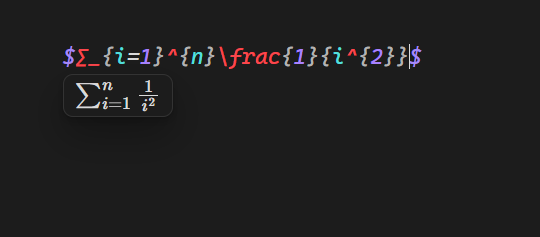
Real-time inline math rendering
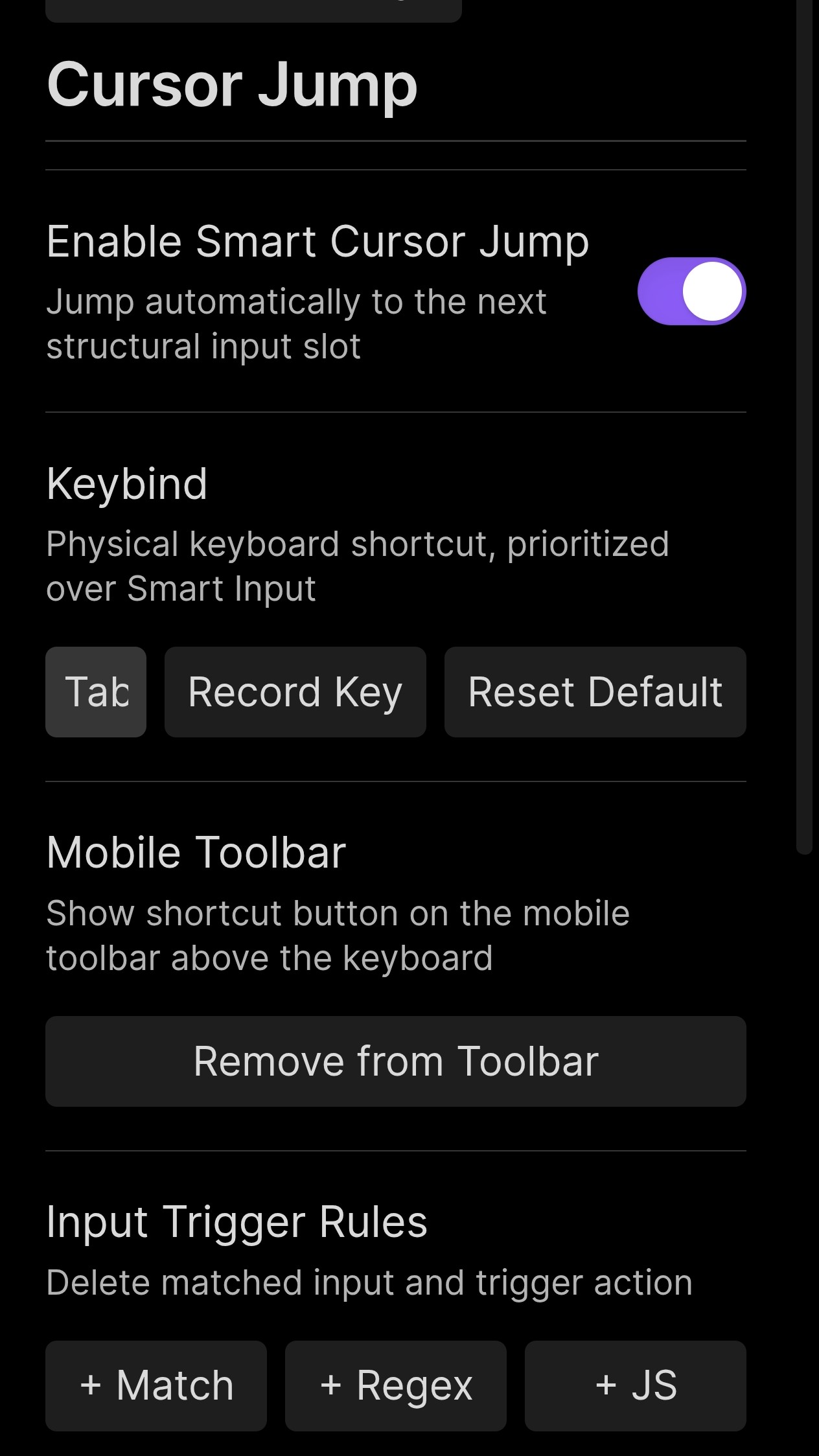

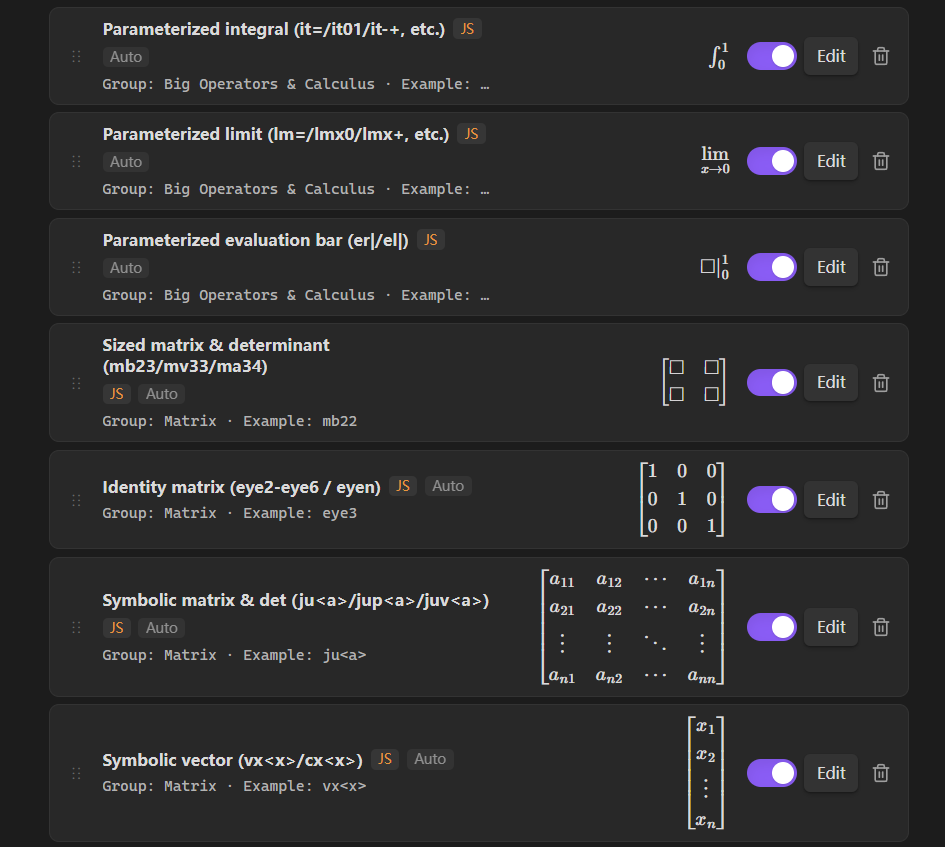
Cursor Jump settings Built-in input rules
Cursor Jump & input rule settings · built-in JavaScript rules

Download & Installation

  • Uploaded to the Community Plugins directory: https://community.obsidian.md/plugins/struct-latex
HealthExcellent
ReviewSatisfactory
About
Edit LaTeX inside math regions with a parse-tree engine that supports arbitrary nesting without interfering with prose or IME input. Delete and move structural units (matrices, fractions, radicals, scripts, brackets, functions), jump the cursor along the parse tree, and extend behavior via a JavaScript API with sub-0.1 ms local parsing.
LaTeXMathEditing
Details
Current version
1.0.2
Last updated
3 days ago
Created
6 days ago
Updates
3 releases
Downloads
10
Compatible with
Obsidian 1.4.0+
Platforms
Desktop, Mobile
License
AGPL-3.0
Report bugRequest featureReport plugin
Author
LinXruanLinXruanlinxruan
GitHublinxruan
  1. Community
  2. Plugins
  3. LaTeX
  4. Struct LaTeX

Related plugins

Latex Suite

Make typesetting LaTeX math as fast as handwriting through snippets, text expansion, and editor enhancements.

Extended MathJax

Enable additional MathJax packages and adds a global preamble for MathJax.

MathLive

Visual LaTeX math editor with formula OCR. Scan screenshots, PDFs and handwriting into editable equations.

Fix Math

Convert LaTeX equations from ChatGPT and AI assistants to the correct Markdown format: block equations to display math, inline to inline math.

LanguageTool Integration

Advanced grammar and spell checking, powered by LanguageTool.

Meta Bind

Make your notes interactive with inline input fields, metadata displays, and buttons.

Advanced Tables

Improved table navigation, formatting, and manipulation.

Emoji Toolbar

Quickly search for and insert emojis into your editor.

Simplified Chinese Word Splitting

Adds Simplified Chinese word splitting support for the editor and Vim mode.

Editing Toolbar

The Editing Toolbar is modified from cMenu, which provides more powerful customization settings and has many built-in editing commands to be a MS Word-like toolbar editing experience.