Search...Search plugins and themes...
⌘K
Sign in
  • Get started
  • Download
  • Pricing
  • Enterprise
  • Account
  • Obsidian
  • Overview
  • Sync
  • Publish
  • Canvas
  • Mobile
  • Web Clipper
  • CLI
  • Learn
  • Help
  • Developers
  • Changelog
  • About
  • Roadmap
  • Blog
  • Resources
  • System status
  • License overview
  • Terms of service
  • Privacy policy
  • Security
  • Community
  • Plugins
  • Themes
  • Discord
  • Forum / 中文论坛
  • Merch store
  • Brand guidelines
Follow us
DiscordTwitterBlueskyThreadsMastodonYouTubeGitHub
© 2026 Obsidian

Simple File Info

lukas-caplukas-cap2k downloads

A lightweight file info pane with native look and feel.

Add to Obsidian
  • Overview
  • Scorecard
  • Updates4

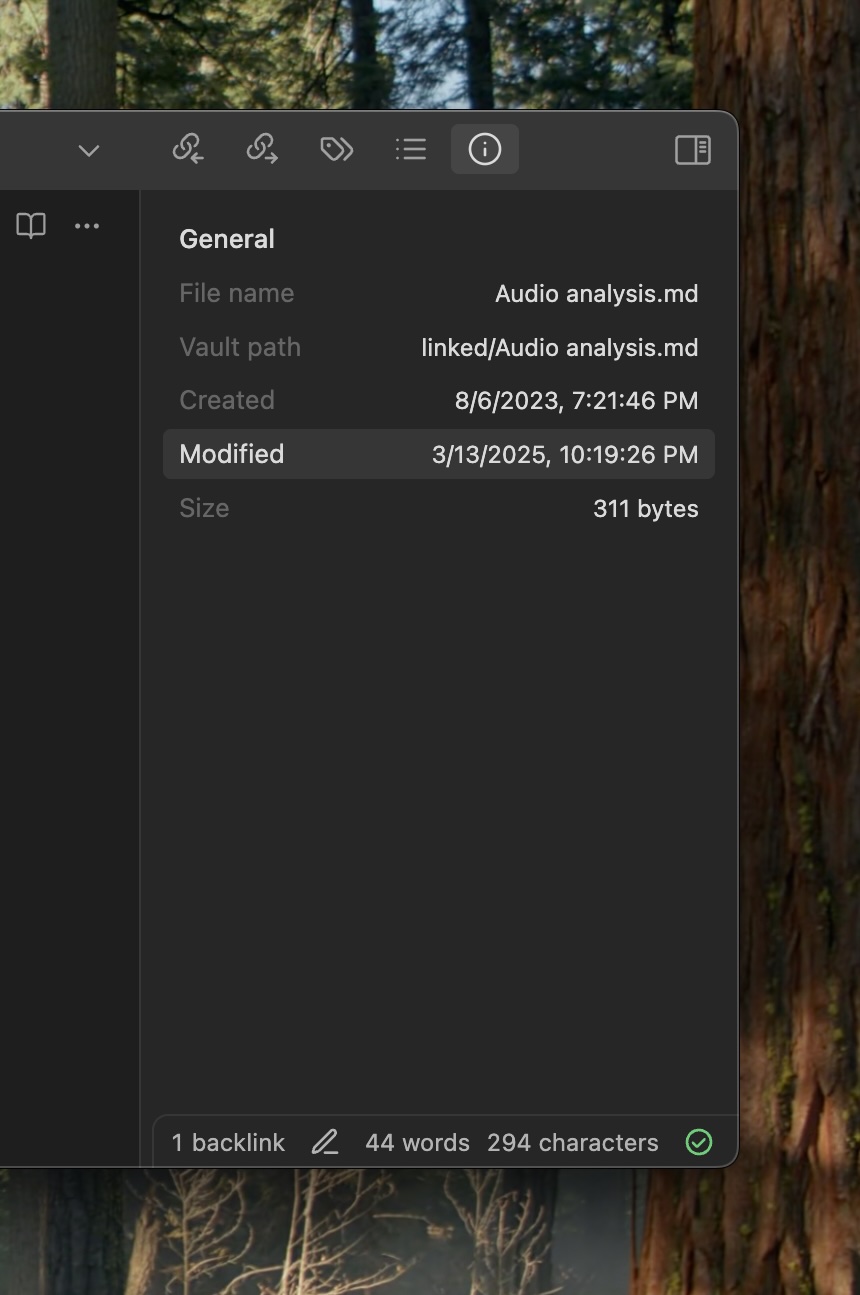
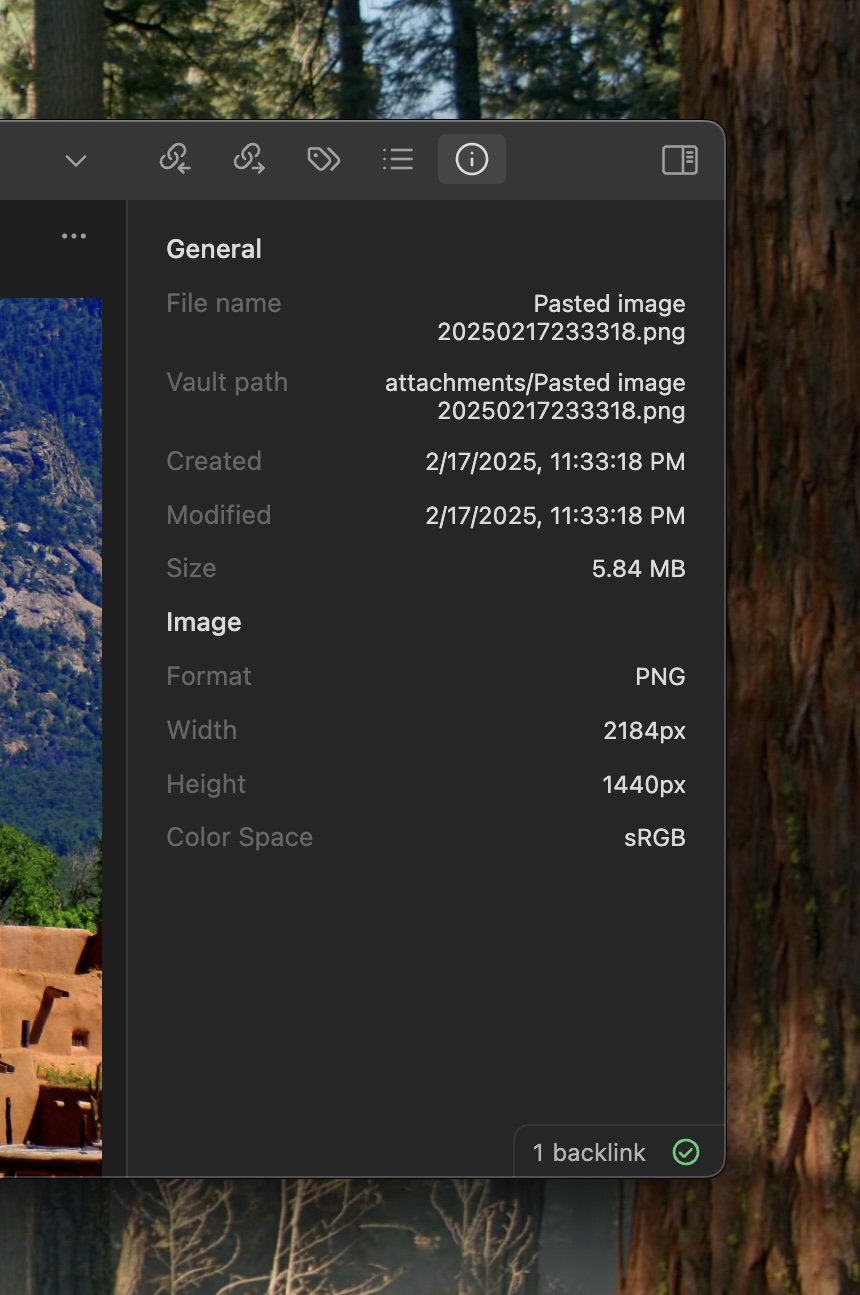
File info pane that lives in Obsidian's right sidebar. No more, no less.

The main priorities of this project are:

  • simplicity: fills the gap for basic file metadata in Obsidian without adding unnecessary bloat
  • native look and feel: avoids custom styling to feel at home regardless of the theme

Usage

  • the entry point is in the top right sidebar button strip.
  • if the pane got dismissed, you can bring it back by executing the "Show file info" command from the command palette.
Attribution

ExifReader used for basic image info - https://github.com/mattiasw/ExifReader

HealthGood
ReviewSatisfactory
About
Display basic file metadata in a compact pane in Obsidian's right sidebar, including simple image details. Keep a native, theme-friendly appearance with minimal UI and no extra bloat.
FilesSidebarImages
Details
Current version
1.0.3
Last updated
2 years ago
Created
2 years ago
Updates
4 releases
Downloads
2k
Compatible with
Obsidian 1.8.4+
Platforms
Desktop, Mobile
License
MIT
Report bugRequest featureReport plugin
Author
lukas-caplukas-cap
github.com/lukas-cap/
GitHublukas-cap
  1. Community
  2. Plugins
  3. Files
  4. Simple File Info

Related plugins

Notebook Navigator

A better file browser and calendar inspired by Apple Notes, Bear, Evernote and Day One.

Flexplorer

Enhance the file explorer with custom sorting, pinning, and hiding.

Recent Files

Display a list of recently opened files.

Reveal Active File Button

Add a button to the top of the File Explorer, to reveal the active file.

Pixel Perfect Image

Pixel perfect 100% image resizing, copy to clipboard, show image in Finder/Explorer, and much more.

Custom File Explorer sorting

Manual or automatic config-driven reordering and sorting of files and folders in File Explorer.

File Tree Alternative

An alternative file tree view with separate folder and file panes.

Novel word count

Display a word count, page count, creation date, or other statistics for each file, folder and vault in the File Explorer pane.

Claudian

Embeds Claude Code/Codex and other local Agents as AI collaborators in your vault.

Advanced URI

Control everything with URI.