Better Search and Replace
 saltyfireball1k downloads
Enhanced search and replace with regex support, live diff preview, capture groups, and a floating editor bar.
- Overview
- Scorecard
- Updates4
An enhanced search and replace plugin for Obsidian. Provides a floating search bar docked to the top of the editor with live highlighting, real-time diff preview, regex support with capture groups, and more.
Works on both desktop and mobile.
Features
- Floating search bar -- slides in at the top of the editor (not a modal, not a sidebar)
- Real-time match highlighting -- matches are highlighted as you type
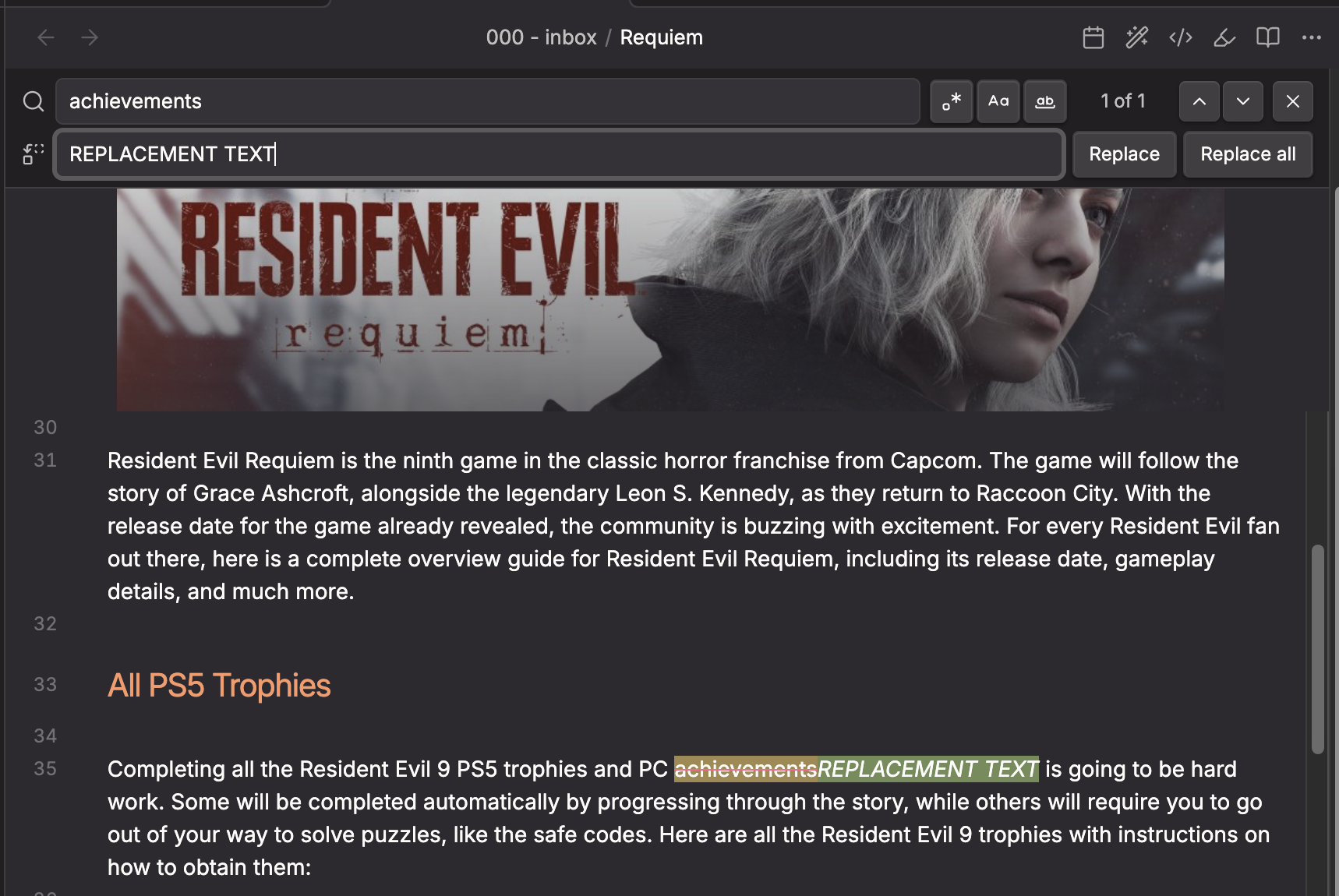
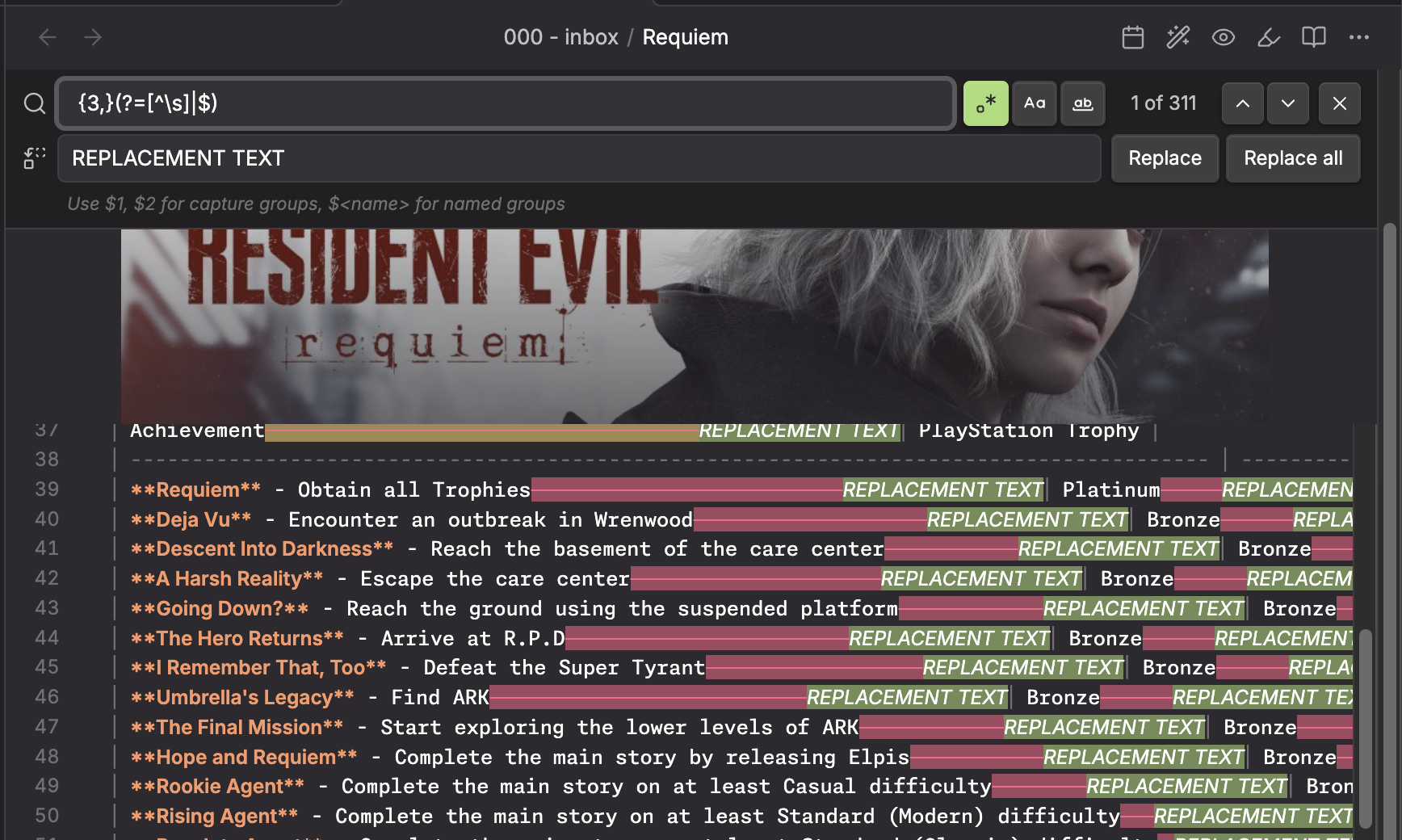
- Live diff preview -- matched text is shown with strikethrough (red) and the replacement is shown as green ghost text inline, so you can see exactly what will change before committing
- Regular expression support -- full JavaScript regex with capture groups (
$1,$2,$<name>) - Case sensitive toggle -- match exact case or ignore case
- Whole word toggle -- restrict matches to whole words only
- Match counter -- shows "3 of 12" style count inline with the search field
- Match navigation -- step through matches one at a time with up/down arrows
- Replace current -- replace just the current match
- Replace all -- replace every match at once
- Regex validation -- invalid regex patterns are caught immediately with inline error messages
- Capture group hint -- when regex mode is on, a hint reminds you that
$1,$2,$<name>are available - Customizable colors -- match highlight, current match, strikethrough, and preview colors are all configurable in settings
- Keyboard shortcuts -- Enter/Shift+Enter to navigate, Escape to close, Enter in replace field to replace current, Shift+Enter to replace all
- Command palette integration -- open via "Better Search and Replace: Find and replace in current file"
- Hotkey support -- assign any shortcut (e.g. Cmd/Ctrl+F) to replace the built-in search
- Note toolbar integration -- accessible from the helpers modal when the note-toolbar plugin is installed
How to Use
- Open the command palette and run Better Search and Replace: Find and replace in current file
- Type your search query in the search field
- Matches are highlighted in the editor in real time
- Use the toggle buttons to enable:
.*Regex modeAaCase sensitivityWWhole word matching
- Type replacement text in the replace field to see a live diff preview
- Click Replace to replace the current match, or Replace All to replace every match
- Press Escape or click the X button to close the search bar
Setting Up a Keyboard Shortcut
To replace Obsidian's built-in Cmd/Ctrl+F with this plugin:
- Go to Settings > Hotkeys
- Search for "Better Search and Replace: Find and replace in current file"
- Click the + button and press your desired key combination (e.g.
Cmd/Ctrl+F) - If the shortcut conflicts with the built-in search, Obsidian will prompt you to remove the existing binding
Regex Capture Groups
When regex mode is enabled, you can use standard JavaScript replacement patterns in the replace field:
| Pattern | Meaning |
|---|---|
$1, $2, ... |
Capture group 1, 2, etc. |
$<name> |
Named capture group ((?<name>...)) |
$& |
The entire matched substring |
$` |
Text before the match |
$' |
Text after the match |
$$ |
A literal $ |
Installation
Obsidian Community Plugin
This plugin is available in the official Obsidian community plugin directory. Install it from Settings > Community plugins > Browse and search for "Better Search and Replace" or "Better Search and Replace by saltyfireball".
Community plugin page: https://community.obsidian.md/plugins/sfb-better-search-and-replace
More Plugins by saltyfireball
Browse all of my published Obsidian plugins on my profile: https://community.obsidian.md/users/saltyfireball
Settings
- Default search options -- set whether regex, case sensitivity, and whole word matching are on by default
- Match highlight color -- background color for matched text
- Match strikethrough color -- color of the strikethrough line on matches when replacement is shown
- Replacement preview color -- background color for the ghost replacement text
- Current match highlight color -- background color for the currently selected match
Default colors use the Monokai Pro palette:
- Match: Red (#FF6188) at 25% opacity
- Current match: Yellow (#FFD866) at 35% opacity
- Preview: Green (#A9DC76) at 25% opacity