Recipe view
 lachsh59k downloads
View your notes as interactive recipe cards while you cook.
- Overview
- Scorecard
- Updates15
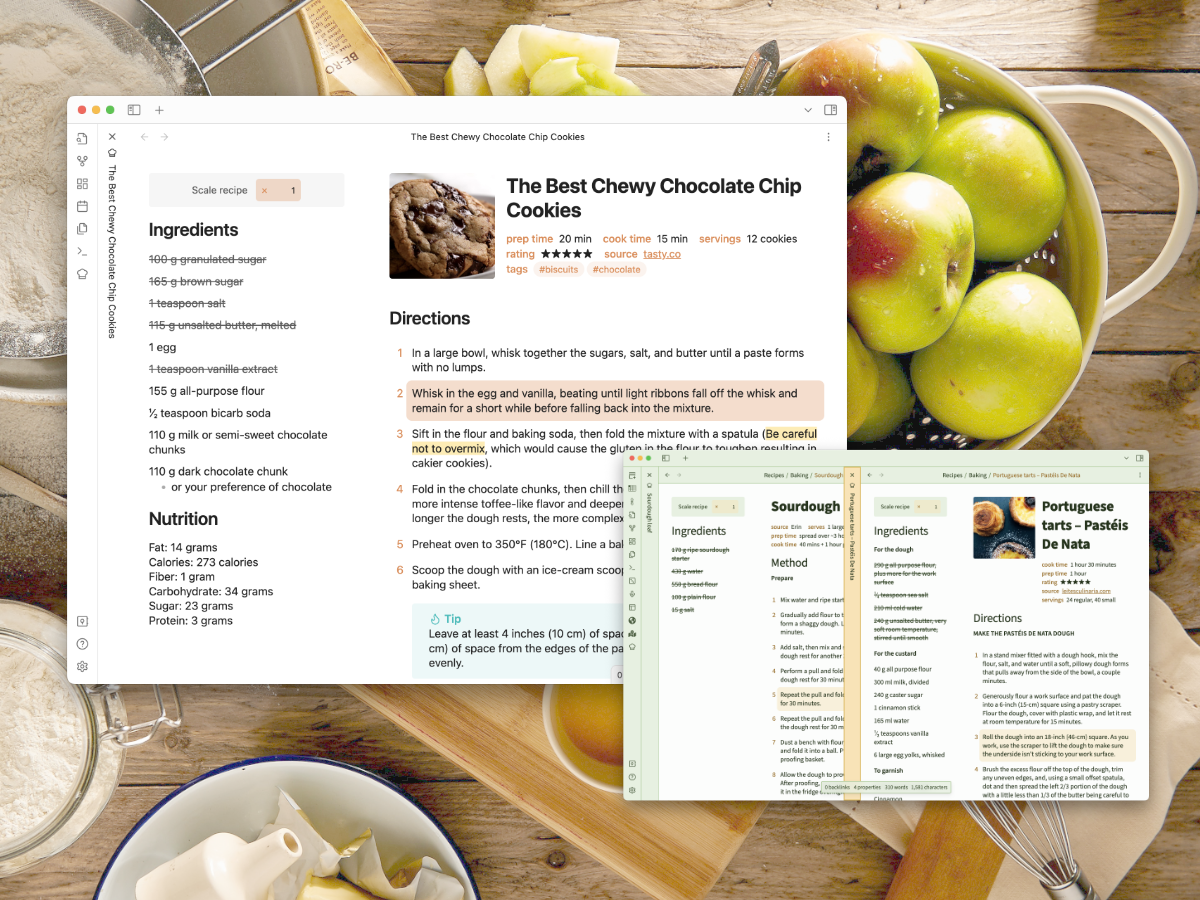
Store, write, and manage your recipes in as regular Obsidian notes in portable, future-proof markdown, then view them as a gorgeous interactive recipe card when it's time to cook in the kitchen.
Features include:
- 📒 Works with your recipes as-is, in whatever format you like to write them
- 🎨 Strives for maximum compatability with custom themes
- 🌈 Lets you use all the markdown that works in the rest of your vault
- ⚖️ Scales the quantities in your recipes easily
- ⚙️ Can split your recipes into two columns or separate ingredients out by step, for easier reference while cooking
- ✅ Makes ingredient lists cross-out-able
- 📌 Lets you highlight steps to keep track of where you're up to
- 📱 Works on phones and tablets
Why keep your recipes in Obsidian?
- 🗃 Portable and future-proof markdown
- 📝 Everything is a note – keep your nicely formatted recipes in the same folders as your scanned magazine clippings
- 🌏 Cross-link and tag your recipes, link them to notes on technique, keep a baking log in your daily notes, or use Dataview or Kanban to plan out your cooking
- ☁️ Write them on your laptop, check ingredients in the store on your phone, and cook from them in the kitchen with your iPad
Installation
This plugin can be installed using the usual Obsidian community plugins browser.
Beta versions can also be installed using BRAT. Just add the URL https://github.com/lachholden/obsidian-recipe-view as a beta plugin.
Documentation
To learn how to use the plugin, read the documentation here!
Additional settings
The Style Settings plugin will let you configure aspects of how the recipe card appears.
Attribution
- Recipes used in the screenshot examples
- Themes used in the screenshot examples
- Default Obsidian theme with Orange accent
- Damian Korcz's excellent Prism Theme
- In logo, top preview image, & social media preview
- Photo by Andy Chilton on Unsplash
HealthFair
ReviewCaution
About
Display recipes written as regular Markdown notes in a clean, interactive recipe card for cooking. Scale ingredient quantities, split into two columns or group ingredients by step, cross out items, highlight steps, and use on phones and tablets.Details
Current version
0.3.6
Last updated
2 years ago
Created
3 years ago
Updates
15 releases
Downloads
59k
Compatible with
Obsidian 0.15.0+
Platforms
Desktop, Mobile
License
MIT
Sponsor