Reading Tap Guard
 theluckystrike1 downloads
Stops a double tap in Reading view on phone and tablet from switching the note to editing, with a setting for what a double tap does.
- Overview
- Scorecard
- Updates1
Reading Tap Guard stops a double tap in Reading view from switching your note to editing. In current versions of Obsidian, two quick taps with a finger on a note in Reading view open the editor. On a moving bus, or with a hand that shakes, this happens by accident, and the keyboard can then type into the note. CSS cannot turn it off, and hiding the edit button does not help. This plugin turns the double tap off, or lets you pick what it does. It is tested in the Obsidian desktop app with mobile emulation at phone and tablet size, not yet on a real iPhone or Android device.
Features
Double tap stays in Reading view
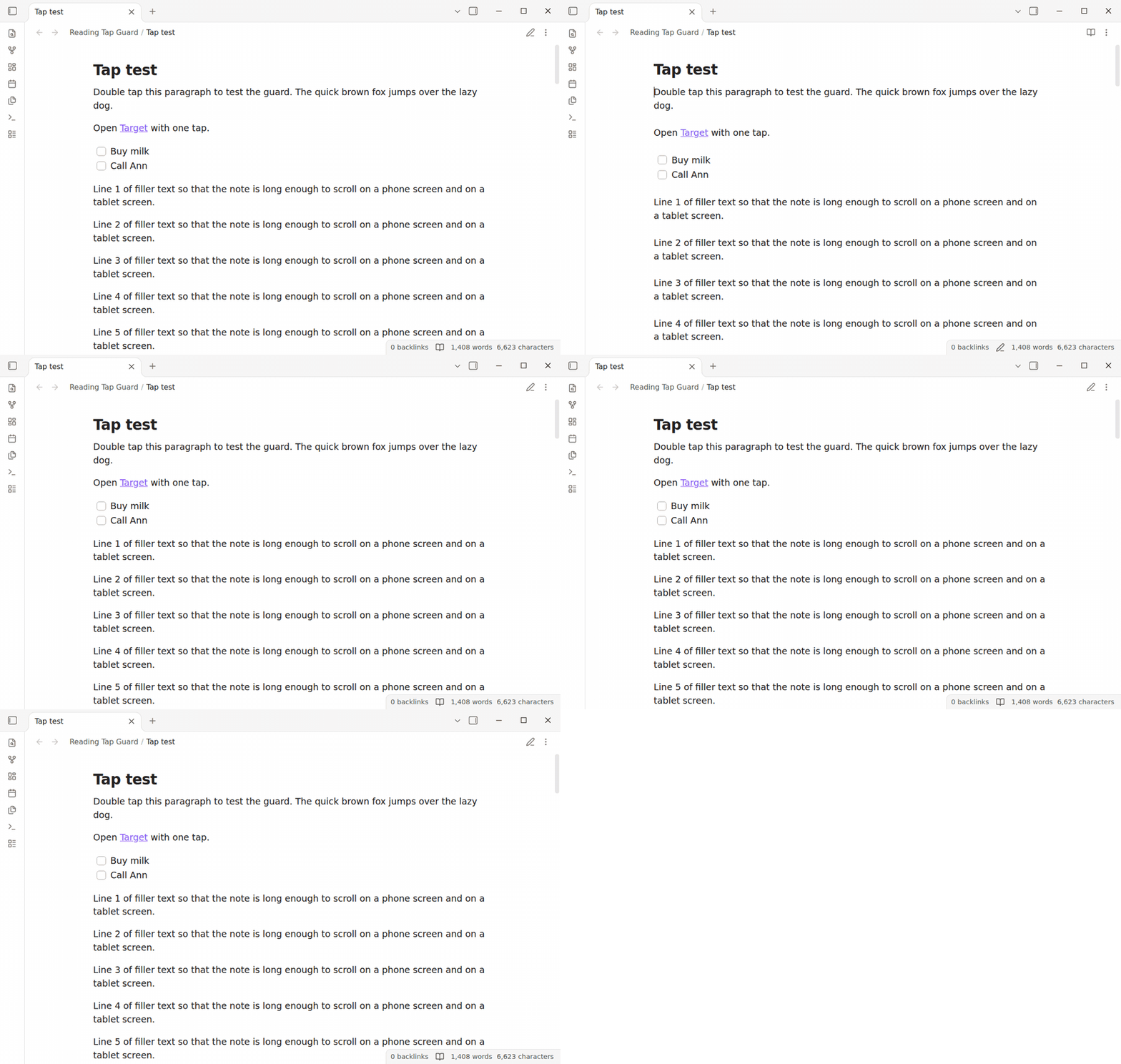
Install the plugin and the double tap no longer opens the editor. Read, scroll and tap as usual. The note stays in Reading view until you select the edit button or run the "Toggle reading view" command. Both of them work as before.
In the CI test, a touch double tap goes to the paragraph. The note is still in Reading view one second later. Without the plugin, the same double tap opens the editor. The animation shows both, first without the plugin and then with it.
Single taps still work
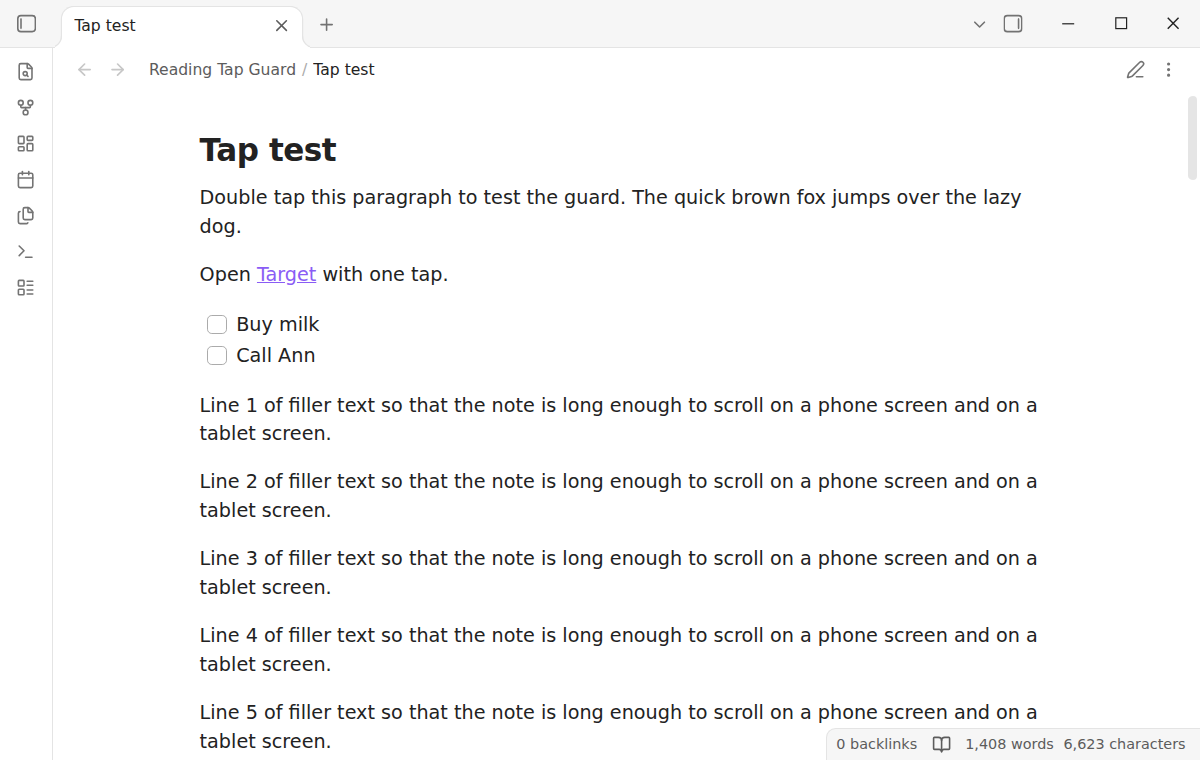
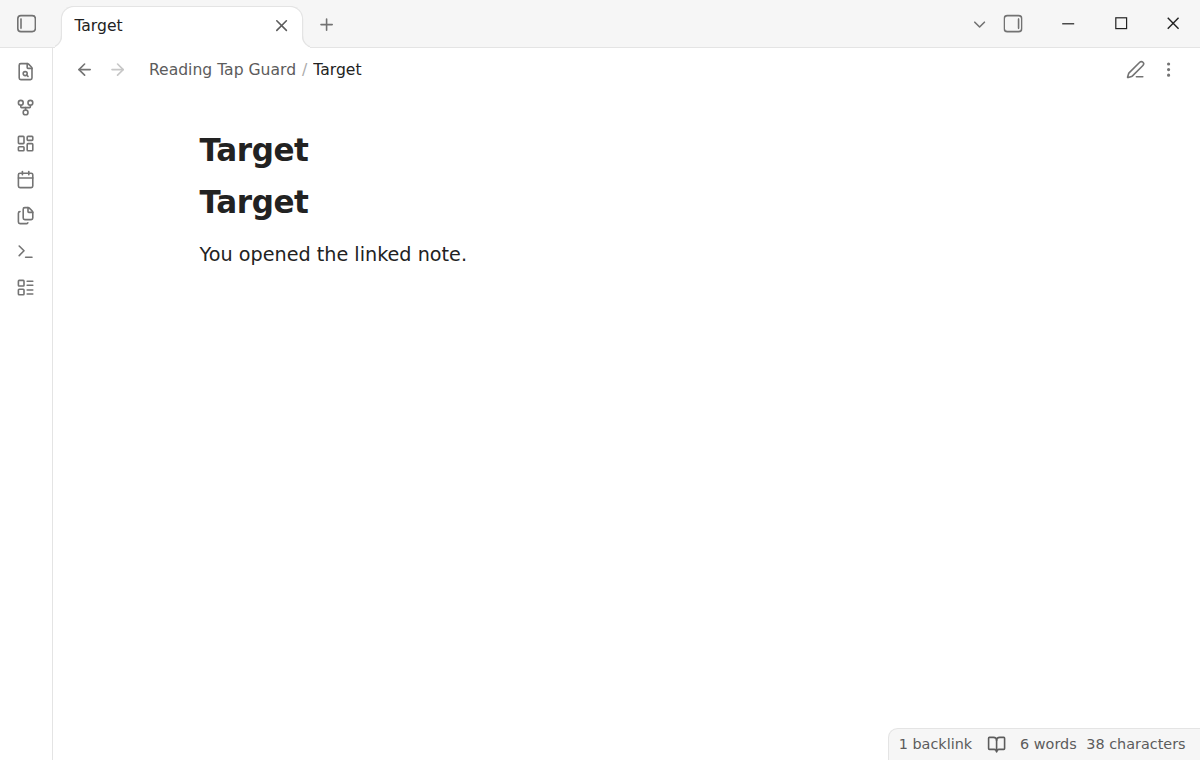
The plugin acts only on the release of a finger in Reading view, and only so that Obsidian does not count it as part of a double tap. One tap on a link opens the link. One tap on a task checkbox checks the task. A drag scrolls the note. The tests send these taps as touch input from the test driver on Obsidian 1.13.4 and on the latest version.
Pick what a double tap does
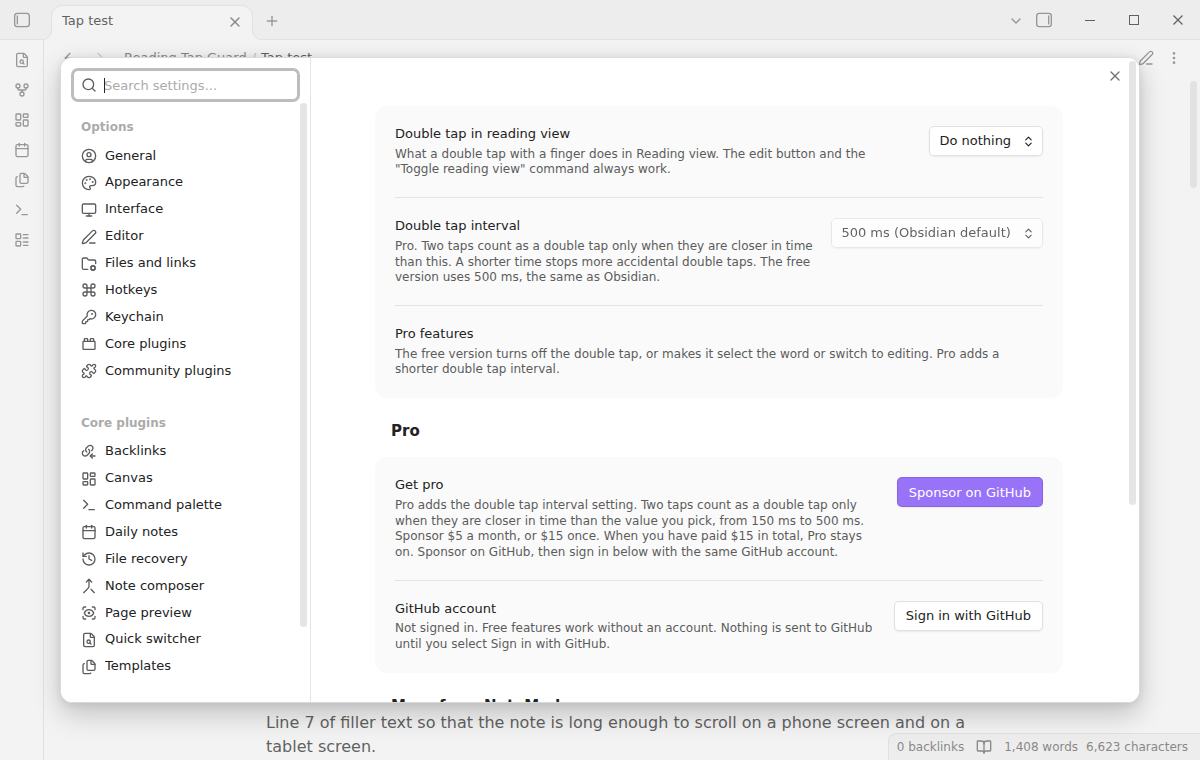
The setting "Double tap in reading view" has three values.
- Do nothing. A double tap has no effect. It is the default.
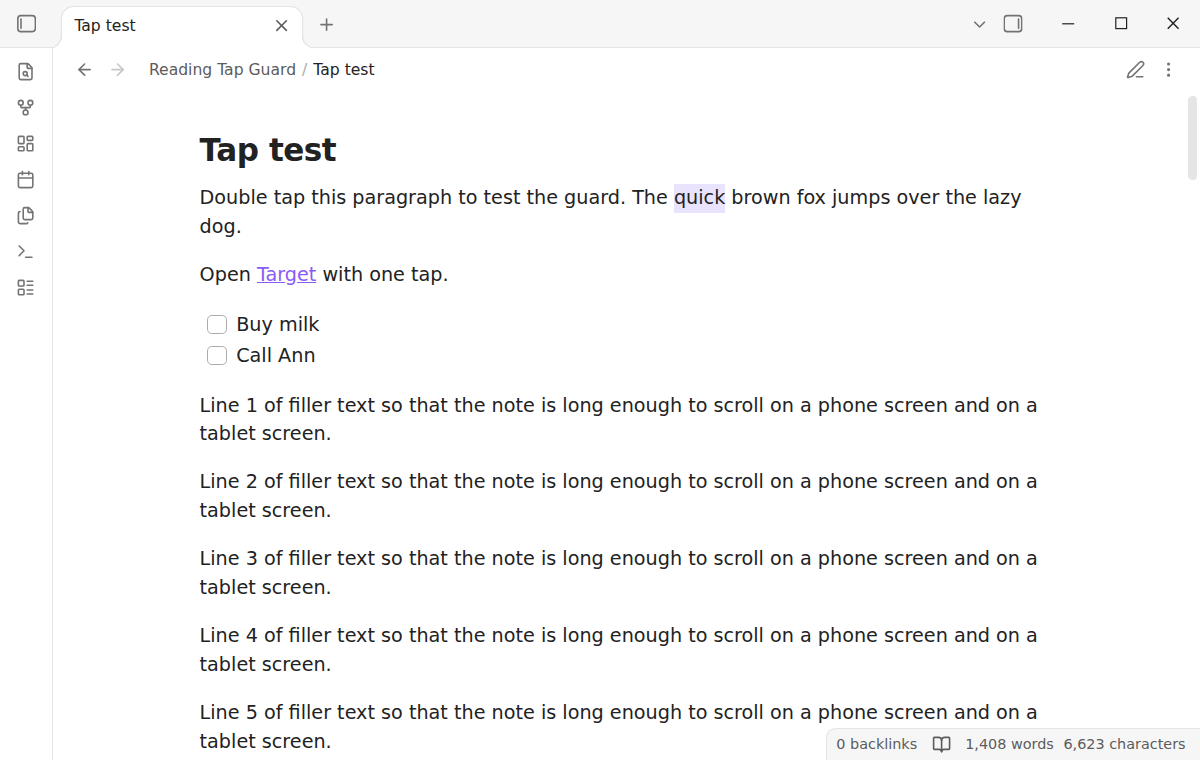
- Select the word. A double tap selects the word under your finger, so that you can copy it or look it up.
- Switch to editing. It gives the Obsidian behavior. Pick it to get the old double tap back without removing the plugin.
The change takes effect at once.
Shorter double tap interval (Pro)
Obsidian counts two taps as a double tap when they are less than 500 ms apart. Pro adds the setting "Double tap interval", from 150 ms to 500 ms. With a short interval, two slow taps do not count, so a shaky hand or a bump in the road makes fewer accidental double taps. The interval applies to "Select the word" and to "Switch to editing". With "Switch to editing" and a short interval, the plugin finds the double tap itself and then opens the editor. $15 one time or $5 a month at GitHub Sponsors.
Install
- Open "Settings → Community plugins" and turn off restricted mode.
- Select "Browse", search for "Reading Tap Guard", then select "Install" and "Enable".
To install by hand, copy main.js, manifest.json and styles.css from the latest release into <vault>/.obsidian/plugins/reading-tap-guard/. Then enable the plugin. You need Obsidian 1.13.4 or later. The plugin is not desktop only, but its tests run in the desktop app with mobile emulation. On a desktop with a touch screen, it stops the double tap with a finger in the same way.
Usage
There is nothing to set up. After you enable the plugin, a double tap in Reading view does nothing.
- Open a note in Reading view on your phone or tablet.
- Read and scroll. Tap links and checkboxes as usual.
- To edit, select the edit button (the pencil) in the view header, or run "Toggle reading view" from the command palette or the mobile toolbar.
- To change what a double tap does, open "Settings → Reading Tap Guard".
The plugin works in each Reading view tab and in each popout window. It does not change Live Preview, Source mode, Canvas, or embedded notes in hover previews. A mouse double click and a pen are not affected, because Obsidian reacts to a finger only.
The plugin never writes to your notes.
Settings
After a minor or major update, this plugin opens one What's new tab in the background. The tab and settings card suggest other NoteMods plugins and Zovo Chat and link to notemods.com for feedback (privacy). The tab sends no data. Turn the tab off in Settings.
| Setting | What it does |
|---|---|
| Double tap in reading view | Do nothing (default), Select the word, or Switch to editing (the Obsidian behavior). |
| Double tap interval | Pro. 150 ms to 500 ms. Two taps must be closer in time than this to count. Free uses 500 ms, the same as Obsidian. |
Pro
To sign in and enable Pro:
- Sponsor via GitHub Sponsors. A total payment of $15 meets the payment requirement for Pro without further payment. Sign-in and the checks below still apply.
- In Obsidian, open the settings of Reading Tap Guard and select "Sign in with GitHub".
- The plugin copies a code and opens github.com/login/device. Paste the code there and approve.
If you sponsor after you sign in, select Refresh. A negative sponsorship answer turns Pro off.
FAQ
How does it stop the double tap?
Obsidian counts a tap when a finger touches the note and lifts again, and it ignores a lift that another script has marked as handled. The plugin marks each finger lift in Reading view as handled. That mark has no other effect in the browser. The click that follows a tap still happens, so links and checkboxes work. The plugin does not change Obsidian code and does not change any property of the touch event.
Can I still edit a note?
Yes. The edit button in the view header and the "Toggle reading view" command work as before. You can also set the double tap back to "Switch to editing" at any time.
Does it work on iPhone and iPad?
The plugin uses only standard browser events that iOS and Android both send. The automatic tests run in the desktop app with mobile emulation at phone and tablet size, with touch input from the test driver. They do not run on a real iPhone or Android device. If a double tap still opens the editor on your device, open an issue with your device and Obsidian version.
A double tap still opened the editor once. Why?
When a tap starts a small scroll, the browser cancels the tap, but Obsidian can still count it. The browser does not let a script cancel that touch during a scroll. On Obsidian 1.14.5, the version in the tests, the plugin resets the tap count of Obsidian after each such touch. On Obsidian 1.13 it cannot, because that version counts the cancelled touch at once.
Payment, account and network
The core features are free. Pro features need a GitHub Sponsors sponsorship of theluckystrike: $5 a month or more, or $15 once. A total payment of $15 meets the payment requirement for Pro without further payment. Sign-in and the checks below still apply. Your notes stay readable and editable with or without Pro.
GitHub handles the payment. Sponsor at https://github.com/sponsors/theluckystrike. You need no account for the free features. Pro needs the GitHub account that sponsors.
Until you select "Sign in with GitHub" in the settings, Reading Tap Guard makes no network requests. Sign in uses the GitHub device flow. Reading Tap Guard sends its public client ID and the scope read:user to https://github.com/login/device/code and shows you a code. While you enter the code at https://github.com/login/device, it asks https://github.com/login/oauth/access_token every few seconds to check the sign-in status. The scope permits profile reads only. GitHub needs this access to show the sponsorship tier. It grants no repository scope and no write access.
After sign in, Reading Tap Guard sends one query to https://api.github.com/graphql. It checks if the signed-in account sponsors theluckystrike. It asks for the tier and the total payment to theluckystrike. The plugin reuses a successful check for 7 days. Failed checks can retry after 6 hours. Select Refresh to request an earlier check. It sends no note content, file names or other vault data, and it has no telemetry.
After a successful check, Pro can work offline for up to 14 days. Sign out or a negative sponsorship answer turns Pro off. The plugin stores the GitHub token through the secret storage API of Obsidian. It does not put the token in its saved settings or its local sponsorship data. The local storage of this device keeps your GitHub login, the tier and the time of the last check. Sign out clears the token. You can also revoke the access in your GitHub settings, under Applications.
Support
Plugin page: reading-tap-guard.
Report bugs and ask for features in the GitHub issues of this repository. Add your device, your Obsidian version and the setting that you use.
Community
Questions, bugs or plugin ideas? Talk to me and other Obsidian users in Zovo Chat on Telegram. It has a topic for these plugins. You can also open an issue here.
License
MIT