Qing Shan Typography
 许青山71 downloads
Typora-inspired reading typography for Obsidian: responsive 860/1024/1200 width, 1.6 line height, Typora code palette, dark mode, callout colors, and code-font/contrast toggles.
- Overview
- Scorecard
- Updates12
青山 · Typora 正文排版 — Typora-inspired reading typography for Obsidian.
The community directory lists this plugin as Qing Shan Typography; the Chinese name is 青山 · Typora 正文排版. Keep Obsidian's wikilinks, embeds, and block references, while getting Typora's calm reading rhythm.
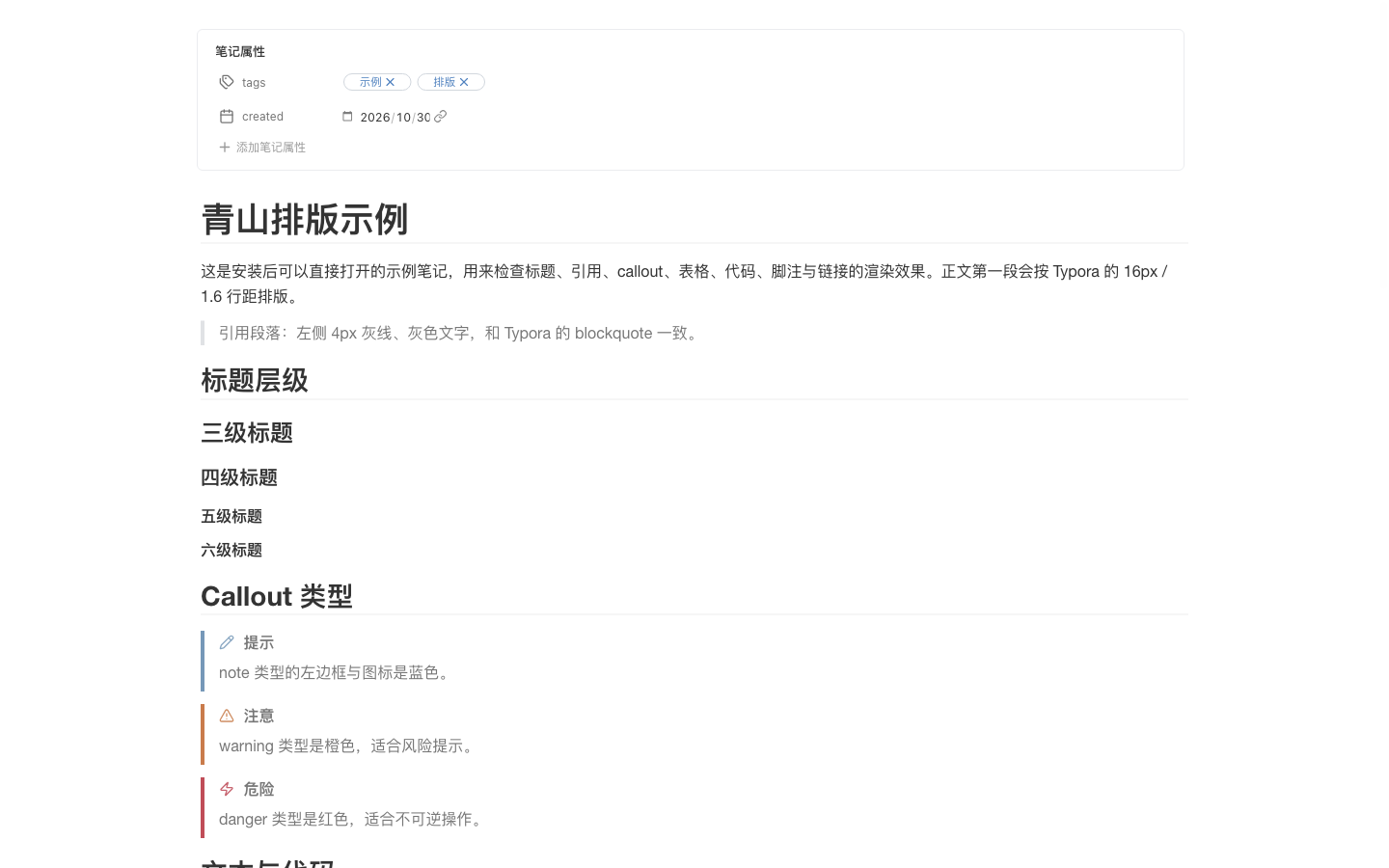
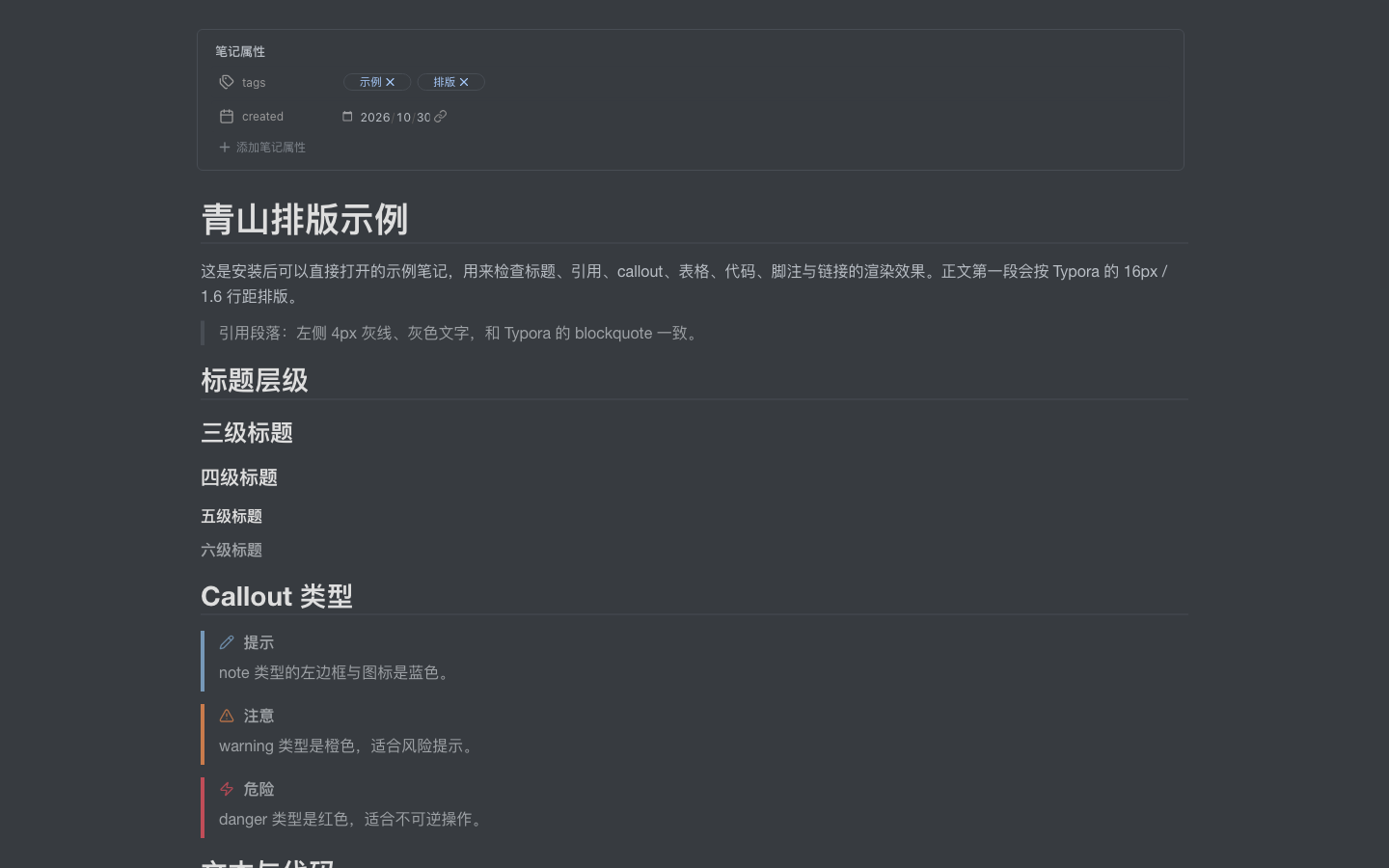
Features
- Responsive reading width: 860px by default, 1024px on windows ≥1400px, 1200px on windows ≥1800px. Fixed-width and full-width modes are also available.
- Typora metrics: 16px body text, 1.6 line height, 30px side padding, Typora heading scale and rule lines.
- Typora code blocks: 14.4px / 23.04px code line boxes,
#f8f8f8surface, 1px border, 8/6 padding, automatic wrapping, and the Typoracm-s-innerpalette. - Dark mode: follows
theme-darkautomatically with a Typoranight-inspired surface, text, table, code, and callout palette. - Semantic callouts: note / warning / danger keep Obsidian's
--callout-coloron the left border and icon. - Optional
qs-homedashboard: a reading-view-only homepage layout driven bycssclasses: qs-home— hero title, subtitle, link grid, footer and a bottom callout. Live Preview keeps the normal editor. - Optional paragraph indent: opt-in 2em first-line indent for prose paragraphs without affecting headings, quotes, lists, callouts, tables, code, or images.
- Native PDF export: exports cleanly styled documents through Obsidian's native PDF export (
.print > .markdown-preview-view). - [TOC] & TOC Reader compatible: clean list styling without bullet collisions, tabular numbers, and hover highlights.
- Subtle hover scrollbars & tabular numbers: tables and code blocks use quiet 6px scrollbars that only appear on hover, with tabular numbers for aligned data.
- Optional accessibility: an opt-in high-contrast toggle for links, quotes, and metadata.
- Code-font switch: use Typora's Courier stack or follow your Obsidian monospace font.
- No note changes: links, embeds, block IDs, properties, and source text stay untouched.
Install
Community plugins
Once the plugin appears in the Obsidian community directory:
- Settings → Community plugins → Browse.
- Search for 青山 or Typora.
- Install and enable 青山 · Typora 正文排版.
Manual
Download
main.js,manifest.json, andstyles.cssfrom the latest GitHub release.Put them in:
<vault>/.obsidian/plugins/qing-shan-typora/Reload Obsidian, then enable the plugin in Settings → Community plugins.
Settings
| Setting | Default | Notes |
|---|---|---|
| Enable typography | On | Toggle the whole plugin. |
| Reading width | Typora auto | 860 / 1024 / 1200 by window; fixed and full modes available. |
| Unified shell | On | Light: #fafafa sidebar / #ffffff paper. Dark: #2f3439 / #363b40. |
| Paragraph indent | Off | 2em first-line indent for prose paragraphs only. |
| Hide inline title | On | Hides Obsidian's inline filename; write an H1 in the note instead. |
| Code font | Typora | Lucida Console, Consolas, Courier; or follow Obsidian. |
| High contrast | Off | AA contrast for links, quotes, and metadata; deviates from Typora colors. |
| Font size | 16px | 14–22px. |
| Max content width | 800px | 480–1200px, used by fixed-width mode. |
| Line height | 1.6 | 1.4–2.2. |
| Reset | — | Restore all defaults and write them to disk. |
The settings UI is in Chinese; the plugin itself has no language-dependent behavior.
Homepage layout (qs-home)
Add qs-home to a note's cssclasses to opt into the dashboard layout:
---
cssclasses:
  - qs-home
---
Conventions:
- The first
H1is the brand title and gets the 58px Songti hero style (42px in narrow panes) plus the mountain mark. - The blockquote immediately after the
H1is the subtitle; later blockquotes keep the normal quote style. - Each
H2is followed by a flatulof links (- [[path|label]] — description); the list becomes a responsive 2–3 column card grid. - The last paragraph containing only
*italic*is the footer; a bottom callout is styled as a small usage note. - The layout is reading-view only. Live Preview keeps the normal editor typography, so the dashboard never interferes with editing. This is intentional, not a missing live-preview style.
- The styles only target the reading view's
.el-*sections and exclude embedded notes and callout content.
Compatibility
- Obsidian 1.5.0+, desktop only.
- Applies to Reading view and Live Preview; Source mode is left untouched.
- Works with light and dark themes. Minimal is recommended but not required.
- No build step is required to use the release files; the paragraph-indent decoration uses Obsidian's bundled CodeMirror 6 packages.
Privacy
The plugin does not read, search, rewrite, or scan notes, and it makes no network requests. It only:
- reads and writes its own settings through
loadData/saveData; - adds its own classes and CSS variables to the window
body; - removes those classes and variables when disabled or unloaded.
No note content, file names, or vault metadata are collected.
Development
main.jsis plain CommonJS and only requiresobsidian.styles.csscontains the entire visual layer.versions.jsonmaps releases to the minimum Obsidian version.
中文说明
把 main.js、manifest.json、styles.css 放到 <库>/.obsidian/plugins/qing-shan-typora/,重载 Obsidian 后在第三方插件中启用。默认使用 Typora 的 860 / 1024 / 1200 三档宽度、1.6 行距、隐藏顶部文件名和 Typora 代码配色;深色模式自动跟随,callout 恢复类型色,段落首行缩进、代码字体与对比度可在设置中切换。全面适配原生 PDF 导出、TOC Reader 目录与宽表格悬浮细滚动条。插件不读取笔记内容,也不请求网络。