Dynamic Theme Background
 sean20778k downloads
Build Your Own Wallpaper Library! Make every note-taking experience visually inspiring.
- Overview
- Scorecard
- Updates48
🌈 Dynamic Theme Background
Build Your Own Wallpaper Library in Obsidian!
Make every note-taking experience visually inspiring
🇺🇸 English | 🇨🇳 中文版
Preview
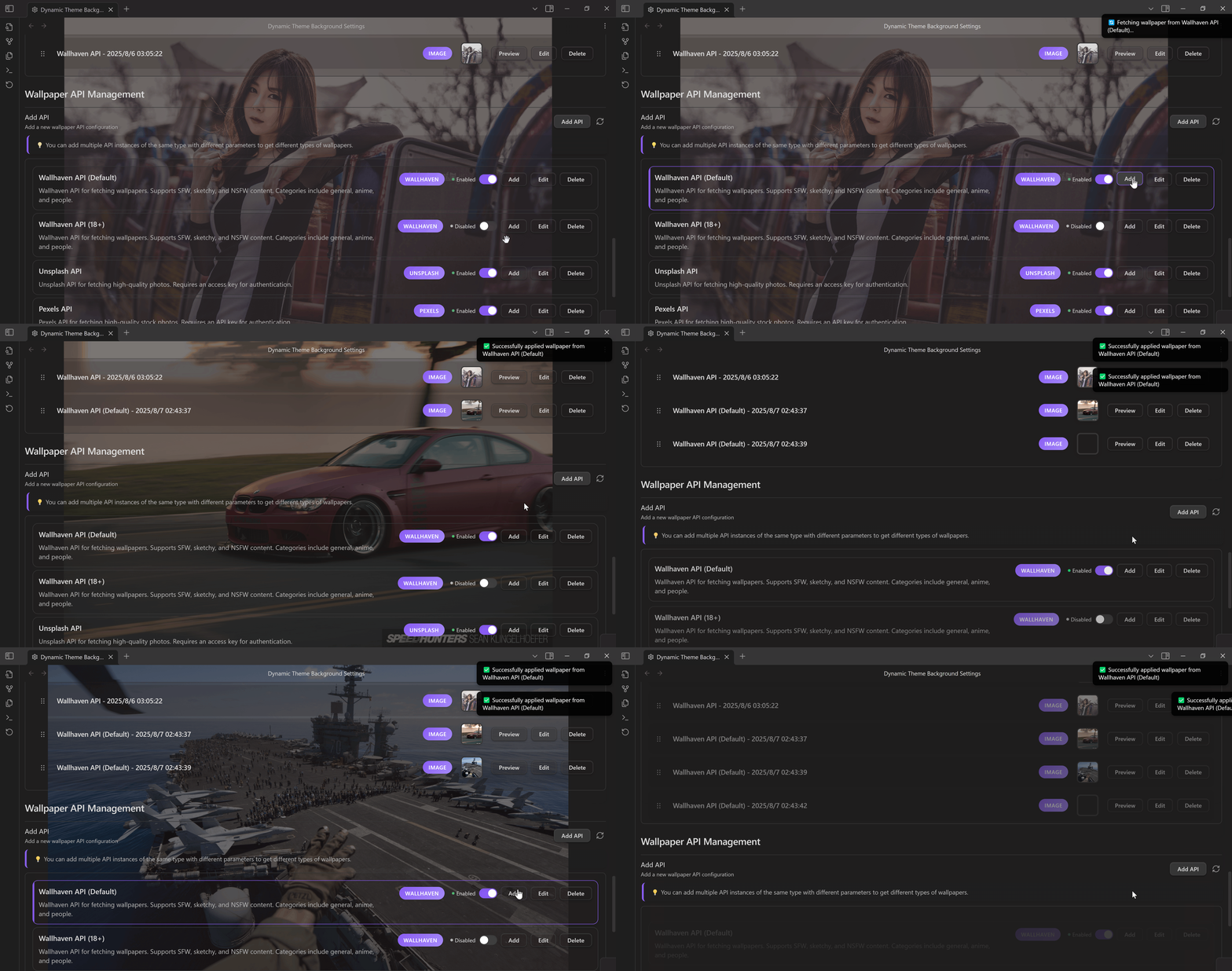
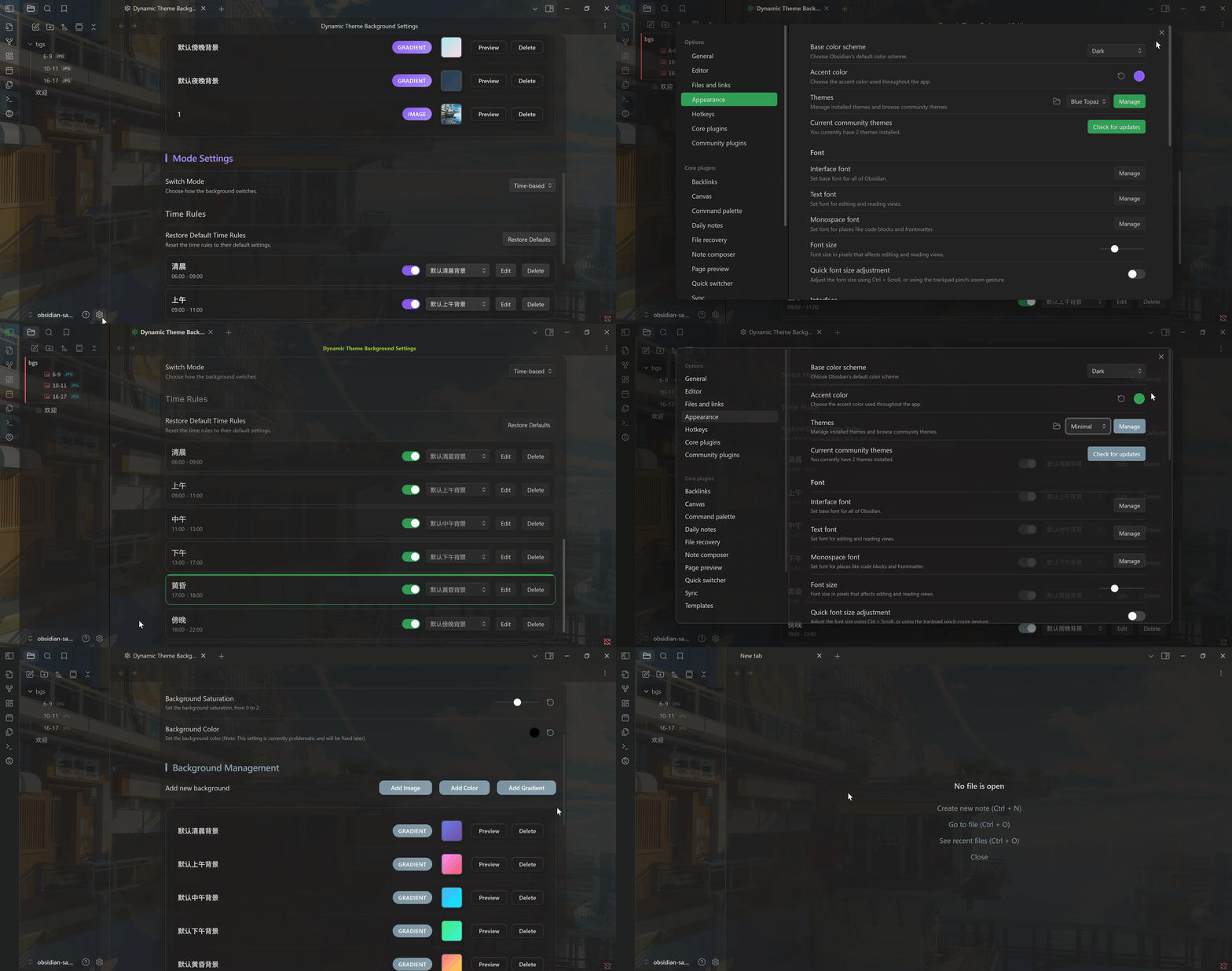
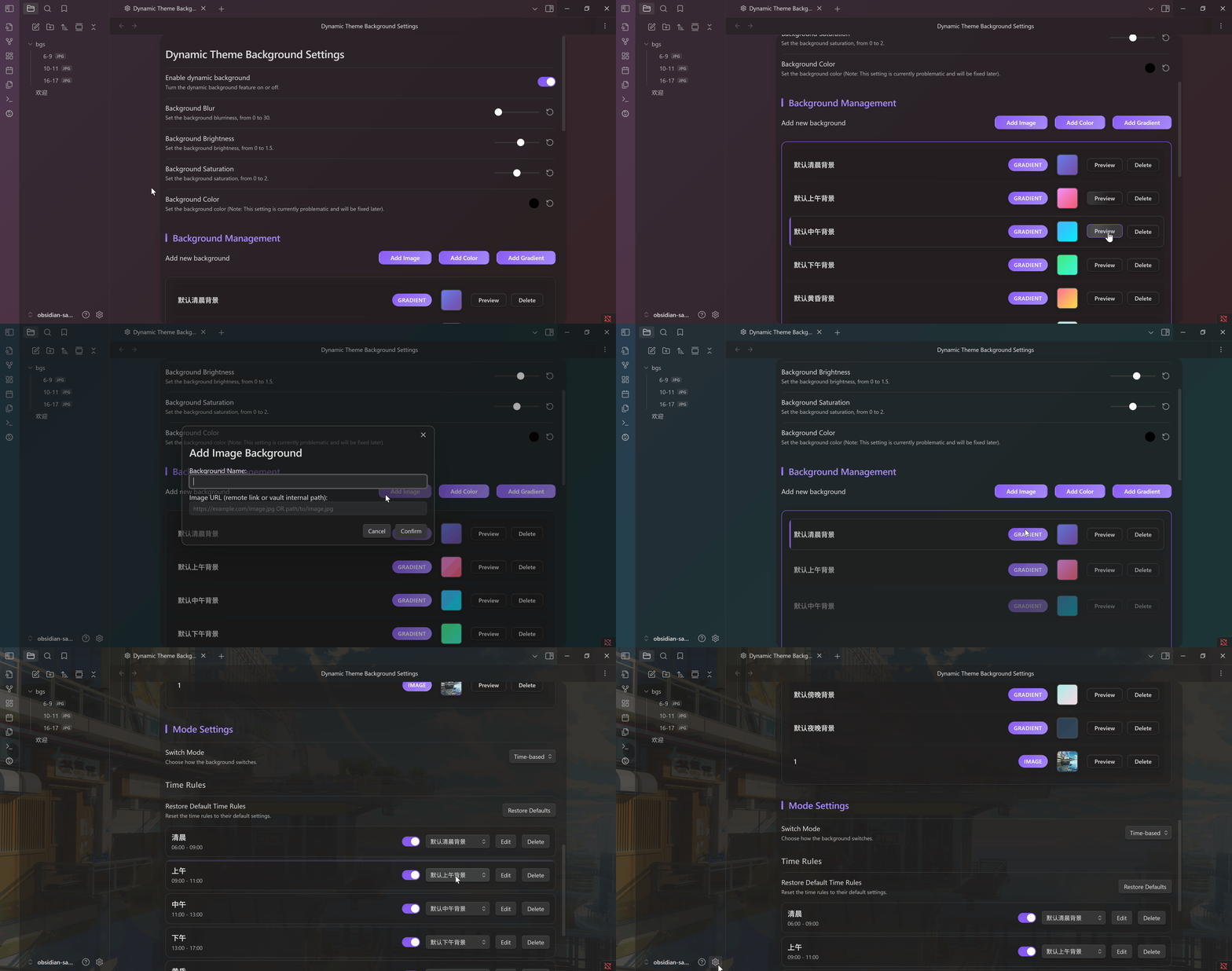
Features
- Multi-source Library — Unsplash, Pixabay, Pexels, Wallhaven + custom API & local folders
- Visual Tuning — Blur, brightness, saturation, hue adjustments; dark/light theme aware
- Smart Rotation — Time windows, interval auto-change, command palette quick switch
- Performance — Async loading, caching, minimal impact on editor responsiveness
Installation
Requires Obsidian 1.13.0 or later.
Obsidian Community Plugins
- Open Settings → Community plugins → Browse
- Search for Dynamic Theme Background
- Select Install, then Enable
BRAT
- Install BRAT
- Add beta plugin →
https://github.com/sean2077/obsidian-dynamic-theme-background - Enable in settings
Manual
- Download
main.js,manifest.json,styles.cssfrom Releases - Create
.obsidian/plugins/obsidian-dynamic-theme-background/ - Place files inside, restart Obsidian, enable
Quick Start
- Add Sources — Local images or API providers (Unsplash / Pixabay / Pexels / Wallhaven / Custom)
- Set Rotation — Interval + optional time windows (morning / day / night)
- Control — Status bar clicks or Command Palette (
dtb) to switch, save & fetch
Status Bar:
- Left Click → Random wallpaper
- Middle Click → Open settings
- Right Click → Save current background
Network and Privacy
- Local images, colors, and gradients work without provider requests. Enabling a wallpaper provider, using a custom JSON endpoint, or applying/saving a remote image can contact the configured third party; that service's terms and privacy policy apply.
- Provider keys, tokens, and every custom-header value are stored through Obsidian SecretStorage. The plugin's
data.jsoncontains only non-secret settings and SecretStorage IDs, not those credential values. - Custom API query credentials must use Secret query parameters. The raw Extra parameters JSON accepts only non-secret string, number, and boolean values; those parameters are appended to the custom endpoint at request time.
- On the first load after upgrading, legacy plaintext credentials are copied to SecretStorage before
data.jsonis replaced. If any secret write fails, the olddata.jsonis left unchanged and plugin startup stops so credentials are not lost or partially migrated. - Secrets can be shared across plugins or configurations, so deleting a DTB API removes only its reference and does not delete the Obsidian-owned secret.
- The plugin has no telemetry or analytics. Diagnostic logging sanitizes credential-bearing URLs and headers, bounds nested data, and does not intentionally log API keys or tokens.
- Saving a remote wallpaper is an explicit action and writes only to the validated vault-relative folder selected in plugin settings.
Notes
- Optimized for dark themes; light themes may need parameter adjustments
- Uses Obsidian CSS variables — compatible with most themes
- If your theme defines custom backgrounds, choose one or the other to avoid conflicts
CSS Override Details
.dtb-enabled .workspace::before {
    background-image: var(--dtb-bg-image);
    filter: blur(var(--dtb-blur-depth)) brightness(var(--dtb-brightness)) saturate(var(--dtb-saturate));
    /* ... */
}
Roadmap
- Weather / system theme driven wallpaper sets
- Video / GIF backgrounds
- AI-generated backgrounds
- Mobile refinements
- Preset packs & collections
Contributing
- Report Bug
- Feature Request
- Star the project if it helps!
License
HealthExcellent
ReviewPassed
About
Create a dynamic wallpaper library for Obsidian from Unsplash, Pixabay, Pexels, Wallhaven, custom APIs, or local folders. Adjust blur, brightness, saturation and hue; set time-window or interval rotations and switch, save, or fetch backgrounds from the status bar or command palette while async loading and caching preserves editor responsiveness.Details
Current version
3.0.1
Last updated
3 months ago
Created
Last year
Updates
48 releases
Downloads
8k
Compatible with
Obsidian 1.13.0+
Platforms
Desktop, Mobile
License
MIT