
- Overview
- Scorecard
- Updates16
A community plugin based off of the VSCode extension "vscode-pets". It allows you to open a view in your vault where your various pixel pets can play.
Key Features
- 🐱 22 different cats with 7+ different animations (and more pets on the way!)
- Customizable with individual names
- 🖼️ 10 different backgrounds for your pets to play in
- 🎾 Pet interactivity
- You can play fetch and throw balls for your pets to retrieve
- You can pet your pets
- You can get them to follow you with a pet toy
- ➡️ Movable view to allow for personal customization OR turn your entire Obsidian vault into your pets' playground
- 🤖 Catbot (chatbot) that can answer questions with context from your vault / allow you to chat with your pets
Getting Started
Installation
Method 1: Community Plugins (Recommended)
- In Obsidian, go to Settings > Community Plugins.
- Click Browse and search for "Pixel Pets".
- Click Install, then Enable the plugin.
Method 2: Manual Installation
- Download or clone this repository.
- Copy the entire folder into your vault's
.obsidian/plugins/directory. - In Obsidian, go to Settings > Community Plugins and click Reload plugins.
- Enable Pixel Pets in the list of installed plugins.
Adding Your First Pet
- Enable the Pixel Pets plugin.
- Once enabled, select the command
Add a pet. Choose the pet's species and give it a name.- This will automatically open the pet view.
- Select a background using the
Choose pet view backgroundcommand. - Continue to experiment with different backgrounds and pets, or just vibe along with your pets while you take notes, plan out RPGs, and more.
UI Previews
Toggle the cat ribbon icon to open and close the view.

Here is a preview of what the plugin could look like (Selected background: "Summer #1", added pet: "Christmas cat").
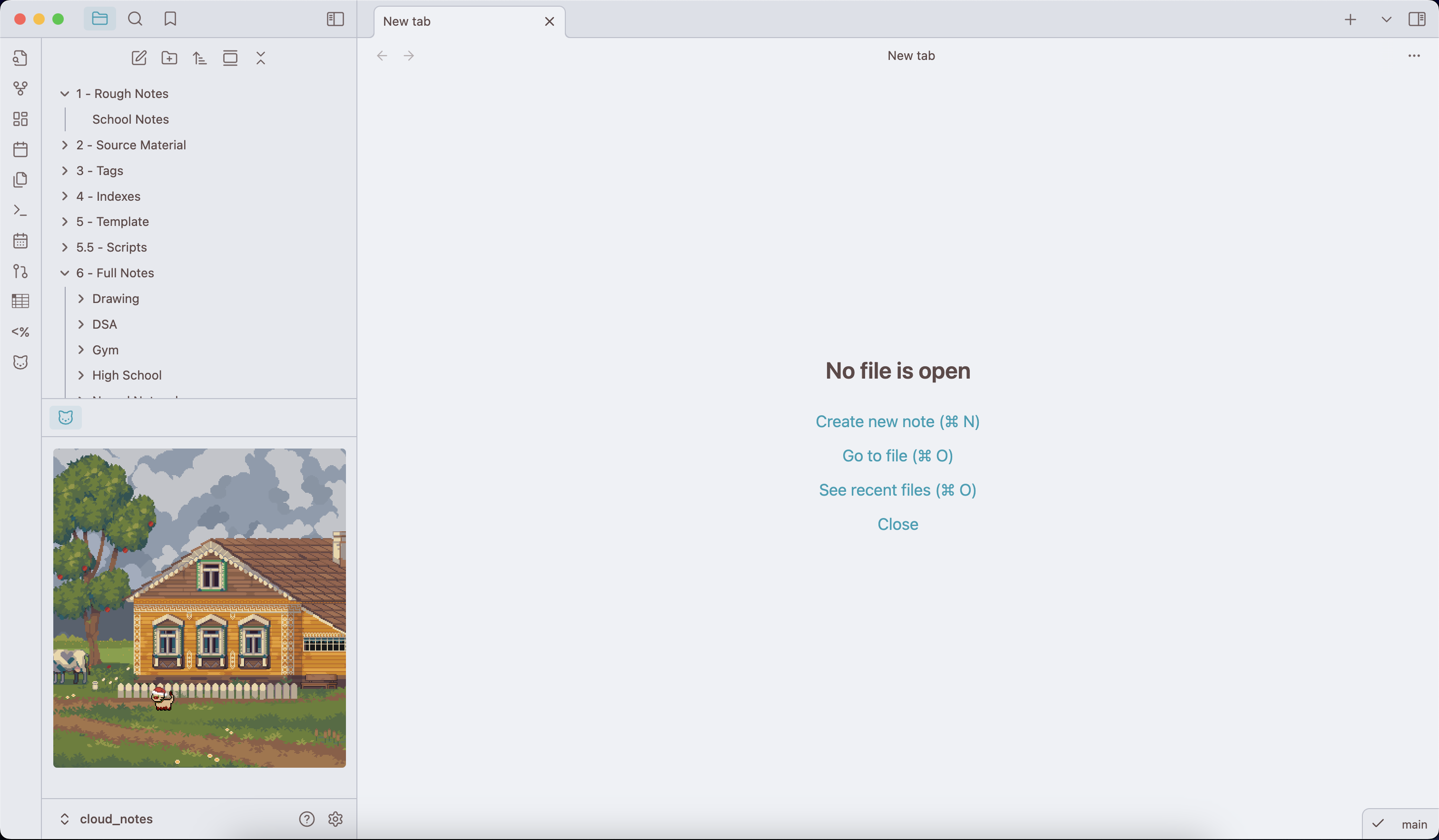
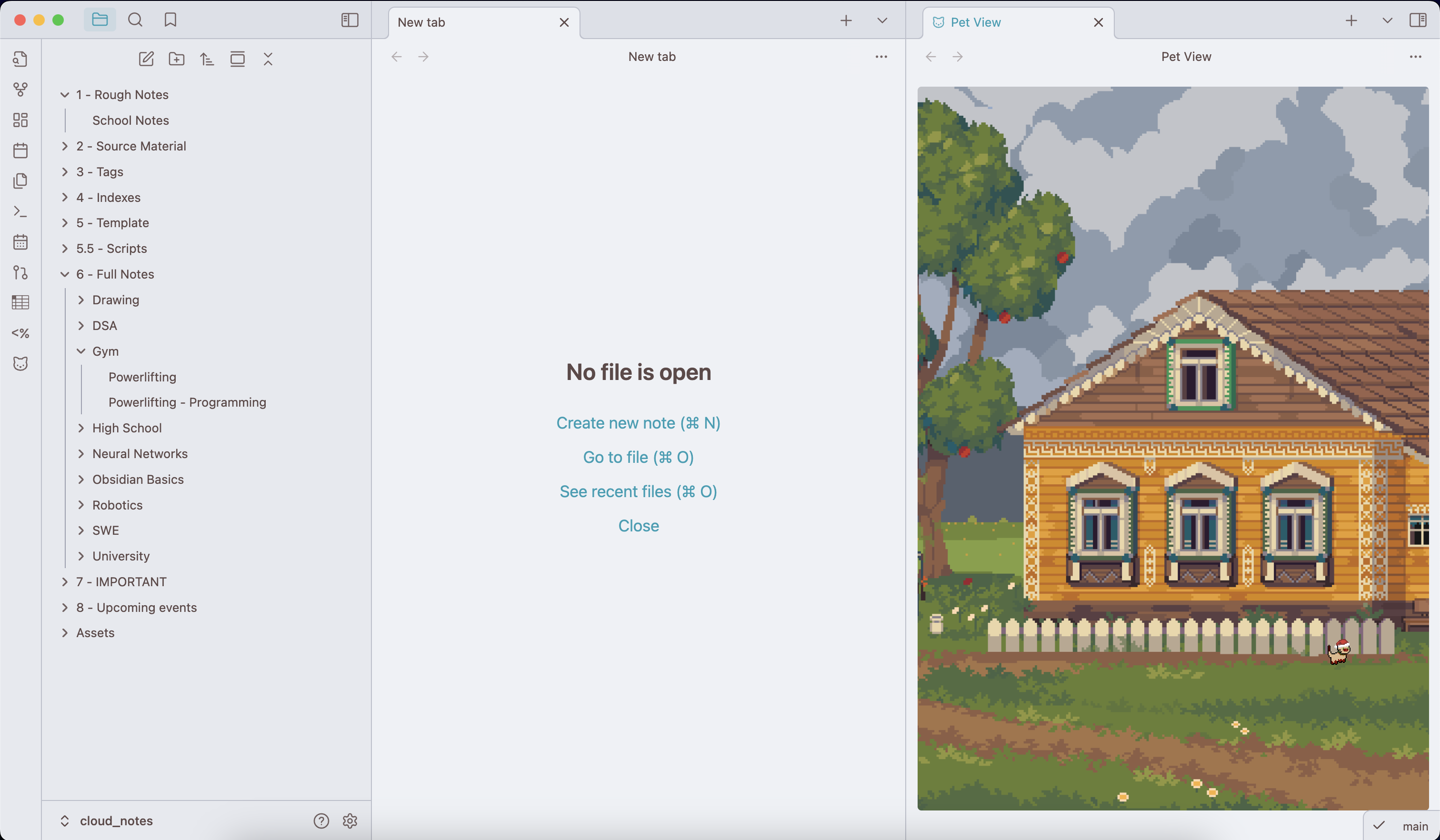
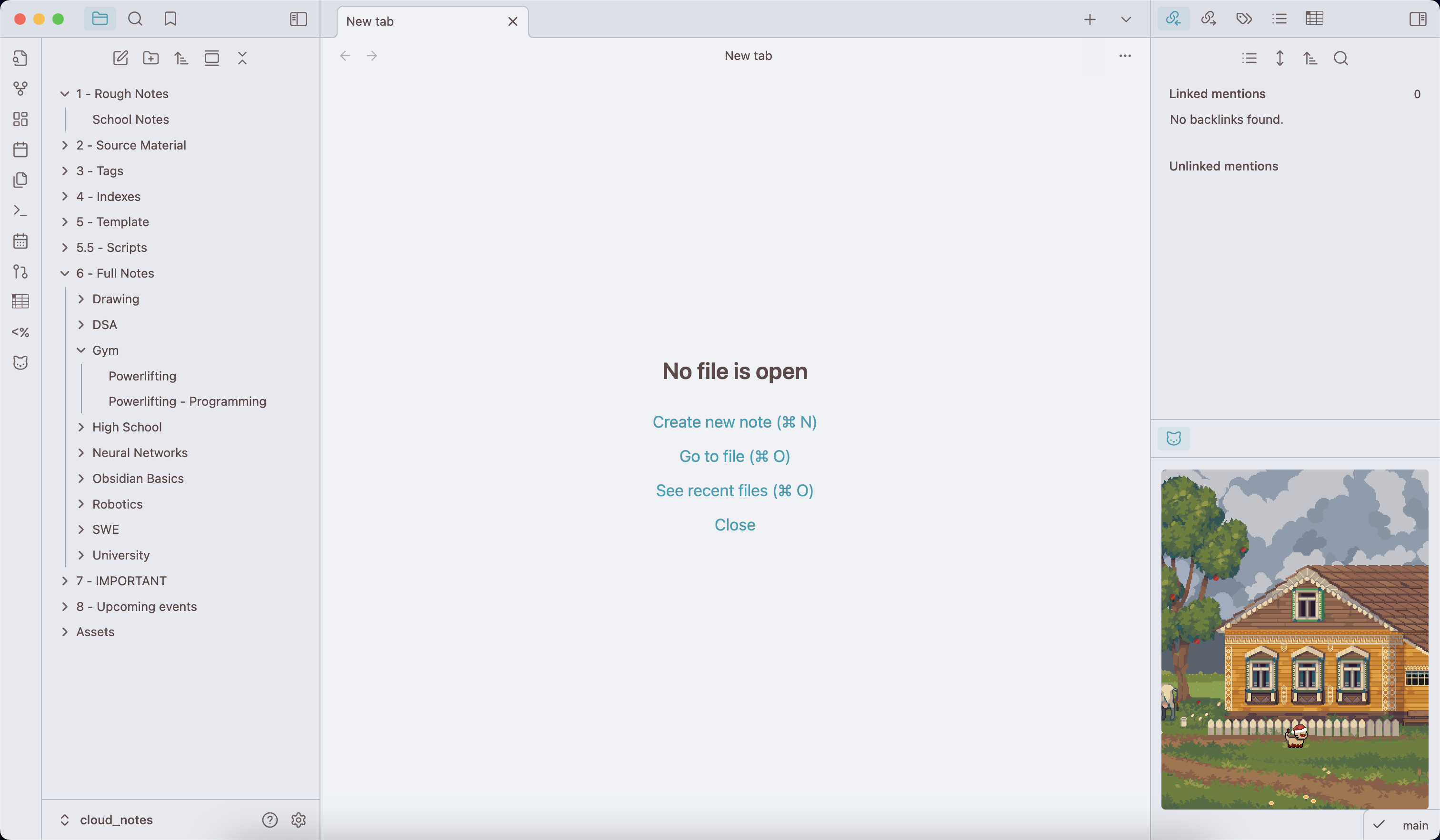
You can click and drag on the highlighted icon above the view to drag it into other views, as well as change the width and height of the view to customize your layout as desired. (See a couple of sample layouts below)
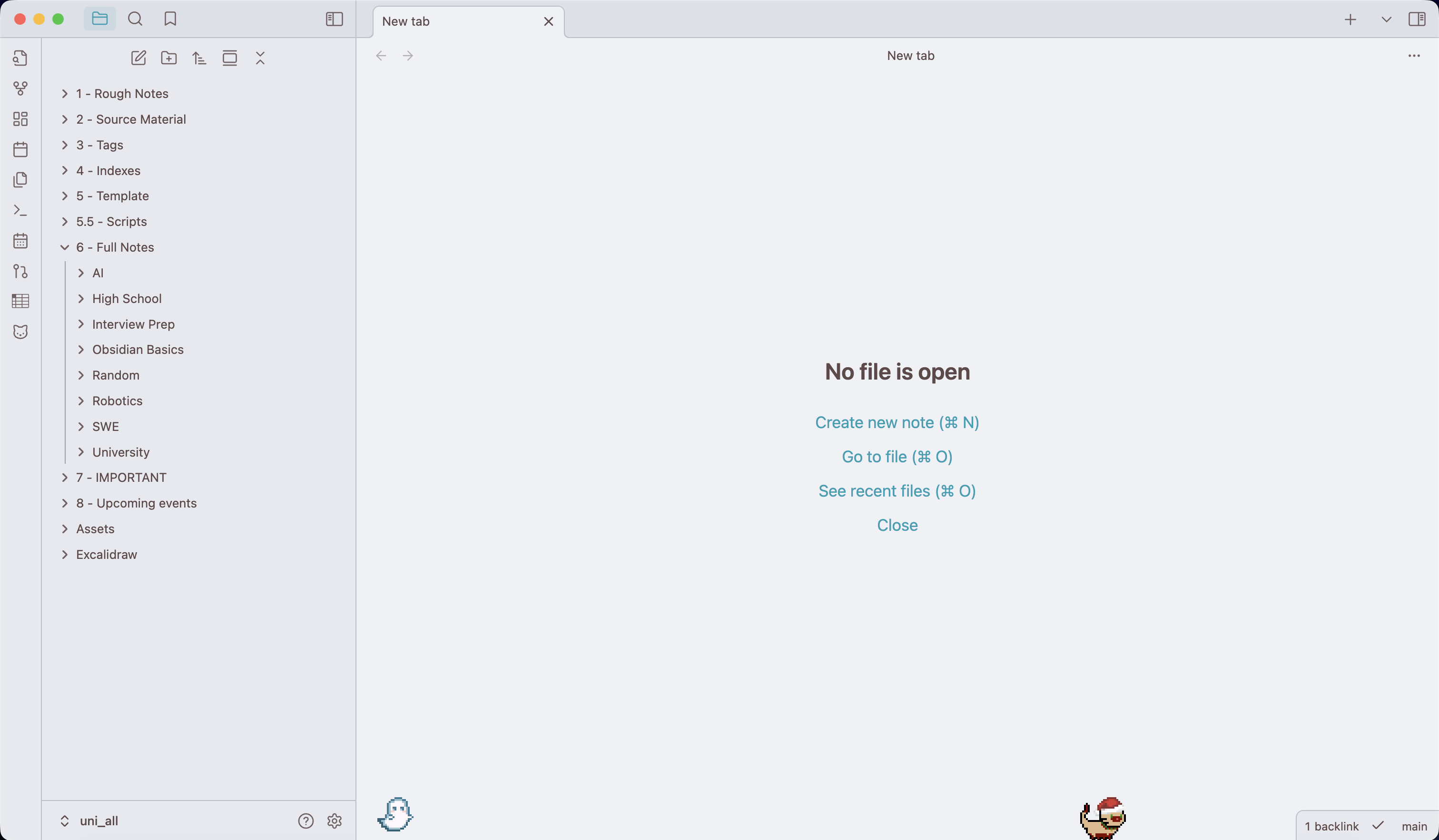
Here is what it looks like if you enable the full vault overlay.
Available Commands
- Adding pets
Add a pet: Select the species and provide it with a name. Added pets will immediately appear in the view.
- Removing pets
Remove a specific pet: Remove a specific pet. Provides a list of all the pets with their name and species.Remove all pets: Removes all pets from the view.
- Interacting with pets
Add a ball: Chooses a random ball and launches it in the view for a pet to chase after.Cat toy mouse toggle: Changes your mouse to a cat toy for your cats to follow.
- Background
Choose pet view background: Changes the background for the pet view. The background can also be changed in the settings tab.
- Chatting with pets
Chat with your pets: Opens up a chat modal for you to ask your pet questions.
Contacts
If you have any kind of feedback or questions, feel free to reach out via GitHub issues or @hi.bye_2025 on the Obsidian Discord server.
Credits
| Link | Description |
|---|---|
| https://free-game-assets.itch.io/free-winter-nature-pixel-game-backgrounds | All winter backgrounds |
| https://ko-fi.com/s/8ffe7d812e | Snow animation for winter backgrounds |
| https://free-game-assets.itch.io/free-summer-pixel-art-backgrounds | All summer backgrounds |
| https://free-game-assets.itch.io/free-ancient-temple-pixel-game-backgrounds | All temple backgrounds |
| https://free-game-assets.itch.io/free-castle-interior-pixel-game-backgrounds | All castle backgrounds |
| https://toffeecraft.itch.io/cat-pixel-mega-pack | All cat sprites |
HealthExcellent
ReviewCaution
About
Open a movable pet view in your vault and add pixel pets (22 cats with 7+ animations) to play across 10 backgrounds. Name and customize pets, play fetch, pet them, make them follow you, or chat with Catbot that answers using your vault's context.Details
Current version
1.6.0
Last updated
3 months ago
Created
Last year
Updates
16 releases
Downloads
4k
Compatible with
Obsidian 1.11.7+
Platforms
Desktop only
License
MIT