Personal Funds
 Contributors84 downloads
A local-first personal funds tracker for income, expenses, credit card payments, lending, dashboard notes, and Canvas summaries.
- Overview
- Scorecard
- Updates4
Personal Funds is a local-first Obsidian plugin for recording personal income, expenses, credit card repayments, lending, and account adjustments. Version 2.0.1 introduces a responsive dashboard designed to fill the Obsidian workspace while keeping all financial data in the vault.
Features
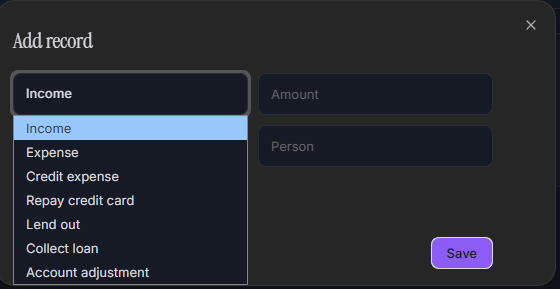
- Record income, cash expenses, credit card expenses, credit card repayments, lending, loan collections, and account adjustments.
- Responsive workspace dashboard with Overview, Recent Records, Planned Expenses, and Account Management navigation.
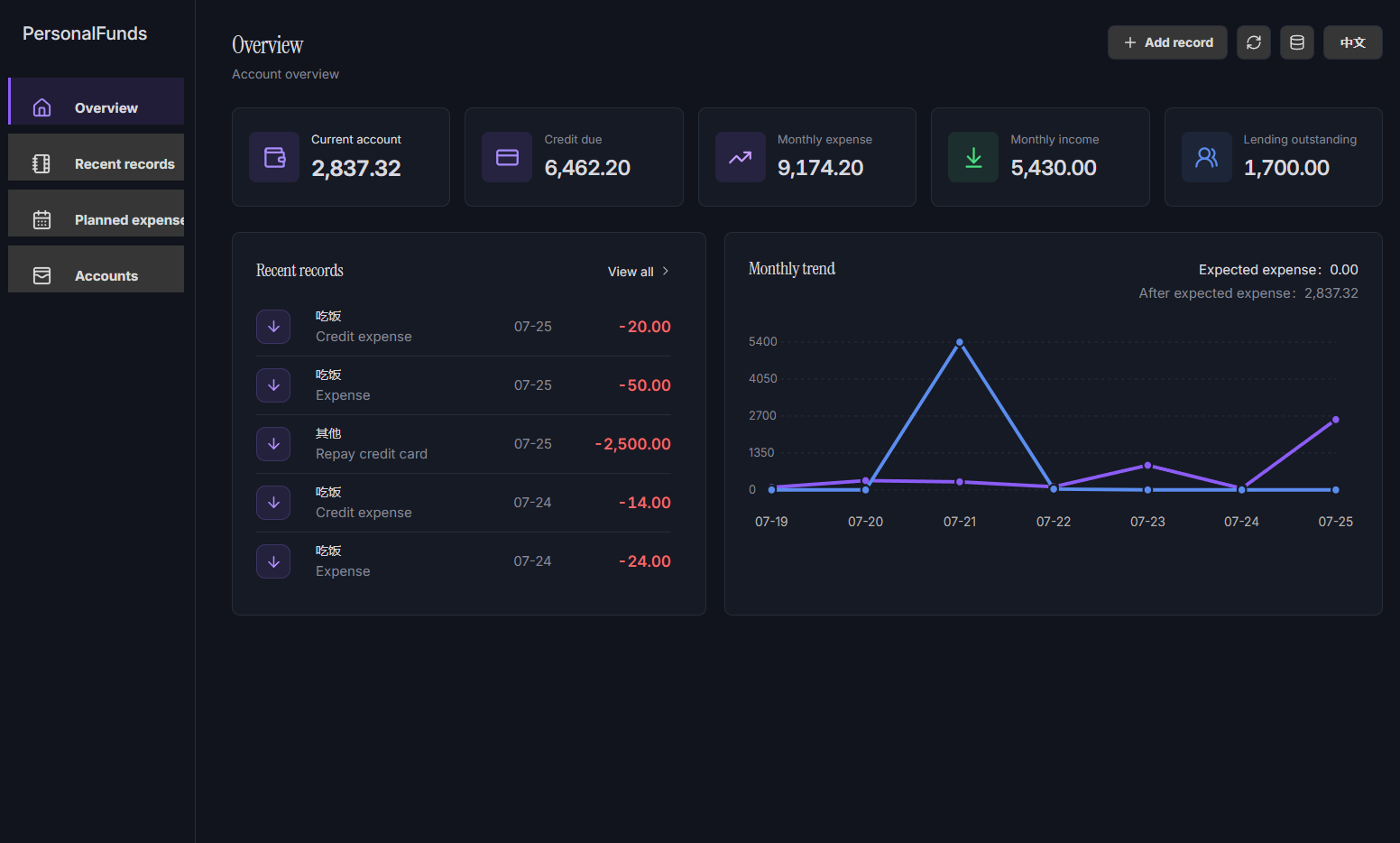
- View current account, credit-card balance, monthly expense, monthly income, and lending summaries from one overview page.
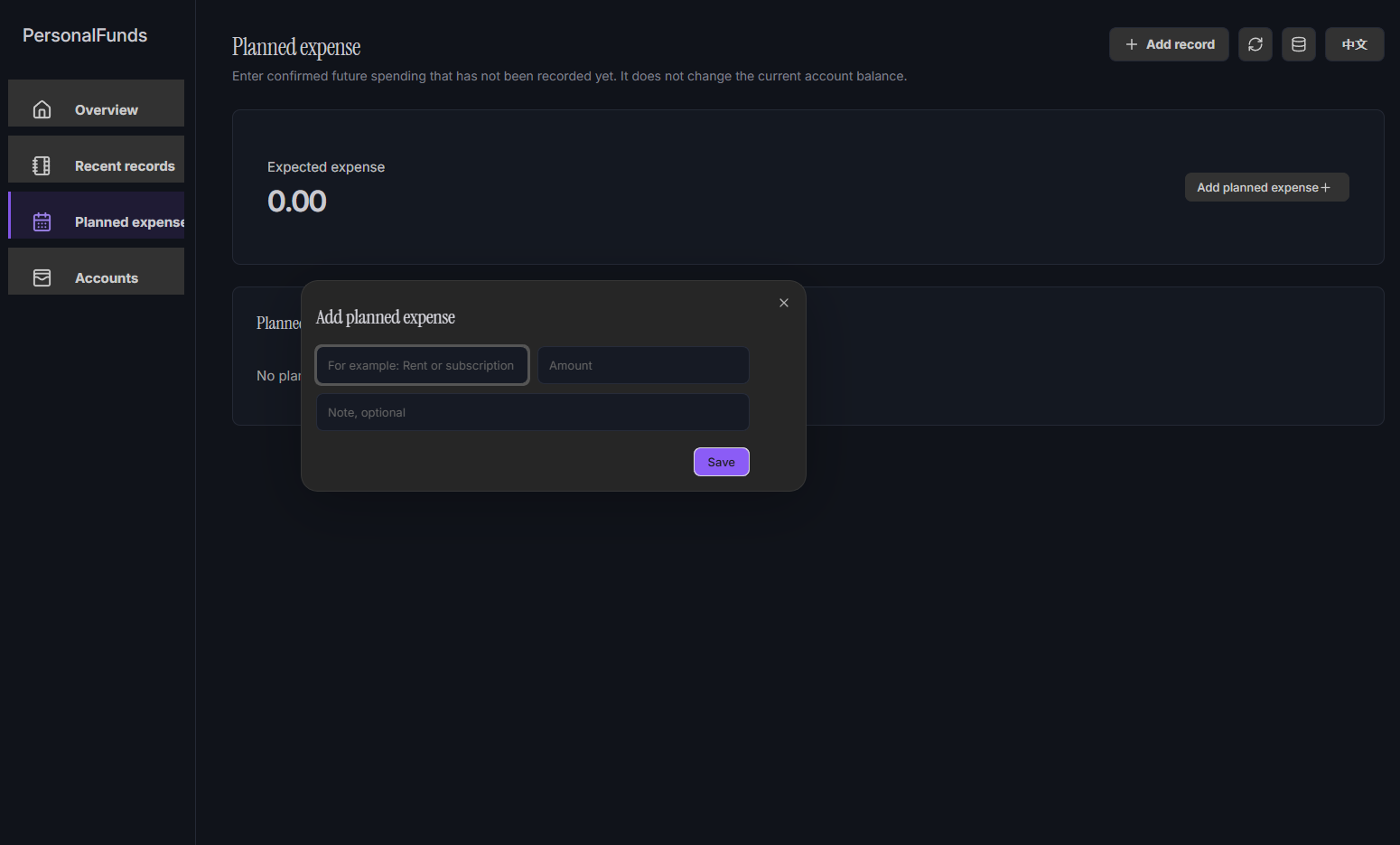
- Add named planned-expense items with amount and optional note; they are included in the expected-expense total without changing the current balance.
- Filter recent records by record type and category. Add new records from the compact
+ Add recorddialog. - Display balance and monthly income/expense trends using the records stored in the vault.
- Generate a Markdown funds dashboard in your vault.
- Generate an Obsidian Canvas with the dashboard and usage guide.
- Save records to a configurable vault folder as sync-friendly Markdown (
records.md). - Read records back from the vault database after plugin updates or reinstalls, even if the original custom data-folder setting was not restored.
- Open and update separate Markdown summary notes from the five top summary cards.
- Preserve user-added files and Canvas nodes when updating generated dashboards.
- Switch between Chinese and English in the plugin interface.
- Store all data locally in your vault, with plugin data kept as a secondary copy.
Usage
- Click the wallet icon in the ribbon, or run
Open personal fundsfrom the command palette. - Use
+ Add recordin the top-right toolbar to create an income, expense, credit-card, or lending record. - Open Recent Records to filter the list by type or category.
- Open Planned Expenses to add or remove future recurring/confirmed spending items.
- Use the top-right refresh button to update the Markdown dashboard and Canvas; use the database button to reload
records.md. - Configure the data folder in the Obsidian plugin settings if you want generated files somewhere else.
Data and Sync
The primary database is records.md, a normal Markdown file inside the vault. This makes the records friendly to vault sync and backups that skip .json files or the .obsidian folder. The plugin automatically imports an older records.json database when it is found.
Planned expenses, language preference, and records are stored in the Markdown database. Plugin data remains only a secondary local copy.
Screenshots
Overview dashboard
The overview brings account balances, recent records, and the monthly income/expense trend together in one responsive workspace.
Planned expenses
Planned-expense items can be added with a name, amount, and optional note. They contribute to the expected-expense total while remaining separate from recorded transactions.
Add a record
Use the compact record dialog to create income, expense, credit-card, lending, and adjustment records.
Local UI Preview
The browser preview lets you test the dashboard layout and interactions without opening Obsidian. It uses sample data only; it does not read or write your vault.
pnpm install
pnpm dev
Then open the URL shown in the terminal (normally http://127.0.0.1:5173). You need a current Node.js LTS installation with pnpm available in your terminal.
Generated Files
Personal Funds creates generated files under:
Personal_funds/Funds dashboard.mdPersonal_funds/Funds dashboard.canvasPersonal_funds/records.md(the primary record database, designed to be included by note sync tools)Personal_funds/Summary/*.md
Privacy
Personal Funds does not send data to external services. Records and planned expenses are saved locally in a Markdown database file in your vault and mirrored in Obsidian plugin data. Older records.json files are automatically imported once and migrated to records.md.
Author
MI-Lin
License
MIT