Search...Search plugins and themes...
⌘K
Sign in
  • Get started
  • Download
  • Pricing
  • Enterprise
  • Account
  • Obsidian
  • Overview
  • Sync
  • Publish
  • Canvas
  • Mobile
  • Web Clipper
  • CLI
  • Learn
  • Help
  • Developers
  • Changelog
  • About
  • Roadmap
  • Blog
  • Resources
  • System status
  • License overview
  • Terms of service
  • Privacy policy
  • Security
  • Community
  • Plugins
  • Themes
  • Discord
  • Forum / 中文论坛
  • Merch store
  • Brand guidelines
Follow us
DiscordTwitterBlueskyThreadsMastodonYouTubeGitHub
© 2026 Obsidian

Journalit

CursiveCursive14k downloads

Trading journal with templates, trade tracking, imports, and reviews.

Add to Obsidian
Journalit screenshot
  • Overview
  • Scorecard
  • Updates18

Journalit

Local-first trading journal for Obsidian.

Installation · Supported brokers · Privacy

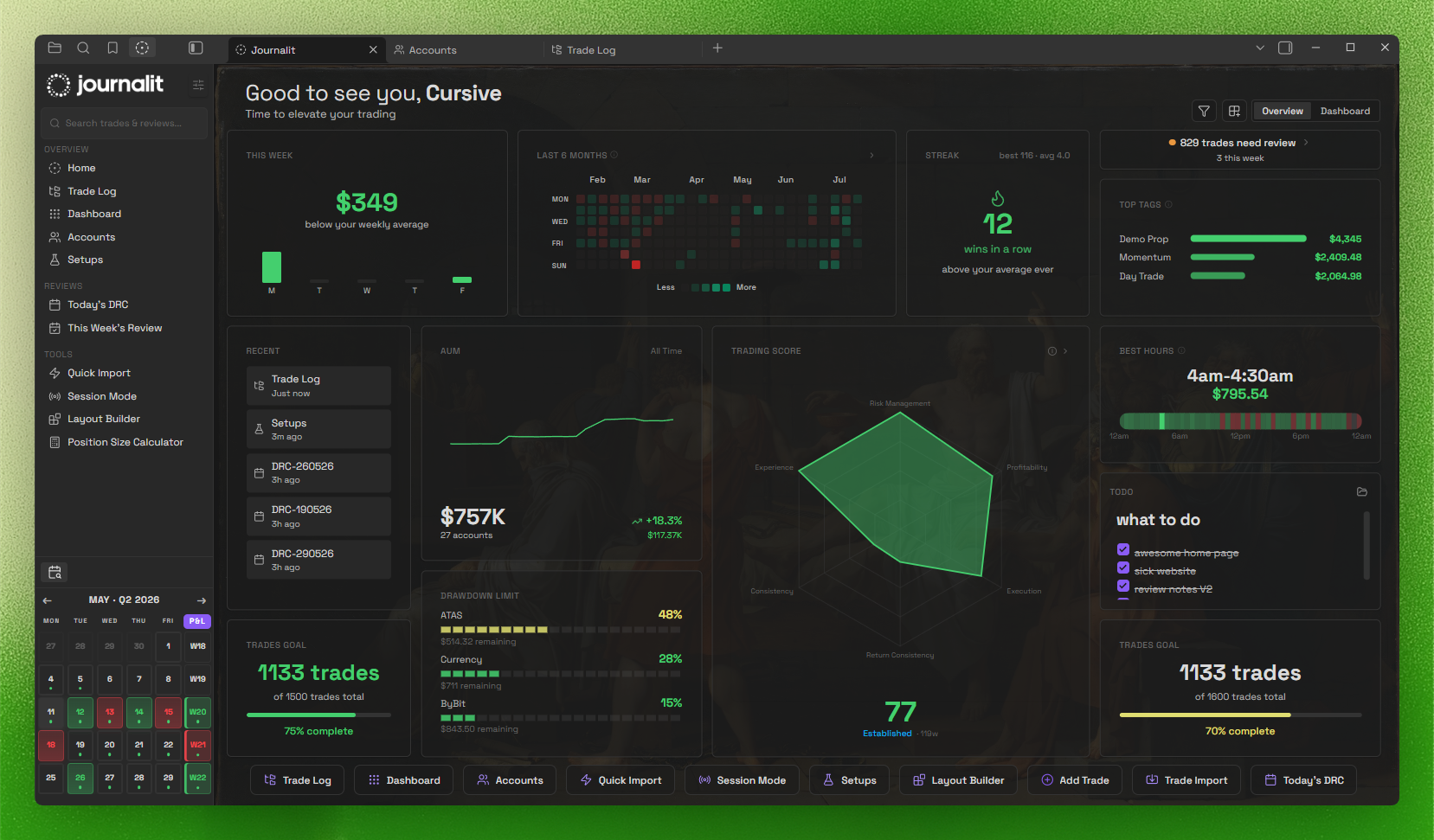
Home View

Installation

BRAT

  1. Install Obsidian
  2. Enable community plugins: Settings → Community Plugins → Turn on community plugins
  3. Install BRAT
  4. In BRAT settings, click Add Beta Plugin
  5. Enter: Cursivez/journalit (Latest version)

Full install + troubleshooting: https://journalit.co/docs

Highlights

  • Local-first: core journaling stays inside your Obsidian vault.
  • Home View dashboard: draggable widgets + trading heatmap.
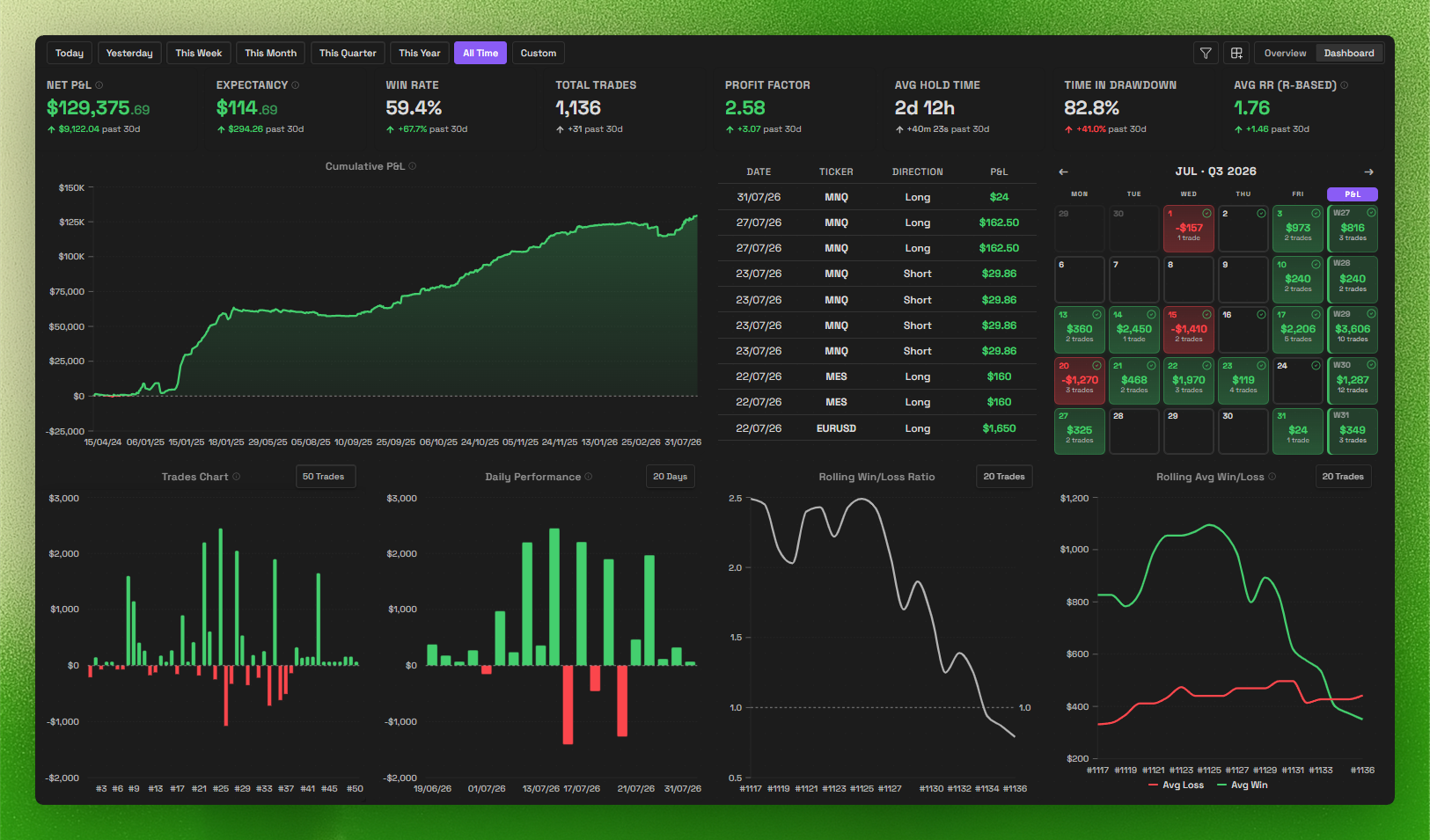
  • Trading dashboard: track performance and patterns at a glance.
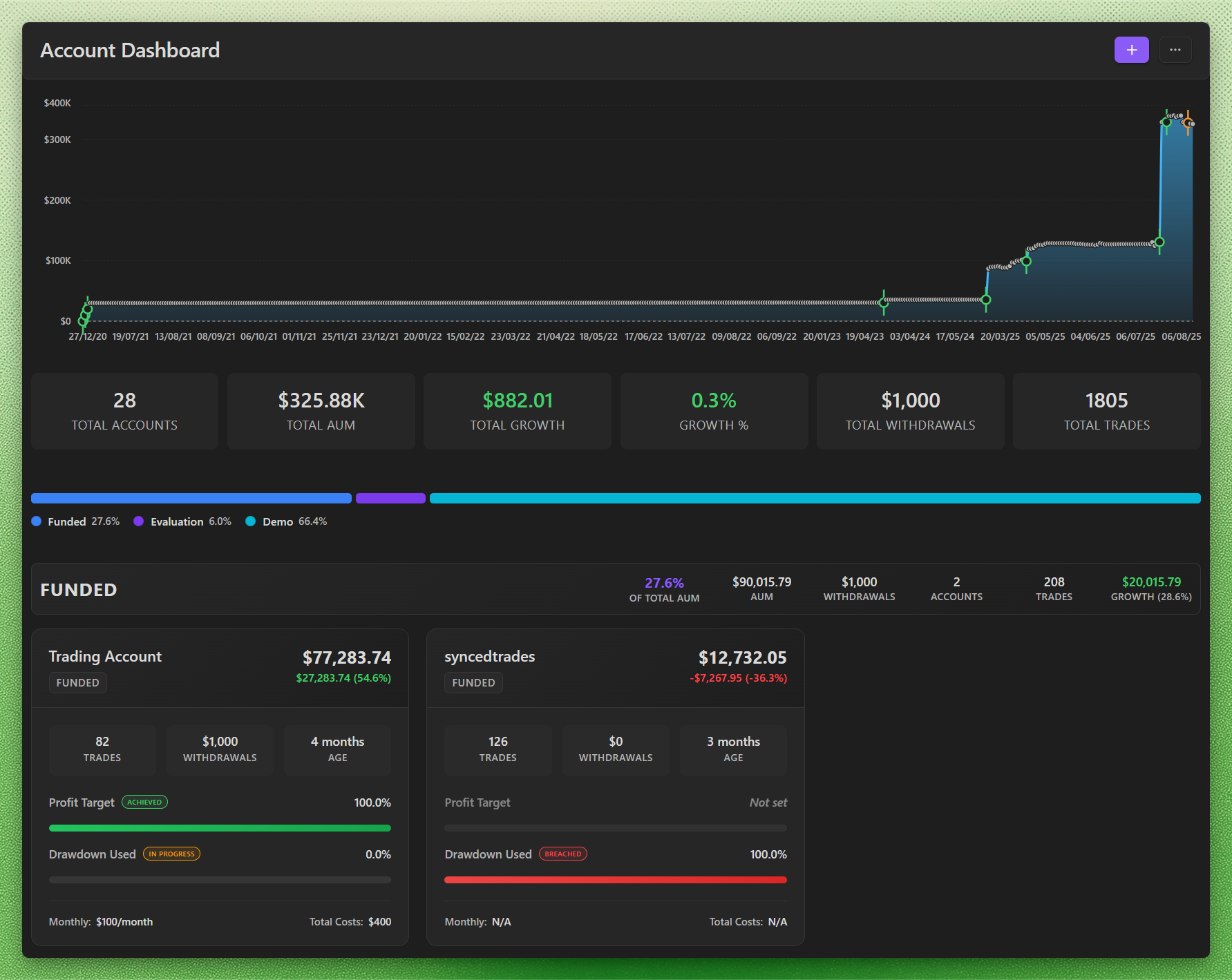
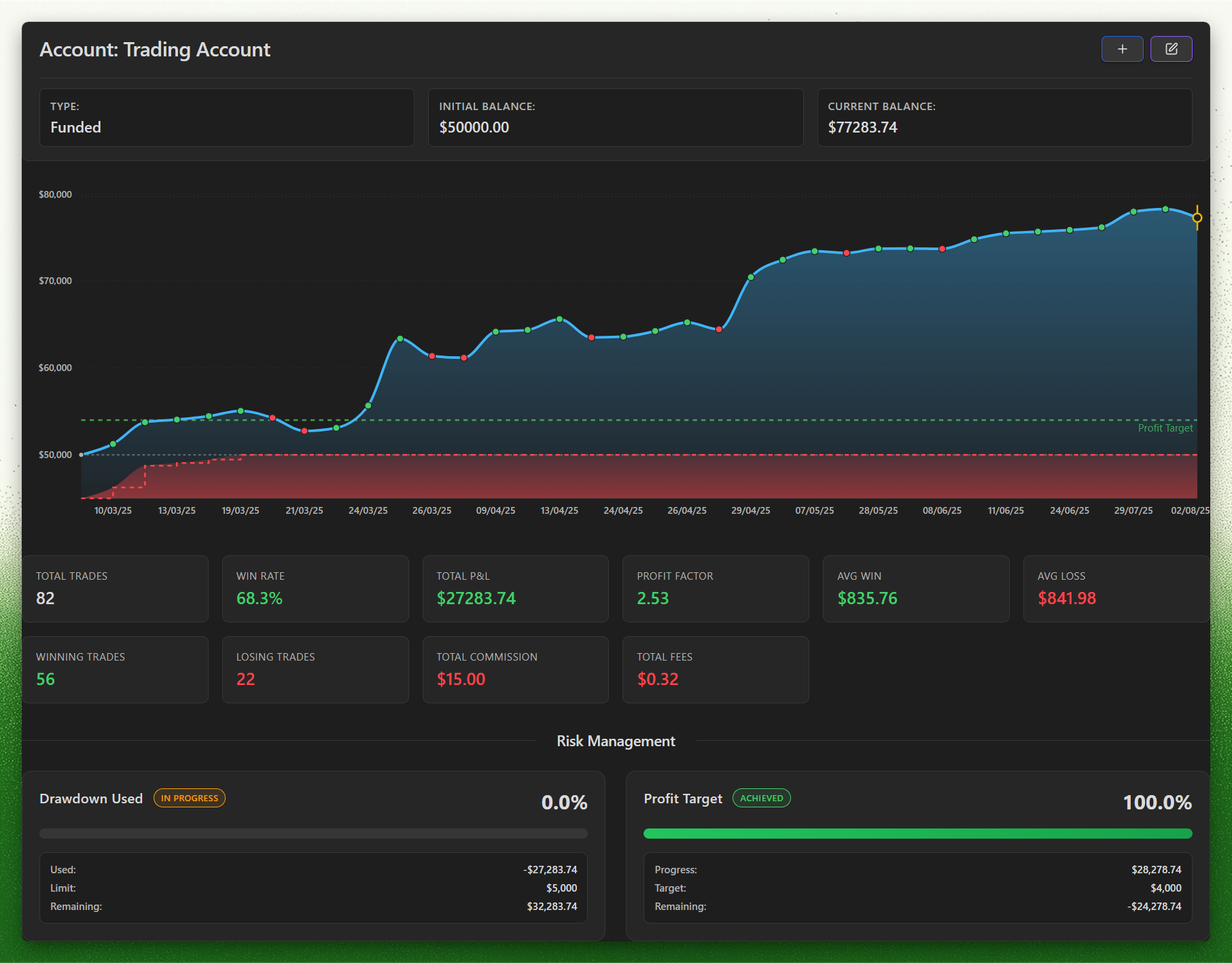
  • Account dashboard: built for prop firm profit targets and drawdowns.
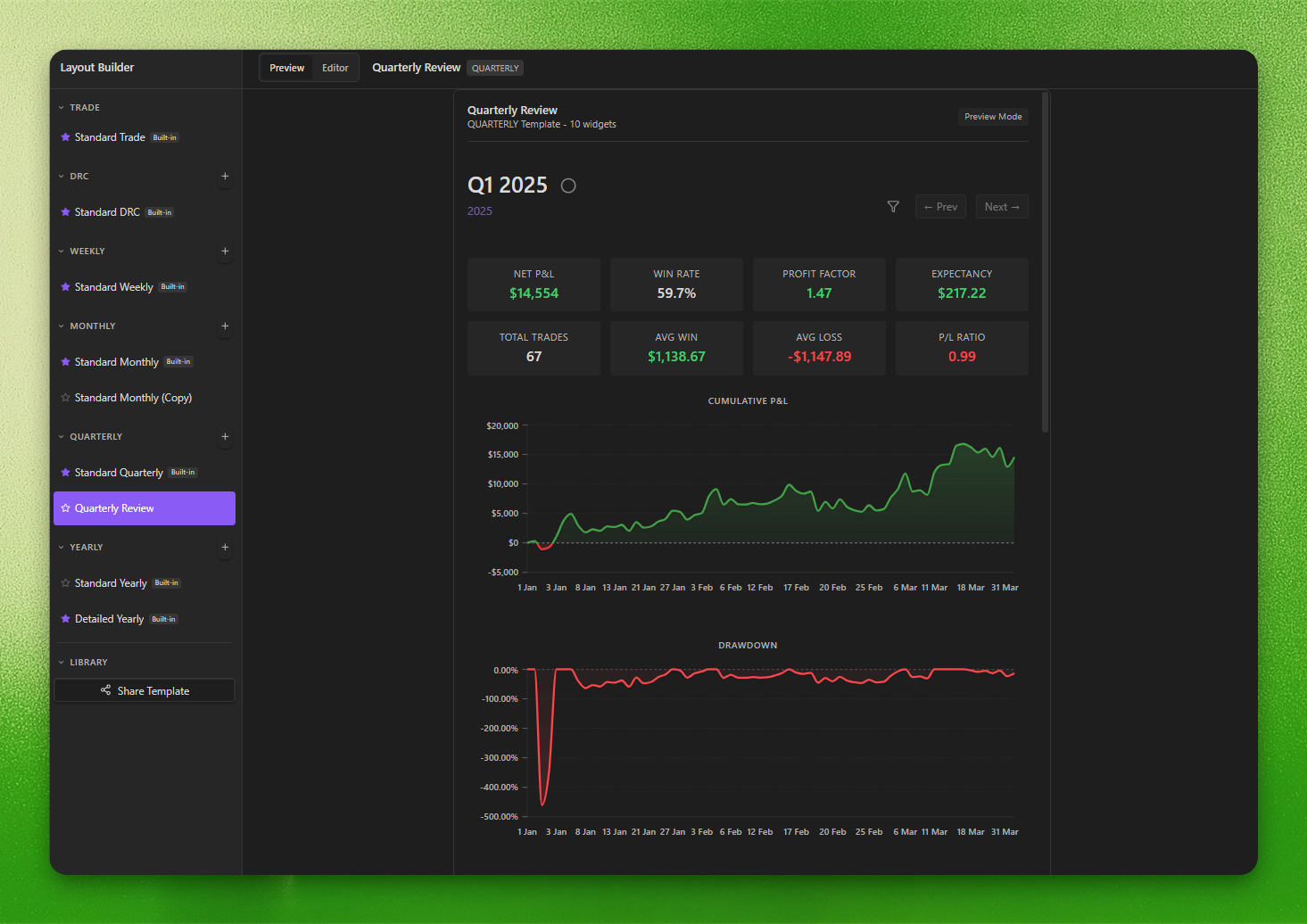
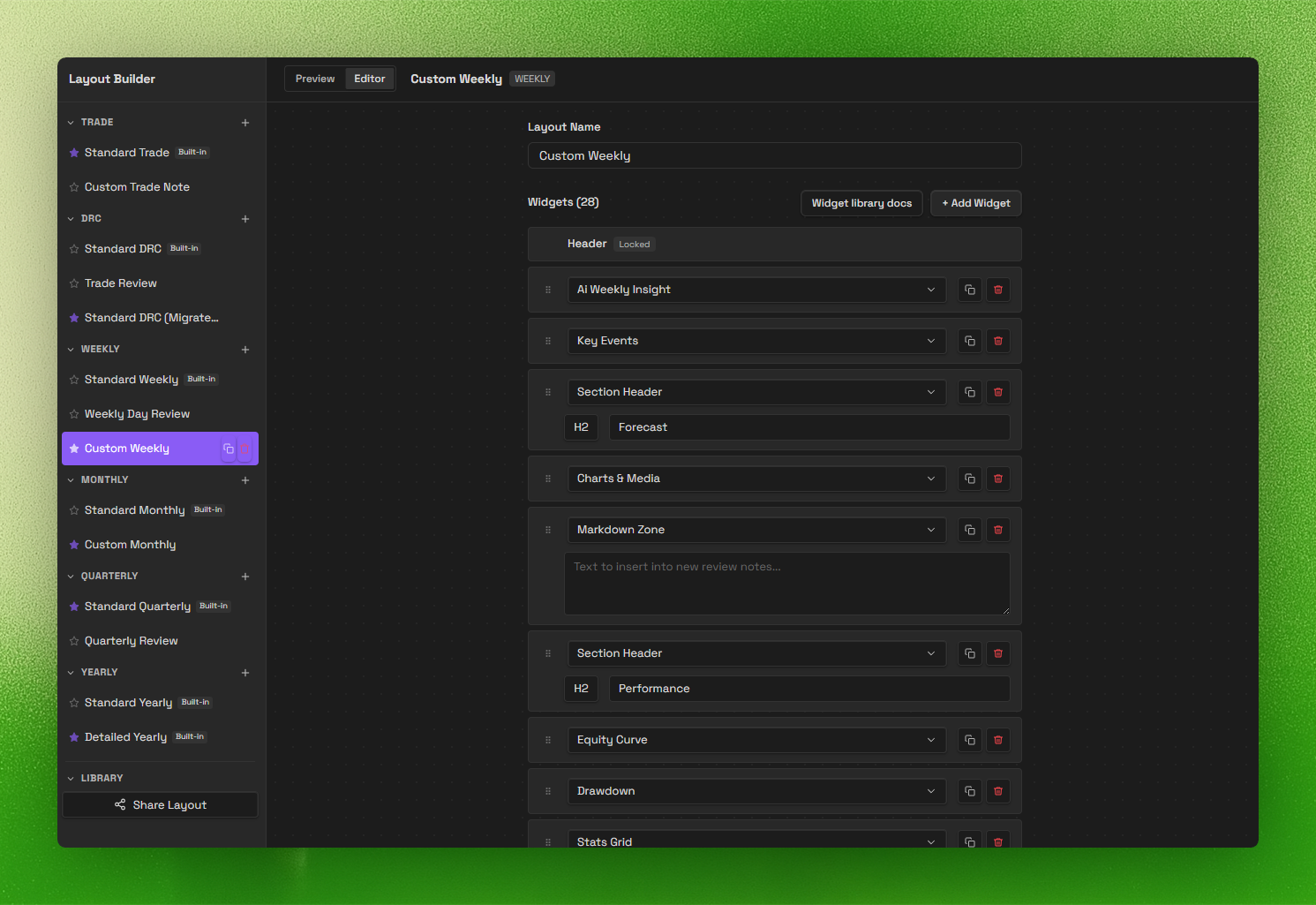
  • Review system (V2): daily → yearly templates with a layout builder.
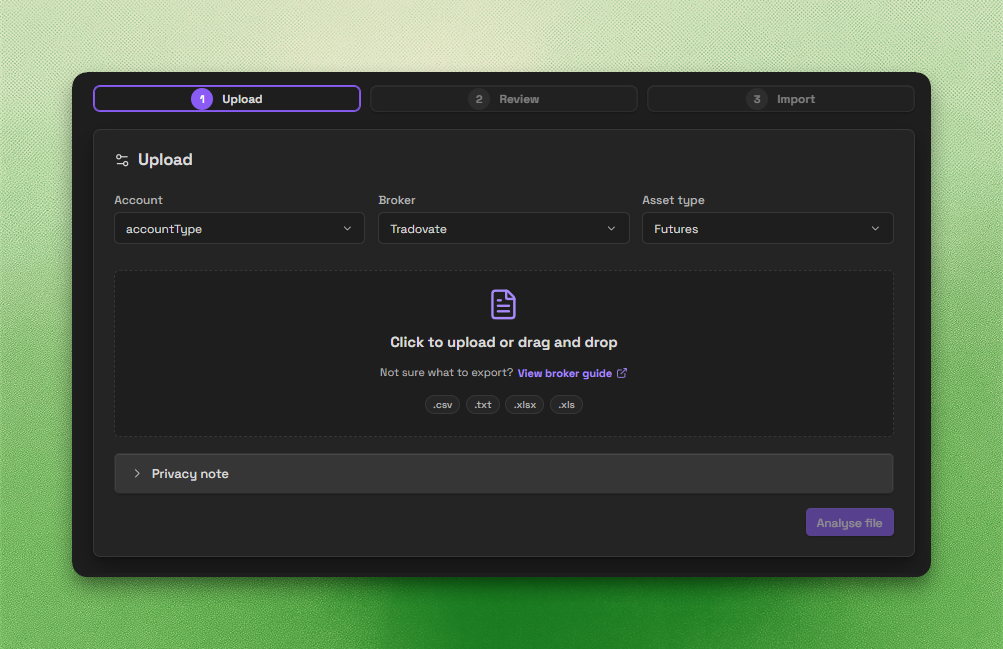
  • Trade Import: backend-powered imports for CSV, spreadsheets, HTML, and broker statements.
  • MetaTrader 4/5 sync: automated trade import via FTP.

Important disclosures

  • Local-first core: core journaling works offline and stores your notes and trades inside your Obsidian vault.
  • Account required for full access: a Journalit account is required for authentication-backed and subscription-gated features.
  • Paid features: a paid Pro subscription is required for full access to Pro features such as MetaTrader sync and Trade Import.
  • Optional network use: the plugin only uses Journalit network services when you choose to use network-backed features. Signing in contacts Journalit services for email verification, token validation, and subscription status. If you then use authenticated features such as MetaTrader sync or Trade Import, the plugin also connects to the Journalit backend API for sync coordination, trade retrieval, and optional Trade Import, and MetaTrader sync uses Journalit-managed FTP infrastructure for report uploads. Journalit may also request exchange rates from a third-party exchange-rate service when multi-currency conversion is needed. These network-backed features are opt-in.
  • Source available, proprietary license: the plugin is proprietary software with reviewable source.
  • Privacy details: see PRIVACY.md for data handling, retention, and infrastructure details.

Source review checks

This public repository is a source-available mirror used for Obsidian review and user inspection. The main local verification commands are:

pnpm install --frozen-lockfile
pnpm run lint
pnpm run lint:review
pnpm run build

lint:review mirrors additional Obsidian review categories and fails on new unaccepted findings. The remaining accepted findings are documented in that command's output.

Screenshots

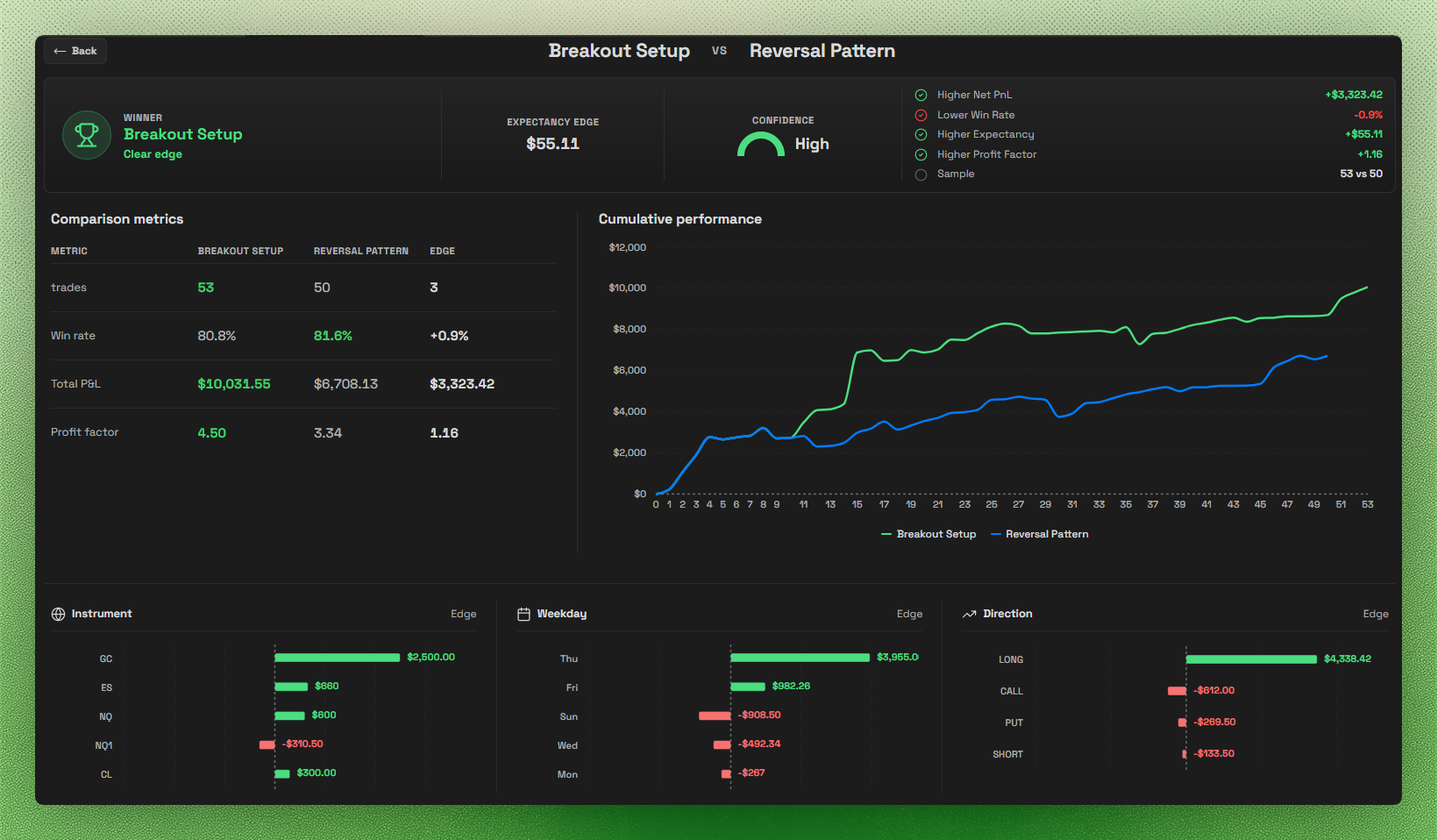
Trading Dashboard

Trading Dashboard

Layout Builder

Layout Builder

Layout Builder

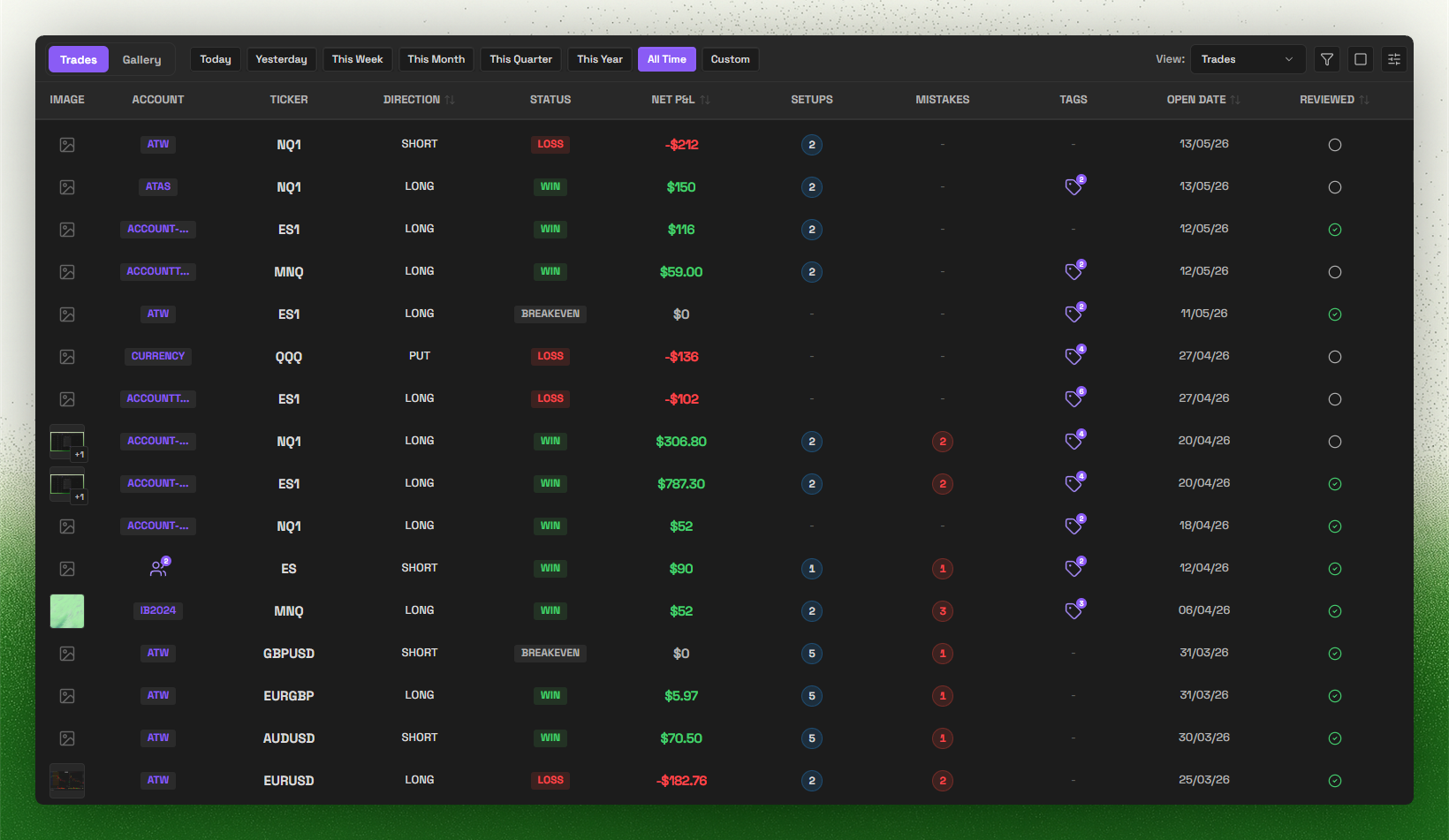
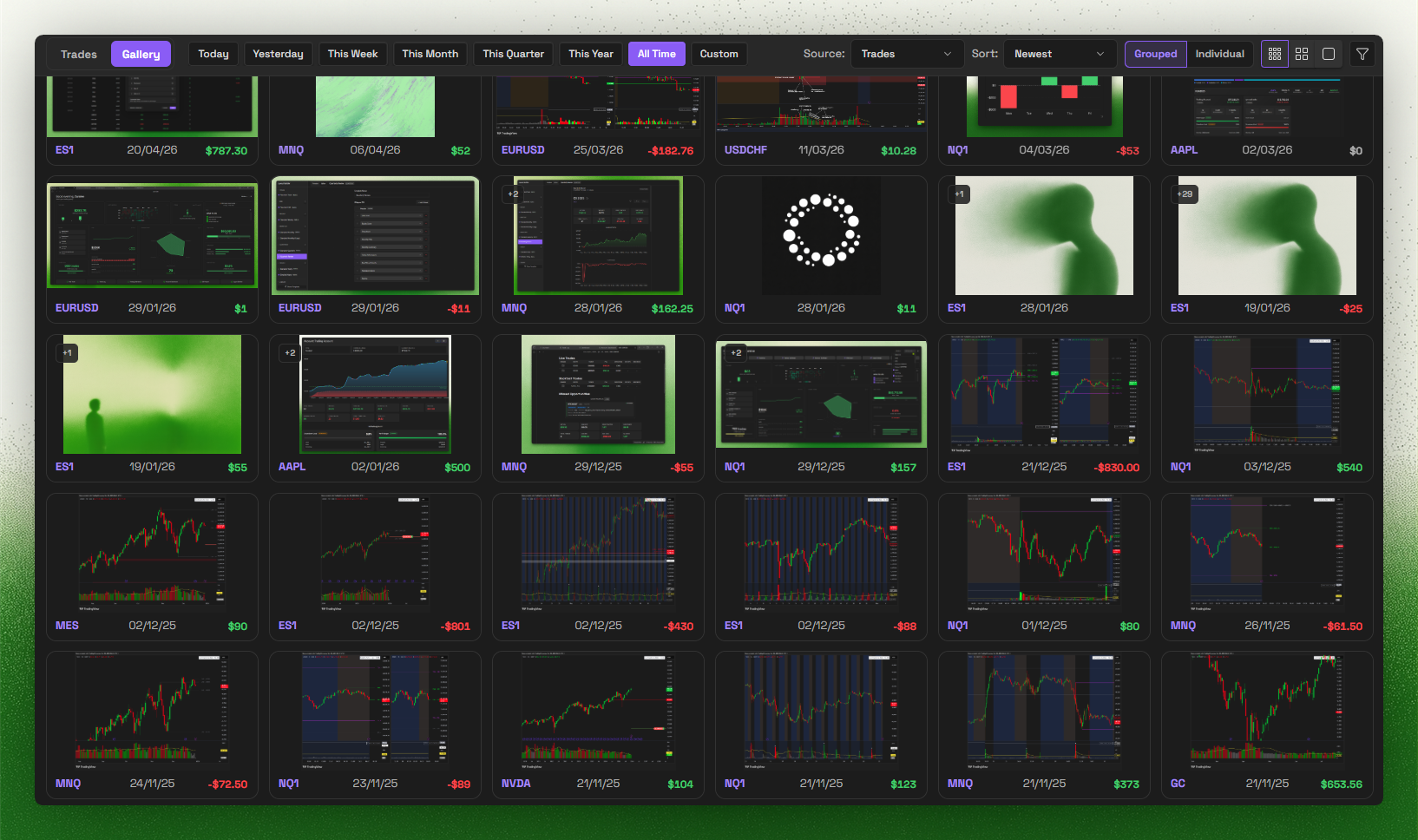
Trade Log

Trade Log

Trade Import

Trade Import

Account Dashboard

Account Dashboard

Account Pages

Account Pages

Supported brokers

Supported broker import formats:

  • IBKR
  • Tradovate
  • TradeZero
  • TradingView
  • Bybit
  • BloFin
  • Hyperliquid
  • Sierra Chart
  • MotiveWave
  • FX Replay
  • ATAS
  • Trading Technologies (TT)
  • Rithmic
  • JDR Securities Limited

Missing your broker? Join Discord and tell us what you want next.

Search keywords

Keywords: obsidian trading journal, trading plugin, trade tracker, obsidian trading template, trading analytics, MetaTrader, MT4 sync, MT5 sync, Trade Import, prop firm, prop firms, funded account, profit target, trailing drawdown, max drawdown

More resources
  • How it works (local-first)
  • Trade Import overview
  • MetaTrader sync overview
  • Compare with other journals

License

This plugin is source-available proprietary software. Source is published for Obsidian review and user inspection, but it is not licensed as open source. See LICENSE for permitted use.


Docs | Discord | X.com

HealthExcellent
ReviewSatisfactory
About
Keep a local-first trading journal inside your Obsidian vault, storing notes and trades offline. Display draggable dashboards and a trading heatmap, track performance and account targets, use daily-to-yearly review templates, import CSVs and sync MetaTrader 4/5 via FTP; optional network-backed features require a Journalit account and Pro subscription.
FinanceChartsImport
Details
Payments
Optional
Current version
1.7.10
Last updated
Yesterday
Created
12 months ago
Updates
18 releases
Downloads
14k
Compatible with
Obsidian 1.12.4+
Platforms
Desktop, Mobile
License
OTHER
Report bugRequest featureReport plugin
Payments
Automated trade imports via CSV Import or Trade Sync require a Pro subscription
Author
CursiveCursivecursivez
journalit.co
GitHubcursivez
discord.gg
  1. Community
  2. Plugins
  3. Finance
  4. Journalit

Related plugins

Sheet Plus

Create Excel-like spreadsheets and easily embed them in Markdown.

Importer

Convert your data to Markdown files you can use in Obsidian. Works with Apple Notes, OneNote, Evernote, Notion, Google Keep, and many other formats.

Tracker

Track occurrences and numbers in your notes.

Zotero Integration

Insert and import citations, bibliographies, notes, and PDF annotations from Zotero.

Readwise Official

Sync highlights from Readwise to your vault.

ZotLit

Integrate with Zotero, create literature notes, and insert citations from a Zotero library.

Local Images Plus

A reincarnation of Local Images to download images in Markdown notes to local storage.

Charts

Easily create interactive charts in your notes.

Citations

Automatically search and insert citations from a Zotero library.

Kindle Highlights

Sync your Kindle book highlights using your Amazon login or uploading your My Clippings file.