Password Audit
 0xprashanthsec776 downloads
A plugin to audit passwords for strength and breaches, and generate secure passwords.
- Overview
- Scorecard
- Updates4
A powerful Obsidian plugin designed to analyze password strength, check for security breaches, and generate secure passwords with ease.
✨ Features
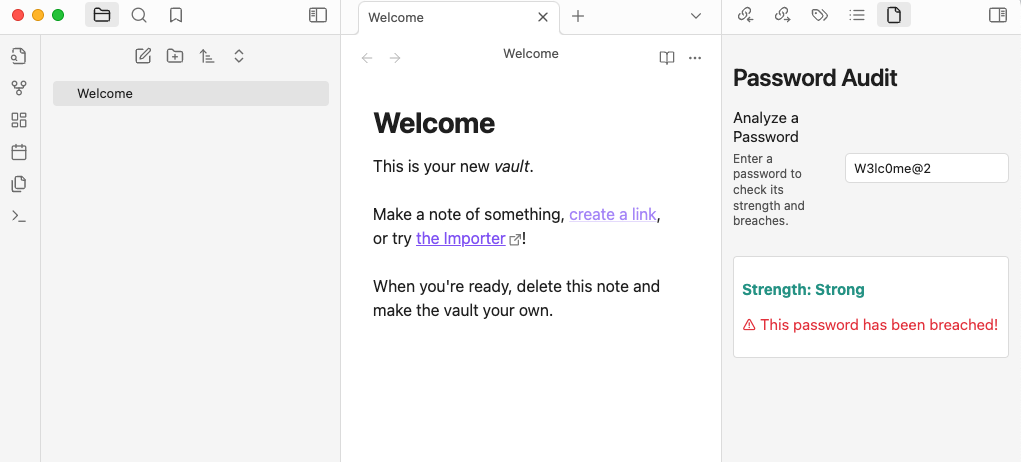
- 🔑 Password Strength Analysis: Get detailed feedback on the strength of any password.
- 🌐 Breached Password Check: Verify if a password has been compromised in known data breaches using Have I Been Pwned.
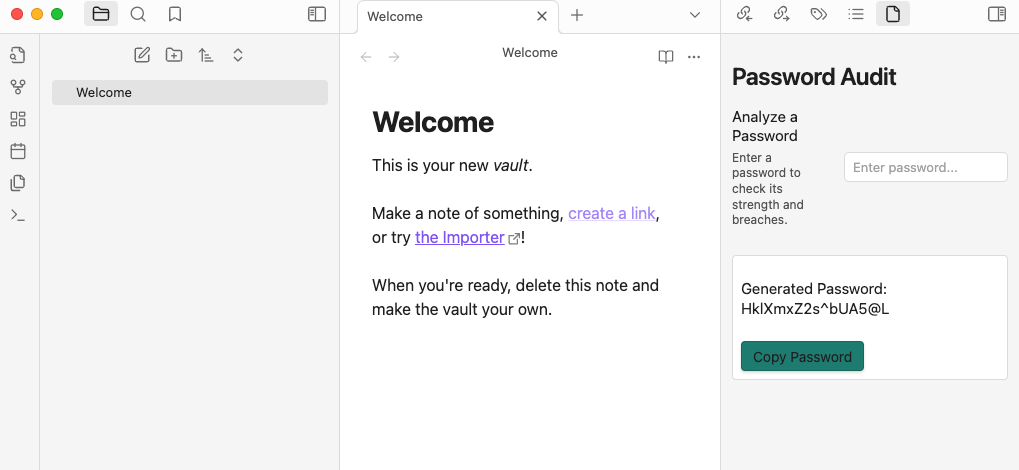
- 🔐 Secure Password Generation: Easily generate strong, secure passwords with customizable lengths.
- 📋 Clipboard Support: Copy generated passwords to the clipboard with just one click.
📥 Installation
- Open Settings in Obsidian.
- Navigate to Community Plugins.
- Click Browse and search for
Password Audit Plugin. - Install the plugin and enable it.
🛠️ Usage
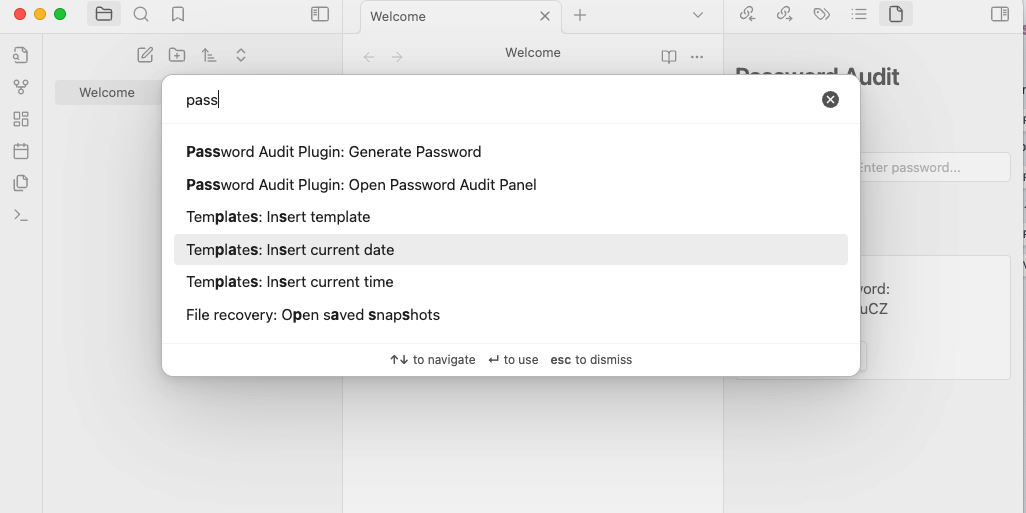
- Open the Password Audit panel via the command palette (
Ctrl+PorCmd+P) and select "Open Password Audit Panel". - Analyze a Password:
- Enter a password into the text box to check its strength and verify if it has been breached.
- Generate a Password:
- Use the
Generate Secure Passwordcommand to create a strong password. - Click Copy Password to copy the generated password to your clipboard.
- Use the
📸 Screenshots
Access the Plugin
Password Strength Analysis
Generate Secure Passwords
💻 Development Setup
If you'd like to contribute or test the plugin locally, follow these steps:
- Clone the repository:
git clone https://github.com/pulisettis/Password-Audit-Plugin.git
cd Password-Audit-Plugin
- Install Dependencies
npm install
- Build the Plugin
npm run build
- Copy the compiled files to your
.obsidian/pluginsfolder to test it locally.
🤝 Contributing
Contributions are welcome! If you have ideas for improvement or new features, feel free to fork the repository, make your changes, and submit a pull request. Let's make this plugin even better!
📢 Disclaimer
⚠️ Important: Obsidian is not designed for securely storing sensitive information like passwords. Use this plugin only for auditing and generating passwords, not for storing them. Always use a dedicated password manager for secure storage.
🌟 Stay Connected
HealthFair
ReviewSatisfactory
About
Audit passwords for strength and breach exposure using Have I Been Pwned and receive clear, actionable feedback. Generate strong passwords with adjustable length and copy them to the clipboard with a single click.Details
Current version
2.0.2
Last updated
2 years ago
Created
2 years ago
Updates
4 releases
Downloads
776
Compatible with
Obsidian 0.15.0+
Platforms
Desktop, Mobile
License
MIT