Open in Terminal
 feng661137k downloads
Open your vault in a new terminal window or launch Claude Code, Codex CLI, or Gemini CLI directly from a terminal.
- Overview
- Scorecard
- Updates15
Open your Obsidian vault in a terminal — or start Claude Code, Codex, Gemini CLI and other coding agents inside it — straight from the command palette.
Features
- Open the vault in your terminal — one command opens your terminal at the vault root, or at the current note's folder if you prefer.
- Start a coding agent in your vault — Claude Code, Codex CLI, GitHub Copilot, Cursor CLI, Gemini CLI and OpenCode each get their own command. Turn on only the ones you use.
- Hand the agent your current note — optionally start the agent with the note's path in its prompt, wrapped in your own prefix and suffix.
- Git in one command —
Git: commit and pushandGit: pull, always run from the vault root. - Works on macOS, Windows and Linux — with sensible defaults per platform, and settings stored per platform so a synced vault works on every machine.
Install
In Obsidian, open Settings → Community plugins → Browse, search for Open in Terminal, then install and enable it. Or open the plugin page and click Add to Obsidian.
Commands
| Command | What it does |
|---|---|
| Open in terminal | Opens your terminal at the working directory |
| Open in Claude Code | Runs claude |
| Open in Codex cli | Runs codex |
| Open in GitHub Copilot | Runs copilot |
| Open in Cursor cli | Runs agent |
| Open in Gemini cli | Runs gemini |
| Open in OpenCode | Runs opencode |
| Git: commit and push | Runs git add . && git commit -m "<default message>" && git push |
| Git: pull | Runs git pull |
Everything except Open in terminal is off until you enable it in settings. The CLI tools themselves must already be installed.
Settings
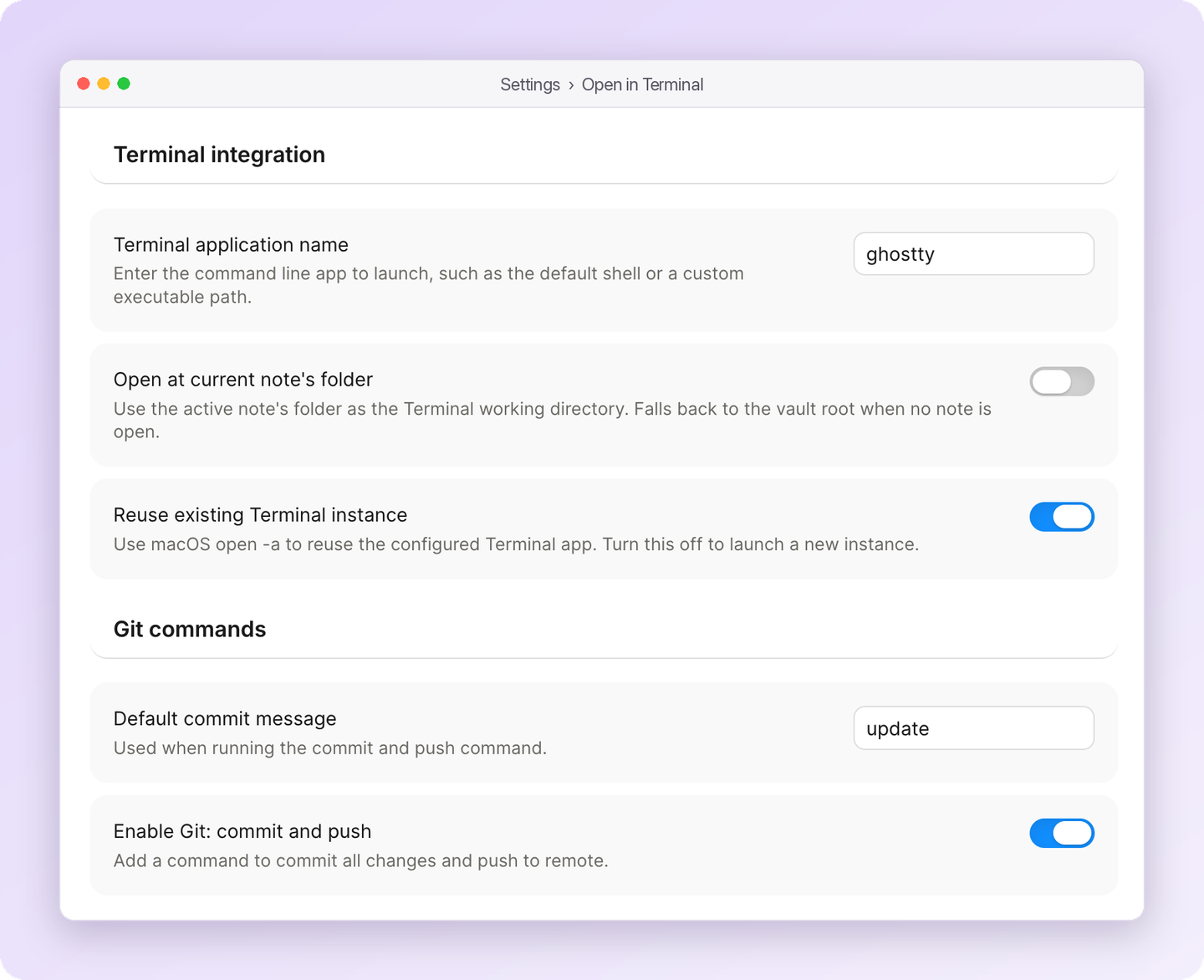
- Terminal application — the terminal to launch, such as
TerminaloriTermon macOS,powershellorcmd.exeon Windows,gnome-terminaloralacrittyon Linux. Leave it blank for the platform default. Enter an app name or executable path, without arguments. - Open at current note's folder — use the active note's folder as the working directory; falls back to the vault root when no note is open.
- Include current note in prompt — off by default. When on, coding agents start with your prefix, the note's path and your suffix as one prompt, with a live preview in settings. Plain terminal and Git commands never receive it.
- Reuse existing terminal instance (macOS) — reuse the running terminal app; turn it off to launch a new instance.
- Coding agents — a switch for each agent command.
- Git commands — a default commit message (
update) and a switch for each Git command. - Use WSL for commands (Windows) — run everything inside WSL.
Platform notes
- macOS — Terminal and iTerm are fully supported. Coding agents start through a temporary
.commandscript in a login shell, so other terminals need to be able to open.commandfiles. - Windows — supports CMD, Windows PowerShell, PowerShell 7, Windows Terminal and Tabby, with or without WSL.
- Linux — requires Bash. GNOME Terminal and terminals that accept
-ework out of the box.
The plugin never turns on auto-approval or skips a CLI's own permission checks. When it passes your note as a prompt, the agent may start working on it right away.
Privacy
This is a desktop-only plugin that launches programs on your computer: it starts your terminal and runs the commands you choose. On macOS and Windows it writes a temporary launch script outside the vault and deletes it after launch; on Windows that script runs with a process-scoped execution policy, without changing your system settings. Git: commit and push stages everything under the vault root before committing.
The plugin itself sends nothing over the network. Whatever coding agent you launch decides what it reads and sends.
About the author
I'm chenfeng. I also made File Ignore, which keeps folders like node_modules out of Obsidian's index, and I build small, permission-light Mac apps — like Command Reopen, which fixes Cmd+Tab for minimized windows. If this plugin saves you time, you can buy me a coffee.