Search...Search plugins and themes...
⌘K
Sign in
  • Get started
  • Download
  • Pricing
  • Enterprise
  • Account
  • Obsidian
  • Overview
  • Sync
  • Publish
  • Canvas
  • Mobile
  • Web Clipper
  • CLI
  • Learn
  • Help
  • Developers
  • Changelog
  • About
  • Roadmap
  • Blog
  • Resources
  • System status
  • License overview
  • Terms of service
  • Privacy policy
  • Security
  • Community
  • Plugins
  • Themes
  • Discord
  • Forum / 中文论坛
  • Merch store
  • Brand guidelines
Follow us
DiscordTwitterBlueskyThreadsMastodonYouTubeGitHub
© 2026 Obsidian

Omg.publish

maymeowmaymeow2k downloads

Post selected text to OMG.lol statuslog.

Add to Obsidian
  • Overview
  • Scorecard
  • Updates4

Omg.publish is a plugin for Obsidian that allows you post notes to omg.lol services like statuslog or weblog (planned).
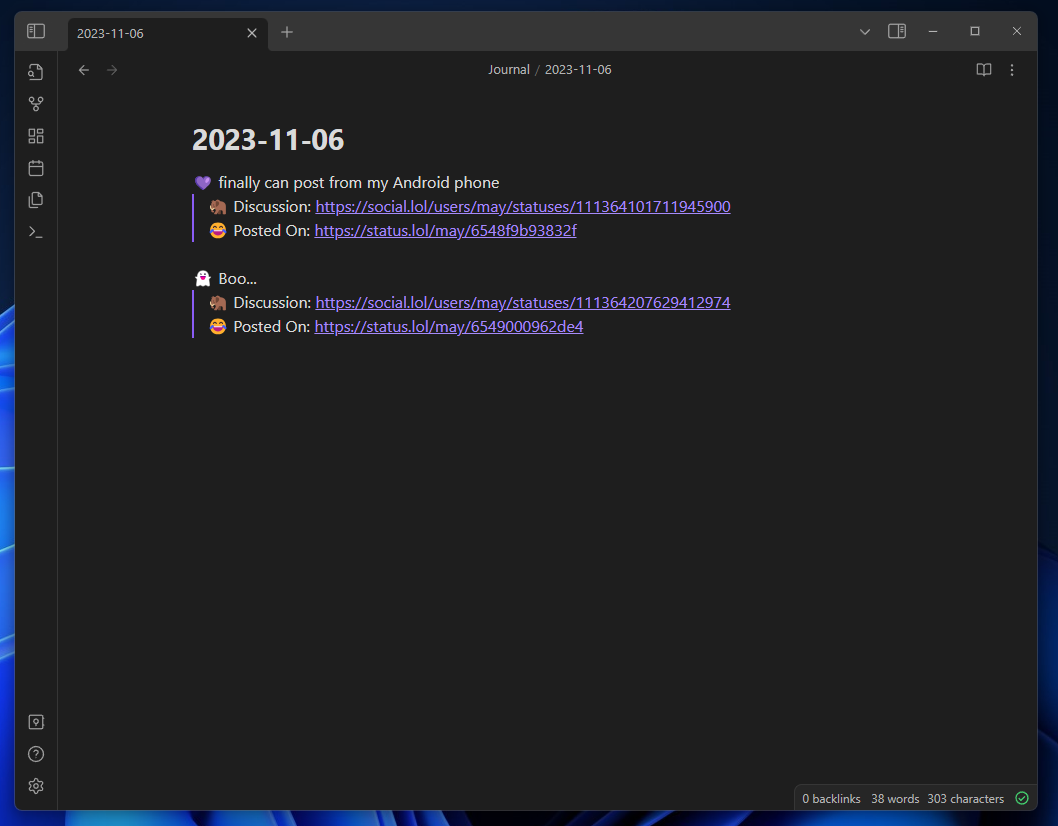
Installation (In progress)

You will need to enable obsidian community plugins in settings > community plugins then go to browse and find omg.publish

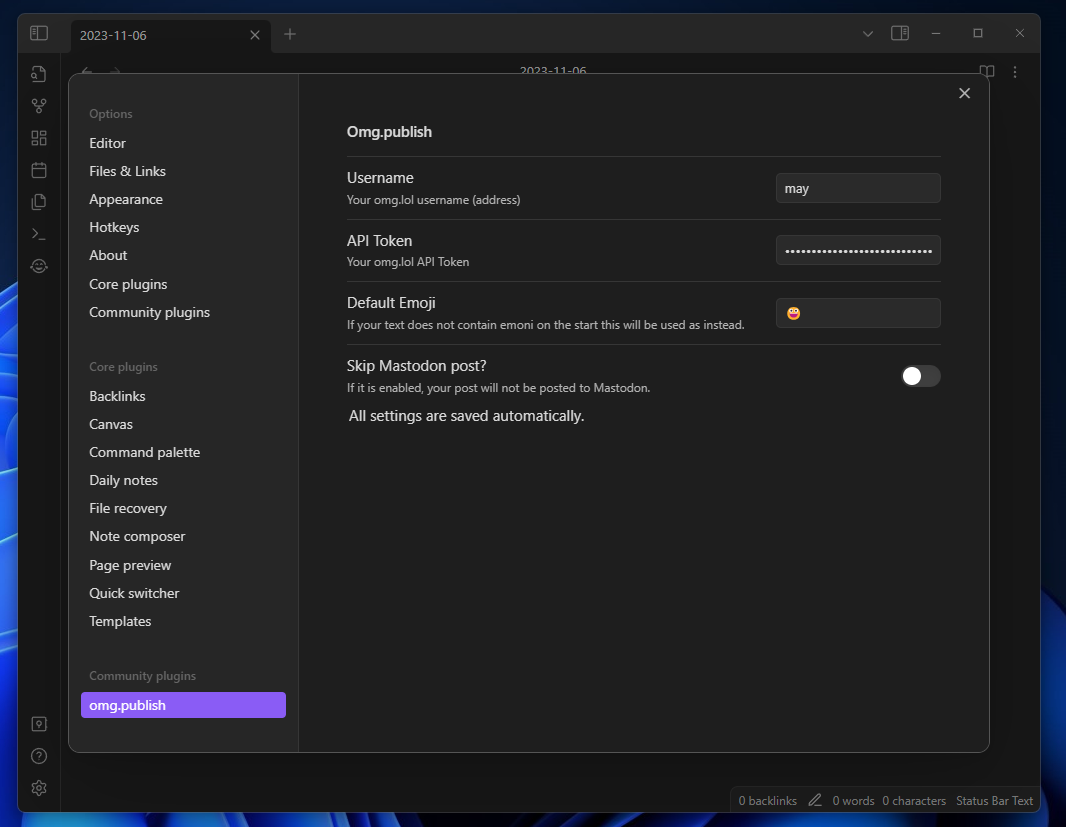
Plugin Settings

You will need your username and API token from https://home.omg.lol/account (scroll down to bottom).

You can also change default emoji for cases when you posting text without staring emoji.

If you don't want to cross-post status to mastodon you can enable skip mastodon post settings. This one is by default disabled.
Publishing text to statuslog

Select any text you want to post to statuslog and open the command palette with CTRL+P (Windows) or a similar keyboard shortcut, depending on your operating system. Find for Post to status log action.

Others

The icon I used is from Font awesome

This is a community plugin and is not affiliated with Obsidian or omg.lol.

72%
HealthGood
ReviewSatisfactory
About
Post selected notes to omg.lol services like statuslog (weblog planned) using your omg.lol account token. Set a default emoji for posts and optionally disable Mastodon cross-posting.
PublishingIntegrationsCommands
Details
Current version
1.0.3
Last updated
2 years ago
Created
3 years ago
Updates
4 releases
Downloads
2k
Compatible with
Obsidian 0.15.0+
Platforms
Desktop, Mobile
License
MIT
Report bugRequest featureReport plugin
Sponsor
Ko-fi
Author
maymeowmaymeow
maymeow.com/
GitHubmaymeow
  1. Community
  2. Plugins
  3. Publishing
  4. Omg.publish

Related plugins

Open vault in VS Code

Ribbon button and command to open vault as a Visual Studio Code (VSCode) workspace.

Shell commands

Define system commands that you want to execute via command palette, hotkeys, URI links or automated events. E.g. open external applications or perform automated file modifications.

GitHub

Share as Gist

Share a note as a GitHub.com Gist.

Permalink Opener

Open URLs based on a permalink or slug in the note properties. Useful with static site generators such as Jekyll, Hugo, Eleventy, etc.

Quartz Syncer

Manage and publish your notes to Quartz, the fast, batteries-included static-site generator.

Actions URI

Add additional `x-callback-url` endpoints to the app for common actions — it's a clean, super-charged addition to Obsidian URI.

Local REST API & MCP Server

Unlock your automation needs by interacting with your notes over a secure REST API.

Quick Switcher++

Enhanced Quick Switcher, search open panels, and symbols.

BRAT

Easily install a beta version of a plugin for testing.

Commander

Customize your workspace by adding commands everywhere, create macros and supercharge your mobile toolbar.