Notekeeper
 philemonchiro4k downloads
Browse your vault as a Google Keep-style masonry of cards. Quick capture, pin, color, archive, and filter notes by labels — sticky-note style.
- Overview
- Scorecard
- Updates9
A Google Keep–style wall of sticky notes for your Obsidian vault. Browse, capture, pin, color, and curate your notes on a sticky-note wall — or switch to a denser card grid when you need more density.
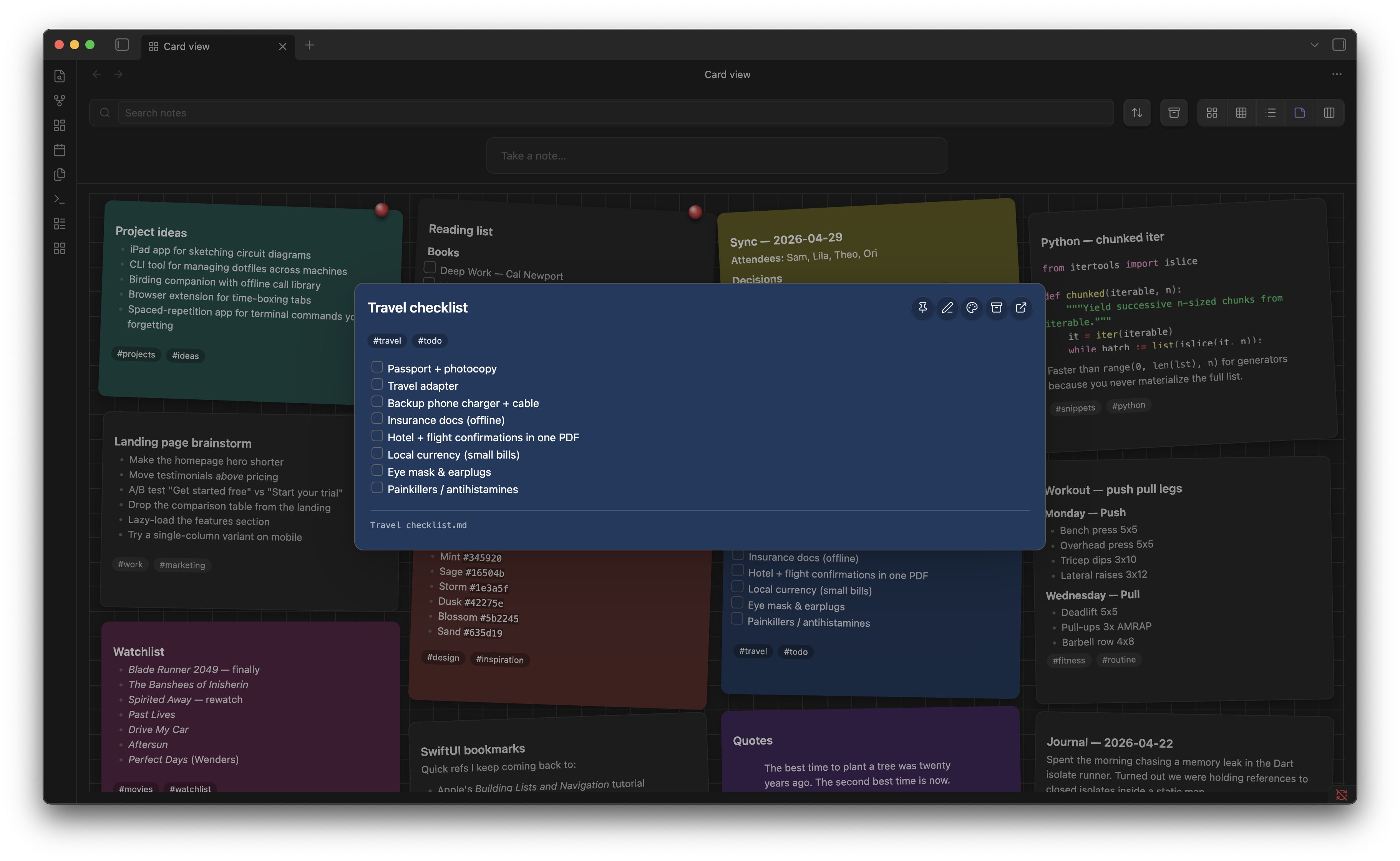
Capture a note with a title, body, optional pin, and color — saved to the wall in one click:
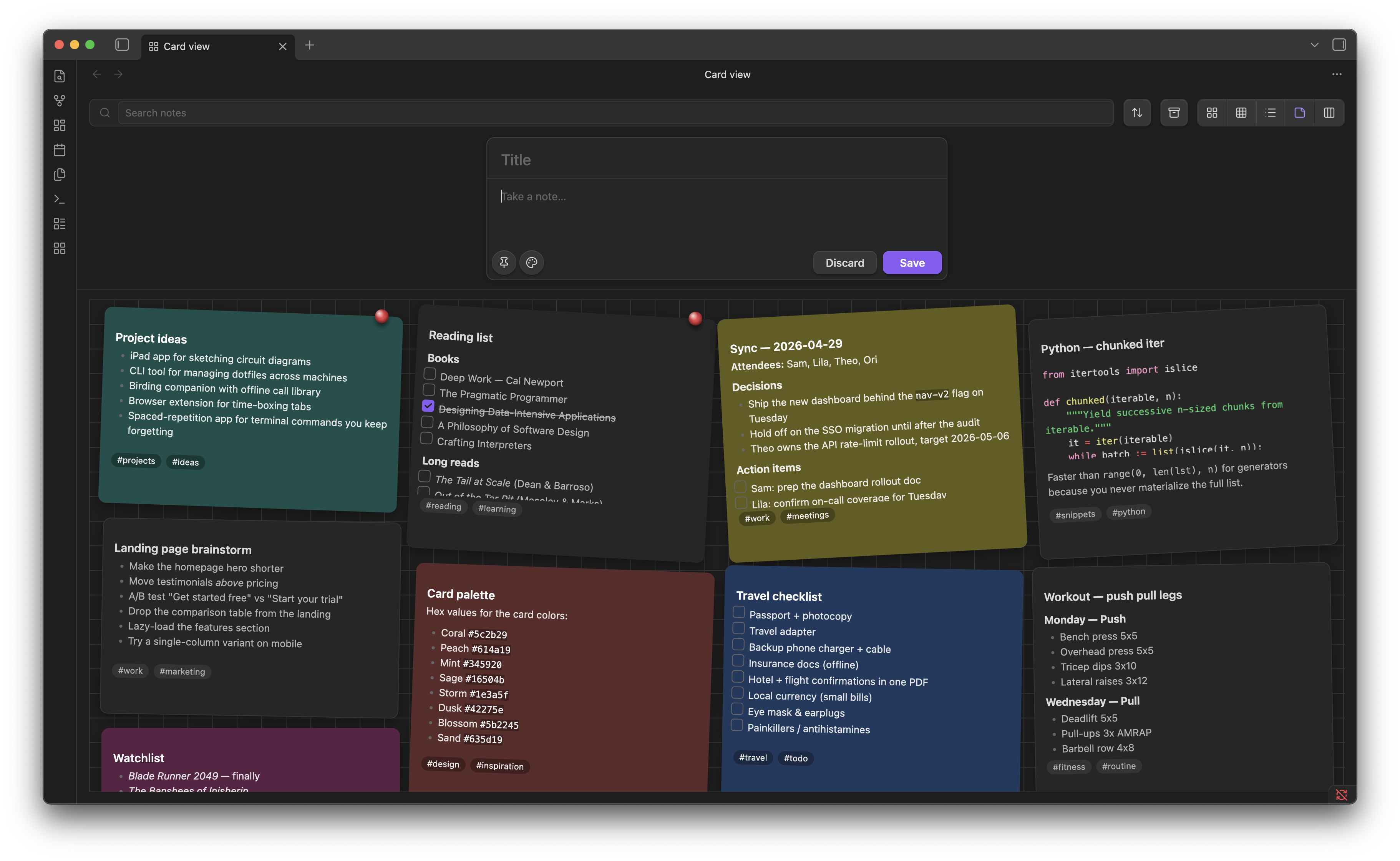
Click any sticky for a full markdown-rendered preview that inherits the note's color:
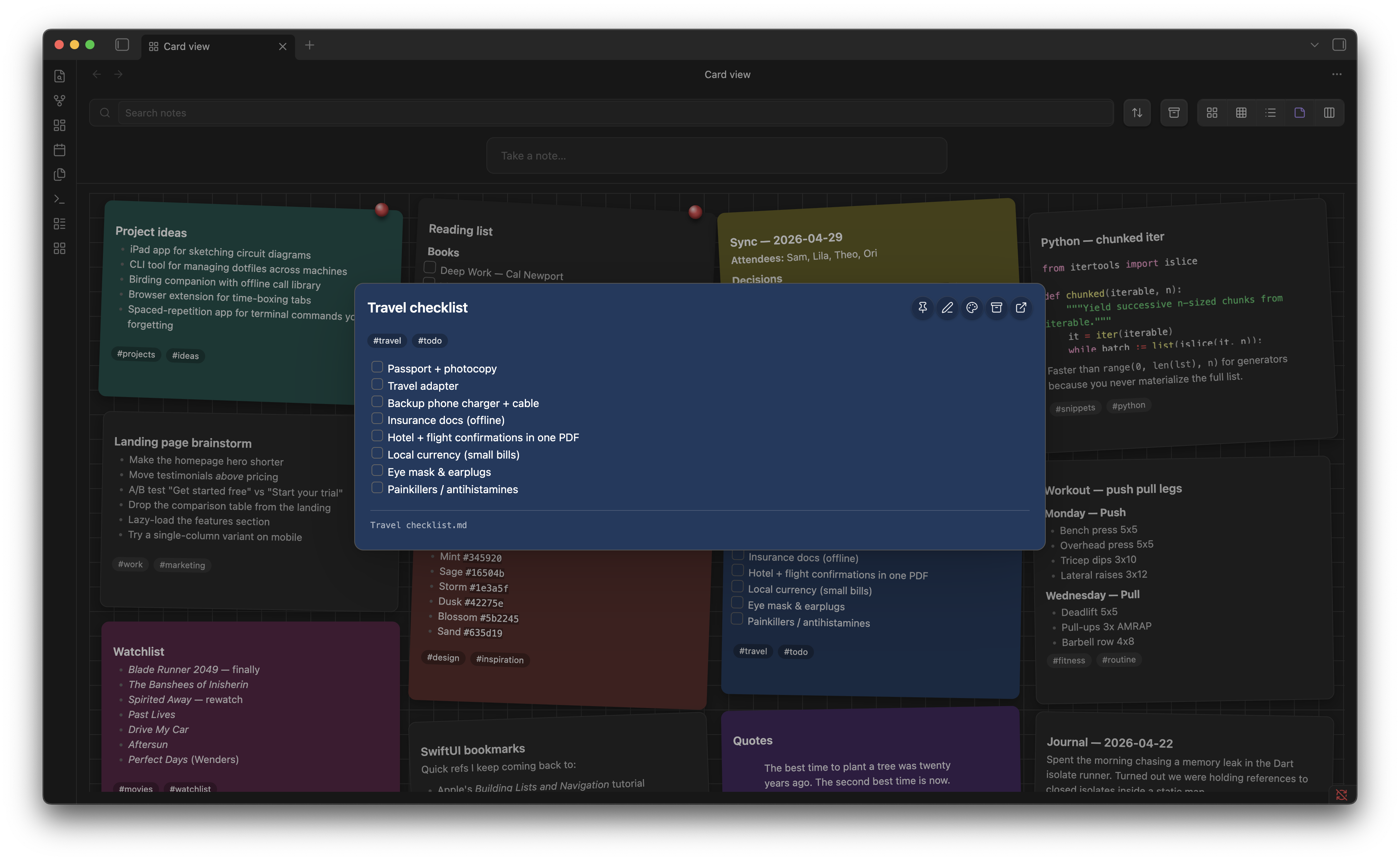
Features
- Masonry card layout — every note as a card, sized to its content, balanced across columns
- Quick capture — type into the centered input, hit Enter to create a note
- Inline edit — click the pencil to edit a card without leaving the view
- Note preview modal — click any card to open a full markdown-rendered preview with one-click pin / color / archive / open-in-tab actions
- Pin, color, archive — per-card hover actions; 12-color palette
- Drag pinned cards to reorder them
- Multi-select — shift- or cmd-click to select multiple cards; bulk pin / archive / color / delete from a floating action bar
- Right-click context menu — rename, copy link, copy embed, open in new pane, delete
- Inline checkboxes —
- [ ]items render as live checkboxes that update the source file - Image thumbnails — first attached image surfaces at the top of each card
- Backlinks badge — count of incoming links on each card
- Smart search — combine free text with
tag:,pinned:,archived:,color:,path:,is:filters - Sort by modified, created, or title — pinned cards always float to the top
- Three densities — comfortable, compact, list view
- Lazy infinite scroll — fast on vaults with thousands of notes; cards populate only as they scroll into view
- Auto-collapse side panes — Obsidian's left and right sidebars collapse while the card view is active and restore when you leave
- Keyboard navigation — arrow keys,
Enter,e(edit),p(pin),a(archive),x(select),/(focus search) - Tag chips are clickable — filter by any label with one click; clear with the active-filter chip's
× - Manage labels command — rename a tag across the whole vault and assign per-tag colors
Frontmatter conventions
Cards read these fields from each note's YAML frontmatter:
---
pinned: true
color: "#5c2b29"
archived: false
tags: [ideas, work]
pinOrder: 1
---
pinned: truefloats the card to the topcolorpaints the card background (or a left border, depending on settings)archived: truehides the card from the default view; toggle the archive button in the toolbar to see ittagspopulate the searchable label listpinOrder(number) controls the order among pinned cards; updated automatically when you drag
By default Notekeeper stores pinned, archived, and color in its own data.json keyed by file path — not in your notes' frontmatter — so toggling them doesn't touch the file or bump its mtime. Frontmatter values are still read as a fallback so notes you've authored manually with these fields keep working.
Search syntax
Type any of these in the search box:
| Token | Meaning |
|---|---|
tag:foo |
Notes carrying the foo tag (frontmatter or inline) |
pinned:true / pinned:false |
Filter by pin state |
archived:true |
Show only archived notes |
color:#5c2b29 |
Notes with this exact color |
path:Inbox |
Notes whose path includes "Inbox" |
is:archived, is:pinned |
Shortcuts for the above |
| Free text | Matches title and path |
Combine freely: tag:work pinned:true urgent
Keyboard shortcuts
When the card view has focus:
| Key | Action |
|---|---|
/ |
Focus the search box |
↑ ↓ ← → |
Move focus between cards |
Enter |
Open the focused card in the preview modal |
e |
Begin inline edit on the focused card |
p |
Toggle pin |
a |
Toggle archive |
x |
Toggle selection |
Esc |
Clear selection / exit edit mode |
Settings
- Notes folder — limit the card view to a single folder (leave empty for the entire vault)
- Preview lines — body lines visible on each card
- Color as left border — show note color as a 4px left border instead of the full card background
- Pinned section header — group pinned cards under a "PINNED / OTHERS" divider
- Show image thumbnails — render the first attached image on each card
- Auto-collapse sidebars in card view — collapse Obsidian's side panes while the card view is active
Commands
- Open card view — opens the masonry view in a new tab (also accessible via the ribbon icon)
- Manage labels — opens a modal listing every tag in your vault, with rename and color actions
Installation
From the community plugin store (after approval)
Open Obsidian → Settings → Community plugins → Browse, search "Notekeeper", install, and enable.
Manual install
- Download
main.js,manifest.json, andstyles.cssfrom the latest release - Copy them into
<vault>/.obsidian/plugins/notekeeper/ - Reload Obsidian and enable Notekeeper in Settings → Community plugins
Development
Source lives in main.ts. The committed main.js is what Obsidian loads at runtime; rebuild it with esbuild after editing main.ts:
npm install
npm run build      # type-check + bundle to main.js
npm run dev        # rebuild on save
main.ts, manifest.json, and styles.css are the authored sources. The main.js artifact is produced by the build and committed alongside (so manual installs work without a build step).
PRs welcome. The codebase is single-file by design — keep it that way unless the addition is large enough to warrant its own module.
License
MIT — see LICENSE.