New 3D Graph
 apoo71123k downloads
Visualize your Vault in 3D with a powerful, highly customizable, and filterable graph.
- Overview
- Scorecard
- Updates24
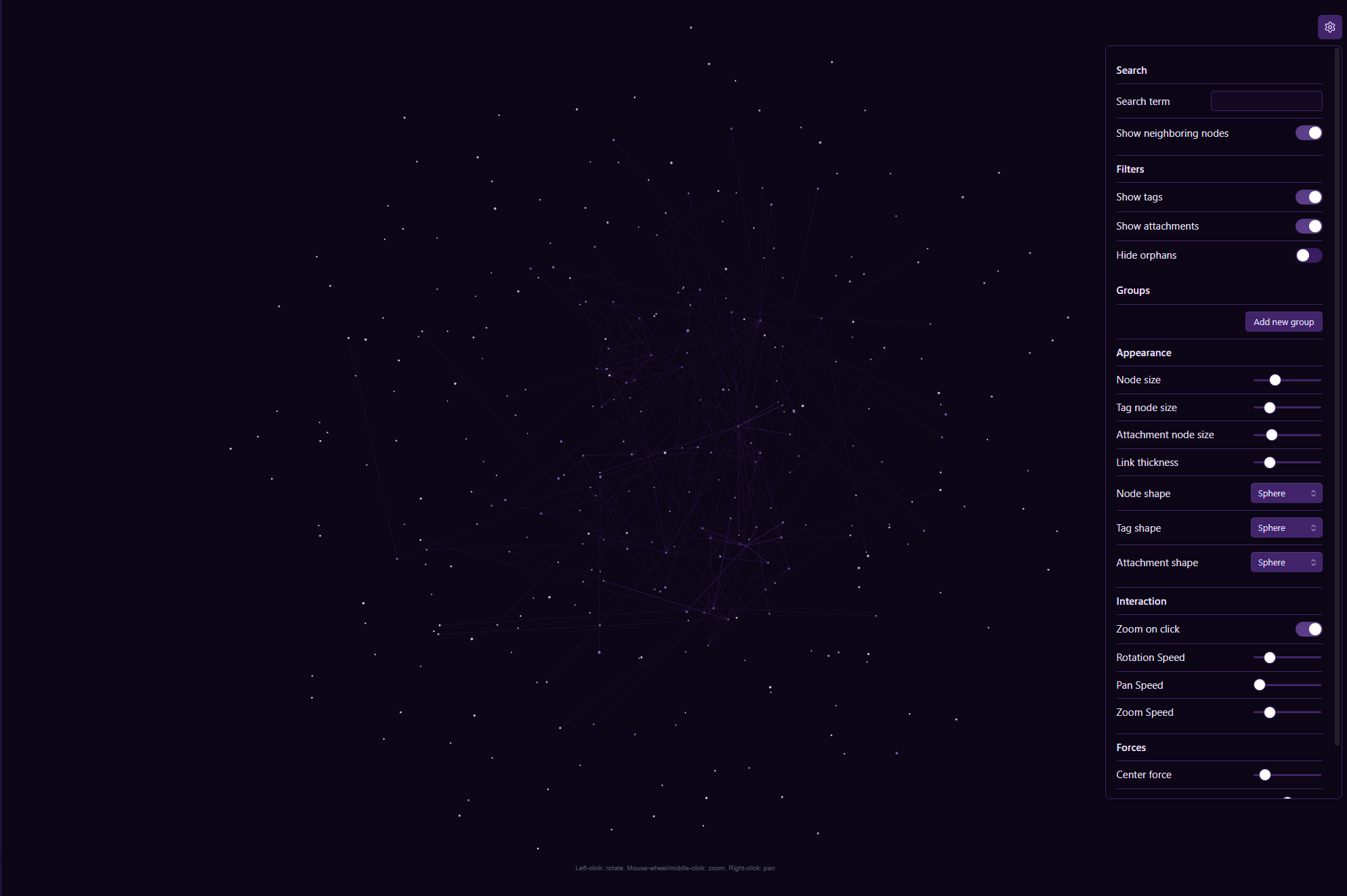
A plugin for Obsidian that provides a high-performance 3D, force-directed graph view of your vault. Powered by a custom Rust + WebAssembly physics engine with 128-bit SIMD acceleration, it offers an immersive, fluid way to visualize and explore thousands of note connections.
💡 Check out my blog post here
Why Choose This 3D Graph?
While other 3D graph plugins exist, this one is built for extreme performance and deep customization:
- Blazing Fast Rust WASM Physics Engine: Physics calculations are offloaded to a dedicated Web Worker running a Rust WebAssembly engine with 128-bit SIMD intrinsics and a 3D Barnes-Hut Octree ( $O(N \log N)$ ). Handles 50,000+ nodes and edges effortlessly at 60+ FPS while keeping camera rotation buttery smooth.
- Unparalleled Customization: Granular control over your graph's appearance and physics. Independently customize shapes, sizes, and colors for notes, attachments, and tags. Fine-tune repulsion, attraction, gravity, and damping with live sliders.
- Zero-Copy & Energy Efficient: Zero-copy array buffer transfers eliminate GC pauses. Automatic kinetic energy cooling pauses physics calculations when the layout reaches equilibrium to save 100% CPU when idle.
- Powerful Filtering & Coloring: Visually organize your vault with
path:,tag:,file:, and text queries to create custom color-coded groups, filter tags/attachments/orphans, and highlight neighbor connections.
Key Features
- Interactive 3D Canvas: Pan, zoom, and rotate around your notes from any angle with responsive WASD keyboard controls.
- Node Interaction:
- Single-click a node to focus the camera and highlight immediate links.
- Double-click a node to open it in a new tab.
- Drag & Drop nodes in 3D space to re-anchor layout positions live.
- Rust WASM Physics Backend:
- Off-thread simulation tick loop running inside a Web Worker.
- Instant parameter updates and zero-copy position synchronization.
- Advanced Filtering & Search:
- Live Search: Instant query filtering for notes and neighboring connections.
- Live Filters: On-the-fly toggles for attachments, tags, and orphan nodes.
- Deep Customization:
- Color Groups: Rule-based styling with
path:,tag:,file:, or content matching. - Node Appearance: Custom shapes (Sphere, Cube, Pyramid, Tetrahedron) and sizing.
- Physics Controls: Tweak Center force, Repel force, Link force, and WASM engine mode.
- Color Groups: Rule-based styling with
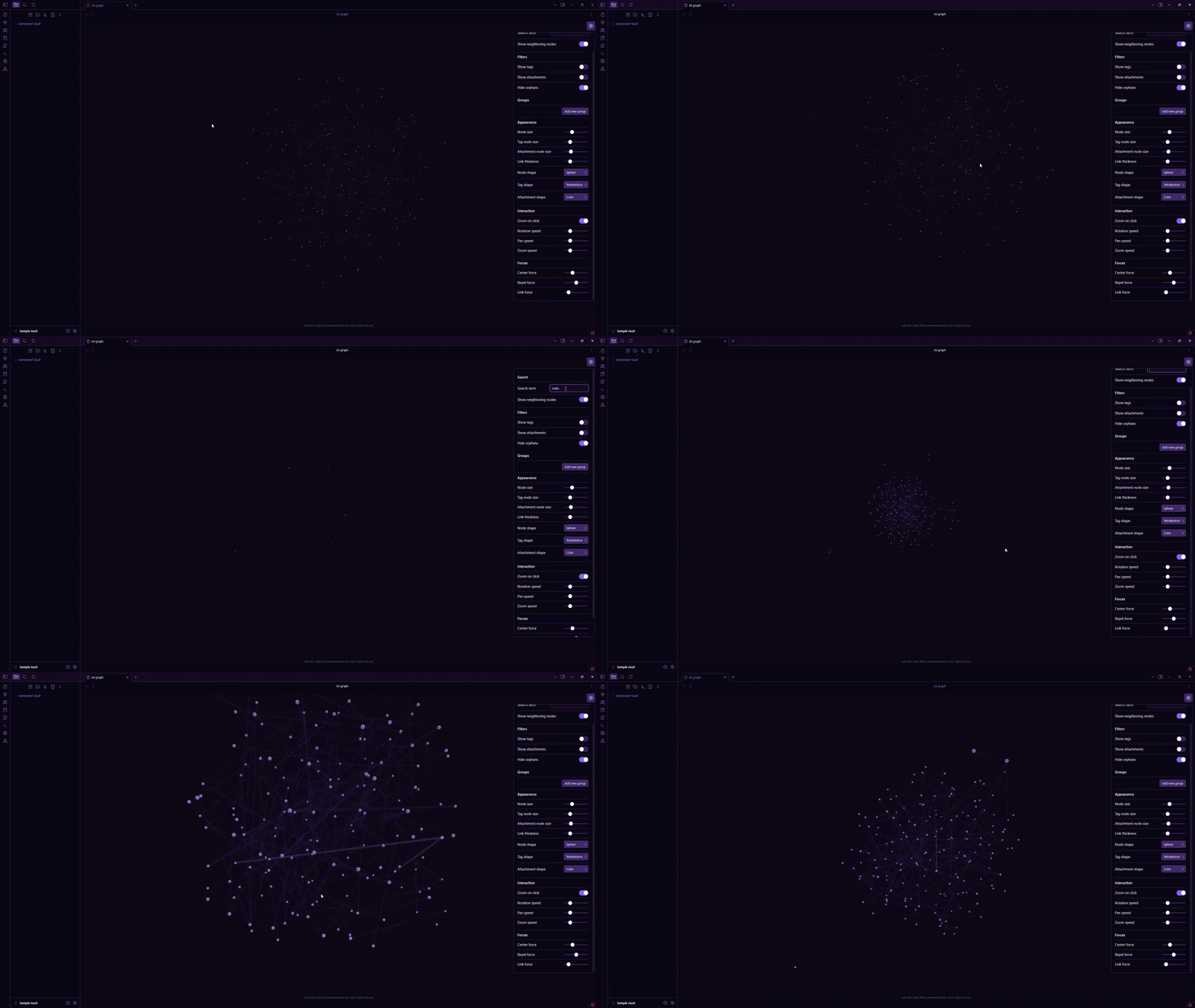
How to Install
Recommended Method (Community Plugins)
- Open Settings > Community plugins.
- Turn Restricted mode OFF.
- Click Browse and search for "New 3D Graph".
- Click Install, then Enable.
Beta Installation (via BRAT)
- Install the BRAT plugin from Community Plugins.
- Open BRAT settings (
Settings>BRAT). - Click Add Beta plugin and enter
Apoo711/obsidian-3d-graph. - Enable 3D Graph in Community Plugins.
Open the 3D Graph from the ribbon icon on the left sidebar or using the Command Palette (Ctrl/Cmd + P $\rightarrow$ "Open 3D Graph").
Settings Overview
Go to Settings > 3D Graph Plugin or use the in-graph floating settings gear icon:
- Search & Filters: Search term matching, neighboring node inclusion, and tag/attachment/orphan toggles.
- Color Groups: Custom color assignment rules using
path:,tag:, andfile:. - Appearance & Display: Custom geometry shapes, sizes, colors, and label visibility distance.
- Interaction: Keyboard navigation (WASD), zoom speed, pan speed, and rotation sensitivity.
- Forces: Adjust Repel force, Link force, Center force, and toggle "Use Rust WASM Physics Engine".
Acknowledgements
- Rust & WebAssembly: High-performance physics core using
glamSIMD vector math,wasm-bindgen, andwasm-opt. - Three.js: 3D scene rendering, lighting, and GPU instancing.
- Built with ❤️ for the Obsidian community.
HealthExcellent
ReviewCaution
About
Explore your vault with a customizable 3D force-directed graph that lets you pan, zoom, and rotate a live canvas. Customize node shapes, sizes, and colors, tweak physics in real time, filter and color-code with path:, tag:, and file: queries, and click nodes to focus or open files.Details
Current version
2.8.1
Last updated
Last month
Created
Last year
Updates
24 releases
Downloads
23k
Compatible with
Obsidian 1.5.0+
Platforms
Desktop only
License
MIT