Search...Search plugins and themes...
⌘K
Sign in
  • Get started
  • Download
  • Pricing
  • Enterprise
  • Account
  • Obsidian
  • Overview
  • Sync
  • Publish
  • Canvas
  • Mobile
  • Web Clipper
  • CLI
  • Learn
  • Help
  • Developers
  • Changelog
  • About
  • Roadmap
  • Blog
  • Resources
  • System status
  • License overview
  • Terms of service
  • Privacy policy
  • Security
  • Community
  • Plugins
  • Join the community
  • Discord
  • Forum / 中文论坛
  • Merch store
  • Brand guidelines
Follow us
DiscordTwitterBlueskyThreadsMastodonYouTubeGitHub
© 2026 Obsidian

Graph Banner

ras0qras0q22k downloads

Display a local graph view to the note header

Add to Obsidian
  • Overview
  • Scorecard
  • Updates36

An Obsidian plugin to display a local graph view to the note header.
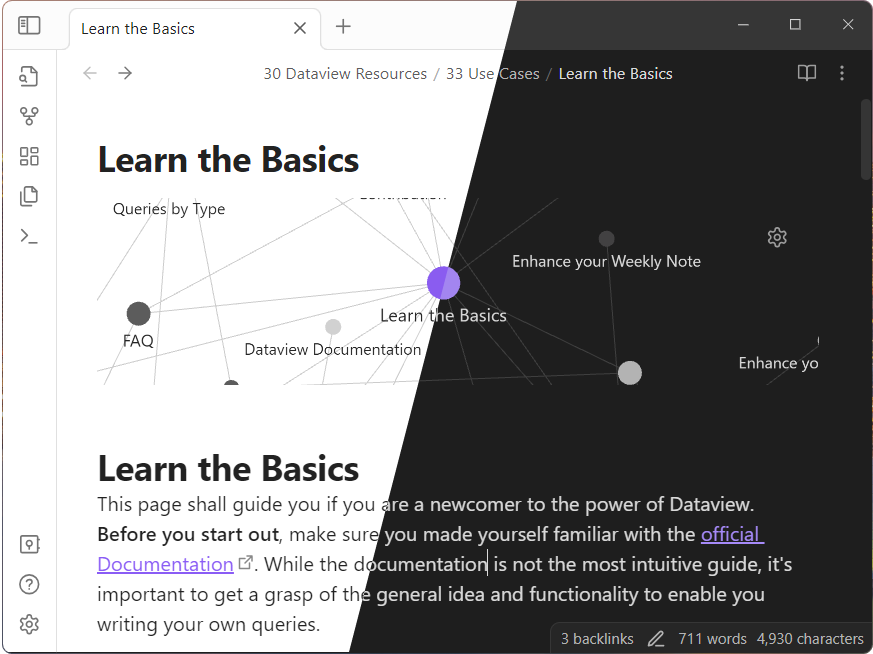
screenshot thumbnail

This screenshot was generated using s-blu/obsidian_dataview_example_vault

Usage

  1. Install and enable the plugin.
  2. Just open a note and the graph will be displayed in the header!

[!TIP]

  • You can customize the banner appearance via Style Settings plugin.
  • You can save the local graph settings via Sync Graph Settings plugin.
    • Graph settings synchronizatoin is only reflected the first time you open a note, so reload the app if you change those settings.
86%
HealthExcellent
ReviewSatisfactory
About
Display a local graph view in the note header to visualize connections between the current note and nearby notes. Customize the banner via Style Settings and save or sync graph preferences with Sync Graph Settings; reload once to apply synced changes on first open.
VisualizationInterfaceNavigation
Details
Current version
2.3.3
Last updated
5 months ago
Created
2 years ago
Updates
36 releases
Downloads
22k
Compatible with
Obsidian 1.7.2+
License
MIT
Report bugRequest featureReport plugin
Sponsor
Buy Me a Coffee
GitHub Sponsors
Author
ras0qras0q
github.com/ras0q
GitHubras0q
  1. Community
  2. Plugins
  3. Visualization
  4. Graph Banner

Related plugins

Strange New Worlds

Reveal networked thought and the strange new worlds created by your vault.

Hover Editor

Transform the Page Preview hover popover into a fully working editor instance.

Dragger

Drag and drop any block (paragraphs, headings, lists, etc.) to rearrange content like Notion.

Breadcrumbs

Visualise the hierarchy of your vault using a breadcrumb trail or matrix view.

Map View

An interactive map view for your notes.

Image Toolkit

Click images to preview with zoom, move, rotate, flip, invert, and copy.

Lineage

A writing interface that combines structure and content. Inspired by Gingko Writer.

Hider

Hide interface elements such as tooltips, status bar, titlebar, and more.

Notebook Navigator

Alternative file browser with folders, tags, properties, shortcuts, previews, keyboard navigation, drag and drop, and pinned notes.

Commander

Customize your workspace by adding commands everywhere, create macros and supercharge your mobile toolbar.