Search...Search plugins and themes...
⌘K
Sign in
  • Get started
  • Download
  • Pricing
  • Enterprise
  • Account
  • Obsidian
  • Overview
  • Sync
  • Publish
  • Canvas
  • Mobile
  • Web Clipper
  • CLI
  • Learn
  • Help
  • Developers
  • Changelog
  • About
  • Roadmap
  • Blog
  • Resources
  • System status
  • License overview
  • Terms of service
  • Privacy policy
  • Security
  • Community
  • Plugins
  • Themes
  • Discord
  • Forum / 中文论坛
  • Merch store
  • Brand guidelines
Follow us
DiscordTwitterBlueskyThreadsMastodonYouTubeGitHub
© 2026 Obsidian

My Spaces

Hieu CongHieu Cong122 downloads

Create clean, minimal spaces to control which files and folders appear in your sidebar. Managing your file tree shouldn't be hard or clunky.
Add to Obsidian
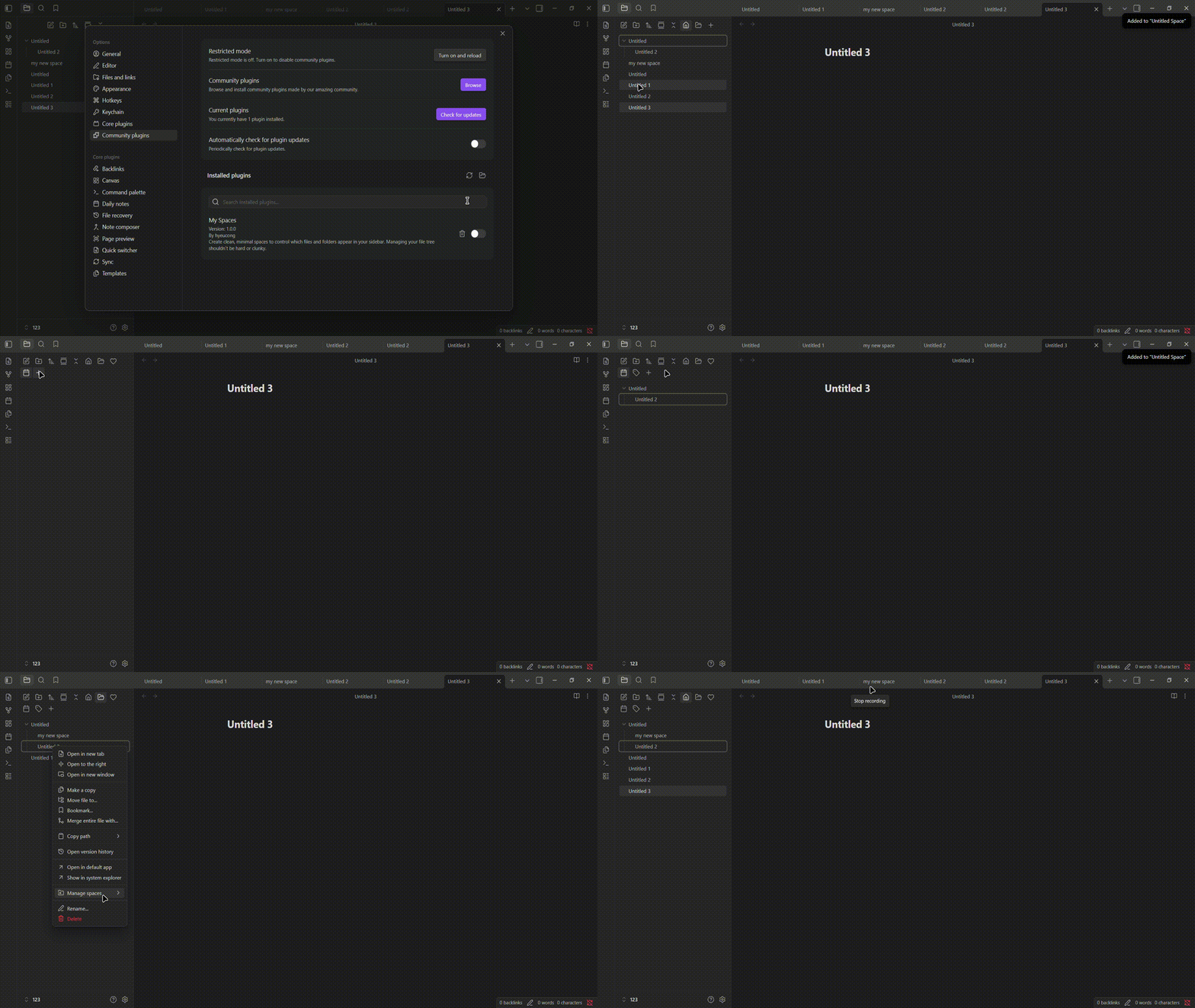
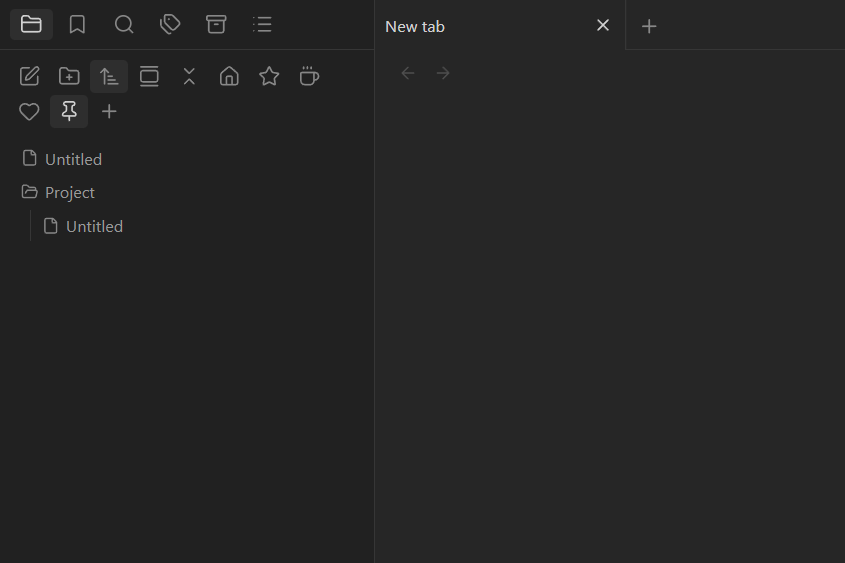
My Spaces screenshot
  • Overview
  • Scorecard
  • Updates9

Create clean, minimal spaces to control which files and folders appear in your sidebar. Managing your file tree shouldn't be hard or clunky.

My Spaces Demo Images Demo

Feedback

If you find a bug or would like to suggest an improvement, sidebar state or your case broken please open an issue on GitHub.

Todo

  • Add more command
  • Cover more sidebar state/case if find any
  • Few more setting option

Features

  • Custom Spaces: Separate your folder & file view with spaces.
  • Header Icon Bar: Toggle spaces directly from the File Explorer header.
  • Command Palette: Switch spaces instantly via hotkeys.
  • Context Menu: Right-click any file or folder to assign it to a space.
  • Icon Suggestions: Built-in icon picker with live previews in settings.

Usage

  1. Create: Click + in the header or add a space in settings.
  2. Assign: Right-click any file or folder & add to space.
  3. Switch: Click a space icon or run a command to filter your view.

Installation

  • Community Plugins: Search for My Spaces & Install then Enable.
  • Manual: Place release files into .obsidian/plugins/.
HealthExcellent
ReviewPassed
About
Create and manage multiple named spaces with custom icons to group specific files and folders. Filter the file explorer to show only the selected space’s content and focus on a single part of your vault.
SidebarFoldersAppearance
Details
Current version
1.1.0
Last updated
2 weeks ago
Created
2 weeks ago
Updates
9 releases
Downloads
122
Compatible with
Obsidian 1.5.0+
Platforms
Desktop, Mobile
License
MIT
Report bugRequest featureReport plugin
Author
Hieu CongHieu Conghyeucong
GitHubhyeucong
  1. Community
  2. Plugins
  3. Sidebar
  4. My Spaces

Related plugins

Hide Folders

Quickly toggle the visibility of specific folders in the file navigator based on configured names. Useful for hiding attachment folders.

Custom File Explorer sorting

Manual or automatic config-driven reordering and sorting of files and folders in File Explorer.

Flexplorer

Enhance the file explorer with custom sorting, pinning, and hiding.

Portals

Pin folders and tags as customizable tabs with icons, colors, and folder notes for easier navigation.

File Explorer Note Count

See the number of notes in each folder within the file explorer.

File Tree Alternative

An alternative file tree view with separate folder and file panes.

Rainbow-Colored Sidebar

Automatically color your sidebar like a rainbow. No configuration needed.

Trash Explorer

Restore and delete files from the Obsidian .trash folder.

File Explorer++

Hide and pin files and folders in the file explorer using custom filters.

Settings Sidebar Organizer

Groups Community Plugins into folders, allows renaming, reordering, and compacting the sidebar.